

I hope you’re ready for an entirely new iPhone experience today. Apple has already confirmed the long-awaited iOS 26 release date, which introduces the biggest update to the iPhone experience in history.
This isn’t just a new software version; instead of the consecutive iOS 19 moniker, Apple has jumped ahead to iOS 26, and after using every iOS 26 developer and public beta, it’s a worthy jump.
The latest iOS update is more similar to Android, with Apple introducing features it hadn’t previously offered. The result is a radical shift from being restrictive to being helpful, and there’s no doubt in my mind that every Apple OS26 update is worth updating to when they’re pushed to iPhones, iPads, Macs, Watches and Apple TVs around the world on September 15.
The update is most keenly felt on both the iPad and the iPhone. For many of the best iPads, this is the necessary update for those who want to use Apple’s tablet as a computer, with an overhaul of multitasking, new helpful menus, and a shift to offering a more Microsoft Surface-like portable experience.
For the iPhone, however, this is the shift that I’ve been waiting for. I’ve used the best Android phones alongside the best iPhones for more than a decade, and iOS 26 makes the iPhone almost as good in some areas and better than Android in others. Here’s why you should update your iPhone, and what you can expect.
Here’s which iPhones will get iOS 26 and what time

The first thing you need to know is which iPhones will get the iOS 26 update. We’ve already covered the phones that won’t get the update, but here are the iPhones that will get the update.
- Apple iPhone 16: Pro Max, Pro, Plus, regular, e
- Apple iPhone 15: Pro Max, Pro, Plus, regular
- Apple iPhone 14: Pro Max, Pro, Plus, regular
- Apple iPhone 13: Pro Max, Pro, regular, mini
- Apple iPhone 12: Pro Max, Pro, regular, mini
- Apple iPhone 11: Pro Max, Pro, regular
- iPhone SE, 2nd generation and later
If past years are any indication, we can expect the update to become available around 10am PT / 1pm ET. You can expect delays if you choose to update as soon as it’s available, but within a few hours, it’ll likely become faster and smoother to install iOS 26 on your supported iPhone.
Liquid Glass will make your iPhone feel new again
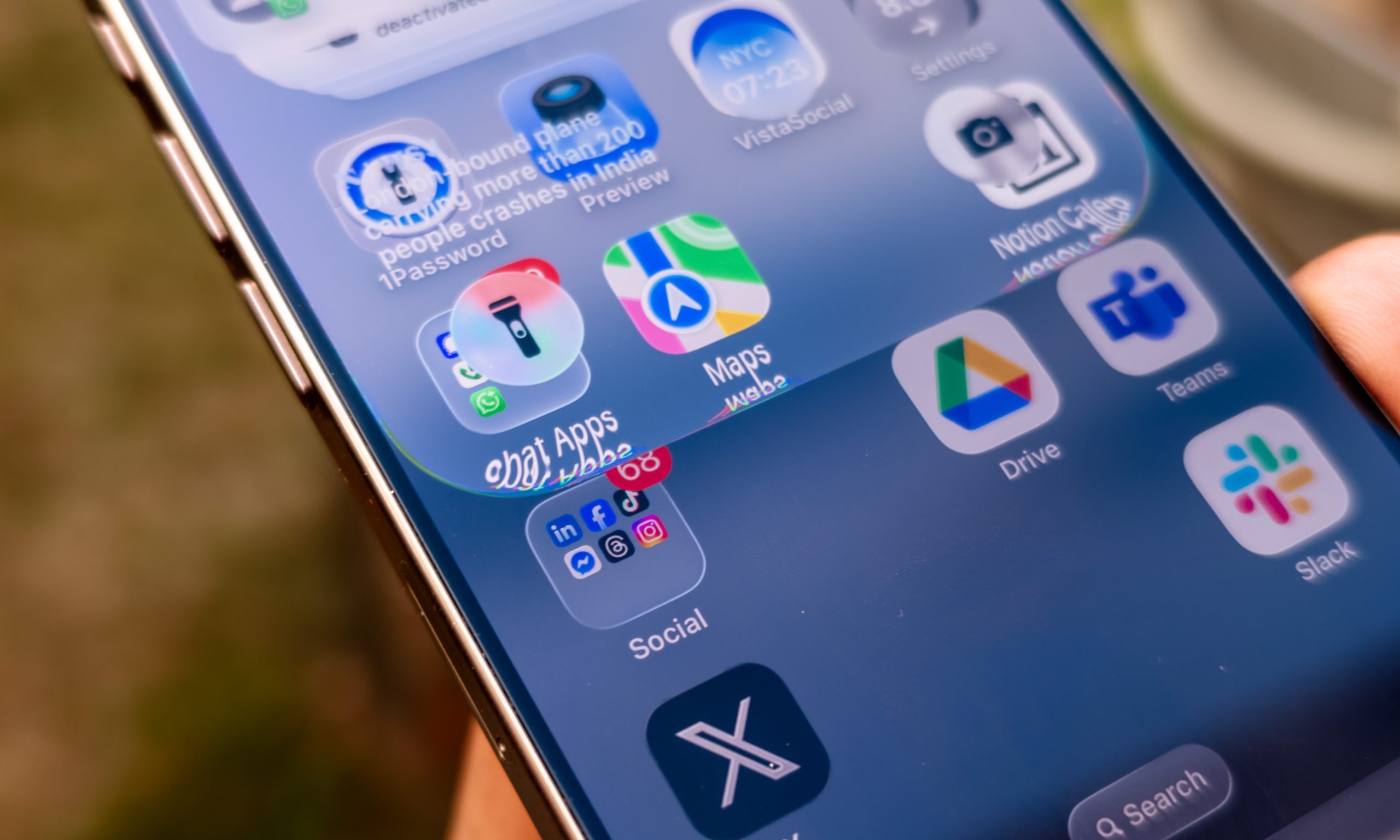
There are many reasons why you should upgrade your iPhone to iOS 26. They start with the Liquid Glass Interface, and this is where Apple has transformed your iPhone.
Liquid Glass adds translucency throughout the menus and will make your iPhone feel new and interesting again, even if it’s a few generations old. At first, there was an impact on battery life, but the current iOS 26 public beta — which is essentially the same version being released today — has resolved all of these. Now, it’s one of the smoothest iPhone experiences I’ve used in over a decade.
Apple has changed the opacity of Liquid Glass throughout the different betas, but the current version balances transparency and accessibility fairly well. Combined with the entirely new theming engine introduced in iOS 18, the iPhone now offers a stunning experience.
A far more thoughtful and helpful iPhone experience

Thanks to iOS 26, the iPhone is far, far more useful than it has ever been. The overhaul of the interface allowed Apple to rethink every part of iOS 26, including its approach to menus, sub-menus, and how to display different options.
The proof is in the pudding: press and hold a phone number and you’ll see shortcuts to call from any of the active SIMs on your phone, as well as a host of other improvements. Tap to call, and your iPhone will ask you which SIM you want to use. This won’t impact everyone, but as someone who always uses two SIMs on my iPhone, this is an extremely beneficial update.
Those changes are thanks to the new menu system introduced across all of Apple’s platforms. It also means you have the same professional Finder and Preview apps that you’ll find on the Mac, and it also means there’s an entirely new dialer experience.
A much better Phone, Dialer, and Contacts apps
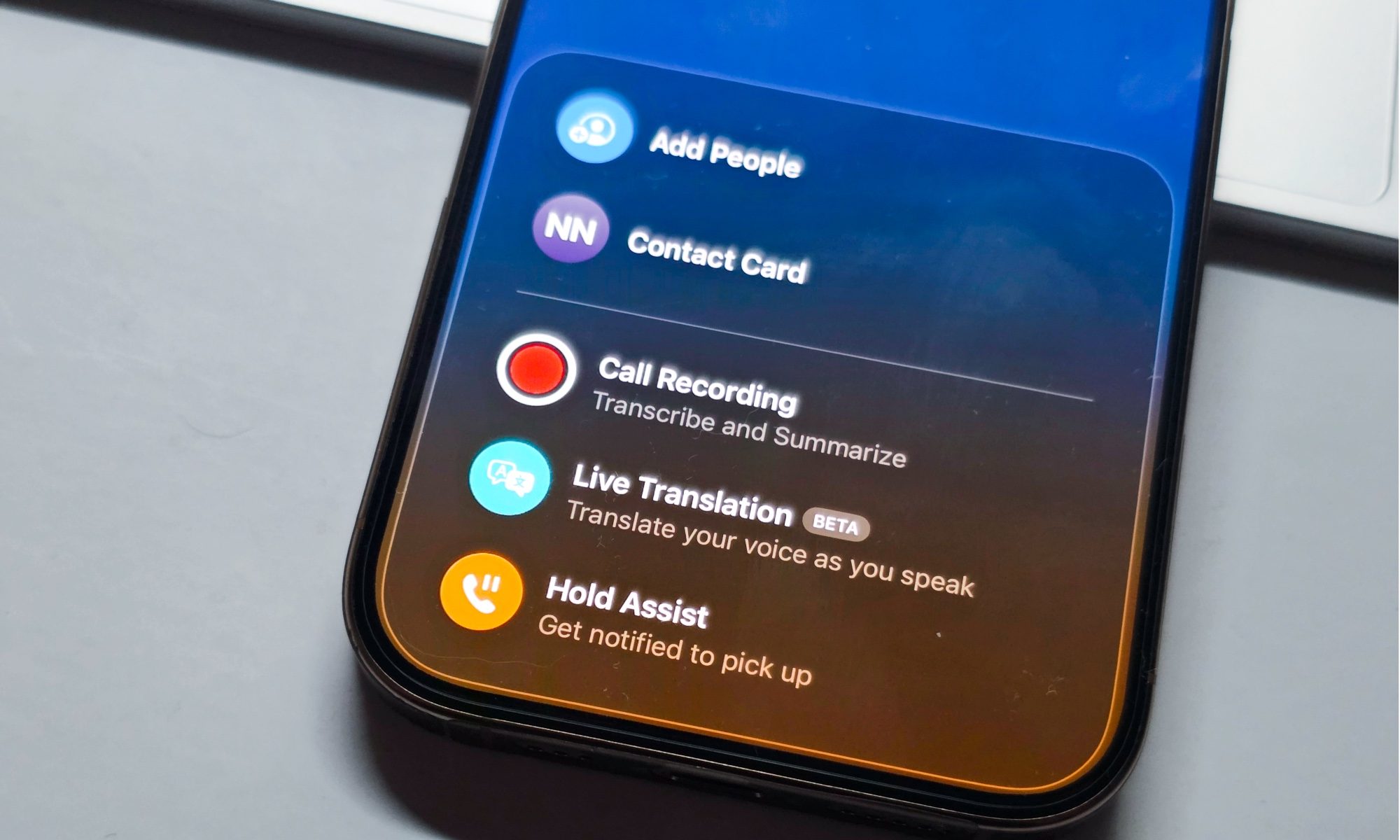
Apple has completely overhauled the phone app, and while it’ll take time to become accustomed to, this makes phone calls far easier. There’s a new single unified view that displays your call log, missed calls, and visual voicemail messages on the same screen. Proof of Apple’s new approach is that you can also easily disable some of the features and return to the familiar iOS dialer.
Even if you do, you’ll still have access to two extremely useful dialer experiences. Both use AI, and like the Google Pixel 10 series, iOS 26 will screen your calls or stay on hold for you so you don’t have to. The former works extremely well, but I often miss the notification when it’s time to pick up the phone.


One of the best improvements to the dialer is the integration with third-party applications. Deep system integrations with extremely popular apps like WhatsApp, Telegram, Teams, and Messenger mean you can easily call a person using one of those apps directly from within any dialer menu.
As someone who uses all of these apps and travels much of the year, this makes it far easier to travel and stay connected. It also means I don’t need to switch between different apps to contact people, and rather the Contacts app can be a true unified contacts app.
Why you should upgrade your phone

There is a lot more to iOS 26, but these are the changes that have benefited me the most over the past few months. The current update has fixed some issues that had plagued my iPhone 16 Pro, and it’s made it the true flagship experience that I was looking forward to.
My new iPhone 17 Pro and iPhone Air are set to be delivered in just a few days, and I can’t wait to experience Liquid Glass on both new devices. If my current iPhone 16 Pro experience is any indication, this will be the best iPhone experience yet.


