Late last year, Microsoft introduced a new AI feature called Copilot Vision for the web, and now it’s being made available on mobile devices. This feature integrates with your phone’s camera to create interactive experiences in the real world, allowing it to analyze real-time video and photos stored on your device.
Copilot Vision on mobile enhances functionality by enabling the AI assistant to “see” and interpret various content. Whether shopping, reading, or conducting research, Copilot can provide additional information and help you navigate tasks more efficiently.
To use Copilot Vision on mobile, simply open the Copilot app, access your camera, and view the world around you. Copilot will offer context and explanations about items in front of you. Microsoft has provided several use cases, such as assessing the health of plants or offering decorating tips.
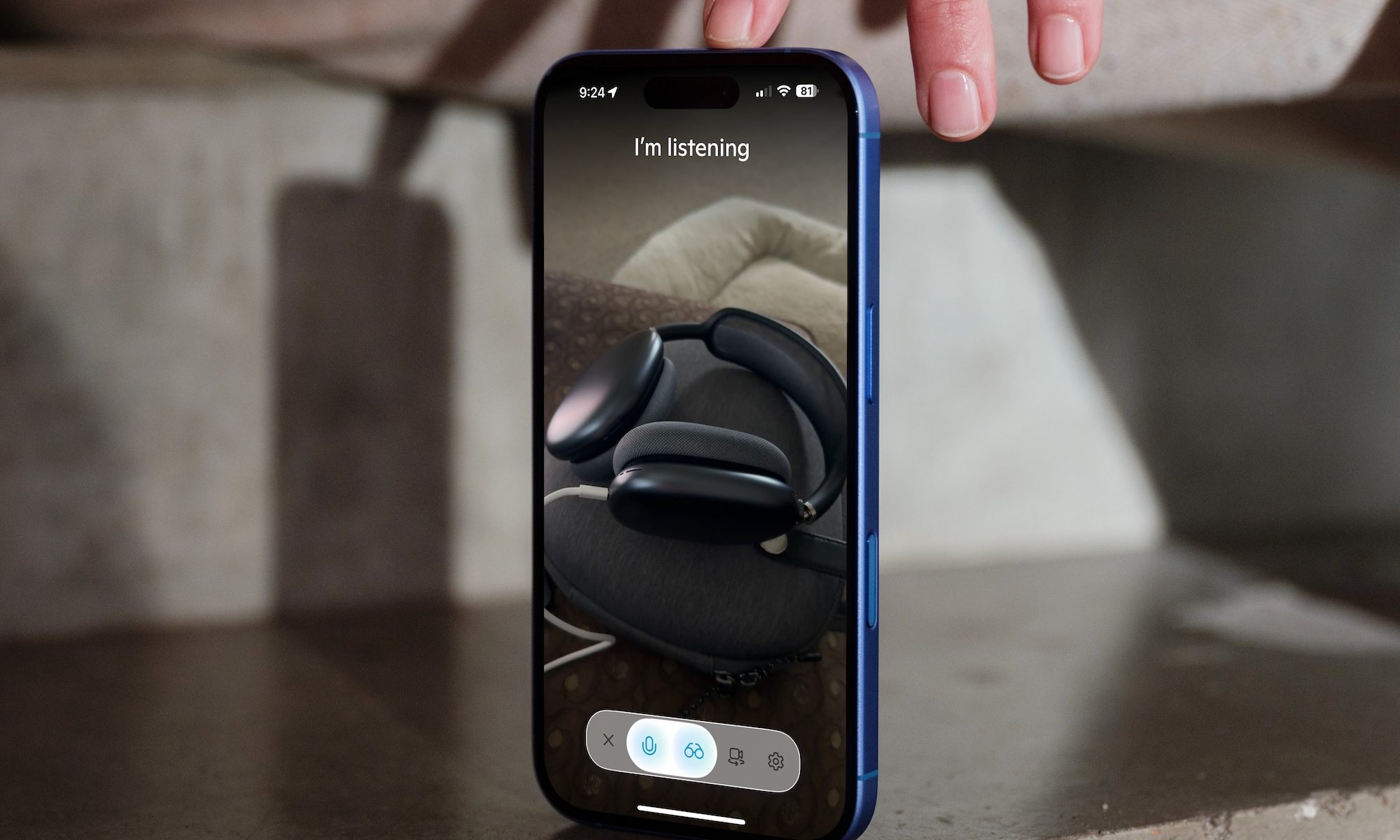
Are you concerned about security? Copilot will only access your phone’s camera for Vision if you give permission. Otherwise, it will not.
Currently, Copilot Vision is accessible within the Voice mode of the Copilot app and is available to Copilot Pro subscribers in the U.S, with plans to expand to more users in the future.
This feature is part of Microsoft’s larger vision to create a more integrated AI assistant experience across devices. According to Microsoft, these enhancements make Copilot a more personalized, interactive, and intuitive part of daily life.
Microsoft Copilot Pro costs $20 per month. It gives subscribers preferred access to the most advanced AI models during peak times, higher usage limits, and early access to experimental features.
On February 7, 2023, Microsoft launched “Bing Chat” as part of a significant overhaul of Bing. This chatbot feature was developed by Microsoft and integrated into both Bing and the Edge browser. Essentially, it represented an evolution of the Cortana chatbot, powered by OpenAI’s technology.
In March of that year, Microsoft introduced Microsoft 365 Copilot, designed for Microsoft 365 applications and services. The primary focus of its marketing was on enhancing business productivity as an added feature to Microsoft 365. This version combined the capabilities of large language models with data from Microsoft Graph and Microsoft 365 apps, aiming to “turn your words into the most powerful productivity tool on the planet.”
In March 2024, Microsoft implemented its first significant upgrade by adding support for GPT-4 Turbo. Then, in September 2024, the company made several major announcements as part of the rollout of “Copilot Wave 2,” including the adoption of OpenAI’s GPT-4o model. These changes continue to expand Copilot’s capabilities across Microsoft’s ecosystem.