
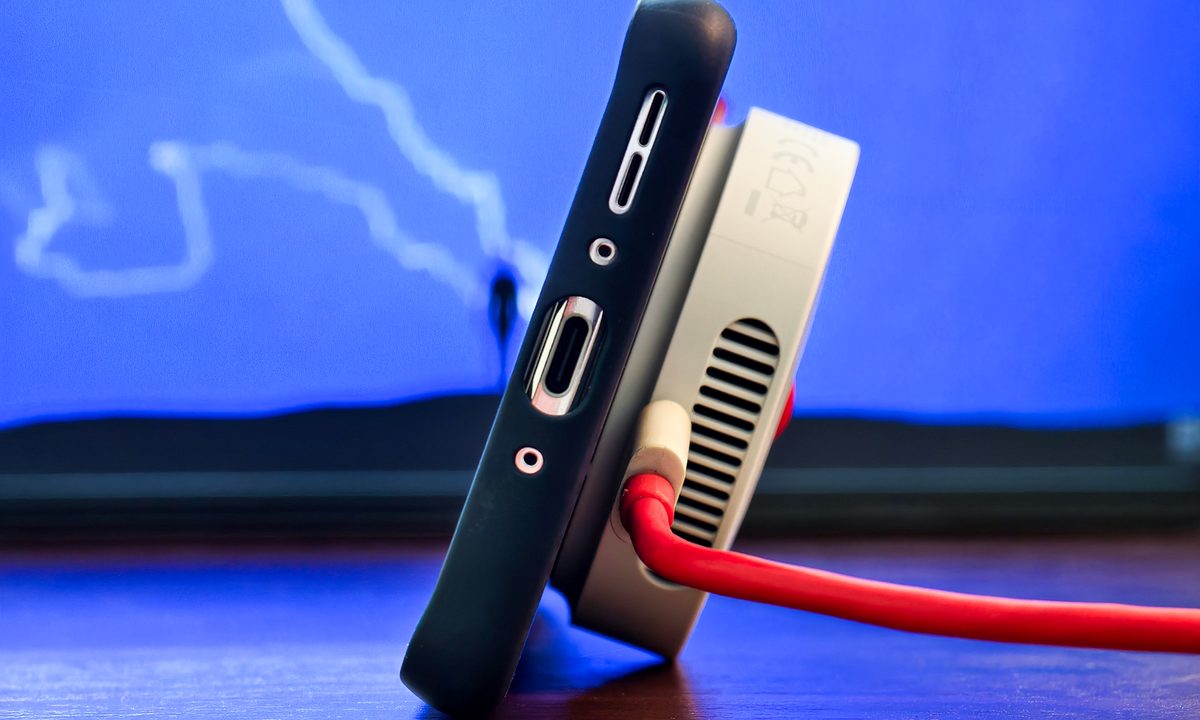
I’ve been using the OnePlus 13 for about a month and it’s fast become my favorite Android smartphone right now. Alongside excellent battery life, superfast charging, and a great camera, there’s one particular OnePlus 13 feature that I want every smartphone to copy: the 50W AirVOOC Wireless Charging.
One of the key problems with wirelessly charging your phone is the excess heat that it generates. The new AIRVOOC charging puck fixes this problem with an in-built fan that keeps the phone extremely cool to the touch, even after it’s been charging for over an hour.
It also provides faster wireless charging speeds than most phones in the US support when wired, but how good is this, and why should every phone maker copy this? I tested it out with both the OnePlus 13 and the iPhone 16 Pro to find out.
The new AirVOOC magnetic wireless charger
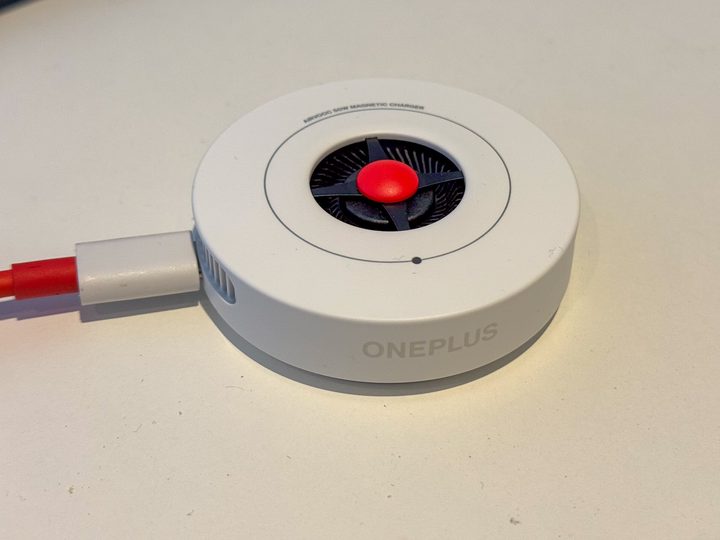
The OnePlus 13 doesn’t natively support magnetic wireless charging. Instead, you need a magnetic case which costs $25 for the cheapest case offered by OnePlus itself for the OnePlus 13.
The AirVOOC charger — which is identical to the one used by sister company OPPO for the Find X8 Pro series — costs an additional $80, while a compatible charging puck and cable costs $50, meaning it’ll cost you a total of $155 to take full advantage of this fast wireless charging.

Unlike the wireless charging stand that was launched alongside the OnePlus 8 Pro back in 2020, this latest iteration of the OnePlus wireless charger uses a puck-like design. There are a couple of benefits to this, but one key downside: the built-in fan on one side means it keeps the phone cool, but it also means you can’t easily prop the phone up when charging (which you can on the charging stand).
The main benefit — and the reason that you’ll also want the magnetic case — is that it works very similar to the MagSafe charging cable for the iPhone. The magnets on the case easily align with the magnets in the charger, which makes it easy to use the OnePlus 13 while it is charging, but also means that it’s compatible with any phone with built-in magnets like the iPhone 16 series.
Testing it out with the OnePlus 13
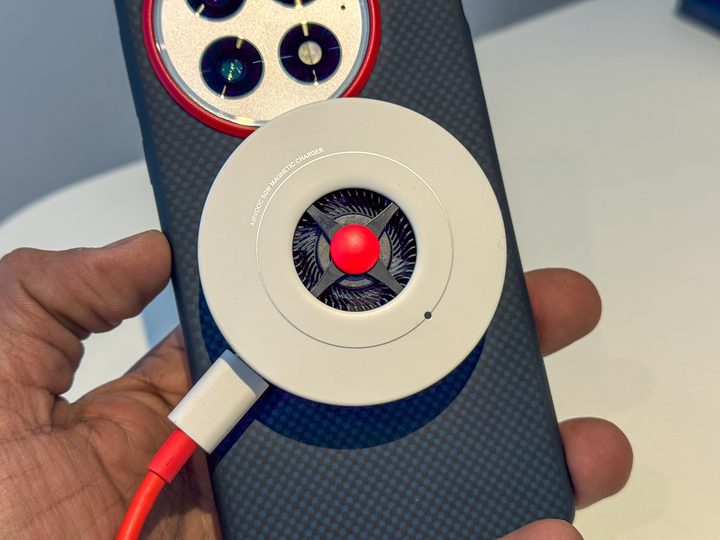
To understand how much value this has to offer — and determine whether you should buy this for your OnePlus 13 — I decided to test it out. To do so, I first tested the time taken to charge the OnePlus 13; I tested this with the 80W charger included in the box in the US, although it’s worth noting that this isn’t included in global markets.
Running three tests from empty to full, the OnePlus 13 takes an average of 39 minutes to charge to full. This is slightly more than the 35 minutes it’s rated for, although it’s worth noting that one of my tests took just 36 minutes so the differences are minimal.
What about the 50W AirVOOC magnetic wireless charger? OnePlus says it’ll take around 75 minutes to charge to full — more than double the wired charging speed — but in my testing, it takes slightly less.
However, it’s worth noting that if you lay it flat on its back and restrict the airflow of the fan, the charging speed is vastly reduced. In one test, the phone charged to just 32% in one hour when laid on its back, and then took just 45 minutes to charge to full when propped up on its side.
This is one key negative, but as long as you don’t restrict the airflow, the fan does a great job of keeping the phone cold to the touch. After using it the first couple of times, I was shocked at just how cool it was, especially given that wireless charging is known to heat up any phone.
Does it work with the iPhone 16 Pro?
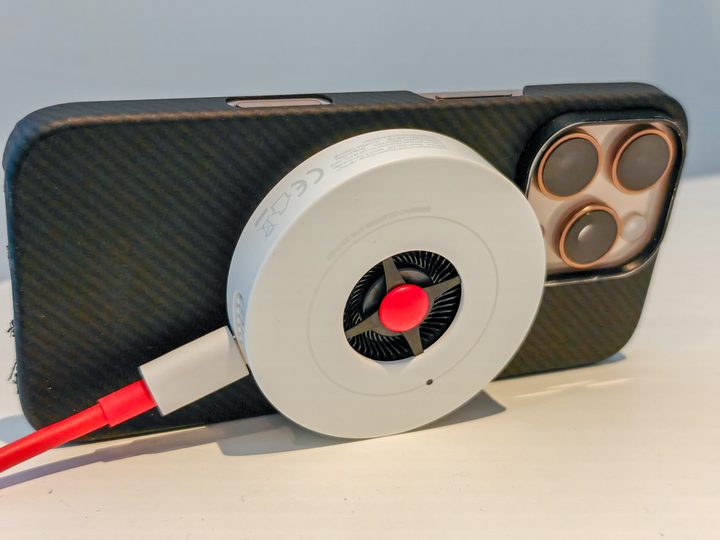
The applications for this charger go far beyond just the OnePlus 13 and the OPPO Find X8 Pro. Although it’s built for the latest OnePlus and OPPO smartphones, the AirVOOC charger is also compatible with any smartphone that supports the Qi wireless charging standard.
Although most phones don’t support magnetic charging, the Qi2 wireless charging standard — built upon the same standard as Apple’s MagSafe charging — should mean more phones feature built-in magnets once it rolls out. For now, the only other phone that natively supports magnetic wireless charging is Apple’s iPhone range, so does the AirVOOC charger work with the iPhone 16 Pro?
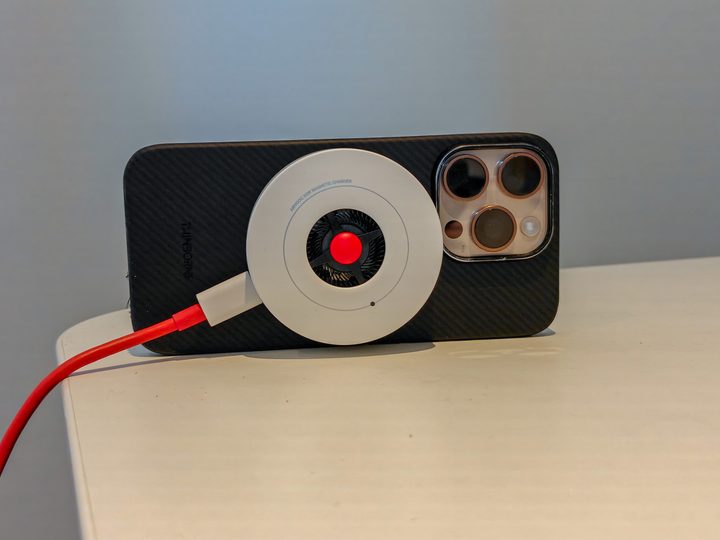
The answer is yes, but it’s not one that you’ll want to use. Unlike the OnePlus 13 which charges rapidly, using this with my iPhone 16 Pro results in a much slower charging experience. In two tests, it took almost three hours to charge to full, and in a further test, it took almost four hours to charge to full when placed with the fan facing down. That said, it did keep the iPhone 16 Pro extremely cool, which is impressive given that the iPhone is notorious for overheating when charging, especially wirelessly.
Why this is a feature every phone maker should copy
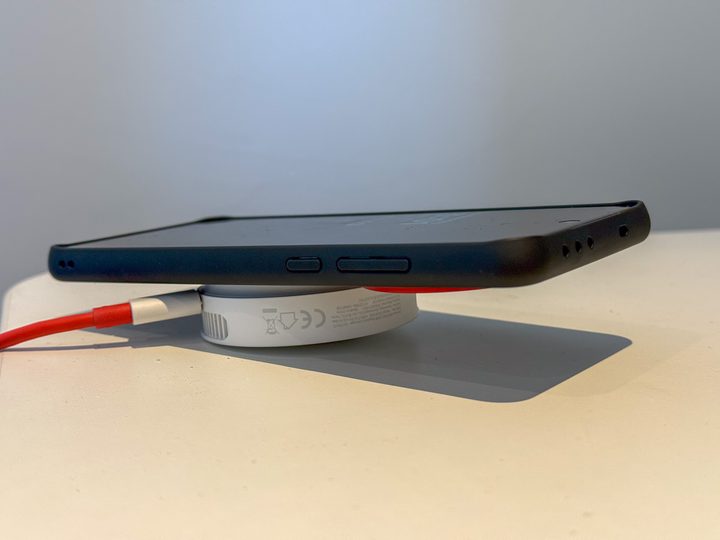
The eventual rollout of Qi2 means this charger will be compatible with more phones, but none will be able to charge at the same speeds as the OnePlus 13.
First, the Qi2 rollout is deeply fragmented, and aside from the iPhone 12 and above, the only other phone to support it natively is the HMD Skyline. Granted, the upcoming Galaxy S25 series is rumored to finally be adding Qi2 support, but we won’t know for sure until it’s announced next week.
Second, Qi2 supports 25W charging, or half the potential speed of this charger. This is an improvement over the 15W max speeds of the first generation, but if more companies added support for the full speeds of the OnePlus AirVOOC charger, it would mean faster wireless charging for all.
Overall verdict
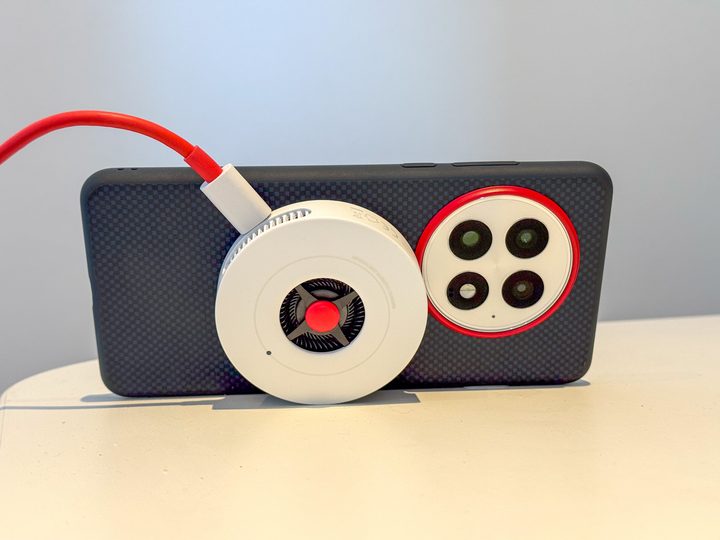
I like most things about the OnePlus AirVOOC charger, but I do think the design could have been better worked to ensure it doesn’t trickle charge when placed fan-side down.
That said, it’s undeniable that the charging speeds it offers are as fast as the wired charging speed offered by most smartphones in the US, and although much slower than charging wired, it’s a fun accessory to have. In particular, it’s a great way to keep the phone cool while charging, although it’ll cost you at least $105 to do so (plus a charger if you need it).


