
Factory resetting your iPhone wipes your user information completely, erasing all of your installed applications, accounts, photos, videos, saved contacts, and anything else you have stored or installed on your iPhone. If you have information in a cloud storage program like Google Docs or Dropbox, that info will still remain under your user account. However, that account and password information will no longer be saved in that iPhone. None of your account info or passwords will be saved. Factory resetting restores it to factory condition, taking it back to the welcome screen. Only Apple-installed applications remain, like the health app and wallet, but again, your user data will not remain in those applications.
Before performing a factory reset, make sure you are certain this action will achieve your desired results. You typically do not need to perform a factory reset to update your iOS version, to make room for more applications, or for troubleshooting purposes. There are often less drastic measures you can take to free up space or improve your phone’s performance. Occasionally, you can perform a factory reset in extreme troubleshooting situations, but this is rarely the best option.
Here are times when it is appropriate to factory reset your iPhone.
When upgrading to a new iPhone

When you get a new iPhone, you’ll probably want to factory reset your old phone. Thankfully, Apple has made switching over relatively simple. You just turn on your new iPhone, place it near your old phone, and follow the on-screen prompts.
Once you know for certain your new iPhone is all set up and activated, you have everything you need from the old phone (you’ve backed up your old phone if needed), you’ve signed out of Apple services that use your Apple ID, and you’ve removed any paired devices like Apple Watches from your old iPhone, then you should perform a factory reset. After factory resetting, go under your Apple ID in your new phone and remove your old phone from your list of trusted devices if it’s still listed.
When you get a new iPhone, factory resetting your old phone helps prevent your user data from getting into the wrong hands. Even if you don’t plan on selling or trading in your phone, it’s still a good idea to wipe it if you’re not going to be carefully keeping track of the device.
When you’re switching from an iPhone to an Android phone
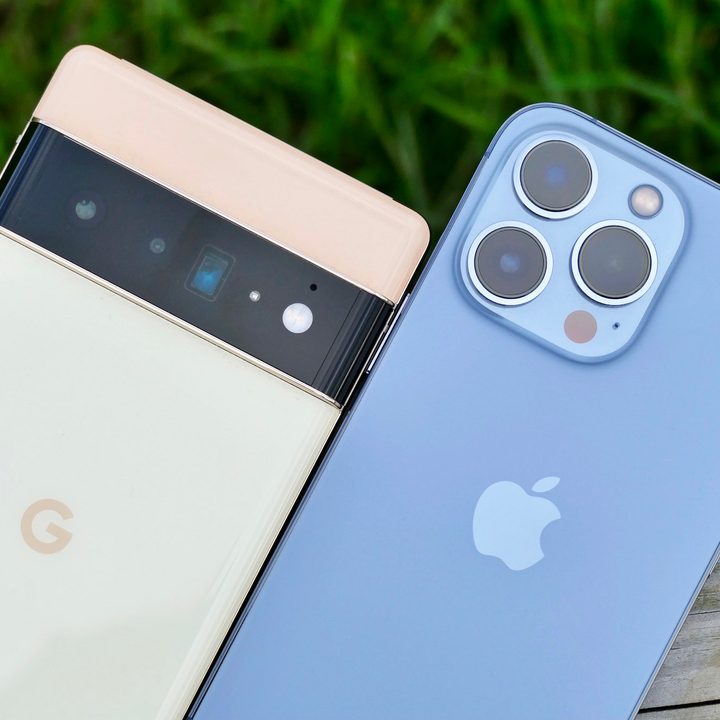
Android phones continue to become more attractive as their features and specs evolve more and more rapidly. If you’re moving from an iPhone to one of the best Android phones like a Samsung Galaxy S21 or a Pixel 6 Pro, it’s wise to perform a full factory reset on your old iPhone. You’ll want to de-register iMessages in addition to the other steps you’d take if you were switching from an iPhone to a new iPhone.
When you’re selling, trading in, or giving away your iPhone

If you’re getting rid of your iPhone for any reason, even if you’re not upgrading, you’ll still want to reset the device. Maybe you’re going back to an older-model phone. Perhaps you want to just use a tablet and not carry a phone at all.
Anytime you’re no longer going to be using an iPhone, you’ll want to get rid of all of your personal info, accounts, and data on that phone.
If an Apple tech says to factory reset
If you’ve contacted Apple support, and the support technician says a factory reset is the answer to your issue, then it might just be the best option. You’ll absolutely want to backup your device if you plan on continuing to use it afterwards.


