
If your eyes hurt while reading this story, you aren’t alone. A recent survey found that the amount of time American adults spend on digital devices daily has reached more than 11 hours compared to nine hours in 2016, due to the increasing power of smartphones and the 24/7 news cycle, and eyestrain is a growing problem.
“As more people spend more time on smartphones, they are looking at tiny letters, photos, and videos,” Dr. Norman Shedlo of the Eyecare Center of Maryland said in an interview with Digital Trends. “This makes the focusing demands on the eye very high, leading to eye strain for many people.”
But what can you do to help lessen the uncomfortable effects of eye strain?
Looking Too Closely

Digital eye strain, also known as computer vision syndrome, is the discomfort felt in your eyes after looking at a display for too long. It’s often associated with our proximity to screens including desktop and laptop computers, tablets, e-readers, and of course, smartphones.
The survey by Wantlens, a vision company, found that 93.5% of adults spend more than two hours a day using a digital device on average, with 70.1% using them for more than five hours a day, and 77% report experiencing symptoms of digital eye strain. It also found people are looking at their screens at all hours, with 78% of Americans looking at their digital devices the hour before going to sleep. Adults under 30 experience the highest rates of digital eye strain symptoms (73%) compared with other age groups.
The leading cause of digital eye strain is the increased effort required for our eyes to focus on a close task such as using a smartphone, Bhavin Shah, a behavioral optometrist, told Digital Trends. The muscles that move the eyes have to make the eyes turn inwards.
“The smartphone demands our attention in a way that is different from books or paper-based reading,” Shah said. “We can often spend hours on a smartphone without realizing it. When we are engrossed in a visual task, we suppress our blinking mechanism, which can lead to dryness and soreness in the eyes.”
The average person’s typical blink rate is about 18 times a minute, ophthalmologist Yuna Rapoport told Digital Trends in an interview. But whenever we are on any screen, including a smartphone, our blink rate goes down to four-to-six times per minute. This decrease causes dry eyes, irritation, and the feeling of eye strain.
Smartphones increase the problem

Younger people are at risk as well. Digital Trends asked Vicky Fischer, an optometrist at the Miami Lighthouse for the Blind and Visually Impaired, about it. She has seen a “massive” increase in damage to children’s vision due to the increased screen use of tablets and mobile phones, as children attended school from home during the pandemic.
“People are increasingly using their devices beyond recreational use, whether for work or extracurricular activities, so they are more susceptible to eye strain.”
Shah also said he’s seen a recent jump in the number of patients complaining of eyestrain. He blames smartphones for their eye issues. Part of the problem is that the number of tasks that we can do on smartphones is growing, he said.

“App developers are producing more varied solutions that can be performed on a smartphone and also designing apps that are keeping our attention,” Shah added. “Many social media apps use psychology in their algorithms in order to keep us using their app for longer.”
“As smartphones become more powerful they are replacing the functions of laptops and computers,” Shah said. “Combined with the pandemic, an increase in lockdown and working from home and a decrease in outdoor time, I think many occupations have an increased reliance on computers and smartphones (and increase stress in the current times of uncertainty) which has led to an increase in eye strain.”
Keeping Your Eyes Safe
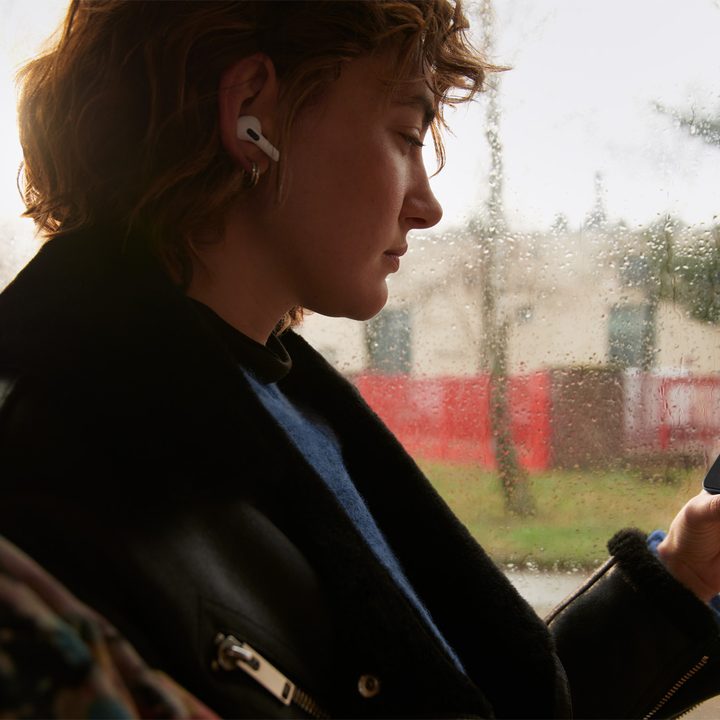
If you find your eyes hurting after long hours looking at screens, what can you do to alleviate the problem? Rapoport gave some helpful suggestions. A good technique to use is the 20-20-20 rule, so every time you’re using a screen, remember to look 20 feet away for 20 seconds, every 20 minutes.
Preventing dry eyes can also help, and he recommends keeping preservative lubricating eye drops by the screen and using some every so often. Another tip is to hold the mobile device below your eyes instead of above, which keeps more of your eyelid covering your cornea and therefore more lubricated.
Shah recommends not to use a device in the dark, as your eyes struggle to adapt to a darkened room with a bright light source such as a smartphone.
“We’re designed to adapt to an even amount of light levels in our environment,” Shah said. “Some people lay on their sides in bed and use their phones in the dark, this has caused a temporary reduction in vision in one eye for some people.”
Limit your time
For Fischer, limiting time on a screen is the thing to do, suggesting you don’t use phones and tablets for more than 1 to 2 hours a day. If you have a hard time sticking to that limit, you might want to consider applications that can control screen time.
However, it’s still tough to do. If you are using a screen for more than 20 minutes at a time without a break, optometrist Molly King told Digital Trends in an interview you should consider a reading glass prescription to help with eye strain or fatigue, and blue light blocking filters to help alleviate eye strain.
If you’re suffering from eye strain, consider booking an appointment with an optometrist to understand if “screen time” glasses would help, and to investigate any issues with dry eyes.


