  1. Home
  2. Photography
  3. News

Seasoned pro explains why capturing and sharing photos is only half the work

Add as a preferred source on Google

No matter how incredible a certain image or a certain series of images is, capturing and sharing them with the world is only half of the equation. Few people know this better than photographer Chase Jarvis.

In his latest episode of Chase Jarvis RAW, Jarvis offers a passionate monologue answering a question he receives so often, “how do I get my work noticed?”

Recommended Videos

The “no bullshit” answer according to Jarvis is, “you have to do the work.” “Creating something and putting it out there” is only 50 percent of the work. The other 50 percent is the act of participating in the community you aspire to become recognized in.

For wedding photographers, that might mean going to a few bridal shows and reaching out to local venues who might be interested in partnering with you to cross-promote each other’s services. For sports photographers, that means reaching out and connecting with more seasoned photographers who have been around the block a few times. Not only will they share sage advice, they might also be a connection to get into a new event or venue you would otherwise be unable to photograph at.
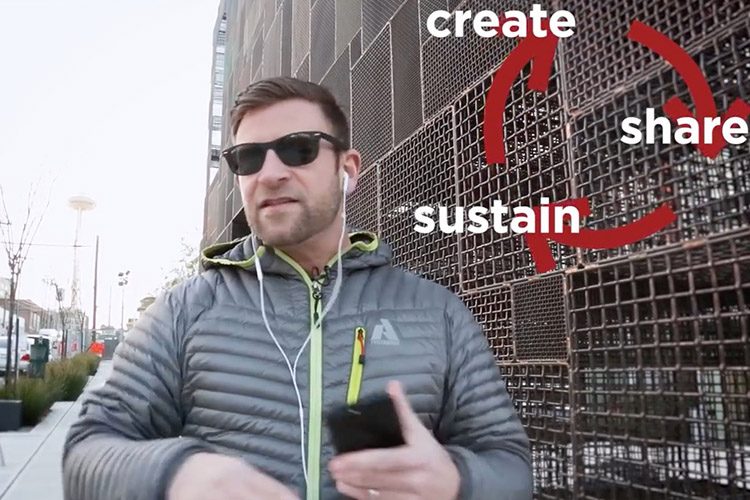
Image used with permission by copyright holder

If you’re a more casual photographer, something as simple as a local creative meet-up might get the job done, if you’re looking for something a little more laid back.

“Success does not equal successful […] Success is very temporary,” says Jarvis in the six-minute video. “You have to continue to participate and push or you will experience a very short-lived success.”

The “other 50 percent” he refers to is the dirty work that’s done behind the scenes. It’s not pretty. It’s not the more appealing side of what you’re doing. But it’s the work that will grow your network and ultimately lead to more opportunities and recognition down the road.

Summed up, Create, Share, Sustain, Repeat.

Gannon Burgett
Former Editor
Google releases big v4.0 update for its popular Snapseed editing app on Android
Electronics, Phone, Mobile Phone

After years of sitting on its hands, Google appears to have remembered it owns one of the best photo editing apps on mobile. Snapseed 4.0 is now rolling out to Android, bringing the platform up to speed after a stretch of iOS exclusivity that left Android users watching from the sidelines.

The story starts last June, when Google quietly broke Snapseed out of its long dormancy with a significant 3.0 update for iPhone. It was a surprise move that suggested the company was serious about the app again. Google then confirmed at the start of this year that Android wouldn't be left behind for long, and true to that word, the Play Store listing has now been updated to reflect version 4.0 — skipping straight past 3.0 for Android users and landing both platforms on the same version simultaneously.

Read more
Google Photos gets new editing tools that are all about subtle touch-ups
Google Photos just made your camera roll feel like it came with a makeup artist included, and the results are refreshingly understated.
Google Photos Touch Up feature in action.

Whether it is dark circles from a late night of work, a blemish that showed up uninvited, or something similar that could use additional brightness, Google Photos now has you covered.

Google has officially rolled out a new Touch Up suite inside its Photos app editor, integrating face retouching tools directly into the app for the first time. Previously, such adjustments were only available inside Google’s Camera app at the time of capture. 

Read more
Adobe Firefly AI will let you edit in creative software by just talking your way through it
Adobe's new AI Assistant can now run your entire creative workflow. Yes, all of it.
Adobe Firefly logo on dark background

Adobe has quietly been building something big inside Firefly, its all-in-one creative AI studio. And today, the company is ready to show it off.

Meet Firefly AI Assistant, a conversational tool that lets you describe what you want to create and then handles the execution across Adobe's entire app ecosystem, including Photoshop, Premiere, Lightroom, Express, and Illustrator. 

Read more