

The crack of the bat, the smell of the grass, and the roar of the crowd…no, we’re not talking about pro baseball, but kids sports! As the season change brings warmer weather, it’s time to gas up the peewee wagon – a.k.a. Dodge Caravan – to shuttle your children to practice, whether it’s softball, soccer, track-and-field, lacrosse, cheerleading, or whatever game they are participating in.
In addition to cheering from the sidelines, a proud parent’s responsibility includes photographing all the memorable moments of his/her kids at play. Sports and action shots are some of the most difficult pictures to capture, but even point-and-shoot users can become a pro sports photographer (well, almost) just by using some simple photography tips.
To get some expert tips and techniques we spoke with photographer, author, and media personality Erin Manning. “Lightning-fast action, limited access, less-than-ideal lighting conditions, and weather can conspire to frustrate even the most experienced photographer,” Manning said. “Whether you’re using a compact camera or a DSLR, I have six surefire tips to help you overcome these obstacles.”
Use a fast shutter speed

Manning said that using a faster shutter speed is key to many great sports action shots. “If you want to freeze the action, use your camera’s Sports Mode for an automatic fast shutter speed, or set the exposure to TV [or S] for Shutter Priority and manually dial the shutter speed to 1/250th of a second. If your images still look blurry, keep raising your shutter speed.”
Pan the action
Panning the action keeps your kids in focus and blurs the background, Manning points out, creating streaks all around that indicate motion and speed.
Here’s how Manning does it. First, ensure a steady stance. Keep your feet firmly planted, and twist from your waist up, to follow the movement. Your camera should keep pace with the movement across frame. Second, press your shutter button halfway and track your subject. Don’t let them run out of your viewfinder’s frame. When the moment is right, fully depress the shutter button.

Consider the light
Light is important when photographing movement. “If you’re outside on a bright sunny day, you can capture action easily. But what if the light is fading or you’re indoors? Just raise your ISO or use your on-camera flash. If you’re shooting indoors and experiencing strange colorcasts in your images, try adjusting your White Balance settings until the image looks normal on your camera’s LCD viewfinder.”

Check the background
Always review the background when you’re framing your shot. “Check out the surroundings. If there are distractions in the background, move around to get a better shot. You can also get up close to the action by using a long, telephoto zoom lens on a DSLR. If you’re using a compact camera, zoom in to the action by extending the lens into telephoto mode.”
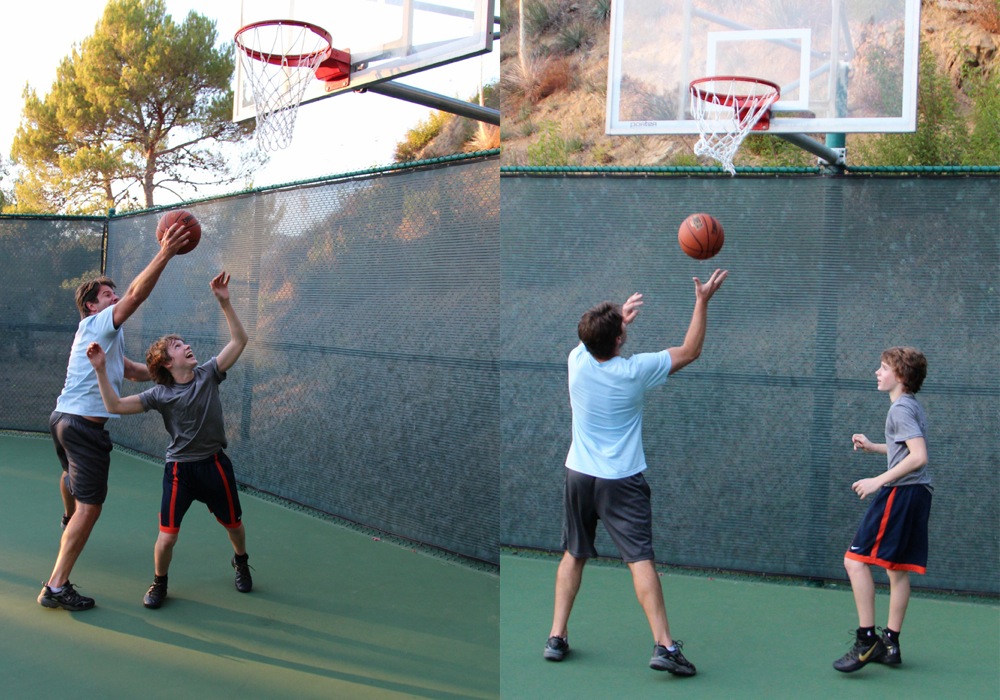
Take More Shots Than You Need
“Always keep shooting. With digital photography, you don’t need to pay for film or processing; in fact, your only limit is the amount of space on your camera’s memory card. Remember, you can always delete images, but you can’t add them!”
Be Fast
“Be ready to shoot. Action happens very fast. To capture images in quick succession, select your camera’s Continuous Mode function and hold your finger down on the shutter button,” Manning said.
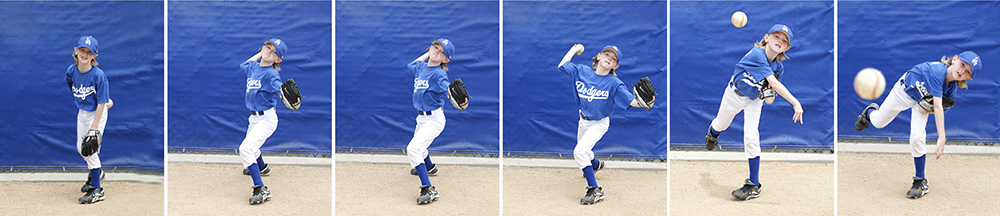
Just as you need to be quick with your reflexes, it’s important to use a fast memory card that records the images as quickly as you capture them. “I like to use the SanDisk Extreme UHS-I memory card. It’s eight times faster than ordinary memory cards, which makes it perfect for continuous burst mode shots,” Manning said.
What to take away
These six tips can help you capture some great footage of your son or daughter’s sporting events. Remember the major imaging aspects of keeping a steady hand, focus, timing and lighting; following them will greatly improve your photography skills, and maybe have you become the envy of all the other parents on your child’s team. The key, above and beyond these tips, is to always keep shooting. Practice makes perfect, and once you’ve mastered the basics, try thinking outside the box with your subjects and how you frame them. Changing your angle and perspective as well as shooting in black and white could lead to some creative and interesting shots down the road.
 Erin Manning is a renowned professional photographer, author, educator, and media personality. Television viewers know Erin best as the digital photography expert and host of DIY Network’s Telly-award-winning TV series The Whole Picture. In addition to creating and hosting the popular Digital Photography 101 video series, she is the author of two books, Portrait and Candid Photography and Make Money with Your Digital Photography, both published by Wiley. She recently partnered with SanDisk to create informative, inspiring content that illustrate how important a fast, high-quality memory is when capturing photos and video
(Images via Erin Manning Photography; main image via Wendy Nero/Shutterstock; mode dial image via TungCheung/Shutterstock; bowling image via Poznyakov/Shutterstock )


