
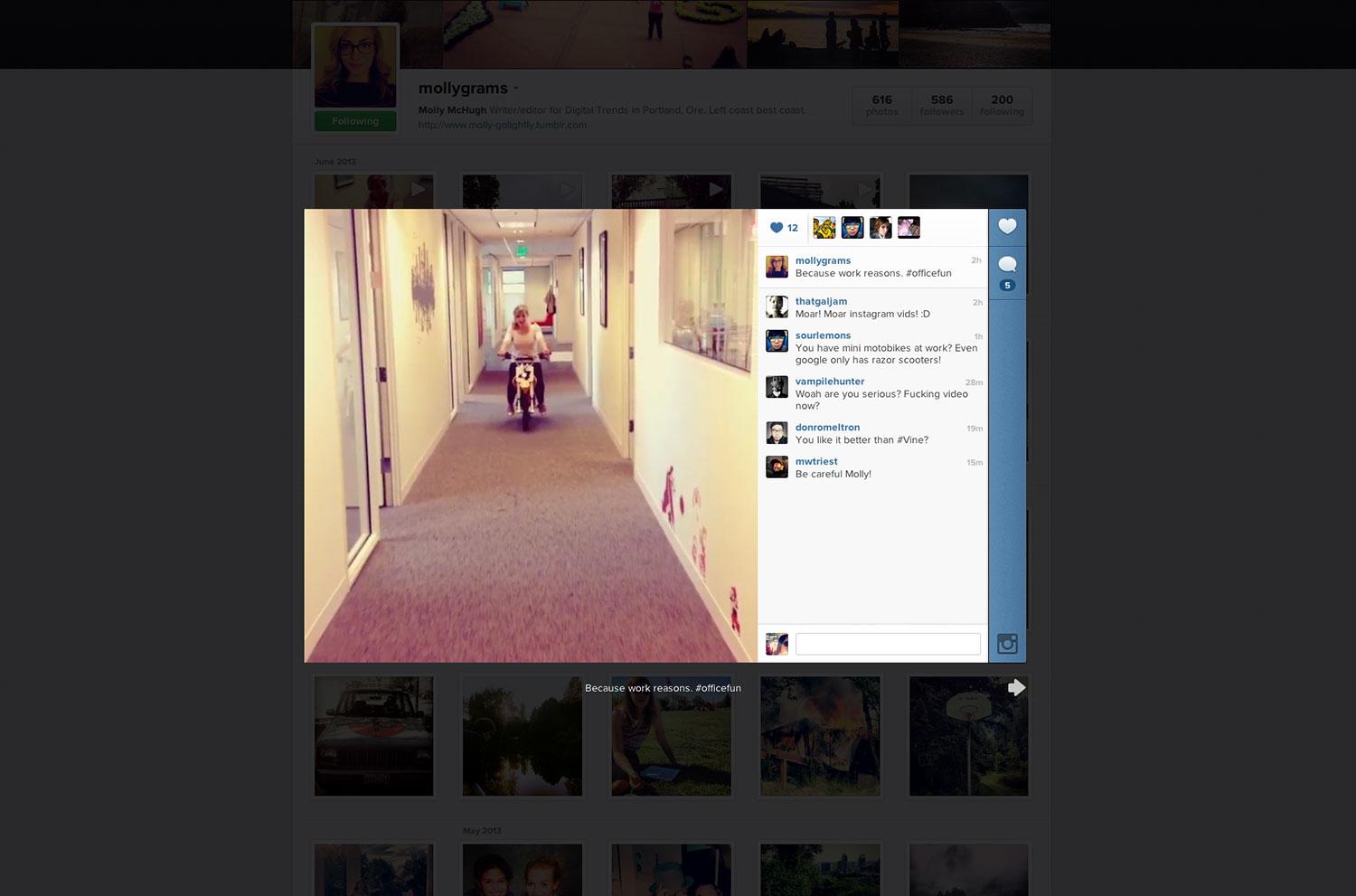
Instagram is stills-only no more. Moments after the announcement of video for the photo-sharing app (media-sharing? Is that what we say now?), the update became available.
Your Twitter and Facebook – and of course, Instagram – feeds are probably filling up with Insta-videos fast, and I’m responsible for a handful of them. While the jury is still out on whether we want our beloved Instagram tampered with, that’s certainly not stopping the experimentation.
That said, here are of our first impressions of Instavideo or Videogram or whatever you want to call it.
The basics
Let’s just give you a quick briefer on video for Instagram:
- Clips are 15 seconds or less
- You can shoot a straight shot by holding the record button or you can make a collage of sorts by holding the button, letting go, and then holding it again to capture bits that are then combined into one video (yes … like Vine)
- You can delete pieces of the clip if you don’t like them
- There are 13 filters
 You can share as per usual; in the feed you’ll see a camera icon indicating something is a video
- Videos in the feed auto-play; sound does not autoplay (unless you’re viewing on the Web or Facebook … or if you’re on your phone, wearing headphones)

Shooting
Instead of hitting the center camera icon, you choose the camera record icon off to the side. This will launch you into the video mode. From here, all you have to do is hold the center button. For the record, you cannot take horizontal videos – vertical only. You don’t want to upload any of this nonsense.

Filters
The video element of Instagram comes packed with 13 new, original filters. If you were particularly attached to “Nashville,” “Amaro,” or “Mayfair,” know that you can’t bring them over to the video feature with you. Instead, here is your new video filter gallery.

At this morning’s event, Instagram CEO and co-founder Kevin Systrom said that the team worked with an artist who specializes in making filters for video, and at least initially the effort seems worthwhile. These are a nice bunch, subtle and without a horrible amount of contrast.
For the record, the video feature doesn’t have the Lux effect that stills do – which makes sense because it would be fairly complicated to light-correct every single frame of these videos.
Because I’m really nice and really into Instagram, here’s a quick comparison of the still and video apps. This might help you decide which one to use in video – i.e., if you like Rise, you’ll probably like Ashby.

Deleting a clip
In the hands on demo at the event, Systrom showed how you could select part of a video and delete it if it didn’t turn out as desired. It appeared incredibly simple – it sort of isn’t. Twice I ended up accidentally deleting the entire video.
 But turns out that’s because I was taking more one-shot videos than “collages:” When you take multiple clips only is when you can select one to delete. Hold your thumb on that video icon the hold time and you’re out of luck.
Cinema
 Without a doubt, Cinema is the most impressive part of video for Instagram. The demo that Systrom showed this morning left me doubtful – it seemed too good to be true. It’s not though: It’s impressive. The little camera shake icon in the center of your photos, which will appear after you’ve completed taking a video and hit “next,” can be toggled on or off. Really, you’re going to want it on always … but for the hell of it, I can’t resist toggling it off just to see my own before and after.
With Cinema applied, videos are far smoother. This will banish bouncy video selfies – which you can bet your bottom dollar will be filling the feed … oh you know, probably within the next 20 minutes.
An Instagram spokesperson tells us that Cinema is available for iPhone now and will launch for Android soon.
Finished product
Here are a couple examples of videos taken with the new Instagram feature – they had to be shared to Facebook and then the embed code grabbed from there, since Instagram still doesn’t let you grab this code from the Web.
Your feed won’t look all that different with the video uploads. The ability to choose your frame means that there should be a pretty decent still in there, so it’s not like you’re going to be browsing through gorgeous picture after gorgeous picture to be greeted by some horrible blurry thing and a video icon.
Also, to that end, the fact that there’s a small video icon in the upper right hand corner – versus a giant play symbol overlayed on the still – keeps the app in sync. It’s a small call to attention (hey, yo, this is a video! It moves!) rather than a blaring order (I AM A VIDEO WATCH ME NOW YOU MUST!). Those wary of what video will do to Instagram (raises hand … I am not innocent) will appreciate that you’re not being too forced into the feature.
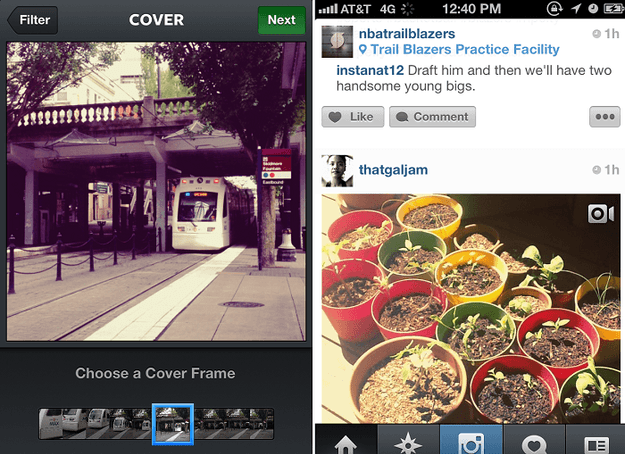
The videos themselves benefit greatly from the Cinema effect, and the filters are a fun new batch to play with (I have to wonder why the still filters aren’t also available … more is always better, right?).
Clearly, Instagram put a lot of effort into video. Yes, it’s partially a reactionary move, but it’s also one that we were told was coming more than two years ago – i.e., Systrom saying he didn’t see a future for Instagram without video. I’d call that a pretty direct hint. While the timing might suspect, the finished product is not – it’s a solid addition to the app. Now all it has to do is convince the hearts and minds who are obsessed with the platform that it can move beyond photo-sharing without sacrificing that good thing it’s got going.


