  1. Home
  2. Social Media
  3. News

X app now lets you directly record reaction-style videos and outrage at just about anything

Typing your reaction is so last year. X wants you to record it instead.

Add as a preferred source on Google
X React with Video feature on iPhone
Rachit Agarwal / X | Digital Trends

If you have spent any time scrolling Instagram Reels or TikToks, you have come across a video format in which a creator overlays their video on top of the content they are talking about. This has become a popular format with creators, as these videos often go viral. 

X, a platform that has become a home for unnecessary outrage, wants to ride this wave of trendy reaction videos by allowing users to record them directly inside the app. The feature lets creators react with video on X posts, giving them even more opportunity to express themselves. 

Commentary is one of the most important pillars of X. And sometimes the best way to share your thoughts is with video.

Today we’re launching a whole new way to make them:
React with Video

Tap the repost button and start recording with green screen, split screen, or… pic.twitter.com/iF3f8wctbK

— Nikita Bier (@nikitabier) June 2, 2026

If you ever felt that a text reply wasn’t enough to express your outrage, this new feature will be right up your alley.

How does React with Video work?

The feature dubbed “React with Video” appears as one of the options in an overlay menu when you hit the Repost button on a post. When you tap on it, X opens the post in the background with your video overlayed at the top. 
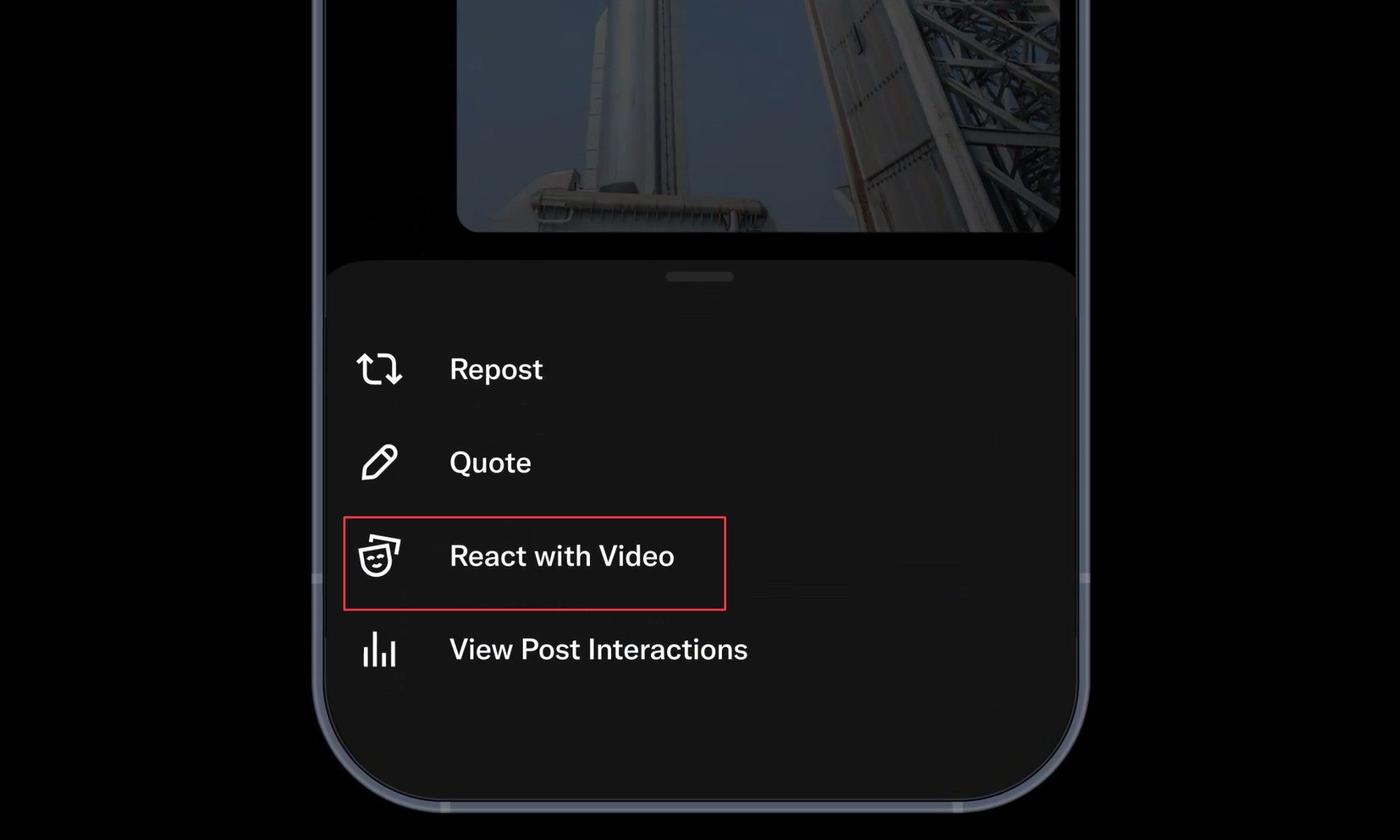
You can then hit the record button and start recording your thoughts. I like that you get the option to pause the recording, giving you ample time to recollect your thoughts. Once you are finished recording your thoughts, you can hit the checkmark button to preview your content. 

If you are happy with the result, you can post it as a reaction reply to the original post. 

What are your options when reacting with video?

It seems that X has put considerable thought into developing this feature, giving users ample customization options. By default, your video appears as an overlay, where X automatically removes your background. You can resize the video and move it to any part of the screen. 

If the original post has media attached, you can choose to make it full-screen and hide the text. This will come in handy if you want to focus more on the image than the post’s text. You can also choose to show your video in other styles, including picture-in-picture and split-screen modes. 

Recommended Videos

If you love making reaction videos, this will considerably decrease the effort required to create them. As for why anyone would choose to spend time on such an endeavor, that’s a question only they can answer.

Rachit Agarwal
Rachit is a seasoned tech journalist with over ten years of experience covering the consumer technology landscape.
TikTok’s AI slop problem is worse than you think — and kids are seeing the most of it
TikTok

TikTok has spent years perfecting the art of knowing exactly what you want to watch next. Open the app, scroll a few times, and suddenly it’s serving videos that feel uncannily tailored to your interests. But what happens before TikTok learns who you are? According to new research from video editing platform Kapwing, the answer is increasingly AI slop.

The study found that nearly 60% of the videos shown to a brand-new TikTok account were low-quality AI-generated content. That’s not a niche problem buried in obscure corners of the platform. It’s the first impression TikTok is making on new users before the algorithm even begins personalizing their feed. And if that sounds concerning, the findings around children’s content are even harder to ignore.

Read more
Your Instagram photo dumps just got a caption for every single slide
One toggle, up to 20 captions, and finally a reason to write something for every slide.
Clothing, Hardhat, Helmet

Instagram just made one of its most popular post formats significantly more useful. 

Starting today, you can add a unique caption to every single slide in a carousel post. So, instead of one caption trying to explain up to 20 different photos, each slide gets its own text underneath. It is the kind of addition that makes me wonder why it took this long.

Read more
TikTok feeds show 3 times more AI slop than YouTube, study reveals
Kids content has the highest AI slop rate on TikTok.
TikTok

If you have ever felt like your TikTok feed is mostly fake content, you are not imagining it. A new report from Kapwing found that 59% of videos served to a brand-new TikTok account are AI slop. That is roughly three times the rate Kapwing found when it ran the same test on YouTube.

How bad is TikTok's AI slop problem compared to YouTube?

Read more