
When the new iPad Mini 6 launched, users noticed a “jelly scrolling” effect on the tablet. Jelly scrolling occurs when one half of the display refreshes slower than the other half, creating a staggered scrolling effect. Here’s a video demonstrating the jelly scrolling effect on the iPad Mini 6.
If you’re wondering whether your display shows a jelly effect, here’s a free online test to check it.
Apple claims it’s normal

In response to the complaints of jelly scrolling, Apple said this is normal behavior for LCD screens. “Because these screens do refresh line by line, there is a tiny delay between when the lines at the top of the screen and lines at the bottom are refreshed. This can cause uneven scrolling issues like the ones observed on the iPad,” a report on Ars Technica quotes Apple as saying.
Indeed, many devices show such staggered scrolling effects, but they’re not always this noticeable.
“I fired up last year’s iPad Mini, an Amazon Fire HD, and a Huawei Media Pad, and couldn’t find one that specifically bothered me with left-right refresh difference,” said Avi Greengart, a consumer tech analyst, in an email to Digital Trends. In the case of the new iPad Mini, while some users were OK with the jelly screen, many were upset because Apple showed no desire to fix the problem since it’s not a hardware or software issue.
So, the question arises: Is Apple right?
Could it be a defect?

We asked tech and display experts with experience using Apple devices to find out. Here’s what they have to say:
“The iPad Mini has a 60Hz refresh rate, meaning the lines of code are refreshed 60 times per second, fast enough where the average person typically will see it as a solid image without lag or flickering,” said David Lynch of Payette Forward, a website dedicated to diagnosing and solving issues with Apple products. “The lines are supposed to move together as they are being refreshed. The fact that they aren’t, and that lots of people are noticing a “jelly scroll” effect, is indicative of an issue.”
Some users speculated there might be an issue with the hardware or software of the iPad Mini. Lynch believes it can’t be a processor-related problem, but may be an issue with coding. “A lot of processor power goes into scrolling, and the iPad Mini has more than enough processing power to support smooth scrolling,” he said in an email interview. “If there’s an issue with the code, Apple could correct it and theoretically fix the problem.”
He also suggests a hardware problem as another possibility. “Apple will not admit they shipped a product with a defect unless they absolutely have to, but it is entirely possible the ‘jelly scroll’ effect is the result of a design flaw, and iFixIt’s teardown suggests that is a very real possibility,” he said.
Apple rarely acknowledges defects, often only fixing the problem later down the line with an adjustment to a future model or expanding warranty service options. One of the notable examples of this was with the iPhone 4, which notably suffered from the “Antennagate” defect that degraded signal quality. Apple’s response to consumers was that they were “holding it wrong.” The most Apple did for the issue was eventually provide free bumper cases to owners, though it also had to settle a class-action lawsuit for a princely $15 per customer.
Don’t expect anything similar for jelly scrolling. It’s far more subjective, and to some extent, it is a genuinely common occurrence, so it’ll be much harder to prove if it does end up in court as some customers are planning.
Will you notice it?
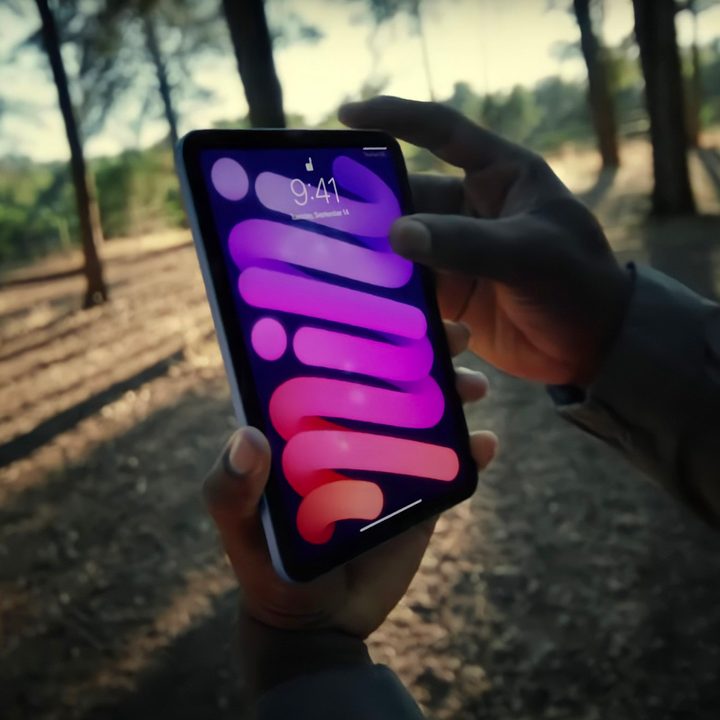
Beyond the debate of what causes the jelly scrolling effect, the question of the hour is: Can users live with the problem? Experts say it depends on each user’s level of comfort with technology and specific performance preferences. Faster refresh rate displays are more pleasant to use, Greengart says, but points out the subjective nature of it. “It is highly likely that some people are more sensitive to noticing [the jelly scrolling effect] than others.”
Many users admitted on social media and tech forums that they didn’t even realize the jelly scrolling effect was present before they read other users’ reports about it, including Digital Trends own mobile section editor, Ajay Kumar, who didn’t notice the problem on his own iPad Mini 6 until he was actively looking for it.
While this may not be a satisfactory answer for consumers who are bothered by the issue, it’s likely that many users can continue using the iPad Mini 6 and other devices with the jelly effect without really sacrificing performance and user experience.


