
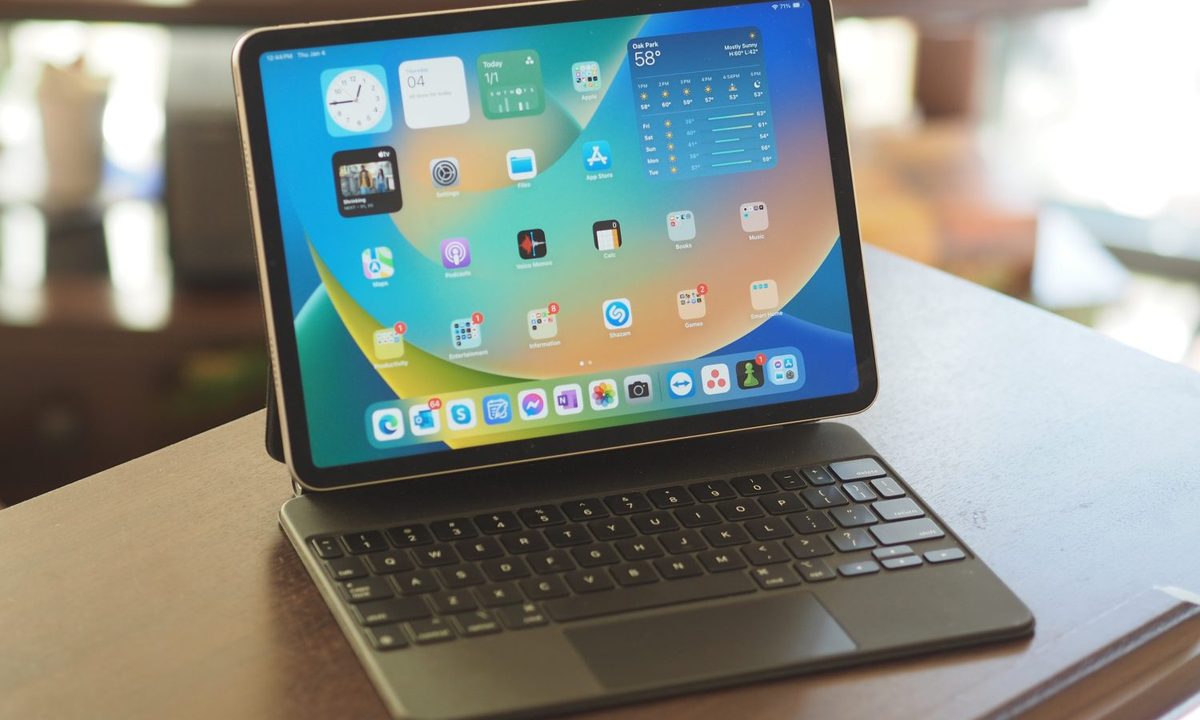


The Apple Magic Keyboard for iPad transforms the tablet into a laptop, with features such as a precise typing experience and a responsive trackpad — but at a hefty price. Fortunately, there are less expensive options, and to help you out, we’ve rounded up the best Magic Keyboard alternatives. They may be cheaper than the Apple Magic Keyboard, but they cater to different types of users with various helpful features, so there’s probably something for you in the list below.
The best Magic Keyboard alternatives in 2024
- Buy the Logitech Combo Touch if you want an all-around Magic Keyboard alternative.
- Buy the Zagg Pro Keys if you want a Magic Keyboard alternative with multi-device pairing.
- Buy the UAG Rugged Bluetooth Keyboard if you want a Magic Keyboard alternative with extreme protection.
- Buy the Keychron K3 if you want a Magic Keyboard alternative with mechanical switches.
- Buy the Omoton KB066 Bluetooth Keyboard for iPad if you want the cheapest Magic Keyboard alternative.
Logitech Combo Touch
The best Magic Keyboard alternative for the average iPad owner

| Pros | Cons |
| Detachable keyboard | Not as slim as other options |
| Keys offers 16 levels of brightness | |
| Apple Pencil charging spot |
The Logitech Combo Touch is a keyboard case for the iPad that features a detachable keyboard and and adjustable kickstand, plus a responsive trackpad that recognizes multi-touch gestures. Its backlit keys make automatic adjustments across its 16 levels of brightness according to the environment, and it uses Apple’s Smart Connector technology for instant power and pairing with your iPad. The durable cover protects all surfaces and corners of your iPad, and it even offers a spot for charging the Apple Pencil.
| Specifications | |
|---|---|
| Connectivity | Smart Connector |
| Trackpad | Yes |
| Backlit keys | Yes |
Zagg Pro Keys
The best Magic Keyboard alternative for multi-device users

| Pros | Cons |
| Multi-device pairing | Plastic components |
| Backlighting in seven colors | |
| Magnetic closure |
If you want your Magic Keyboard alternative to also work with your other devices at the same time, go for the Zagg Pro Keys. It can pair with up to two devices at the same time, and you can easily switch between them, for instances such as when you’re working on your iPad then you have to type something quick on your iPhone. The Zagg Pro Keys features a built-in adjustable kickstand, backlighting in seven colors for the keyboard, a Bluetooth-integrated trackpad, and rubberized edges with a magnetic closure on the case to protect your iPad from bumps and scratches.
| Specifications | |
|---|---|
| Connectivity | Wi-Fi |
| Trackpad | Yes |
| Backlit keys | Yes |
UAG Rugged Bluetooth Keyboard
The best Magic Keyboard alternative for outdoor enthusiasts

| Pros | Cons |
| Protection for your iPad | Bulky design |
| Extra-large trackpad | |
| Long-lasting battery |
For outdoor enthusiasts who always bring their iPad with them, the UAG Rugged Bluetooth Keyboard is the Magic Keyboard alternative that you want. It features complete protection for your iPad with a rugged non-slip exterior and a spill-resistant keyboard. It also features an extra-large trackpad with gesture support, an adjustable magnetic stand with your choice between four viewing angles, a built-in Apple Pencil holder, and a long-lasting battery that may be charged through its USB-C port.
| Specifications | |
|---|---|
| Connectivity | Bluetooth, USB-C |
| Trackpad | Yes |
| Backlit keys | Yes |
Keychron K3
The best Magic Keyboard alternative for mechanical keyboard lovers

| Pros | Cons |
| Connects to up to three devices | No protective case for iPad |
| Mac key layout | |
| Slim mechanical switches |
Mechanical keyboards have a huge following, and if you’re among the people who love them, you should get the Keychron K3 as your Magic Keyboard alternative. The ultra-slim wireless mechanical keyboard can connect with up to three devices at the same time, so you can switch between your iPad, iPhone, and Mac easily. The keyboard also offers a unique Mac layout for all the necessary multimedia keys, and its low-profile Gateron mechanical switches are 40% slimmer than conventional switches with less total travel distance.
| Specifications | |
|---|---|
| Connectivity | Bluetooth |
| Trackpad | No |
| Backlit keys | Yes |
Omoton KB066 Bluetooth Keyboard for iPad
The best Magic Keyboard alternative for tight budgets

| Pros | Cons |
| Low price | No protective case for iPad |
| Hot keys for iPads | No backlighting for keys |
| Long battery life |
For a simple and budget-friendly Magic Keyboard alternative, there’s the Omoton KB066 Bluetooth Keyboard for iPad. It connects via Bluetooth so there’s no need for cables, and its key layout features hot keys that are customized for Apple’s tablet, including volume and brightness. The iPad keyboard lasts up to six months per pair of AAA batteries with its energy-saving design.
| Specifications | |
|---|---|
| Connectivity | Bluetooth |
| Trackpad | No |
| Backlit keys | No |
How we chose these Magic Keyboard alternatives
If you’re looking for Magic Keyboard alternatives, we know that doesn’t mean you’re willing to spend on a device that won’t meet all of your needs. The iPad keyboards that we chose are geared towards different preferences and purposes, so once you’ve determined what exactly you want from your purchase, you should be able to select the perfect match among these recommendations. Whether you want to use your iPad as a regular laptop replacement, or you just want the capability to type occasionally, at least one of these Magic Keyboard alternatives will do the trick for you.
Compatibility
When choosing among all of the Magic Keyboard alternatives in the market, we went with those that are compatible with various iPad models, ranging from the entry-level iPad to the premium iPad Pro. You wouldn’t want to get an iPad keyboard that only works with a specific model because you may make an upgrade down the line. Compatibility with multiple iPad models also increases the value of the product as you may be able to use it with more than one iPad if you own multiple versions of the tablet.
Ease of use
Connecting your Magic Keyboard alternative to your iPad should be a quick and simple process, because if pairing is already a complicated procedure, daily use of the iPad keyboard will likely be a struggle. The Apple Magic Keyboard for iPad is known for providing a seamless experience, and while that will be tough to match for third-party alternatives, we tried our best to choose the ones that are the easiest to connect and use with your tablet.
Value for money
Perhaps the most important factor of all, your Magic Keyboard alternative should get you amazing value for money. Whether you’re going a relatively more expensive option or the cheapest one, the features and technology that come with the iPad keyboard should match — and perhaps even exceed — what you’re paying. You shouldn’t be going for the ones with the lowest prices if they’re made by unknown brands, as you don’t want your purchase to go to waste because of the risk that they don’t meet your expectations or they lack durability.
This article is managed and created separately from the Digital Trends Editorial team.


