
Apple has added a welcome breath of fresh air to its iPad lineup this year, bringing its most affordable entry-level model into harmony with its more premium tablets. The 2022 iPad features the now-familiar design language of the iPad Pro, iPad Air, and iPad Mini. Even more significantly, it also brings the USB-C port over from those models. It’s even available in some fun new colors.
Unfortunately, it’s not all sunshine and rainbows with the newest 10th-generation iPad. While it gains some nice improvements beyond the design, including an upgrade to the A14 chip found in the iPhone 12, a better 12-megapixel (MP) camera, and 5G connectivity, it’s oddly been left behind when it comes to the Apple Pencil — despite selling for $120 more than its predecessor.

Can I use an Apple Pencil with my 2022 iPad?
Apple’s entire tablet lineup has offered support for the Apple Pencil since the sixth-generation iPad joined the party in 2018. This year’s iPad is no exception. What’s unusual about the 2022 iPad is that it seems stuck in the past when it comes to Apple’s stylus.
Specifically, the new entry-level iPad still only supports the first-generation Apple Pencil. That’s the stylus Apple introduced with the original 12.9-inch iPad Pro in 2015, which was supplanted in the iPad Pro lineup by a second-generation Apple Pencil in 2018.
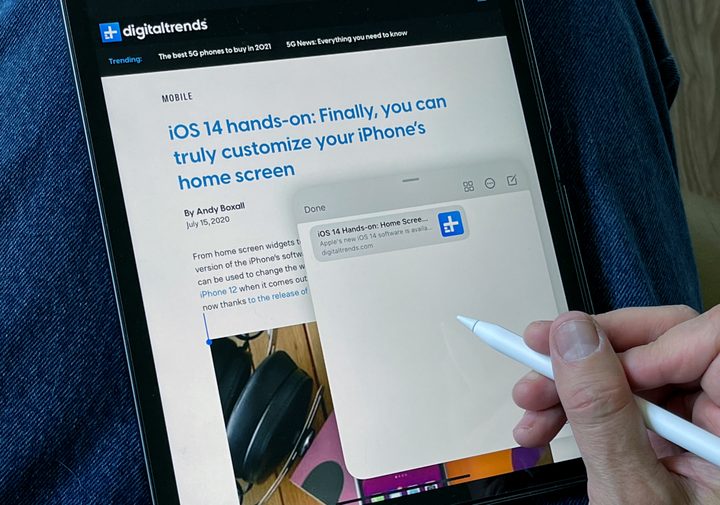
When the iPad Air and iPad Mini adopted a similar design in 2020 and 2021, they also gained support for the second-generation Apple Pencil. Apple’s strategy seemed clear: traditional iPads used the first-generation Apple Pencil, while those with the modern design worked with the improved second-generation stylus.
It was a nice theory, but now it appears that wasn’t the playbook Apple was following. The 2022 iPad features a design similar to the iPad Air released earlier this year, yet it does not support the same Apple Pencil as the more premium model.
That may be good news for some folks considering an upgrade from an older iPad as it means they won’t have to replace their Apple Pencil. Further, since the first-generation Apple Pencil is $30 cheaper than the second-generation model, it also fits in with the more wallet-friendly pricing of Apple’s more affordable iPads.
How do I charge the Apple Pencil on my 2022 iPad?
Sadly, folks with the new iPad will miss out on two of the best features the second-generation Apple Pencil offers: wireless charging and convenient storage.
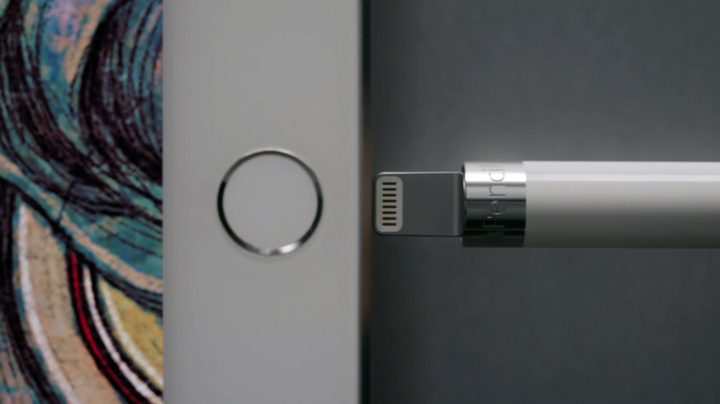
The original Apple Pencil relied on wired charging, with power transferred using a Lightning connector on one end. Users could plug the stylus into the iPad’s Lightning port for quick top-ups or use the included female-to-female Lightning adapter to connect to a standard USB-to-Lightning cable and charger.
When Apple introduced the second-generation Apple Pencil, it did so alongside an iPad Pro with flat edges and a magnetic dock on one side. The new Apple Pencil magnetically snapped onto this spot on the iPad Pro, which also automatically transferred charging power to it as soon as it was in place.
One of the reasons the newer Apple Pencil never came to traditional iPad designs was simply because those models offered no way to charge the stylus. The design of these older iPads didn’t lend itself to this magnetic charging as there was no place to dock the Apple Pencil on the tapered edges. However, as Apple brought the new flat-edged design to the iPad Air and iPad Mini, it also added the magnetic charger, introducing compatibility with the second-generation Apple Pencil to both these models.
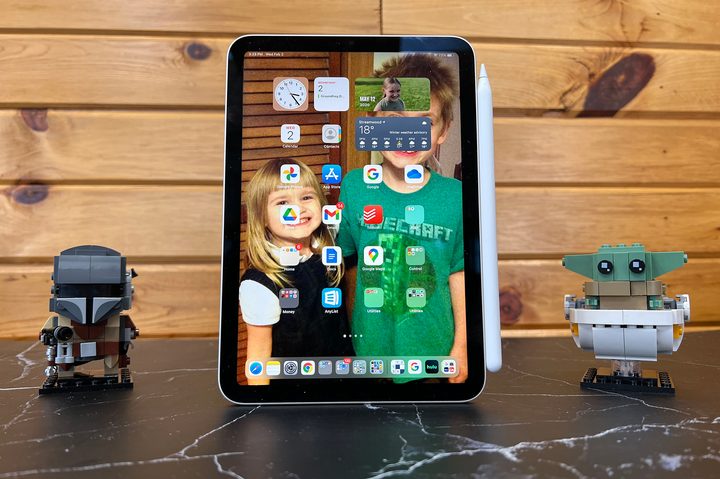
Sadly, even though the 2022 iPad has the same flat edges, Apple hasn’t included a magnetic charger in this model, so it’s not compatible with the newer Apple Pencil. Granted, the new landscape camera position occupies the spot where the magnetic charger lives on Apple’s other iPads, but that doesn’t mean Apple couldn’t have found somewhere else to charge its newer stylus.
Instead, the 2022 iPad remains the only current Apple tablet that doesn’t support the second-generation Apple Pencil. This means those who want to use a stylus with this iPad will still need to charge it the old-fashioned way — either from an external charger or from the port on the bottom of the iPad.
Adding insult to injury, the switch to USB-C has made this even more complicated. Since the first-gen Apple Pencil still uses a Lightning connector, iPad owners will need to resort to using a USB-C to Apple Pencil adapter if they want to top-up their stylus from their iPad’s charger.
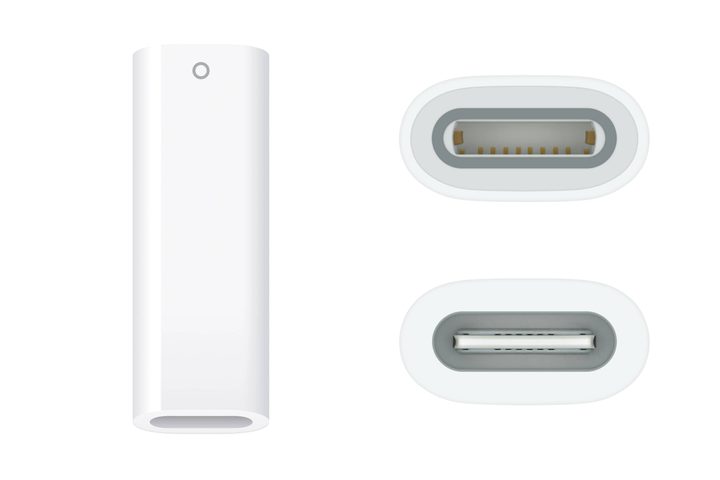
As silly as it often looked, you could plug the original Apple Pencil directly into the bottom of a Lightning-equipped iPad. Doing the same on the USB-C-equipped 2022 iPad will now require you to carry around a dongle and a cable to mate up the Lightning port on your stylus with the USB-C port on your iPad.
Specifically, you’ll need the aforementioned USB-C to Apple Pencil adapter, a $9 dongle with a female USB-C port on one end and a female Lightning port on the other. Apple now includes this in the box with new first-generation Apple Pencils, but you’ll have to shell out for one separately if you already own the stylus from a prior iPad model. You’ll then need to couple this dongle with the USB-C to USB-C cable that comes with the iPad.
You don’t need to charge the Apple Pencil directly from the iPad, so if you already own one — and haven’t lost the tiny Lightning charging dongle that came with it — you can plug it into a standard Lightning cable and USB power adapter. You can also use that original dongle with a USB-C to Lightning cable, like the one that comes with modern iPhones, to charge directly from the 2022 iPad.


