

I have an iPad Mini and a 13-inch iPad Air (2025), which reside in a folio case and a Magic Keyboard, respectively. While the iPad Mini is my favorite, most portable tablet, the Magic Keyboard + iPad Air combo makes the bigger device too heavy for tasks like video consumption and using it as a second screen, which covers more than 50% of my use case. I could swap the Magic Keyboard for a folio case to save weight, but that limits me to a single viewing angle and I lose a physical keyboard.
That’s why I added the $30 Rolling Square Edge Pro Core to my iPad Air. It has made my big tablet more portable and user-friendly without forcing me to sacrifice flexibility. My use case differs from the one advertised, but here’s how I use two of these simple accessories to get more out of my 13-inch iPad Air.
Rolling Square Edge Pro Core is a great accessory for the Apple ecosystem
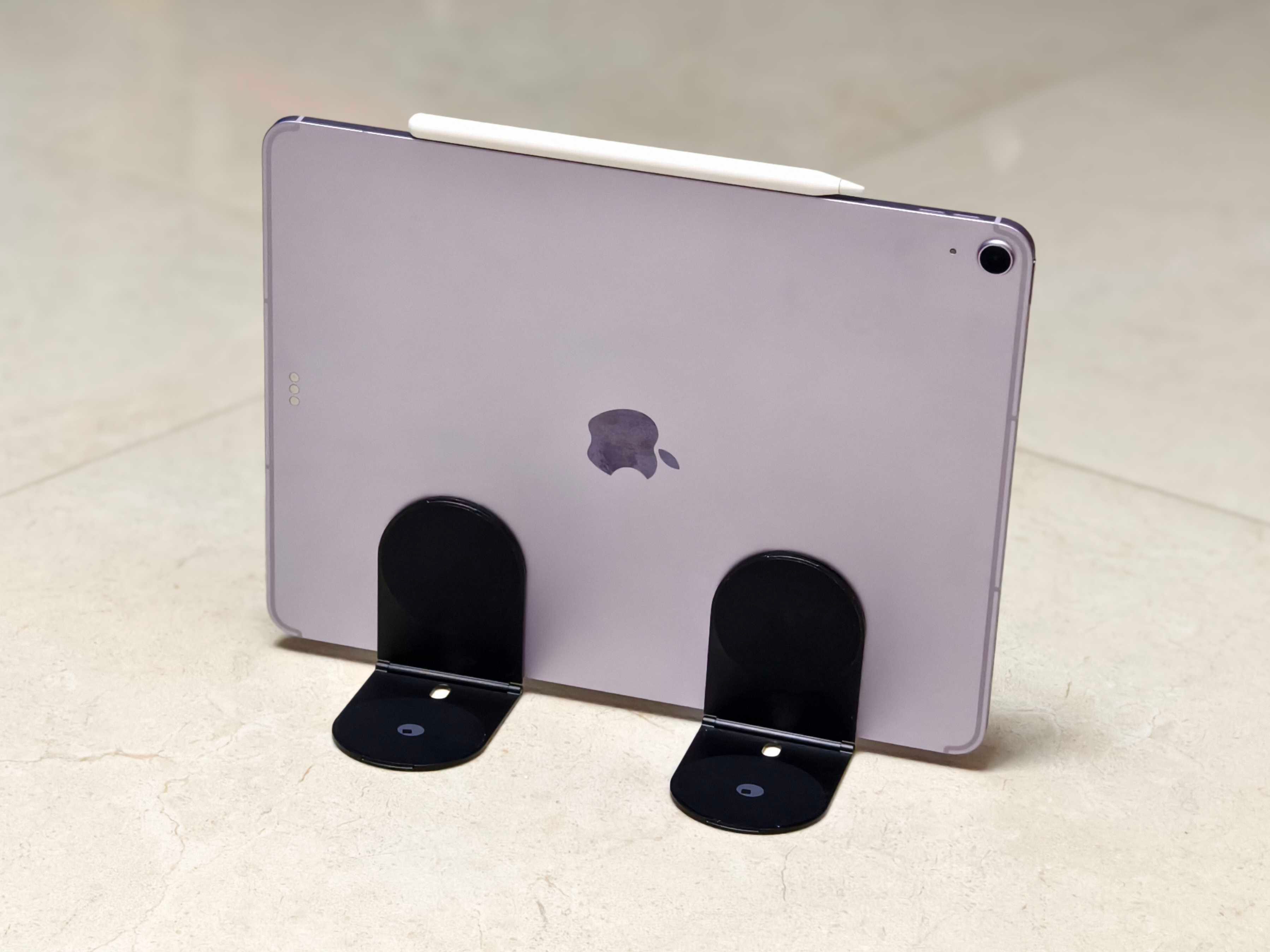
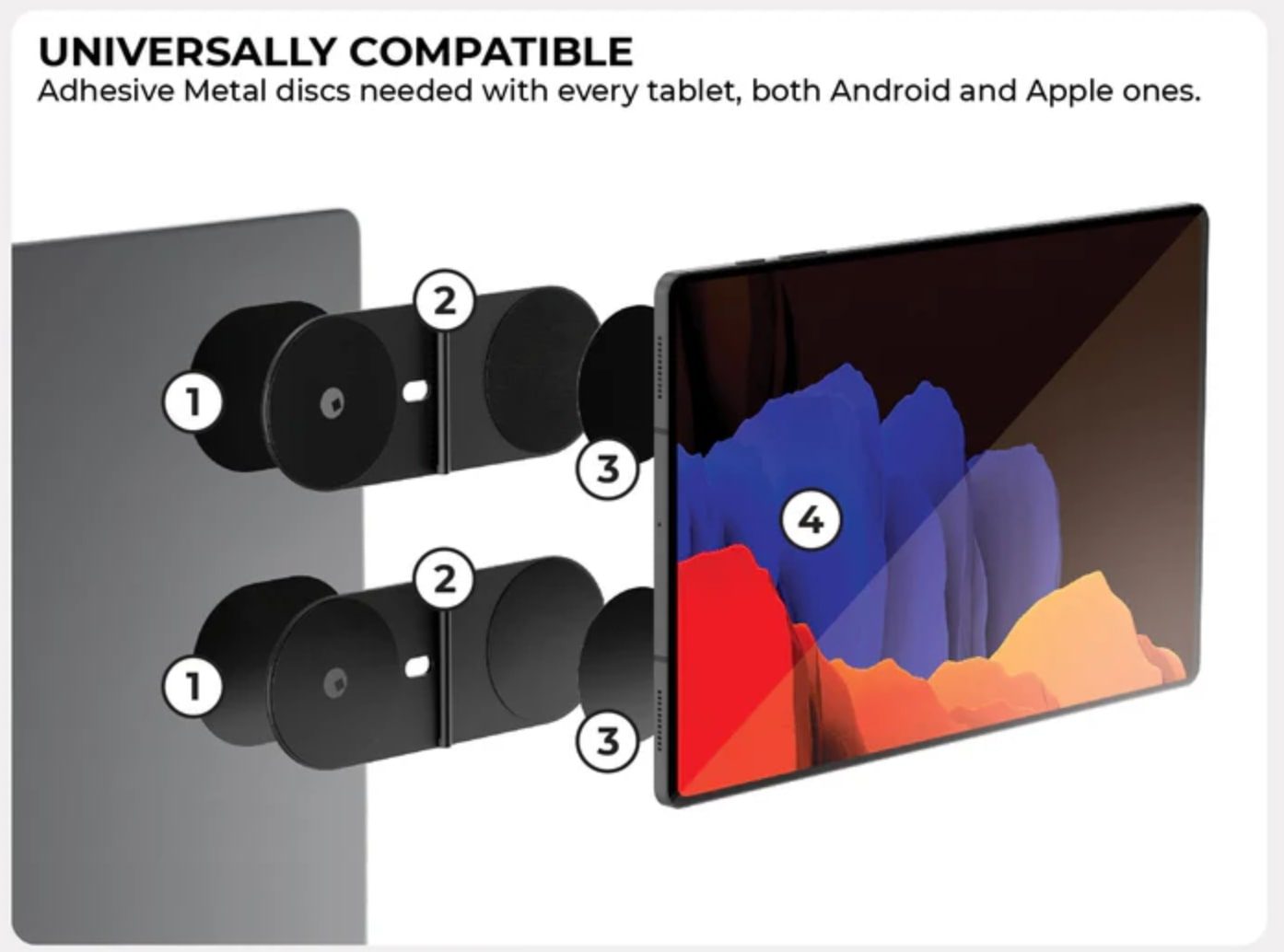
The Rolling Square Edge Pro Core is a flippable metal bracket that magnetically attaches to devices. The kit includes nano-suction layers and thin metal plates with adhesive backing. Once the plates are installed, the Pro Core snaps onto them magnetically.
Officially, the Edge Pro Core is marketed as a way to mount your iPad on the lid of your MacBook for a big-screen portable setup. I used my iPad Mini for that because mounting a 13-inch iPad Air onto my MacBook Air would add too much weight and potentially loosen the hinge over time. But I found a different, more useful way to incorporate the Edge Pro Core into my setup.
By attaching two Pro Cores to my 13-inch iPad Air, I’ve made my video consumption experience much easier. I still carry the Magic Keyboard for productivity, but for entertainment, I can now quickly detach my iPad Air and prop it up using the two Pro Cores as a lightweight, portable kickstand.
This gives me way more viewing angles than a rigid folio case, which also helps when using the iPad Air as a second screen at my desk or as an entertainment device on flights. Best of all, it doesn’t interfere with the Magic Keyboard’s magnets, so I can now ditch the bulky keyboard when all I need is a kickstand.
It might not be for everyone
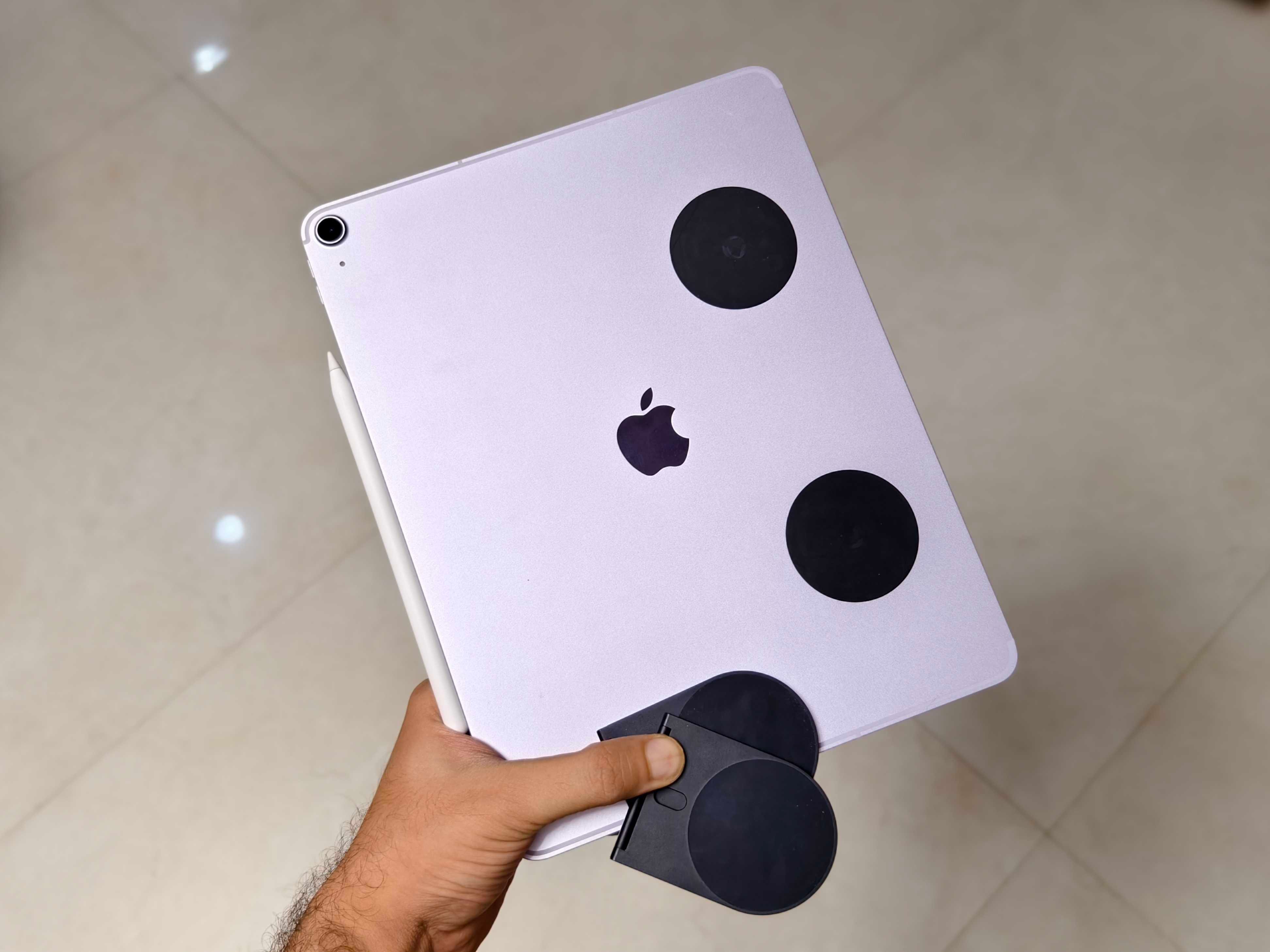
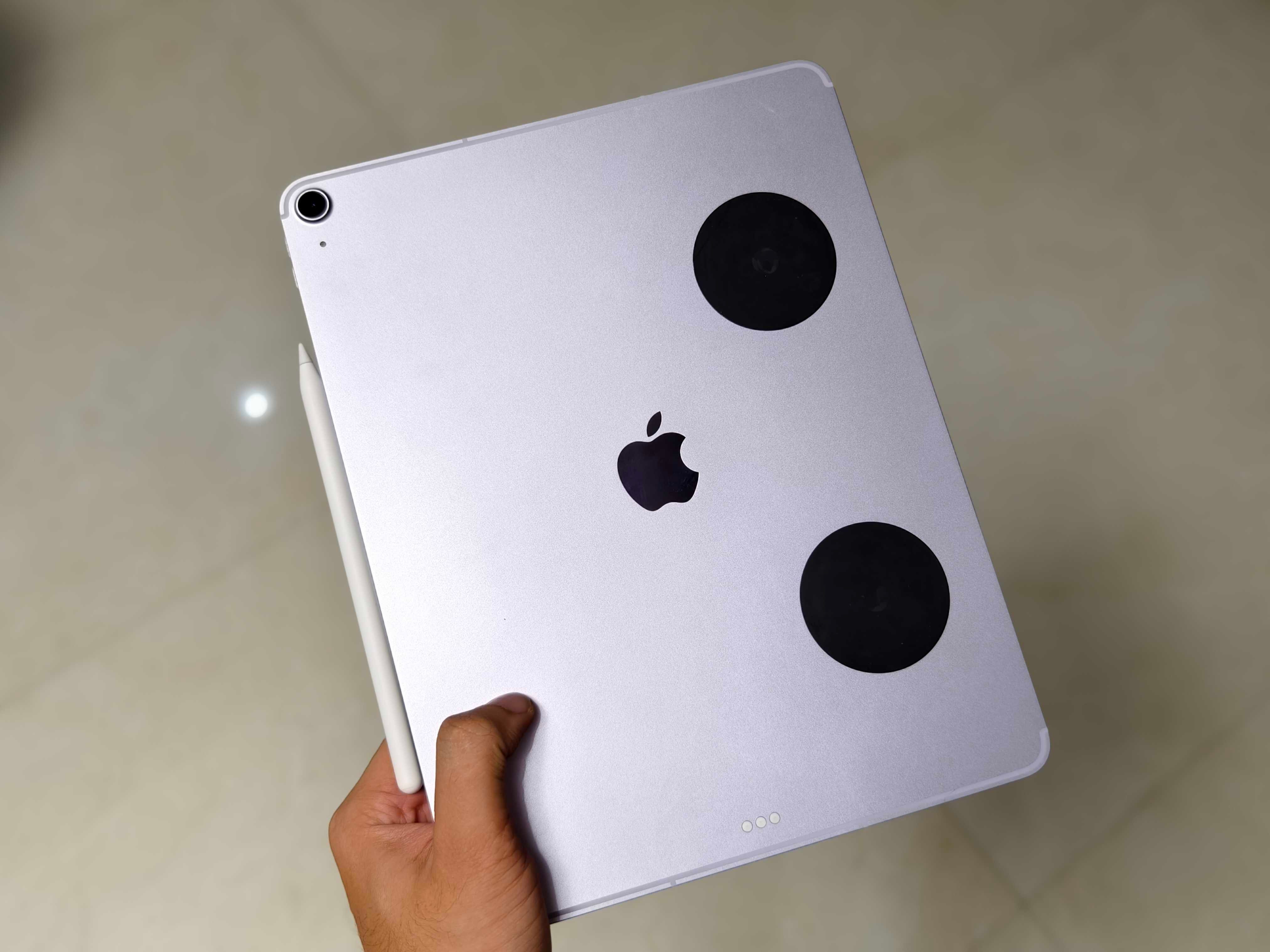
The one compromise is that you have to attach permanent metal stickers to your device. Whether you’re using it to support a tablet or to add accessories to your MacBook, you’ll need to stick on a thin metal disc or ring. And not everyone will love the idea of having a permanent black sticker on their hardware.
It works for me because my iPad Air usually resides inside the Magic Keyboard case, so I rarely notice the metal plates. But if you add the plate directly to your MacBook, you’ll have to live with a black sticker on your laptop lid. You trade fashion for function.
I noticed another limitation for Folio case users. When you attach these metal plates to your iPad, you won’t be able to use a magnetic folio case. I highly recommend the Edge Pro Core if you primarily use a Magic Keyboard, but if you’re happy with your folio case setup, there’s no urgent reason to switch.
On the bright side, the Edge Pro Core is expandable. It supports additional accessories like Rolling Square’s wireless charger and Edge Pro Light to add a soft light to your video calls. You can also magnetically mount your iPhone to your MacBook for a complete on-the-go video conferencing setup. It is available as the Rolling Square Edge Pro Full Kit as well as standalone accessories.
In my six weeks of use, the magnets have proven solid, easily holding angles up to around 135 degrees without fear of collapsing. The flipping plates also fit comfortably into my travel pouch without adding bulk. I love having a kickstand setup on my 13-inch screen without lugging the Magic Keyboard everywhere. If your workflow sounds anything like mine, the $60 Edge Pro Core tablet kit would be an excellent addition to your setup.


