

Puzzle games are the best genre to keep your brain sharp and even teach you a few new things. Words With Friends 2 has been one of the best mobile games we’ve been addicted to for years, thanks to its simple structure. Unlike popular word games on the New York Times like Wordle, Connections, and Strands, which are really solo games, Words With Friends 2 allows you to directly compete against your friends to see who has the superior vocabulary and strategy game skills. However, sometimes the tiles just don’t fall in your favor.
No one enjoys cheating, but sometimes getting a little help when you’re completely stumped and don’t want to hold the game up for too long. Don’t feel bad, it happens to the best of us. Or, if you just want to keep your winning streak going, we promise not to tell. After hundreds of games under our belts, we have a few methods you can use to cheat without anyone being the wiser. Obviously, you don’t want to use these tools to cheat forever. But using them here and there can help you learn the game and expand your vocabulary.
How to cheat in Words With Friends iOS
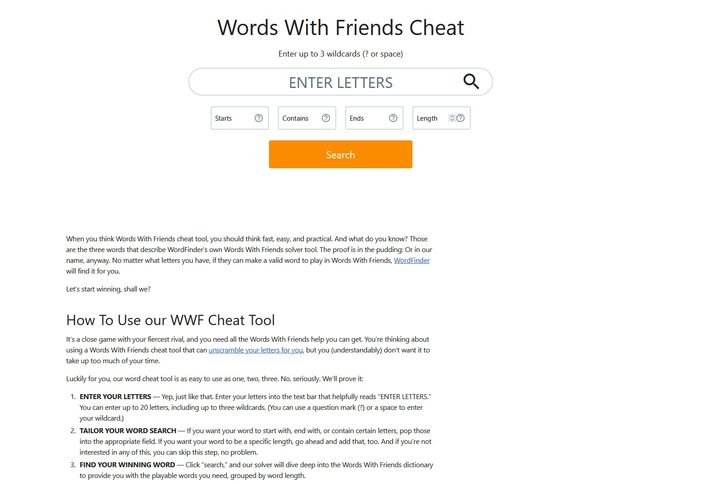
The most common sticking point in Words With Friends 2 is having a smattering of letters you simply don’t know what to do with. No matter how hard you try, you just can’t create any decent words with the pieces. There are a lot of tools out there that can help with this, but Words With Friends Cheat is specifically designed to help you out of this specific jam.
This tool is very simple; all you need to do is enter up to 20 letters into the search bar and hit enter. You can even include up to three wildcards in your search by adding a ? or space to denote them to maximize your points. From there, the tool will spit out all the possible words you can play to pick from. If you wanted to get even more specific, you can even set the tool to make words that start or end with specific letters, or are only so many letters long, to fit your exact needs in the game.
Words With Friends cheat screenshot

If you don’t want to even deal with the hassle of where to place words (let alone find the best words), you can always have a computer do it for you. WordsWithFriendsCheat.io is the only cheat site that allows you to upload a screenshot of your game to analyze the board and give you the perfect move. The only downside to this tool is that it only works on mobile.
All you need to do is take a screenshot of your Words With Friends game, upload that screenshot to the website, and look through the potential words you can play. The tool will give you quite a few potential plays, but you’ll have to watch a brief ad in order to see the top-scoring words. Having the words list tailored specifically to your board makes it easy to place ridiculously high-scoring words that combo with other played words and hit all the right spaces on the board.
If you have trouble uploading your screenshot, check out the site’s FAQ section on how the tool works. Unfortunately, this tool only works with mobile screenshots. Sorry, desktop players!
How to cheat in Words with Friends iPhone
Both of the tools we listed above are great ways to cheat in Words With Friends on your iPhone and Android device. Since you have access to a web browser right there on your phone, there’s nothing to stop you from popping open Safari or Chrome to visit either of those cheating sites to get yourself some extra help.
In a game like Words With Friends, it isn’t just the letters in your hand that you need to consider. Based on the space available and other words on the board, just knowing what words your letters can spell may not help. That’s where using a screenshot of your game to cheat comes into play, and thankfully, such a thing exists. The WordsWithFriendsCheat.io we talked about above offers a screenshot tool for mobile users to upload a picture of their board to get tailored words to use in their game.
Because Words With Friends is one of the best iPhone games, most people will want to cheat on their iOS device. For that, all the previous ways to cheat still apply, but you can also get special Words With Friends cheat apps such as the Cheat for Words With Friends app. This downloadable cheat takes all the guesswork and extra steps out of cheating by simplifying the process. This app will scan your current Words With Friends board and figure out the highest possible scoring word and placement based on your letters and the layout of the board. From there, all you need to do is head back to the game and rack up the points.
Words With Friends cheat download
Another option is the Snap Cheats for Words with Friends app. This option requires you to take a screenshot of the game on your own, but then scans it to provide the best words possible.


