
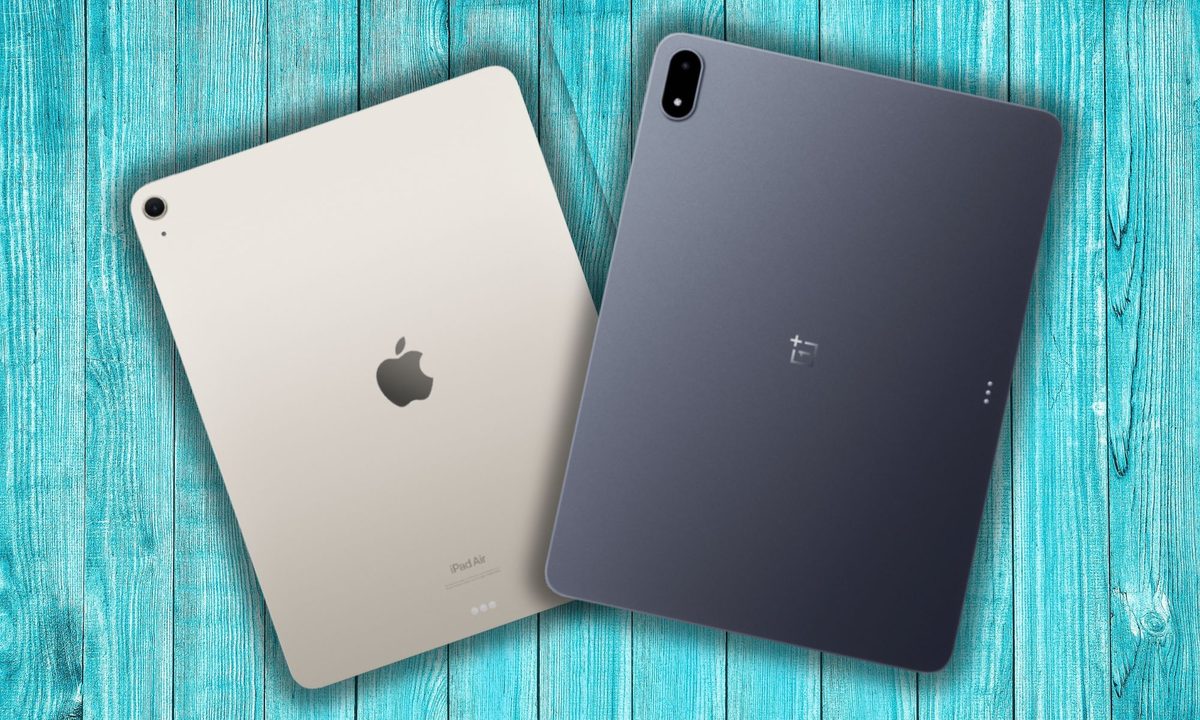
The concept of large tablets, especially those exceeding the 10-inch screen size, is rather divisive. Why exactly would you want something that is going to be an arm ache in less than half an hour of using it? For desk-bound chores such as sketching or watching with a kickstand propped up, these giant slates make a bit of sense.
The industry, however, thinks, such hulking tablets are a charming idea. Apple is already playing deep in the 13-inch tablet segment, while Samsung has even touched the 15-inch mark. The latest brand to embrace the trend is OnePlus, and it has delivered quite a knockout punch in the first go.
The OnePlus Pad 3 is a terrific big-screen tablet, but you won’t go splurging $700 on it unless you have already made up your mind to skip the iPad Air and can’t expand the budget into the iPad Pro territory. Yet, if you choose to pick the OnePlus Pad 3, knowing that it’s an Android slate, you will land on a device that is practically superior to the iPad Air for multiple reasons.
An unexpected productivity surprise
Hey Apple, why won’t you let the iPad run, or even dual-boot macOS, even though it fundamentally packs the same processor as the Mac? Apple won’t answer that. It may never allow it, for that matter. It’s a missed opportunity, especially with such a deeply interconnected ecosystem at hand and fantastic accessories out there.
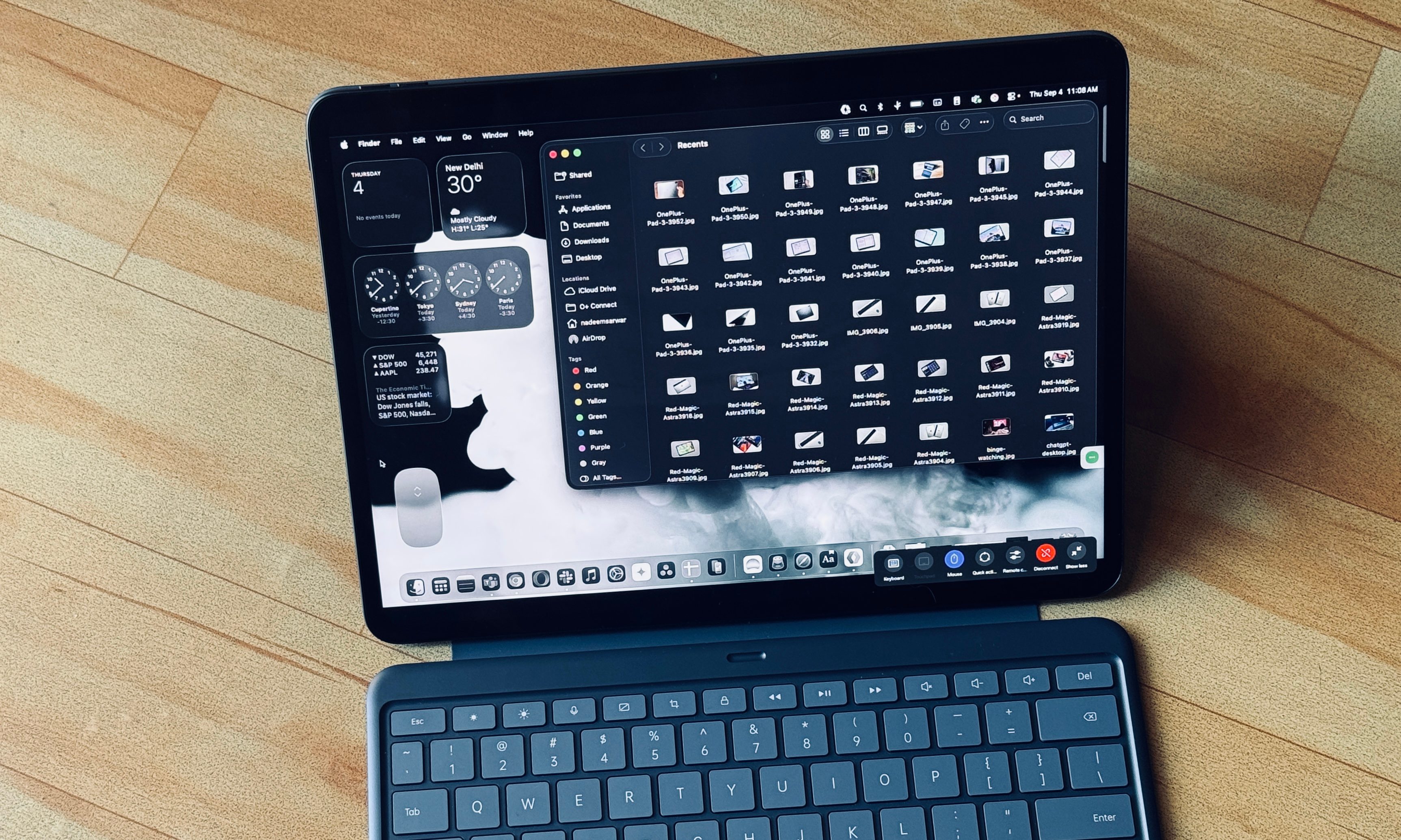
OnePlus pulls an unexpected surprise here. The O+ Connect, which is tied to your OnePlus account, opens the doors for a wide range of perks. You get screen mirroring and remote file management, among other benefits. But the best feature is the ability to remotely run your Mac on the OnePlus Pad 3.

Once the initial system pairing is over, you can remotely run an instance of your Mac, with all the files and software in tow. All you need to do is make sure the Mac doesn’t sleep, and it’s connected to a Wi-Fi network. Preferably, a speedy one.
With a keyboard attached to the OnePlus Pad 3, I was able to manage my desktop-based workflow for a while. You can pick between high-res and speed modes for getting the work done, but a sacrifice in visual quality has to be made to account for network latency, especially when you’re working over a cellular network.

On the positive side, it’s your full-fledged macOS experience on the OnePlus Pad 3. You can even add a virtual Magic Mouse to the screen, and in scenarios where the keyboard shortcuts are not feasible, you can enable the on-screen Mac keyboard layout and get past the hurdle.
It just works.
It’s just better, in a lot of places
Look, this is a 13-inch slate we are talking about, so it’s not going to do your arms any favor. But you know that already, don’t you? So, here is the brief picture. The OnePlus Pad 3 is 8% heavier than the iPad Air, but it also happens to be shorter and thinner. You can blame the choice of screen aspect ratio for each brand.
Where fate lands in OnePlus’ favor, are the polished chassis and a few hardware-level goodies that practically push it beyond the iPad Air’s ballpaprk. For starters, you get a more pixel-dense screen on this one, which can match the iPad Air’s brightness on an average day, but surpasses it by 50% in HBM (High Brightness Mode) mode.
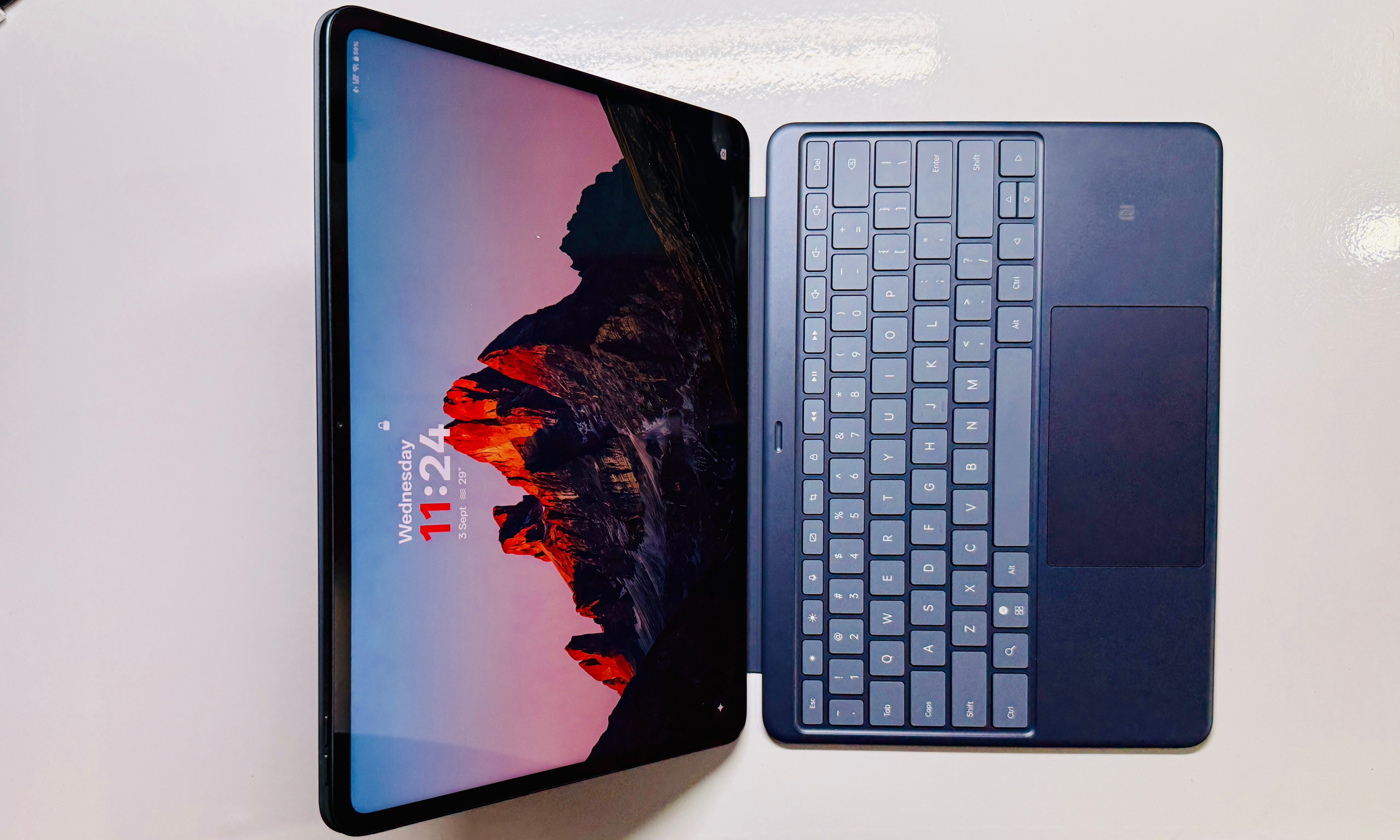
If you plan to watch content under the sun or just want to read comics outdoors, this extra lift will make a tangible experience. Another area where the OnePlus Pad 3 reigns visually supreme is the refresh rate. Apple continues to ship a 60Hz screen on an $800 tablet, while the OnePlus Pad 3 delivers a 144Hz adaptive refresh rate.
Whether it’s the usual UI interactions or playing games, you can feel the difference here. Both panels are LCD type, and each one has its own glare problem, so I will highly recommend a matte screen guard for either slate. On the topic of recommendations, let’s take a look inside the slate with a focus on content consumption.
The iPad Air, despite its large format, still features only two speakers. They don’t sound bad, but they won’t exactly wow you. On the OnePlus Pad 3, you get eight audio units, and they sound terrific. Moreover, if you seek to plug in wireless earbuds, support for LDAC and LHDC audio codecs ensures that you can enjoy higher-resolution audio streaming.

Since we are talking about media consumption, you must also pay attention to the memory situation. The base storage variant of the OnePlus Pad 3 offers 256GB storage, while the iPad Air is still stuck on 128GB. Climbing up the ladder to 256GB will inflate the bill to a cool $900, while the OnePlus tablet will do 512GB for less.
A workhorse that’s a few steps ahead
When it comes to performance, Apple’s M-series processors inside the iPad Air and Pro have proved to be veritable beasts. But the OnePlus Pad 3 is no slouch. Far from it, actually. The Qualcomm Snapdragon 8 Elite silicon powering the OnePlus slate is also a top-shelf warhorse. In fact, OnePlus has an edge here.
You either get 12GB or 16GB RAM on the OnePlus tablet, while the iPad Air is limited to 8GB. The difference is not instantly noticeable, but as we lean more into demanding workflows and AI-related tasks, that extra RAM will certainly come in handy. Now, let’s talk about performance.
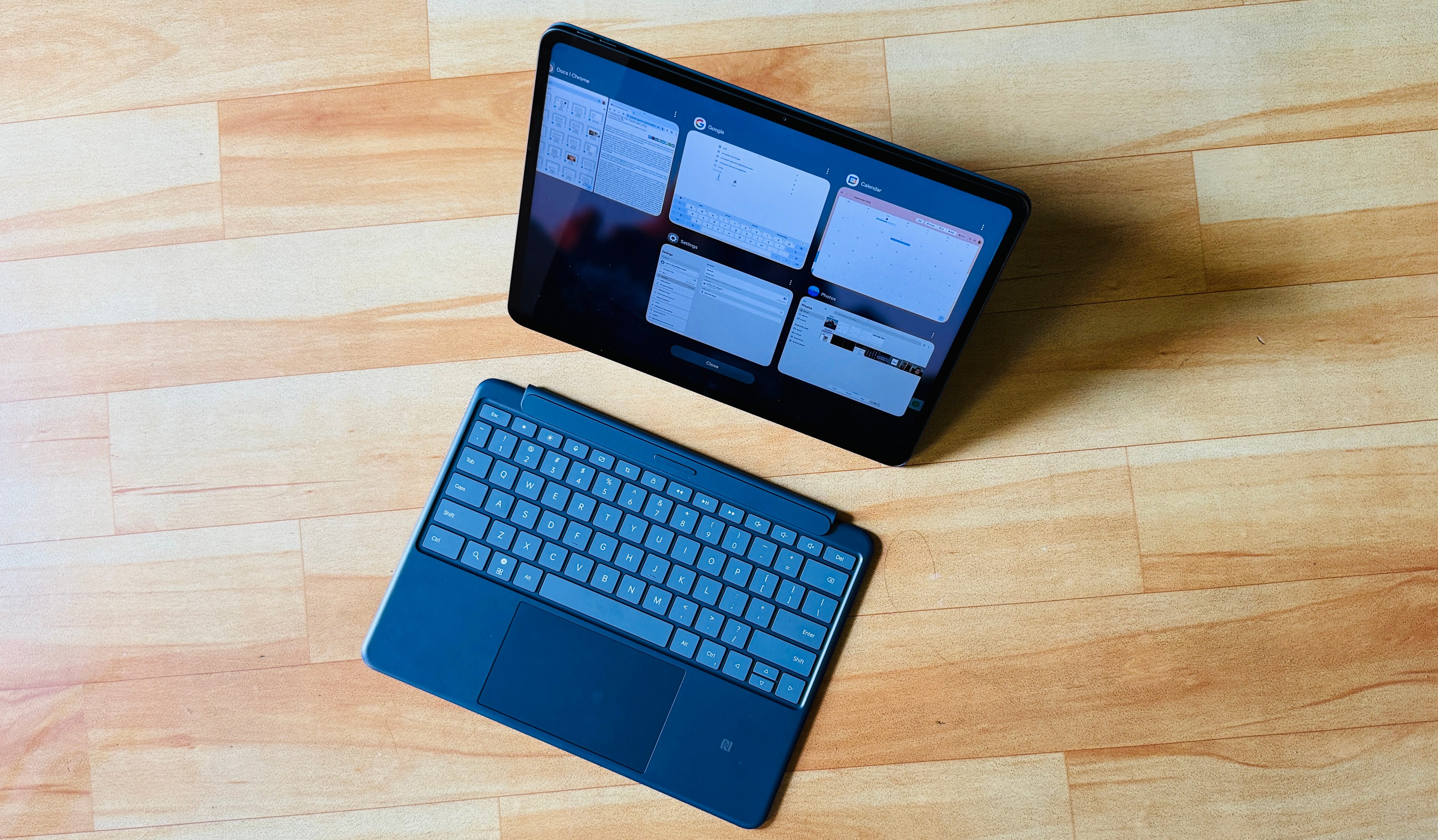
Both tablets are powerful enough to handle the most demanding games each platform has to offer, or chores like video editing. The OnePlus Pad 3 gets an edge owing to the open nature of Android, which means you can enjoy a wider variety of emulated titles, something the iPad Air doesn’t allow, at least for folks who don’t live in Europe.
Where the OnePlus Pad 3 does exceedingly well is maintaining the peak performance while keeping things cool. This tablet delivers frame/battery and frame/temperature stability figures that I have never seen on another Android device. Additionally, the vapor chamber cooling system does a noticeably better job at keeping the OnePlus Pad 3 cool even under stress than the iPad Air.

And while at it, let’s not forget the performance toll on the battery. The OnePlus Pad 3’s 12,140 mAh battery lasts longer than the iPad Air, though not by a huge margin. But thanks to support for 80W charging, this tablet can be topped up fully in just about an hour. And here’s the best part. The charger comes in the retail box. The iPad Air is four times slower at battery top-up, and won’t play any better with a faster charging brick or power bank.
Is this the large-screen nirvana?

The OnePlus Pad 3 is not perfect. It misses out on any IP rating, lacks cellular connectivity, and will only get yearly OS updates for three years. Then there are the inherent limitations of Android, which can get infuriatingly limiting when you’re trying to get serious work done for long stretches alongside a connected keyboard and mouse.
But if your primary requirement is a large slate for watching content, playing games, and some note-taking, this one is practically better than the iPad Air in a lot of areas. It’s surprising that it’s not Samsung or Google that is giving tough competition to Apple. Instead, it’s OnePlus doing their jobs, and pulling off tricks that would even surprise Apple.
To sum things up, if you’re not too enamored by the Apple ecosystem or the charms of iPadOS, the OnePlus Pad 3 is a better value for your money.


