
A new MacOS 12.3 update is out now, and it marks the wide release of Universal Control. The feature was first available when MacOS 12.3 was in beta, but now it is widely available to every Mac user. However, the feature is still marked as being in beta, so you may experience a few hiccups if you try it yourself.
With Universal Control, you can work seamlessly across your Mac and iPad using just one mouse and keyboard.
After you update to macOS 12.3 and iPadOS 15.4, here’s how to use Universal Control on up to three of your compatible devices. Learn more: https://t.co/lM5wggr9N5 pic.twitter.com/u08G9YlRHz
— Apple Support (@AppleSupport) March 14, 2022
According to the release notes:
MacOS Monterey 12.3 — Restart required.
MacOS 12.3 adds Universal Control so you can use a single mouse and keyboard across your Mac and iPad. This release also includes new emoji, dynamic head tracking for Music, and other features and bug fixes for your Mac.
Universal Control (beta)
-
Universal Control allows you to use a single mouse and keyboard across iPad and Mac.
-
Text can be typed on either Mac or iPad and you can drag and drop files between them.
Universal Control allows users to control an iPad and Mac from the same mouse and keyboard, and even allows them to drag and drop text and files between the two devices. It was first unveiled with the M1 devices at the Worldwide Developers Conference (WWDC) in June 2021. It was originally supposed to arrive later that year, but was delayed until 2022.
The best thing about Universal Control is it doesn’t require an M1 Mac. As long as you have a Mac from 2016 or newer and a 6th Gen iPad or newer, you can utilize Universal Control.
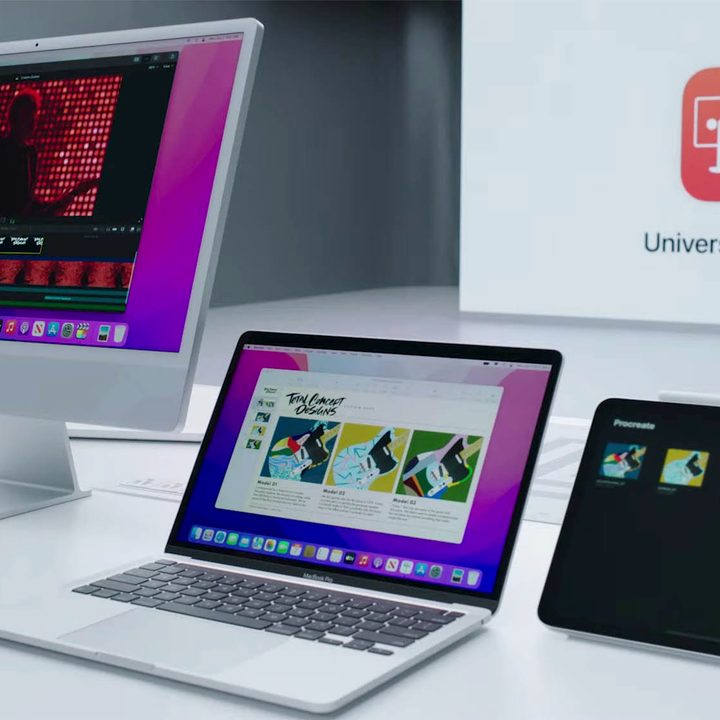
At this time, users can pair up to three devices. While you can use Universal Control from one Mac to another, you will need at least one Mac to interact with an iPad. At this time, Universal Control does not support exclusively iPad-to-iPad connections.
Universal Control isn’t the only new thing in MacOS 12.3. Apple also added Spatial Audio for compatible AirPods models. Users will need an M1 device to utilize that, though.
There are also revamped emoji keyboards, improvements for Siri and Safari webpage translations, and new episode filters for the Podcasts app.
You can download MacOS 12.3 by clicking the Apple icon in the top-left corner, then scrolling down to System Preferences > Software Update.


