
With the dust settled from the hype around Apple’s WWDC 2025 event, I took a step back to really look at what could be some of the most useful updates coming to their different operating systems, mainly because, quite often, there are updates or added features that we just don’t use.
Today, I want to highlight a few things that, as a heavy iPhone, Mac, and iPad user, have me excited for the full iOS 26, macOS 26 Tahoe and iPadOS 26 releases in the fall.
And yes, Android users, I’m aware that there are plenty of features you’ve had on your phones for quite a while that are just now making it to iPhones.
But rarely, on either side of the argument, does a new smartphone offer enough for someone to completely switch ecosystems. So, congratulations, you win something, I guess.
Screening Tools in Messages
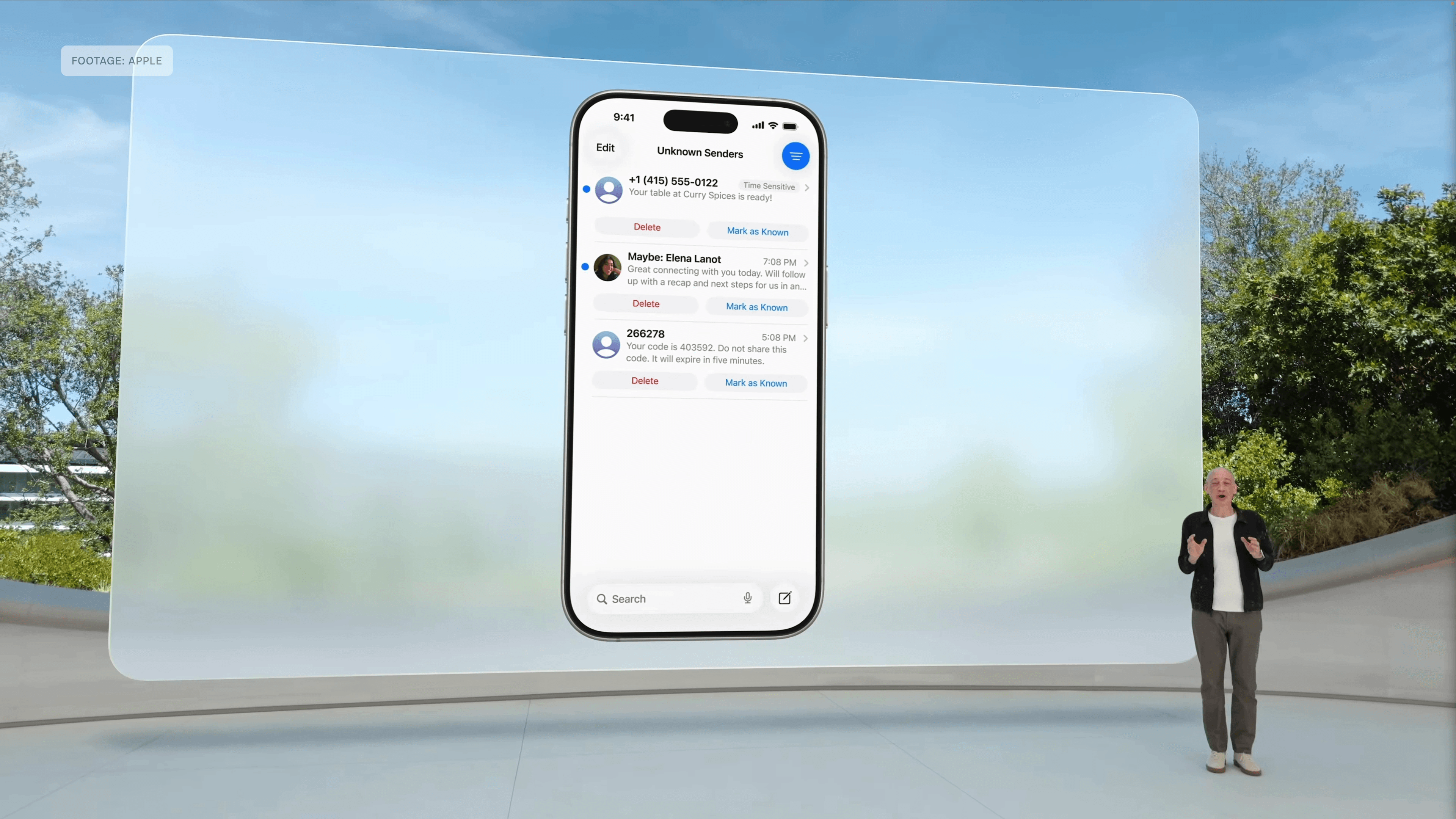
The first feature addresses something that plagues us all these days: unwanted texts that often turn out to be scams. Apple is addressing this in iOS 26 with Screening Tools in Messages.
With on-device spam detection, texts from unrecognized numbers that are likely spam will be filtered from your inbox and sent to a separate page.
Even better, Apple says you’ll still get important messages you need, like a restaurant system texting that your table is ready or a pin number to log in to an account because you forgot your password again.
Hold Assist
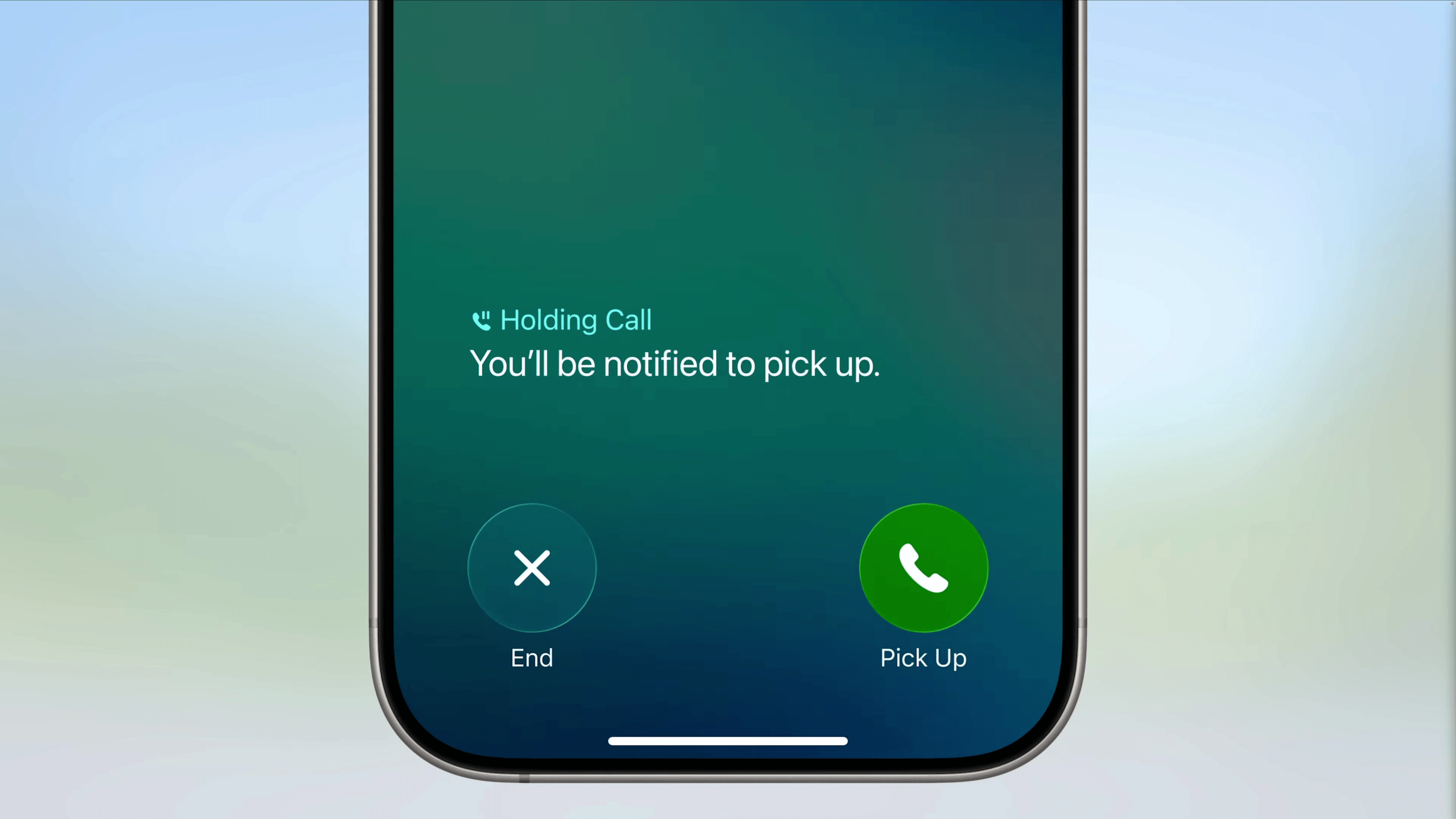
Within the refreshed Phone app of iOS 26, Hold Assist immediately generated buzz. In theory, it’s one of the biggest announcements of the event in terms of convenience.
I don’t know about you, but I go out of my way to avoid anything that involves sitting on hold waiting for customer service. With Hold Assist, you can keep your place in line on the phone and take care of other things in the meantime.
When there’s a live voice on the other end, your phone will notify you to return to the call and let the person on the other end know you’ll be there shortly. Fingers crossed that it works well because it sounds like a dream.
Order Tracking in Wallet
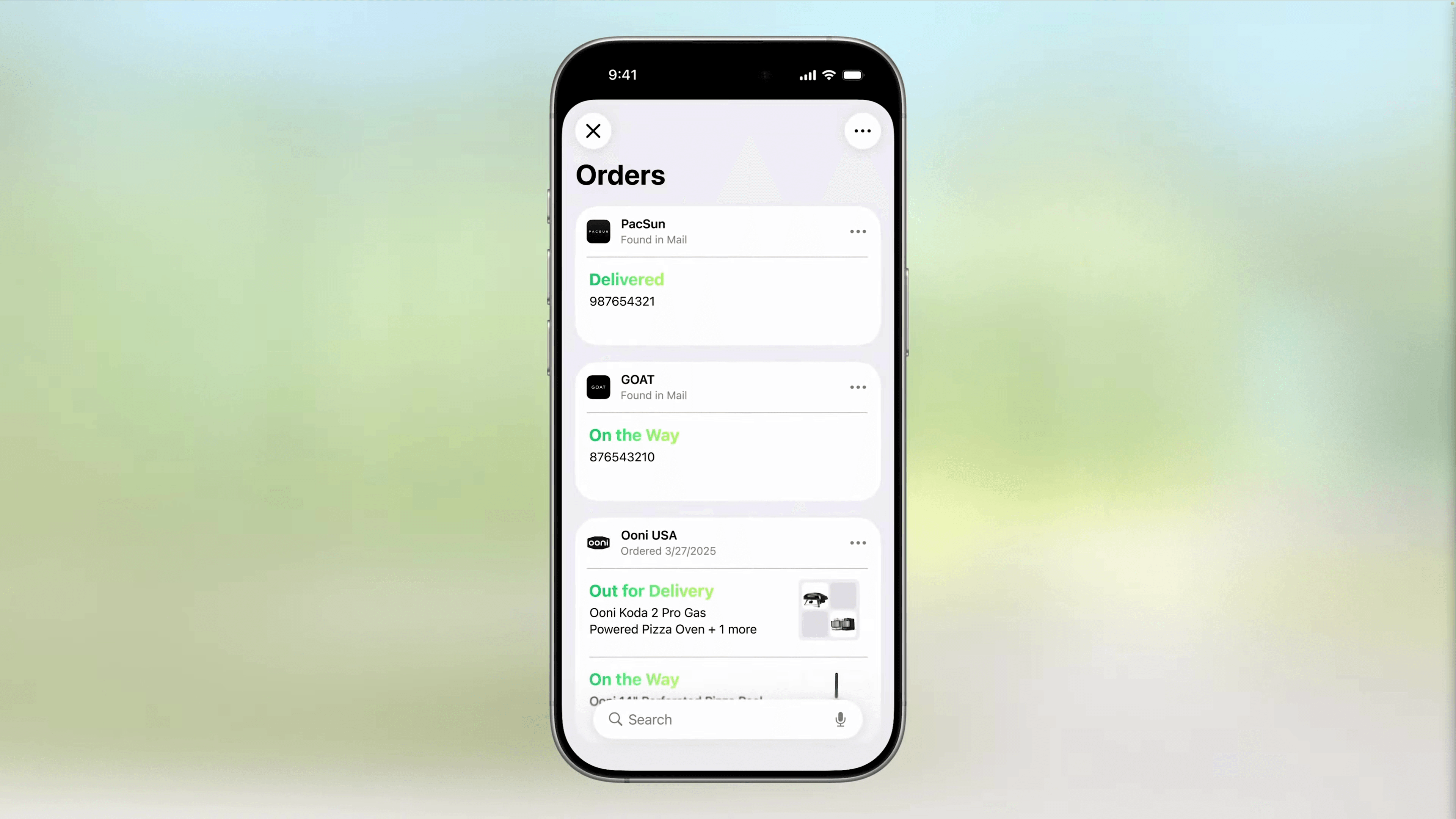
Sticking with convenience, one app we use a lot but probably overlook is Wallet, especially now that most places allow tap to pay. With digital IDs and virtual car keys, you almost don’t need a physical wallet when you leave the house.
When you think about it like that, we’re overdue for added functionality in the Wallet app. For frequent travelers, with your flight boarding passes in Wallet, you’ll now be able to access airport maps within the app, which is a huge help, especially during quick layovers.
For online shopping, Apple Intelligence can now scan your inbox for emails from retailers or delivery services and track those orders. If you’re like me, there’s always a privacy concern. I certainly never registered for any third-party apps that do inbox scanning, but Apple has a solid reputation for prioritizing user privacy.
iPadOS File Organization
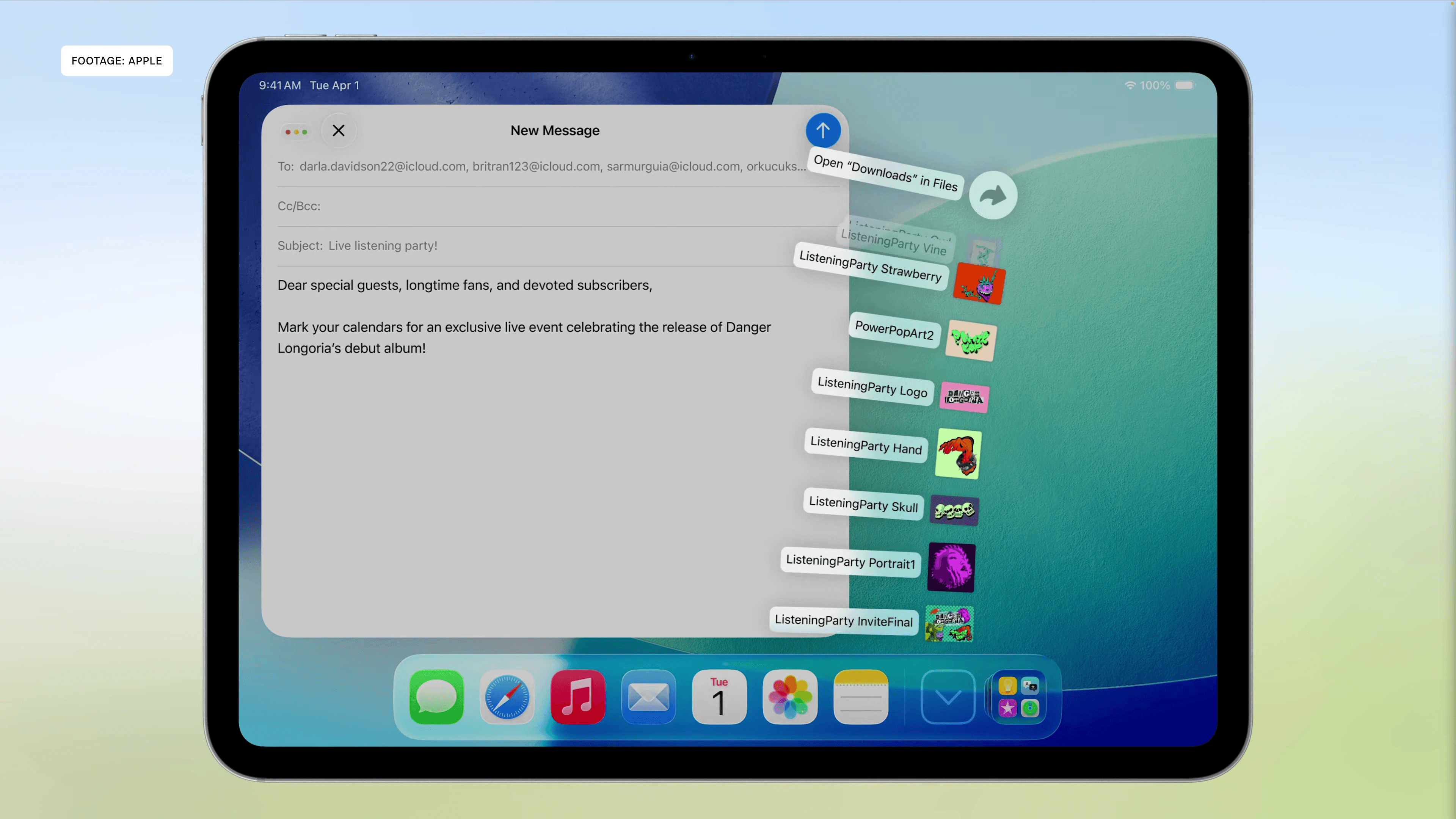
Past the iPhone, the iPad and iPadOS 26 probably deserve the most attention. The headliner is finally getting a more Mac-like experience with a new windowing system and customizable layout.
But what caught my eye just as much is file organization. As a photographer who does a lot of editing on the iPad, I need to be able to save different photos to different folders and move photos between devices in a clean, organized way.
It seems minor, but having a list view where you can easily identify file types goes a long way. So does being able to add folders to the dock. If there’s a set of files that frequently need to be accessed, it’s just that much easier to find.
It makes sense considering that for several years now, iPads have had much of the same processing power as Macs with the Apple silicon M-chips. We can run really powerful apps on the iPad. Now it’s a bit more functional.
It’s still not a full laptop replacement, in my opinion, if you’re a power user who does a lot of video editing or advanced work. But for travel, I can take an iPad now and know I can do about everything I would if I were traveling with a Mac instead.
Local Video and Audio Capture
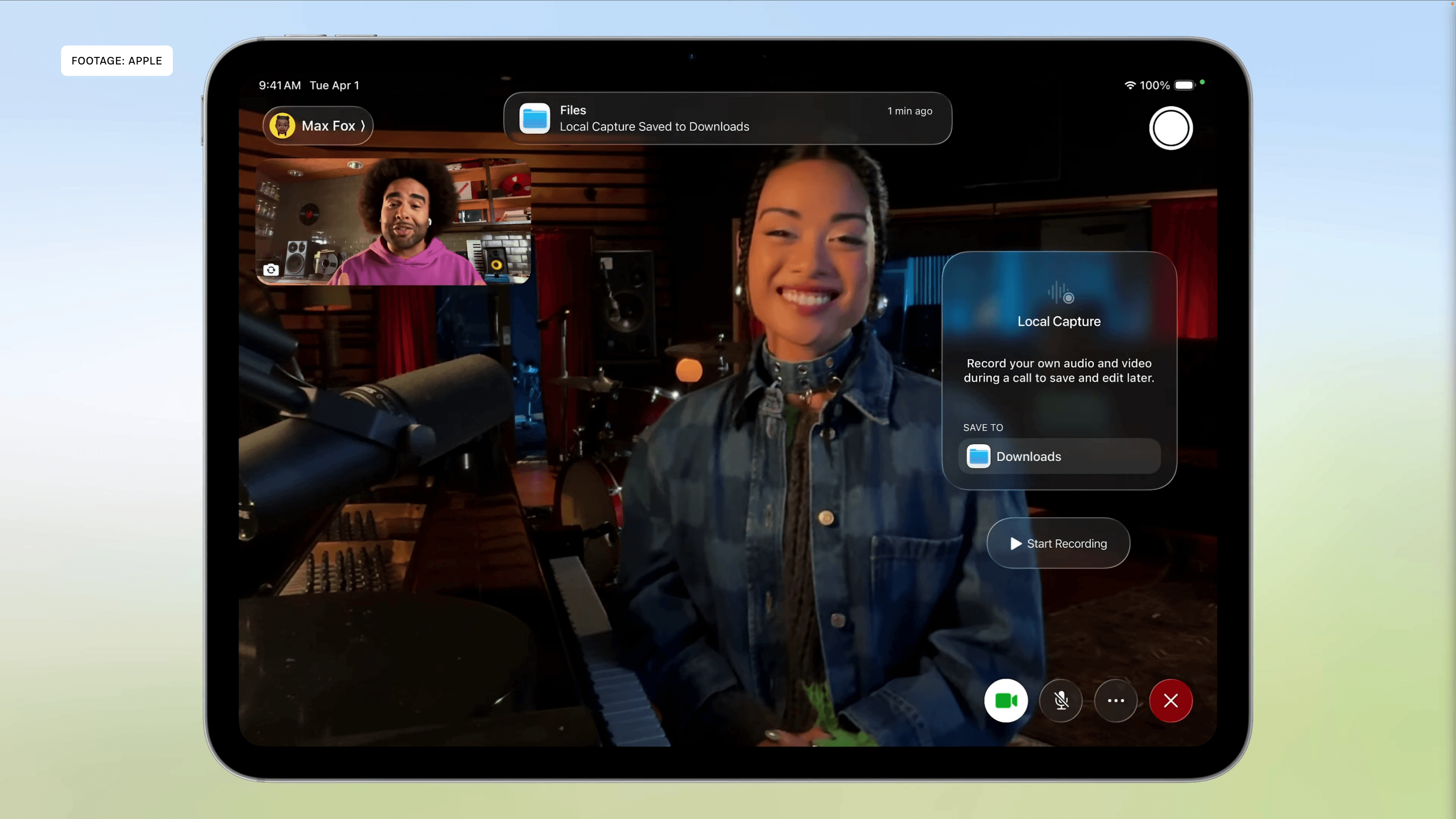
Also in the long overdue but super useful department: local capture for audio and video. This is big for creators or anyone who needs higher quality recordings of meetings.
Sure, you can record your Zoom or Teams meetings through their software, but it’s often low quality. Now with the Local Capture feature on the iPad, you can record just your own video and audio, with echo cancellation blocking out other participants. If needed, you can share the higher quality clips with anyone after the meeting or interview.
Live Translation
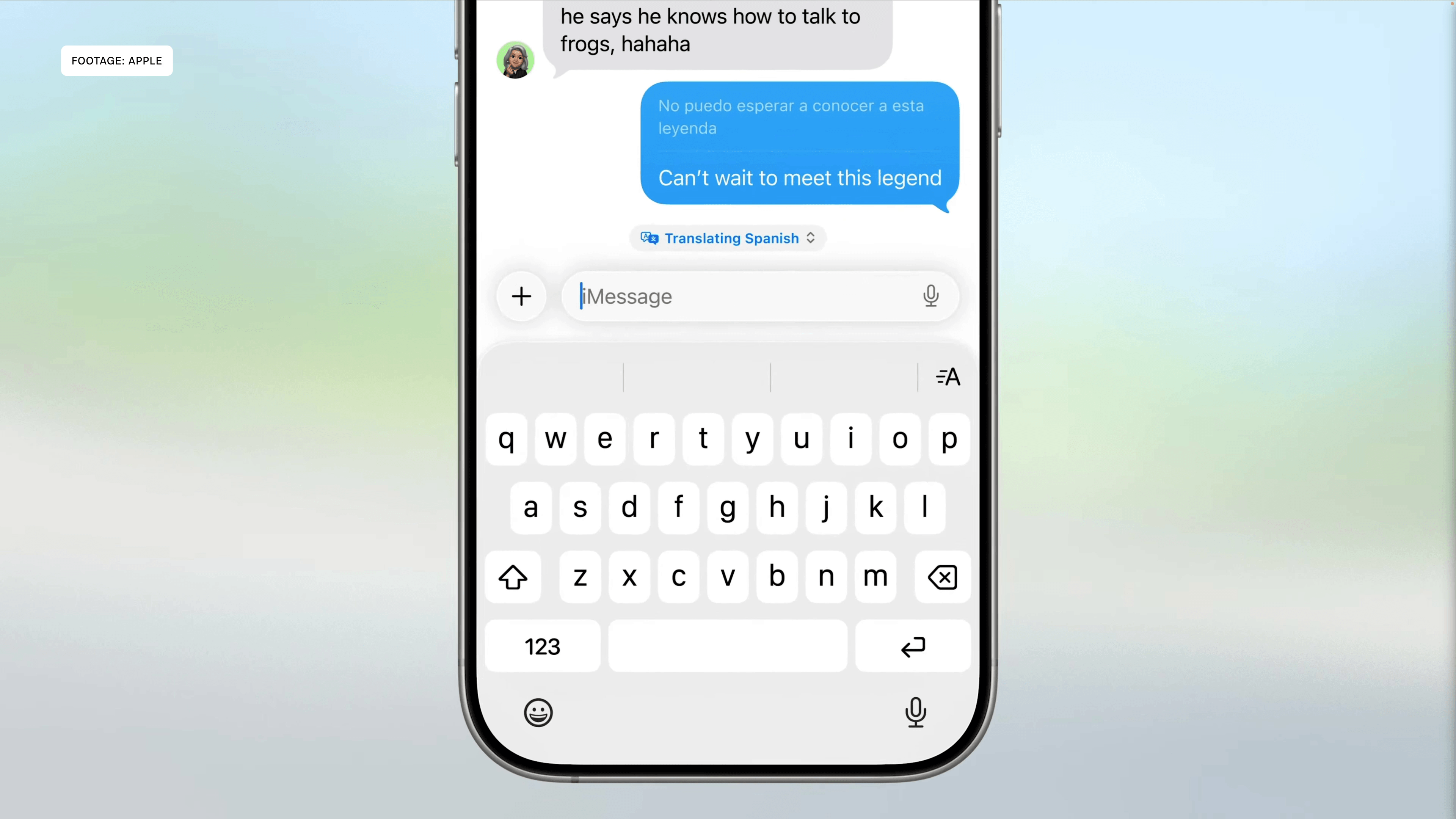
Finally, and I know this was available elsewhere before, Live Translation. Remember when I said there’s usually not a feature that would make me jump ship from one smartphone ecosystem to another? Well, this one came close when I saw it on the Samsung Galaxy S24 Ultra at the start of 2024.
In typical Apple fashion, they’re spreading Live Translation across multiple operating systems. Through Apple Intelligence, it’s available in FaceTime and phone calls, through Messages on multiple devices including the Apple Watch, and even within Apple Music, with Lyric Translation and Pronunciation.
Whether it’s ordering food, communicating with friends and family from another country, or working across borders, this is incredibly useful. If nothing else, it helps Apple Intelligence catch up with other AI features already offered by competitors.
There, I said it.


