
- Home
- iOptimize

iOptimize is a recurring Digital Trends series dedicated to helping Apple users get more out of their devices. From hidden iPhone features and smarter Mac workflows to standout apps, overlooked tools, and productivity-enhancing tricks, the series explores practical ways to improve the everyday Apple experience.

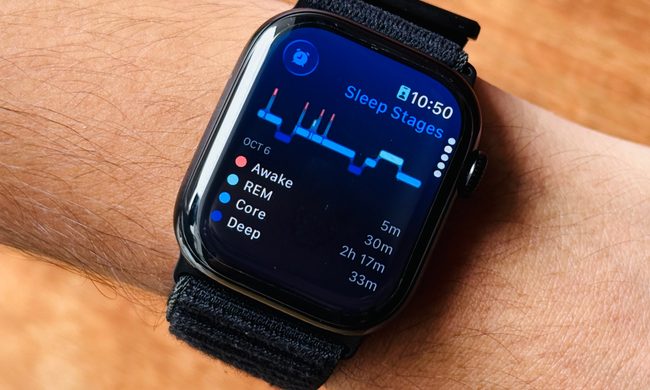
I hated sleeping with my Apple Watch, but science just changed my mind in two ways

I found a Mac app to take care of my health, and it’s a godsend for all desk warriors

I found a Mac tool that you’ll love as a sleeker dock with extra tricks

I turned the Notes app on my iPhone into a ChatGPT-powered memory bank

I found how to turn an iPhone camera nuisance into a savior for your snaps

I used AirPods for navigation on my Mac and it was an effortless bliss

I put a sidebar on my Mac for focused work, and it also fixed a huge Safari gap

AirPods Pro are nice, but I tweak these hidden settings to push them even further

Nadeem is a tech and science journalist who started reading about cool smartphone tech out of curiosity and soon started writing professionally. His coverage interests lie at the intersection of science, AI, wearables, and how they affect human lives. He is a member of the American Association for the Advancement of Science (AAAS) and regularly interacts with scientists and researchers to simplify the advancements in technology for Digital Trends readers.
Aside from keeping a track of the latest developments in the segment, he also tests out the newest gizmos, serves hot opinions about disastrous product decisions, and talks to smarter people for stories that connect tech with our lives.
His work has appeared at reputed outlets like WIRED, Slate, MIT’s Undark, Rest Of World, Al-Jazeera, and NDTV, among others. When he’s not busy furiously typing on his precious mechanical keyboard, he likes to play Doom Eternal and cook weird delicacies.