This content was produced in partnership with VistaCreate.
Generally, graphic design and photo editing tasks require specialized skills, and sometimes even exclusive software, depending on what you’re trying to do. Removing the background from any image, for example, is not something just anyone can do — until now, that is. VistaCreate — previously Crello — is a super-useful and convenient design tool that’s available as a mobile app.
Removing image backgrounds is just one of the many amazing things it can do, and it empowers anyone — anywhere — to design and create. Resourceful entrepreneurs, social media marketers, influencers, bloggers, art directors, and creators of all types can leverage the tool, even without experience in the field. If you want to poke around, you can check out that platform below, or keep reading for a deeper dive into what it can help you achieve.
What is the VistaCreate mobile design app?
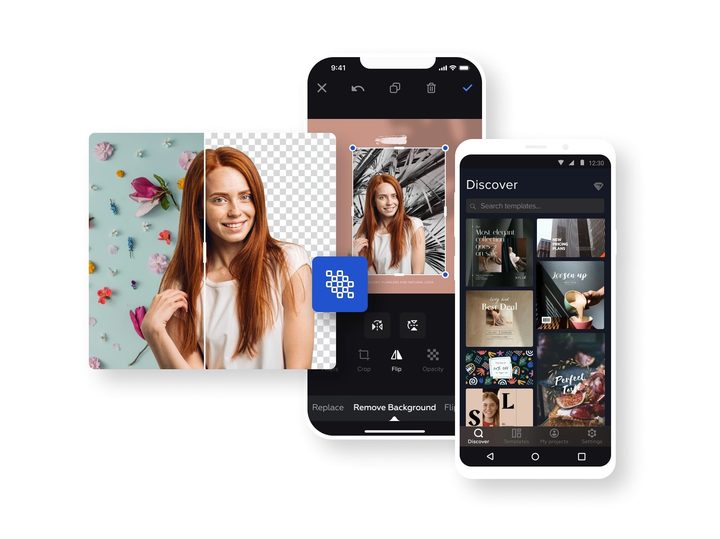
The first thing you’ll notice about VistaCreate — besides the fact that it’s available on web, Android and Apple mobile devices — is that it’s extremely easy to use. But where it sets it apart, versus something like Canva, is the amount of resources it gives you at no added cost. Users can access and utilize a growing and integrated media library of assets, including more than 75,000 professionally-designed templates, 10,000 animated templates, over 40,000 static and animated design objects, 680 fonts, and much more. Royalty-free files are accessible and usable too, including videos, photos, music tracks, and more.
When paired with the remarkably comfortable workspace on mobile, it means you can create anything — and do anything design-related — from anywhere. There are virtually no limits. You can even upload your own content to the app to create custom designs. Want to create a custom logo for your business? No problem.
That sounds wonderful, sure, but what does it do? What can you use it for, exactly? Well, here are some quick use cases:
- Edit images, videos, and more, all from your mobile
- Create logos, business cards, flyers, and presentations for your company
- Create posts or content for social media and blogs
- Post created content directly to your social media accounts
- Crop, scale, and resize visual content
- Share designs directly from within the app
- Create business, product, or personal logos
- Remove image backgrounds and replace them with unique visuals
- Create animations, stickers, icons, and more
Everything is templatized, meaning you can customize or adjust existing designs as necessary. And if you want to create something from scratch, you can do that too, easily and effectively.
The ‘perfect design app for everyone’
Traditionally, design tools and software, even similar mobile apps, require a lot of experience to use. That’s not the case with VistaCreate, but most importantly, as you use the tool more you’ll become even better at visual design. It’s an excellent option for anyone, of any skill level, and because it’s available on mobile, you don’t need special hardware to take advantage of the platform.
It doesn’t alienate more advanced users either, as there’s plenty to create, customize, and perfect — you don’t have to use the templates or assets if you don’t want to. In fact, if you are good at creating templates, the VistaCreate team will even buy them from you, allowing you to earn money just by using the platform. If you want a little more help getting started, there’s an informative tutorial video available as well.
What’s the difference between the free and paid VistaCreate versions?
This is a software tool we’re talking about here, so you’d be forgiven for expecting the free version to be severely limited. That’s not how VistaCreate works, however, and free users can still access a ton of content — if you use the free version, you’re not locked out of anything.
All features and content available in the VistaCreate mobile apps are free to use, and with the web version, you can choose between the two plans below:
Starter plan – $0
- Free access to more than 75,000 design templates
- Over 1 million creative assets and royalty-free media
- A single brand kit with colors, logos, and fonts
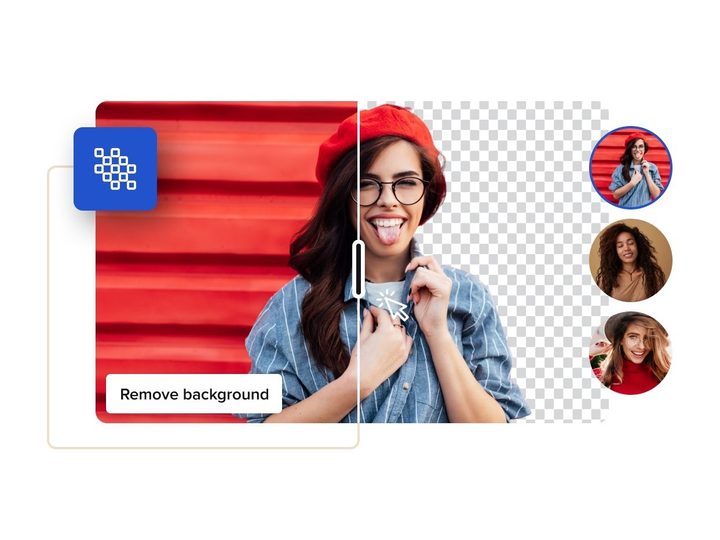
- Background removal and eraser feature
- 10GB of storage for files and projects
- Direct publishing to compatible social networks
- Styles feature
- Version history
- Logomaker
- More
Pro Plan – $13 per month (or $10 per month paid annually)
- Everything from the Starter plan
- More than 70 million creative assets and royalty-free media
- Team account for up to 10 users
- Unlimited brand kits with colors, logos, and fonts
- One-click resize feature to multiple formats
- Unlimited storage for files and projects
- Sticker maker
- More
Bear in mind, the mobile version does not have the following:
- Brand kits
- Styles
- Sticker maker
- Eraser
- Team functionality
- Version history
If you know these are features you’ll want or need, then you should use the web version, as opposed to the mobile apps.
Why use VistaCreate?
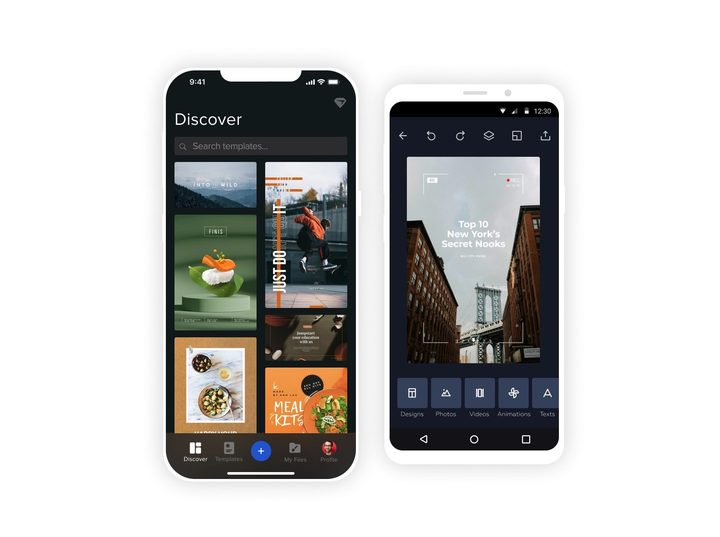
Comparatively, no other design tool offers access to the same massive library of resources and assets that VistaCreate does in its free version. It makes your job a whole lot easier, as you don’t necessarily have to create everything from scratch, every time you want to design on the go.
You don’t have to venture elsewhere, like other royalty-free media sites, to complement your projects and content. It’s all available within one app, or on the web, and the library is expansive and continues to grow. From music and videos to stickers (only available via web version), icons, and more, there’s something here for every potential need.
Above all, VistaCreate is remarkably easy to use, has a beautiful interface that’s easy to understand, and it’s accessible anywhere — thanks to Android and iOS apps. You can create during a morning commute, on your lunch break, on a trip away, or just about anywhere, anytime you need to. It’s ideal for both personal and professional use as well.
Why not give it a try? If you use promo code DIGITALTRENDS you can redeem one month of PRO free. To redeem, please sign up, and enter the promo code on Vista’s website.