  1. Home
  2. Phones
  3. Apple
  4. Emerging Tech
  5. Mobile
  6. Photography
  7. News

LifePrint brings photos to life using augmented reality

Add as a preferred source on Google

Instant photo printers are nothing new. But LifePrint isn’t your average Bluetooth printer. Taking a healthy dose of inspiration from the newspapers depicted in Harry Potter, LifePrint brings to life your still images using an accompanying app and augmented reality.

Initially funded via a very successful IndieGoGo campaign, LifePrint is now available to purchase, exclusively through Apple’s online and retail stores.

Recommended Videos

Similar to other pocket printers, LifePrint connects to your smartphone (through Bluetooth, instead of Wi-Fi) and lets you immediately print out an image of your choosing on self-adhesive ZINK Paper. Like ZINK printers from Polaroid or LG, heat is applied to the paper – not ink – to develop it. While the print method is the same, what sets LifePrint apart from the competition is its “Augmented Reality Hyperphotos” technology and integrated social network.
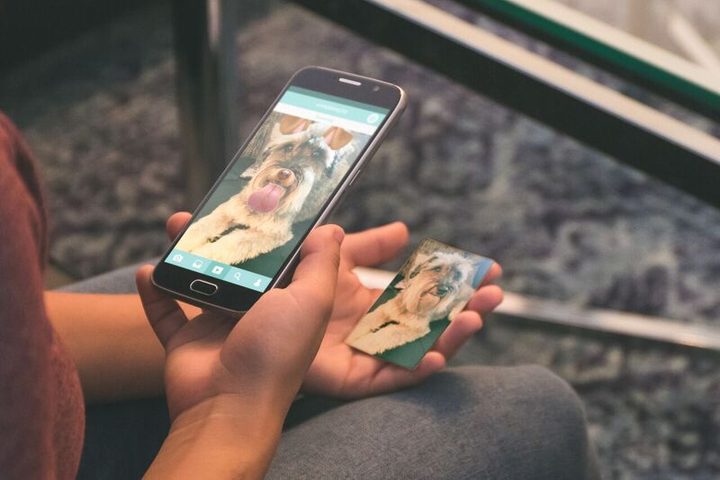
lp-dog-2
Image used with permission by copyright holder

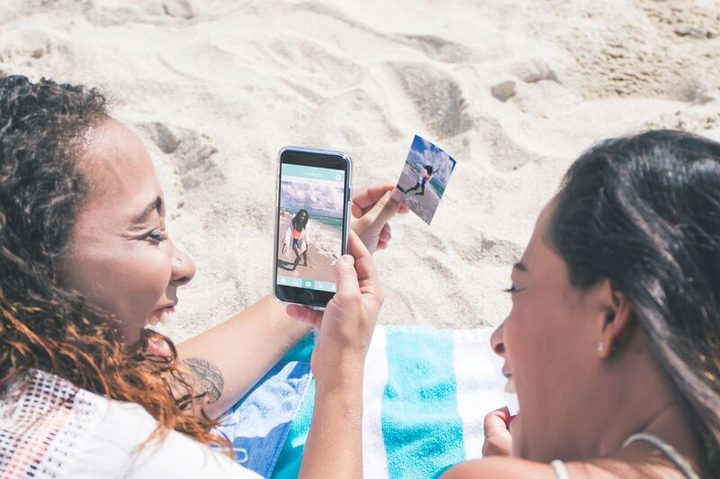
When a still image is printed using LifePrint, the print is only half of the experience. Using the dedicated LifePrint app, you can make any still image come to life by attaching a video, animated GIF, Live Photo, Snapchat filter, and more. After the image is printed, you and your friends can hold the still image up to your smartphone’s camera and watch the moment come to life as the accompanying content is overlaid on the print. Printed photos have a LifePrint watermark to indicate there’s an augmented surprise hidden in it.

“Lifeprint was born to bridge the gap between the incredible digital qualities of iPhone photography with the immeasurable emotional value of real analog photos,” says co-founder Robert Macauley.
lp-beach-2
Image used with permission by copyright holder

In addition to the augmented reality experience, LifePrint is also a social network of sorts. Using the dedicated app, you can send Augmented Reality Hyperphotos to friends, who can print them out on their LifePrint photos and experience the moment wherever they are, be it down the street or across the world.

The LifePrint printer is available starting today for $130. LifePrint film will cost $20 for a pack of 30 prints or $50 for a pack of 110 prints. The printer and app will initially be exclusive to iOS devices, but once the exclusivity ends, Android support is expected.

Gannon Burgett
Former Editor
Android 17 has a cool new trick to keep AI assistants from screaming in your ears
A new separate slider means Gemini won’t automatically get louder when you crank up music or video.
Android 17 on a phone.

Android 17 has a cool new trick to keep AI assistants from screaming in your ears, and it fixes a problem that becomes obvious the moment it happens. You turn up your music on headphones, then a voice reply hits at the same level and cuts through everything.

The latest beta changes that behavior. Assistant audio no longer rises and falls with your media, so increasing volume for a song or video won’t suddenly make Gemini or another assistant louder too.

Read more
Vivaldi browser’s tab stacks are a lovely solution that I want on Chrome and Safari
Vivaldi's take on tab management highlights just how clunky Chrome and Safari still feel on mobile.
Vivaldi browser tab stacking featured.

While most Chromium-based browsers treat tab management as an afterthought, Vivaldi takes a smarter approach. Its latest iOS update doubles down on one of its best ideas: two-level tab stacks. It's not a new feature, but it's one of the few that actually makes juggling dozens of tabs on a phone feel manageable.

A small but genuinely useful feature

Read more
Android 17 makes your internet controls way less frustrating
Google is splitting Wi-Fi and mobile data in Quick Settings, and it should save you extra taps.
Nature, Night, Outdoors

Android 17 is fixing one of the most irritating parts of using your phone, its internet controls. If you’ve ever tried to switch off Wi-Fi quickly and got pulled into an extra menu instead, this update is aimed right at that moment.

In Android 17 Beta 3, Google is changing how those toggles work in Quick Settings. Instead of grouping everything under a single tile, the system now separates Wi-Fi and mobile data, so you can manage each one without going through another screen.

Read more