
The best smartphones pack tempting features into stylish bodies, but they don’t come cheap. You can easily spend upwards of $600 on a new smartphone — the Samsung Galaxy S8 starts at $750, for instance — but you don’t have to clean out your bank account to nab a snazzy smartphone. Buying a used device is a tried-and-true method of saving cash on a purchase.
In this guide, we’re going to lay out your options and run through some tips for buying a used smartphone, helping ensure you don’t get ripped off. Not all second-hand smartphones are created equal, so let’s break this down by category.
Buying refurbished smartphones
The best kind of used smartphone to go for is a refurbished phone. These are phones that were returned to the manufacturer for one reason or another. They are fully tested, factory reset, and certified. They also usually come with some kind of warranty. When you buy a refurbished phone, it should be close to the experience of buying a new phone.
If you buy a refurbished iPhone from Apple, for example, it will have a new battery, a pristine outer shell, and a box with all the necessary accessories. It will also come with a one-year warranty, but that won’t be the case if you buy elsewhere. Standards vary, so always check the details carefully. Whenever possible, buy directly from manufacturers, as they have the greatest incentive to ensure the refurbished phones they sell are problem-free.
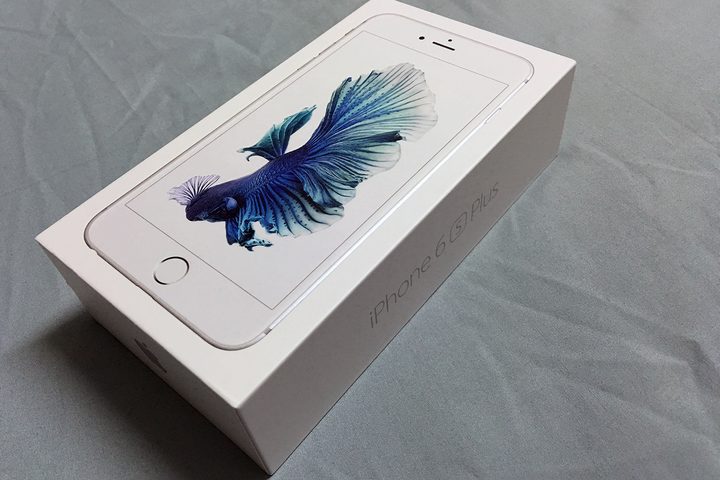
Before you get too excited about refurbished smartphones, however, it’s worth noting that they’re the most expensive kind of used smartphone around. You can often reap significant savings with little risk, but real bargain hunters will be unimpressed.
If you want to shop for refurbished phones, then check out these stores:
- Amazon
- Apple
- Best Buy
- Samsung
- Walmart
Buying certified pre-owned smartphones
One step down from refurbished phones, you’ll find the certified pre-owned category. Once again, these phones have undergone some kind of testing, been factory reset, and should come with a limited warranty. They’ll be a bit cheaper than refurbished phones, too, though they probably won’t be in as good condition.
Certified pre-owned phones have been tested to make sure that they work properly, but they’re not like-new — these are used smartphones and may have cosmetic damage or internal wear and tear. They also won’t necessarily be re-boxed or presented as new phones, and could be missing some accessories.
Always check the details before you buy, because there may be differences when it comes to the definition of certified pre-owned from retailer to retailer. There will also be differences in the warranty they offer..
If you want to shop for certified pre-owned phones, then check out these stores:
- Amazon
- AT&T
- Best Buy
- Target
- Verizon
Buying used smartphones
The biggest bargains are to be found in the used smartphone category, but there are also greater risks in buying a used smartphone. You might be able to secure last year’s flagship with extra accessories at a knock-down price, but you could also end up with a dud and no way to get a refund.
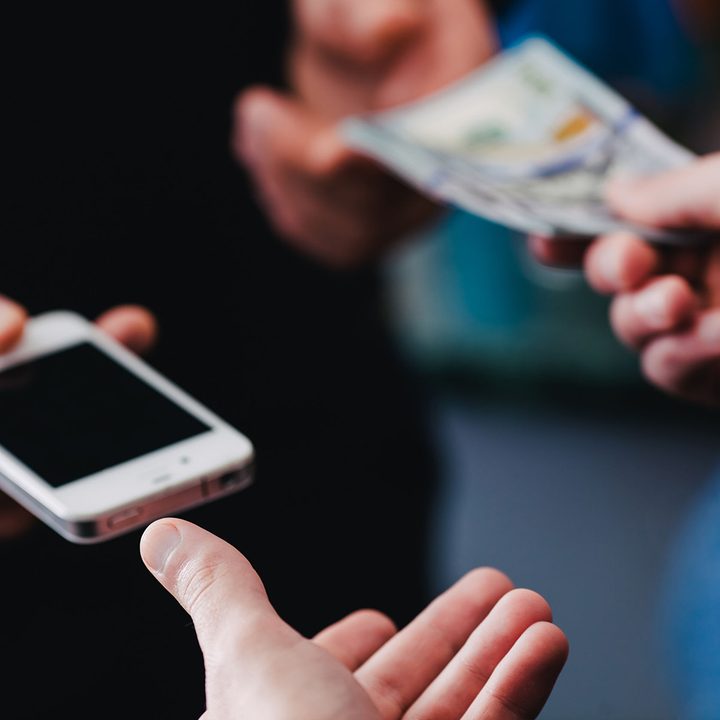
You need to check the seller’s description carefully, only consider listings with photos, and ask questions before you buy. Try to deal with sellers who have positive ratings, if possible. Some services offer listing verification and payment protection in the event something goes wrong, while others don’t. You should look for a return policy and use a service like PayPal, so you have some possibility of getting a refund if your new phone turns out to be damaged or stolen.
If you’re going to meet in-person to buy a phone, always take someone with you and choose a well-lit public place to meet. Make it clear to the seller that you want to test the phone before you buy, and that you’ll be bringing a SIM card to do just that. This will discourage scammers.
Some of the best places to buy used smartphones are:
- eBay
- Craigslist
- Glyde
- Swappa
The price is right
You should do some research to get an idea of how much you need to spend. Swappa is particularly helpful for this, because it shows a chart of the average selling prices for each smartphone over time. You can also search the “sold listings” on eBay, if you want to see what the going rate for your desired phone is.
Remember that prices for older smartphone models — like the iPhone 5, or Samsung Galaxy S6 — will always fall when a new one is released, as people tend to sell their older devices in order to raise cash for a new one.
When you settle on a target price, be patient. If you’re trying to get a better-than-average bargain, then you need avoid being drawn into a bidding war. There’s a ton of variance on sites like eBay, so it can be smart to wait to bid on items until the last moment. Choose listings that end mid-week, because they won’t attract as many buyers as listings that end on Saturday or Sunday.
Important things to consider
There are several things you need to keep in mind when buying a used smartphone, so here’s a checklist to run through. If any of these things aren’t clear in the listing, then you need to ask the seller before you buy.
Is the phone on your network or unlocked?
Smartphones that are locked to a carrier tend to be a bit cheaper, so if you’re happy on Verizon, for example, go for a device that’s locked to Verizon. Unlocked smartphones, on the other hand, can be used on any network.
Does the phone come with any accessories?
Find out if it comes in the original box, with the charger and cable that it shipped with. You need to know if there any extras being thrown in, such as cases or headphones. The original box is a good sign that the phone is not stolen and a case suggests the previous owner has been taking care of the device.
Has it been factory reset?
You want a phone that has been wiped clean. Make sure the previous owner has removed all personal accounts and watch out for Factory Reset Protection (FRP). It’s a safety feature that Google recently added to Android to discourage would-be thieves. If FRP is not disabled before the phone is sold, then, even after a factory reset, you’ll be prompted to enter the username and password for the last Google account that was registered with the device before you can use it.
Is there any physical damage?
Ideally, you’ll be able to review a good mix of photos before you buy, but it’s worth checking whether there’s any damage that isn’t obvious from the supplied photos. You may also want to ask about water damage before you make your purchase.
Test your phone

When your new phone arrives, make sure you test it immediately and thoroughly. Put your SIM in and make sure it works, insert your MicroSD card (if it accommodates one), try charging the phone, and test the headphone port. You should also watch out for battery problems, especially with older phones. After all, batteries deteriorate over time and may eventually struggle to hold a charge.
You may also want to try a diagnostic app or use service codes. You can find them for most phones with a quick online search, and they’ll allow you to test the battery, screen, and a few other bits and pieces.
If you’re going to find a problem, it’s better to isolate it sooner rather than later. If you have a warranty, then you can quickly make a claim. If not, you can try to return your phone or claim a refund via PayPal. If you’re meeting in person and paying cash, then go to the meeting equipped with a SIM card, cable, laptop, and headphones and perform the tests before making your purchase.


