Microsoft’s Surface Pro, whether it’s the Pro 7, the 2018 Surface Pro 6, or one of the older versions, straddles the line between laptop and tablet by offering a full-featured computing experience in a compact package. It’s a powerful device, but it can feel a little bare-bones right out of the package. Without a keyboard or Surface Pen, it’s just a Windows-based tablet.
With that in mind, we put together a list of the best Surface Pro accessories to help you get the most out of Microsoft’s detachable 2-in-1 PC.
Surface Pen
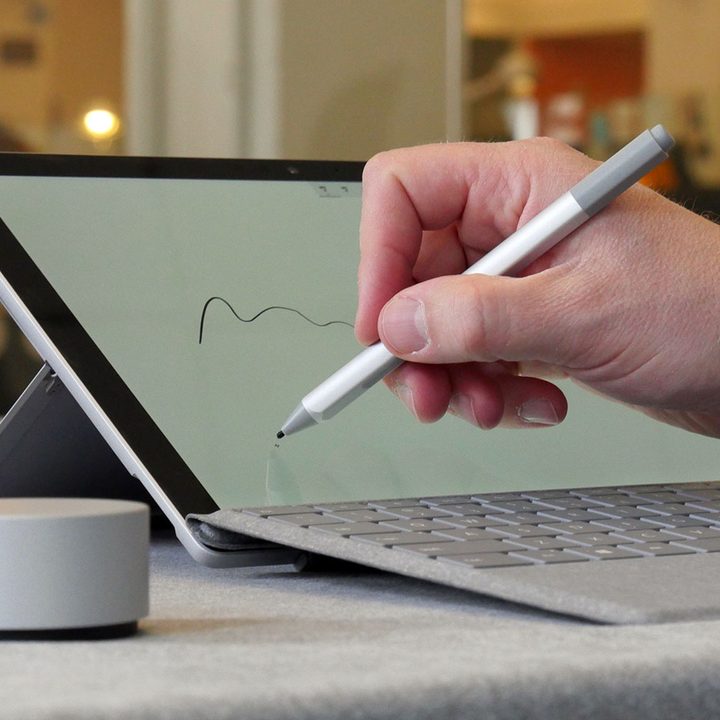
The Surface Pen is such an essential part of the Surface Pro experience that previous versions just included it in the box. Unfortunately, Microsoft now opts to provide it only as an optional accessory, but it’s such a killer creative tool that it’s definitely worth the price.
Without it, the Surface Pro is a powerful Windows-based tablet. But with the Surface Pen, it’s a mobile sketchpad, notebook, and professional-grade artistic suite.
Surface Pen Tip Kit

On its own, the Surface Pen is a versatile tool for note-taking or artistic endeavors, but it’s still not quite as tactile as a real pen or pencil. With this optional tip kit, however, it comes remarkably close to the real thing. Plus, it’s a handy kit to keep around just in case you lose your Surface Pen’s tip.
The Surface Pen Tip Kit allows users to customize the friction and drag of their Surface Pens, based on use or just personal preference. One emulates the frictionless glide of a ballpoint pen, while another provides the crisp and slightly resistant drag of a number two pencil.
Surface Dial
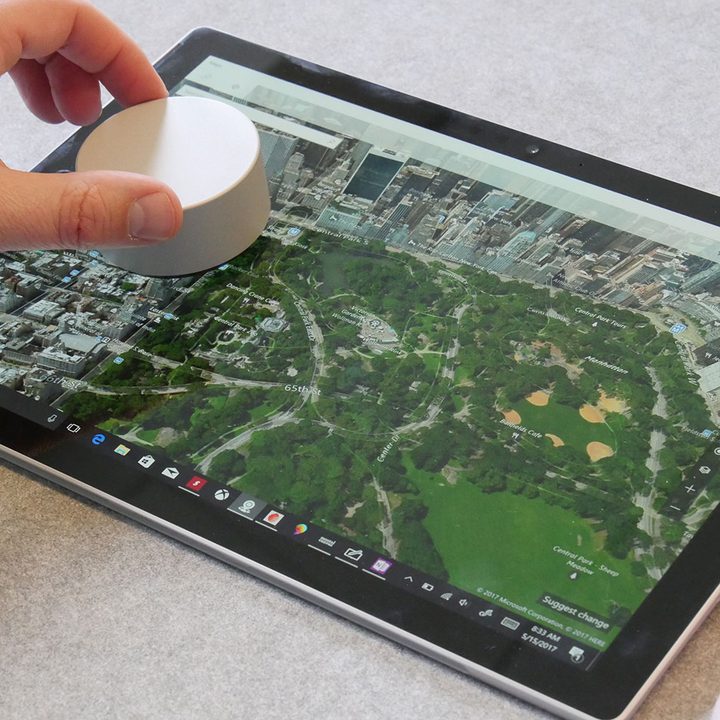
Have you ever adjusted the volume on a high-end stereo system and experienced that ever-so-slight resistance and smooth scrolling action? Microsoft had the crazy idea to put that kind of user experience into a unique peripheral designed for its high-end Surface Studio desktop.
The Surface Pro doesn’t have the same screen real estate, but the Dial is still a worthy companion for Microsoft’s 2-in-1 PC. On its own, it can be used to adjust system volume, rotate images, and scroll seamlessly through options in professional creative suites like Adobe Photoshop.
Sure, the Surface Dial might not be for everyone, but it’s both really weird and really cool.
Surface Arc Mouse
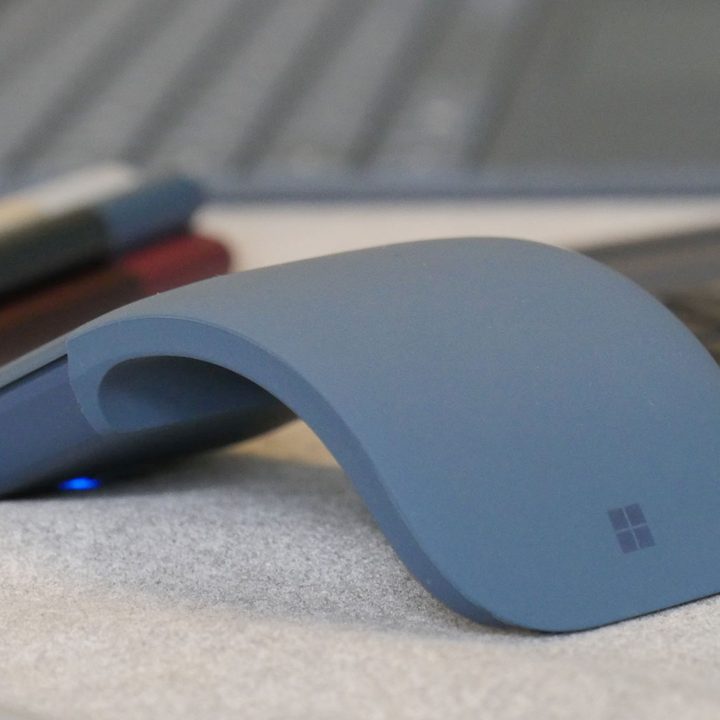
Even if you spend most of your time using the Surface Pro as an artistic tool, now and then you might need to use it as a standard laptop. That’s where the Surface Arc mouse comes in, as sometimes you just need a mouse to easily navigate browser tabs or all those fiddly little options in Microsoft Word.
To make sure it’s always with you on the go, the Surface Arc actually bends to a flat position, so it’s easier to toss into a messenger bag pocket than a typical wireless mouse. When it’s time to work, just snap it into mouse mode, with a comfy little curve for your hand. From there, just pair it up with Bluetooth and start clicking through those browser tabs.
Surface Pro Signature Type Cover

The Surface Pro is pretty versatile with just the on-screen keyboard. Try typing your way through anything longer than a quick email, though, and you’ll start to feel the touchscreen limitations. Naturally, Microsoft developed its own ultra-fancy keyboard cover for the Surface Pro that turns an ordinary tablet into a portable — and super-soft — workstation.
Clad in luxurious Alcantara material, the Surface Pro Signature Type Cover will set you back about $160. But for usability’s sake, it’s definitely worth the cost. Microsoft markets the Surface Pro as an alternative to a standard laptop, but we beg to differ. Without an external keyboard like the Signature Type Cover, it just doesn’t get the job done.
Outback Solo Case for Surface
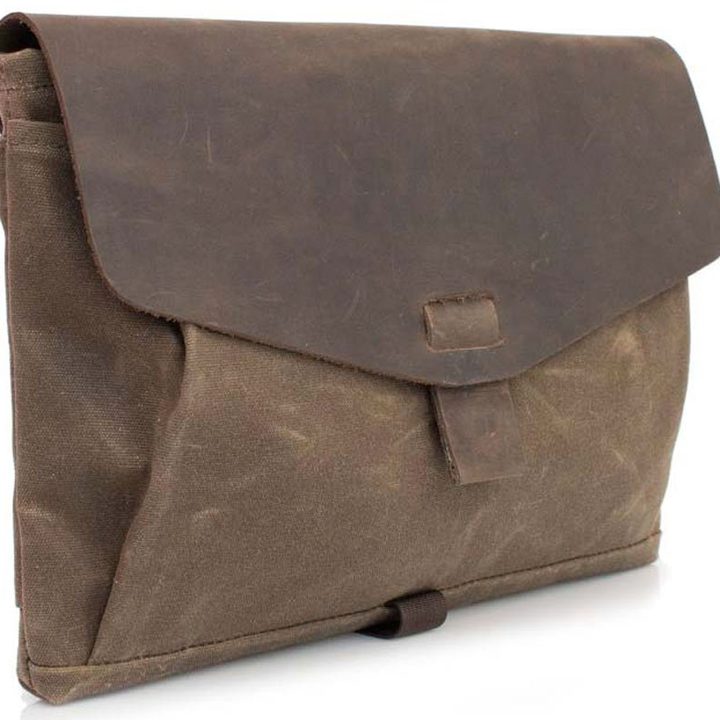
Carrying all the things you need for your mobile workstation will require a unique bag. These can help you organize all of your things plus your Surface Pro without damage or loss. There are quite a few options that will carry just the Surface Pro, but we love the quality and design of Waterfield’s Outback Solo.
This flexible option allows you to carry your Surface Pro and a few other essentials in one bag. The organization is flawless, but we love that you can remove the strap and the Outback Solo Case for Surface converts to a luxurious Surface Pro sleeve. You won’t find that kind of versatility in most other options.
Surface Dock
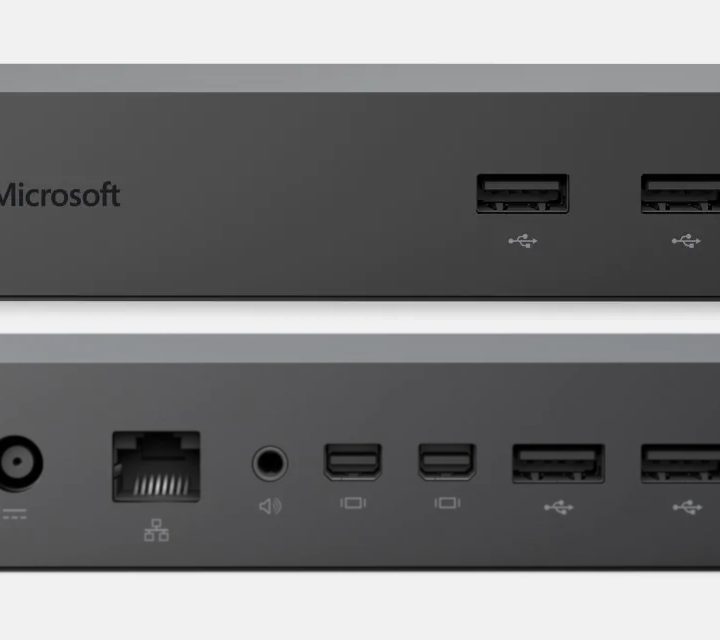
The Pro is acceptable for hobbyists, but you’ll need to invest in critical accessories if you want to use it in a professional capacity. The Pro’s advertised benefits include portability and minimal heft. However, it sacrifices essential ports in the process. To overcome this, you can use the Surface Dock device.
You might balk at spending $200 on a USB hub, but this device offers much more than just that. The Surface Dock sits on your desk and connects straight to the Surface Pro for charging, giving you more USB ports, two Mini-DisplayPort plugs, and an ethernet jack. It transforms your Pro into a comprehensive workspace with all the necessities for peripherals. Get an external monitor, mouse, and keyboard, and you’re all set.
The Surface Pro is a decent investment in itself
You will significantly improve your Surface Pro experience with some well-chosen accessories, whether your purposes are professional or recreational. Score the accessories we listed, and you won’t be able to distinguish between your Surface Pro and a standard laptop.