
From operating systems to smartphones, competition between Apple and Google has effectively defined an era of technology. With the release of the AirPods last December, Apple established a firm grip, if not a stranglehold, on the market for fully wireless buds. Meanwhile, Google just dropped the Pixel Buds, which aren’t completely wireless but do boast some neat, unique features.
Frankly, these two sets of earbuds are quite different. For starters, Apple’s AirPods are fully wireless, meaning zero strings attached, and they’re one of the few to cut all the cords while retaining great usability. Google’s Pixel Buds are tethered, meaning, while they do connect to your phone wirelessly, a wire connects the buds. And that’s just for starters. We don’t expect anyone to find themselves choosing strictly between the two (at least, not if they did their homework), but because it’s Apple and Google, comparisons will be inevitable. With that in mind, here’s a thorough rundown of both sets of buds to help you get a handle on their strengths and weaknesses.
Apple AirPods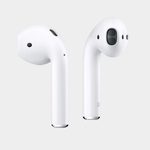 |
Google Pixel Buds |
|
| Dimensions | 0.65 x 0.71 x 1.59 inches (earbuds), 1.74 by 0.84 by 2.11 inches (charge pod) | 0.8 x 0.8 x 0.8 inches (earbuds), 2.6 x 2.6 x 1.1 inches (charge pod) |
| Weight | .14 ounces each (earbuds), 1.34 ounces (empty charge pod) | 0.25 ounces each (earbuds), 1.5 ounces (empty charge pod) |
| Sensors | Dual optical sensors, motion-detecting accelerometer, speech-detecting accelerometer | Accelerometer, capacitive touchpad |
| Microphone | Dual beam-forming microphones | Microphone |
| Battery life | About 5 hours listening or 2 hours talking (earbuds), 24 hours total (with charge case) | About 5 hours (earbuds), 24 hours total (with charge case) |
| Connectivity | Bluetooth (earbuds), Lightning (charge pod) | Bluetooth (earbuds), USB-C (charge pod) |
| Audio formats | MP3, AAC, & SBC codec when streaming | MP3, M4A, AAC, WAV, WMA(v9) |
| Compatibility | iPhone 5 and later, iPad mini 2+, iPad Air+, iPad Pro, iPod Touch (6th gen) (iOS 10+); Apple Watch (WatchOS 3+); MacOS Sierra or later | Android devices (Android 5.0+), Apple devices (iOS 10+); see requirements for Google Assistant & Translate here |
| Waterproofing | No | No |
| Price | $159 | $159 |
| Available from | Apple | |
| Our review score | 4 out of 5 stars | 3 out of 5 stars |
Design

While the fact that one pair connects the buds by a wire and one doesn’t is the biggest difference, there are many others when it comes to design. The tall, thin AirPods (available in white, and white only) represent the pinnacle of Apple aesthetics, bathed in a glossy finish with no interruptions other than chrome tips and small holes for the speaker units and microphones. The AirPods are designed to hang from your ears, which seems precarious (and looks a bit odd), but they actually do a relatively impressive job of staying put, even through mild exercise. The AirPods’ little charging pod is sleek and small, looking a bit like a floss container. Multicolor LEDs indicate the battery life, and a magnetic clasp keeps it closed. The earbuds also snap into place magnetically, which works well, in our experience.
The Pixel Buds, by contrast, don’t emanate quite the same aura of class and style. The earpieces themselves — the part that inserts into your ears — feel well made, but the plasticky finish on the outer pads feels slightly cheap. The buds don’t fit the ear canal particularly well, readily leaking sound in and out, though at least they stayed put in our testing. The braided tether (reminiscent of a referee’s whistle cord), is comfortable if not altogether stylish, though its designed to wrap around the top of your ears, which never felt right for us. On the bright side, at least they’re available in three cool colors (white, blue, and black). The Pixel Buds case is square, and bigger than the AirPods’ case. It looks and feels cool, with a soft woven texture, but the case doesn’t close very easily — you’ve got to wrap the cable around the outside and it always wants to peek out. It doesn’t help that the whole case (especially the lid) feels flimsy. As with the AirPds, LEDs indicate battery life, and magnets snap it shut.
Winner: Apple AirPods
Setup
Apple’s AirPods are an absolute cinch to setup, especially for iPhone users, pairing to your phone automatically in seconds. With just a flip of the case’s lid, the buds show up in your phone’s Bluetooth menu, and a quick tap to connect gets you rocking. For iCloud users, all of your Apple devices should automatically recognize the buds, and sound switches between them with a swipe and a click. For non-iOS phones, a small button on the back of the case forces the buds into pairing, again requiring you to simply open the Bluetooth menu and connect.
Google attempted a similarly simple connection process, but in practice things aren’t quite so easy with the Pixel Buds. Many reviews (including ours) report trouble auto-pairing to Android devices (compatible with Android 6.0 or higher), the Pixel 2 phone included. In theory, a pop-up display should automatically tell you you’re connected quickly after opening the case. If that doesn’t work, however, you’ll need to hold down the nearly invisible pairing button inside the case, which is also how you connect to iPhones. Even then, we had some trouble getting the buds to show up in our Bluetooth menu, though others have reported having an easier time with it.
Winner: Apple AirPods
Battery life
This is an easy one, as Google has aped Apple here. Both pairs offer five hours of playback time per charge, and a total of 24 hours with the charging case off the grid. While we’ll call this a tie, we will say that five hours per charge is great for truly wireless earbuds, but not so for tethered buds, most of which offer 8-10 hours or more per charge at this price point.
Audio quality

When it comes to both the AirPods and the Pixel Buds, audio performance is decidedly average. The AirPods sound extremely similar to the EarPods (you know, the basic pair that comes with a purchase of any Apple mobile device) — perhaps a bit better in the treble department, but not much. The Pixel Buds offer more bass, which probably suits the casual listener better, but it didn’t particularly impress us. Sound isolation is not a strong point for either product, which means sound from the outside world will leak in.
Bottom line: If you’re a true audio lover in search of the best possible sound quality for the money, you probably shouldn’t buy either pair of these headphones. There are plenty of superior tethered options at or below this price point, including the V-Moda Forza Metallo Wireless for one. If you insist on fully wireless buds, The Headphone from Bragi offers much better sound, though without a charging case its six hours of playback time will be more limiting.
Winner: Tie
Features and functionality

Here’s where stuff gets interesting. As we mentioned before, the AirPods and the Pixel Buds are largely aimed at different audiences (and not just because some people have iPhones while some people have Androids or Pixel 2s). All the AirPods’ features are designed to improve ease of use, while the Pixel Buds aim higher but, unfortunately, forget about the little things.
The AirPods are packed with neat tricks that just work. Take one out, and music playback will automatically pause, thanks to the buds’ accelerometer. Take both out, and the AirPods will enter sleep mode, saving precious battery life until reinsertion (once replaced, they activate quickly). If one AirPod dies, the other can keep going — a nice feature, considering many will just use one bud for taking phone calls. Want to check battery life? Just hold the charge pod near your iPhone and it’ll tell you how much juice is left in both the buds and the case.
As you might expect, Siri is here too. Tap the outside of an AirPod to activate her, then speak to her as normal. She’ll notify you of phone calls, set alarms, and answer questions; her music control abilities are limited to Apple Music, though.
The Pixel Buds are equipped with impressively accurate onboard touch controls; tap to play and pause music, or swipe to control volume. The big draws here, though, are twofold: Google Assistant integration and instant language translation. Tap and hold the right earbud to activate Assistant (you’ll need a paired device running Android 6.0 or later), and the Assistant can do everything you’re used to. It responds quickly and understands commands without issue.
The translation function is slick, too. Tap and hold the right bud like you would for Assistant, and say “help me speak [insert one of 40 supported languages].” It’ll open a special version of the Google Translate app on your phone, which you’ll then hold up between yourself and the person who’s speaking the language you need translated. The Translation function works well, but there’s a huge caveat: It only works with Google Pixel phones. If you’ve got one, great! If not, we don’t recommend buying one just to use these headphones. Perhaps just as importantly, you can use Google Translate on any Android phone without the Pixel Buds at all, greatly reducing the benefit there.
The Pixel Buds have more features and more ambition, but the AirPods’ features are more universally useful and better implemented. Point, Apple.
Winner: Apple AirPods
Availability, compatibility, and price
The AirPods work with both Apple devices (iOS 10+) and Android devices. When connected to Android, Siri is disabled, but you can double tap on either earbud to play and pause music. Similarly, the Pixel Buds are compatible with both Apple (iOS 10+) and Android (5.0+); predictably, on iOS, Google Assistant won’t work, though Siri will.
Both sets of earbuds are available at their respective websites (though the Pixel Buds were on backorder at the time of publication) and both cost $159. Nothing more to see here.
Winner: Tie
Conclusion
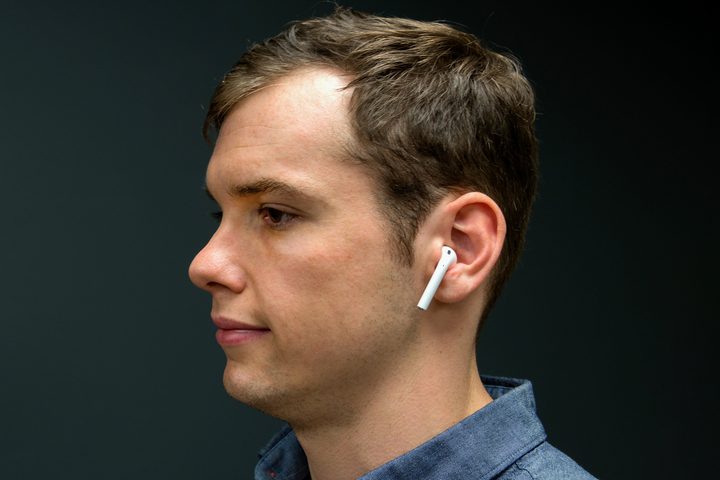
The Pixel Buds offer inoffensive audio quality, impressive Google Assistant integration, and a few neat tricks for Pixel owners. Unfortunately, the AirPods are simply better, eschewing cables and coming complete with lots of useful — and, more importantly, reliable — features. As we’ve mentioned multiple times, we don’t think the two products are even really competitors. They’re that different. But if, for some reason, you’re forced to choose one or the other (and you don’t own a Google Pixel phone), the AirPods come out on top every time.


