When I decided to buy a four-year-old MacBook Pro rather than a new one, one of the things I deliberately gave up on was the Touch Bar. Apple’s OLED control strip has been divisive to say the least, and it was something I decided I could live without. That’s a shame, because it has the potential to be so much better than it is.
Back when it first made an appearance in 2016, I was excited. App-specific shortcuts! Programmable buttons! A Touch ID sensor! The functions Apple showed on stage, from quick-access palettes in Adobe Photoshop to scrubbing through a video in QuickTime, looked useful and well thought out. To all outward appearances, the Touch Bar looked like it could become another example of Apple’s famous innovation.
But as you probably know, it didn’t quite turn out like that. In the years since its debut, the Touch Bar has been stuck in a kind of development hell, never really taking off in the way we hoped it would. Instead of spreading its wings, it just kind of half-heartedly flapped them a bit, then gave up.
It’s not entirely Apple’s fault — for the Touch Bar to be truly useful, third-party developers must build in good functionality in their apps. But Apple needs to lead by example to show people how it should be done. What exactly should it do? Well, I have a few ideas.
Apple must take the lead
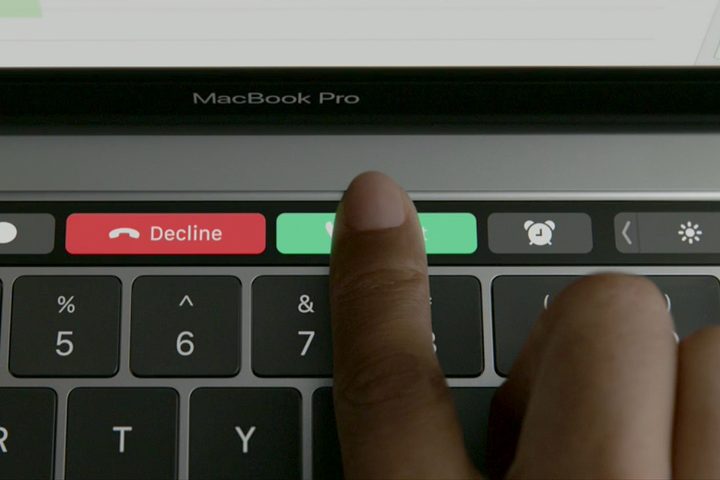
How many of the Function keys do you use on a daily basis? Perhaps F10, AKA the mute key, when your neighbors start banging on the walls and telling you to stop playing the Spice Girls so loud. Maybe Fn+F11 to show the desktop, but that can be done with a swipe instead. Other than that, I barely go near those buttons on my 2015 MacBook Pro, so I can see why Apple thought it could do something more useful with that space.
But the problem with the current state of the Touch Bar is that, in many cases, Apple still thinks of that strip as an area for buttons. Look at what happens when you open Pages and select some text: The Touch Bar displays options for text styling and formatting — which are already available in the app’s menus. Why repeat this functionality that’s already easy to get to? If anything, the Touch Bar is fiddlier to use because you have to take your hand off your mouse or trackpad.
In too many apps, Apple is constrained by this way of thinking. The Touch Bar doesn’t just have to be a place for simple buttons that you can access anyway in the app you’re using. And Apple seems to be aware of this, because in some apps it’s made the Touch Bar really useful.
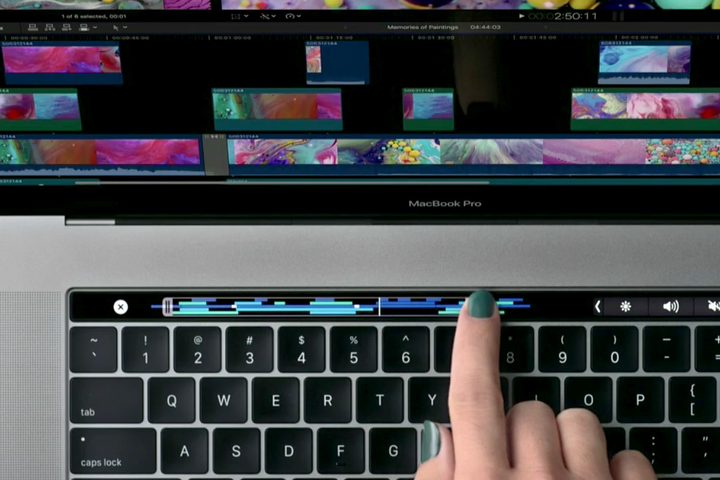
In Photos, you can use the Touch Bar to quickly swipe through the pictures in a folder. In QuickTime, you can scrub through a video to find a specific frame. In Preview, highlight some text and you get quick options to highlight it in one of many colors. This is the kind of functionality that makes the Touch Bar useful, not just yet another place for the same old standard buttons.
Another way Apple can improve the Touch Bar is by emphasizing its ecosystem. This is already one of Apple’s strengths — things like Handoff and Continuity make it genuinely worthwhile to have several Apple devices all hooked up together. And here, the Touch Bar can make it even more rewarding.
For example, what if the Touch Bar displayed text messages and reminders as they pop up as a ticker scrolling across the OLED strip? What if those apps could be chosen exclusively by you? Or what if it gave you a place to see the battery level on all your connected devices and quickly enable Low Power Mode on one of them if necessary?
This kind of functionality would mean there’d be no need to keep switching between devices — your Mac would become a kind of control center for everything. Apple’s in a unique position because it designs both hardware and software; the Touch Bar is a good example of where it should be combining them to great effect.
Third-party developers need to step up too
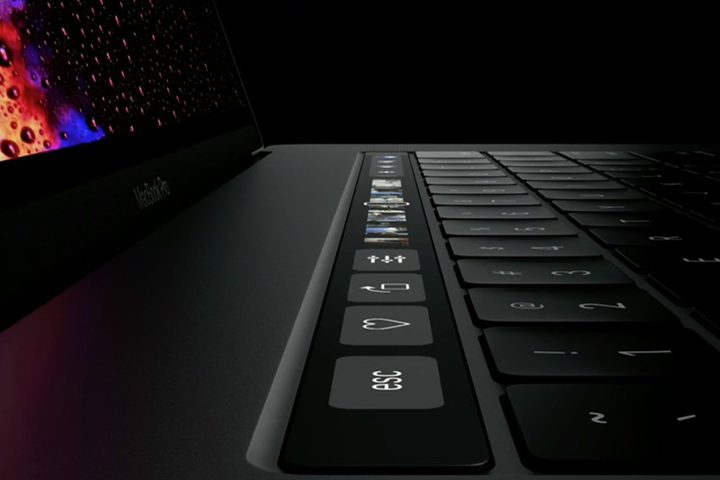
Of course, the blame doesn’t entirely rest at Apple’s feet. One of the main promises of the Touch Bar was that it would change based on the app you’re using, with third-party developers getting in on the act too. And while some, like Adobe and Microsoft, have grabbed the bull by the horns, there’s a long way to go.
As with a lot of things in MacOS, Apple provides plenty of support and documentation to developers showing them how to build in support for the Touch Bar in their apps. Now it’s up to developers to take advantage of this.
But the first step must come from Apple. Developers are likely reluctant to put in the extra work for the Touch Bar because they figure people either don’t use it or don’t understand it. Apple needs to show them what’s possible through its own apps.
Hopefully that inertia on the part of developers will soon change based on Apple’s alterations to its MacBook Pro lineup. In early July, Apple brought the Touch Bar to its entry-level MacBook Pro, meaning every MacBook Pro now comes with the OLED strip. That gives developers more certainty that Touch Bar functionality is worth investing in — and should help the Touch Bar finally flourish.
Of course, there are no guarantees here. The Touch Bar was always going to be a gamble on Apple’s part, as every break with tradition is. But the Function keys have been more or less obsolete (or at least very rarely used) for a decade or more. It’s about time they were replaced with something more useful.
Stretching back to the days of Steve Jobs, Apple’s design culture has always been to ensure that every element is absolutely necessary. As Jony Ive once told Jobs’ biographer Walter Isaacson, “You have to deeply understand the essence of a product in order to be able to get rid of the parts that are not essential.” Before the Touch Bar, the Function keys were not essential, so Apple got rid of them.
Now it’s time to make their replacement truly essential.