
There once was a time when no one used Microsoft Edge. But since the Microsoft web browser moved to use the same engine as Google Chrome, it’s not so bad.
In fact, the new Microsoft Edge has even surpassed Firefox in terms of popularity. I’ve used Edge as my daily browser ever since it launched, and after years of using Chrome before it, there are three big reasons why Microsoft Edge keeps me coming back to it over Google Chrome.
Tracking prevention and security
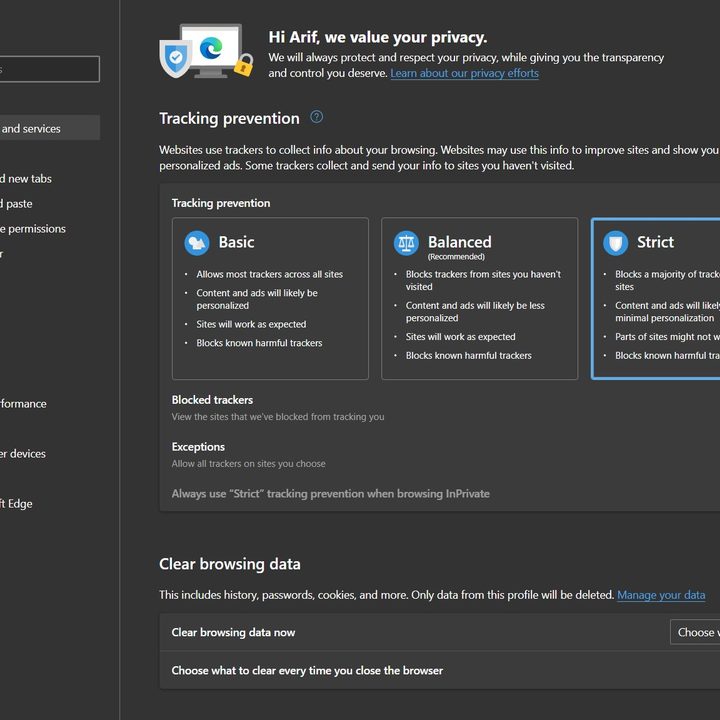
When I browse the web, my security is at the top of my list of worries. I don’t want websites to track me, and I don’t want hackers to access my personal information or passwords. In this area, Edge is quite strong over Chrome. Yes, Chrome does have “Enhanced Protection” as well as options to save and encrypt passwords securely with your Google Account in its settings, but Edge takes things further.
I say that because the Microsoft browser has in-built tracking prevention. When set to “Strict” all websites aren’t able to track you, and there are little chances of ads being personalized. In addition, known harmful trackers are blocked. Other options are also available for balanced and basic, which tone down the settings a bit, with little risk of “breaking” websites.
Now, for security, I think about my passwords. In Chrome, you can encrypt passwords with your Google Account, and opt to check your passwords for weaknesses. Edge does all of that and a bit more. Microsoft’s browser is able to suggest strong passwords, as well as show alerts for when passwords are found in an online leak. This works by checking passwords against an online database, without sending the password to Microsoft.
Vertical tabs
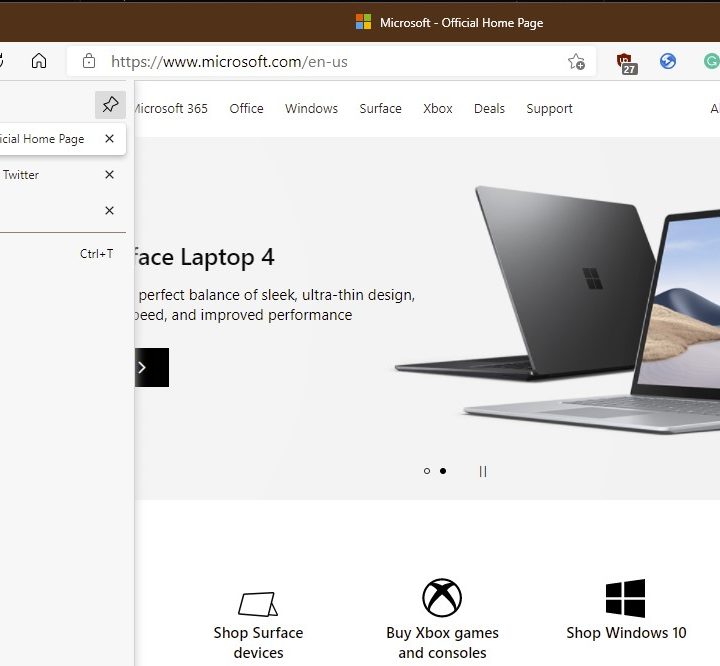
Like many people, I browse the web with a lot of tabs open. Sometimes, that means things can get messy, and I lose track of what I’m working on. Google Chrome has a tab groups feature that lets you group tabs together under a specific name and color, but Edge has its own vertical tabs feature that cleans things up a bit more.
With Edge’s Vertical tabs feature, my browsing feels natural. I am able to move the list of tabs from the top of the browser to the side. It’s neater, more organized, and fits right where my eyes naturally go as I read a webpage from left to right. More tabs also fit on the screen this way, too, and I can physically get a better look at tab names, without it being shrunken down too much.
Integration with Progressive Web Apps
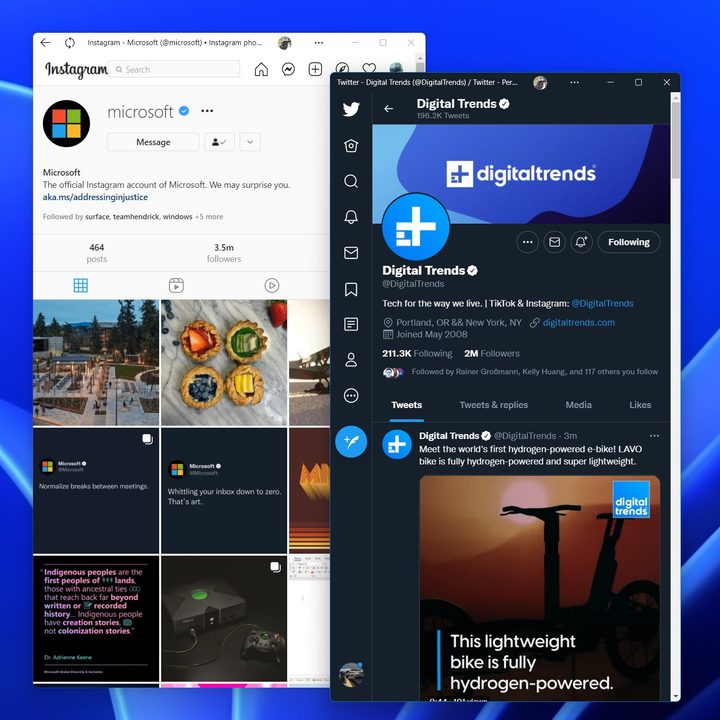
On Windows, Progressive Web Apps (PWAs) appear to be the future. Many app developers, like Twitter and Instagram, have dropped dedicated Windows apps in favor of Progressive Web Apps. Google Chrome supports PWAs, but not all apps play nicely. Chrome lets you install a website as a PWA by going to More Tools > Create Shortcut > Open as Window.
Edge, though, takes that up a bit. During a busy day, I am able to turn a website into a PWA in a few simple steps. I just click the Settings Menu > Apps > Install as App. It’s more clearly labeled, and I have a single hub in the browser itself to manage and remove any sites I don’t want. Oh, and Windows even adds the PWA to the Start Menu and Taskbar for quick access and gives PWAs access to notifications, It doesn’t get any easier!
Trying Edge is easy
Microsoft Edge is pre-installed in Windows, and it’s easy to use. The browser might look and feel different from Chrome, but the performance is just as same. Not to forget, you also can try Edge on other platforms, too. The browser is available on iOS, Android, as well as MacOS, and even on Linux, but which is the best web browser across all platforms?


