
I’ve been using an iPhone 12 Pro for the past two years, offering battery life that easily kept me happy. I rarely drained it to the point of needing to use Low Power Mode, let alone charge midday, unless I was traveling — meaning most days, I went to bed with north of 20% left in reserve. This was great, because I prefer the size of the standard Pro model and really didn’t want to go up to a Pro Max just for the battery life.
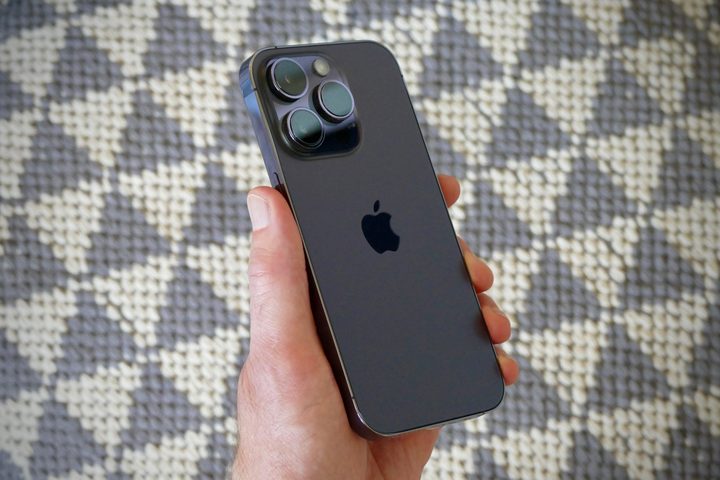
Now I have an iPhone 14 Pro, and my perceptions about whether I bought the right phone are getting scrambled. Because, well, the battery life just isn’t very good. I’ve been white-knuckling it at under 10% battery at the end of every day, even though I’ve been hitting Low Power Mode at 20%. I spend a lot of time on Wi-Fi, at my desk not using my phone. I only have 3 to 4 hours of “Screen Active” time per 24-hour period (as the iPhone’s battery settings display things).
It’s not me, it’s the iPhone
Always inclined to think, “maybe it’s just me,” I went to Twitter to see what other people are experiencing. Turns out, it most definitely is not just me. Talking with a couple of people here at Digital Trends that have the 14 Pro, they’re seeing similar trends: Andy Boxall is seeing less-than-stellar battery life, and Prakhar Khanna is seeing fine battery life, but has chosen to turn off the always-on display.
https://twitter.com/SnazzyQ/status/1572457032476938240
My battery life has not been great with the new iPhone 14 pro max 😅 I turned off the AOD yesterday to see, and so far today it’s 11:26 and I’m already at 64% pic.twitter.com/ljVHKxckj2
— Jenna Ezarik (@jennaezarik) September 17, 2022
Putting it out there, so far I am not at all impressed by iPhone 14 Pro battery life. I've been into battery saver every day, and making it to bedtime in the single digits. Coming from a 12 Pro where I regularly ended the day with 20-30% battery, this is pretty rough.
— Andrew Martonik (@andrewmartonik) September 20, 2022
This is not good! Obviously, there are always initial battery drain concerns on every new phone as we all use them extensively within the first few days, the phone takes time to settle in with your transferred data and apps, and the software has to complete indexing and learning usage patterns. But we’re now several days removed from iPhone 14 Pros landing in peoples’ hands, mine included — the phone should have “settled in” by now; that’s no longer an excuse.
I never had an issue with my iPhone 12 Pro’s battery life. On my 14 Pro, it’s a constant worry.
A common refrain among people I’ve talked with is that the new always-on display mode is the primary culprit. Looking at my battery settings at any given point in the day, my “Home & Lock Screen” reports 20% (or more) of the battery usage, which is a lot. I only use one widget on my home screen, and two on the lock screen — one of which doesn’t even update dynamically. My home screen isn’t doing much of anything, so why is it draining my battery? Well, it’s because the screen is constantly turned on.
The always-on display is hurting battery life
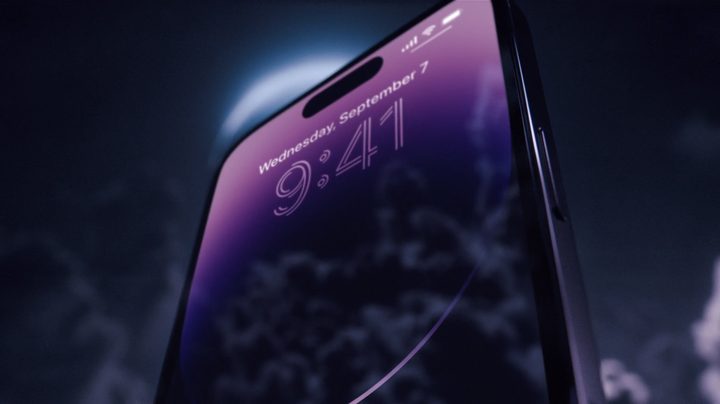
Since I spent the last several years primarily using Android phones, this isn’t surprising to me in the slightest. I think everyone was a bit surprised to see just how bright, vibrant, and content-rich Apple’s version of an always-on display is compared to what we see from Google Pixels and Samsung Galaxys — phones that have had years to find the right balance between battery drain and displaying information.
The iPhone 14 Pro’s always-on display shows a full clock, multiple widgets, all of your notifications, and your wallpaper in color — and it does so at a brightness level that can fool you at times into thinking the display is actually fully on. No matter what Apple says about its advanced display tech and 1Hz refresh rate, displaying that much is absolutely going to impact your battery.
Turning off the always-on display may help battery life, but it hurts to lose this great feature.
The always-on display is supposed to turn off automatically if you put your phone face-down, if it’s in a pocket or bag, or if you have Sleep Focus or Low Power Mode turned on (It’s also supposed to “learn” how you use it and adjust over time. We’ll see). If you want to turn off the always-on display entirely, go into Settings > Display & Brightness > Always On, and toggle it off.
So the always-on display, which is one of Apple’s key selling points for upgrading from the iPhone 12 Pro and 13 Pro, needs to be turned off in order for me to get this thing through a day. That’s incredibly frustrating. I am still otherwise enjoying my 14 Pro — the screen is beautiful and smooth, the Dynamic Island is neat, and the cameras are a notable step up from my previous phone (I particularly like the 3X lens). But just knowing that I have to skip a marquee feature on my new $1,100 phone stings a bit.
Is iOS 16 actually to blame?

There is another concerning angle, but one with a silver lining, in that the battery life woes may actually be tied to the latest iOS 16 software instead. There’s a seemingly endless stream of people discussing how the iOS 16 update has impacted their iPhone 12 or 13’s battery life as well. There’s no always-on display on these older phones, but perhaps something else in iOS 16 is to blame instead. Then again, the normal iPhone 14 also has iOS 16 and delivers far better battery life.
Apple already released a sizable update to iOS 16 to fix some activation problems the day the iPhone 14 and 14 Pro hit stores, and the first iOS releases are known for having some bugs. So hopefully, Apple’s on the hunt to fix battery drain not just on the iPhone 14 Pro, but across models that have the latest software. At least iOS 16 lets you see a battery percentage in your status bar … so you can more closely watch it tick down throughout the day.


