  1. Home
  2. Phones
  3. Mobile
  4. How tos

Apple Music Replay 2022: where to find and how to see your listening stats

Add as a preferred source on Google
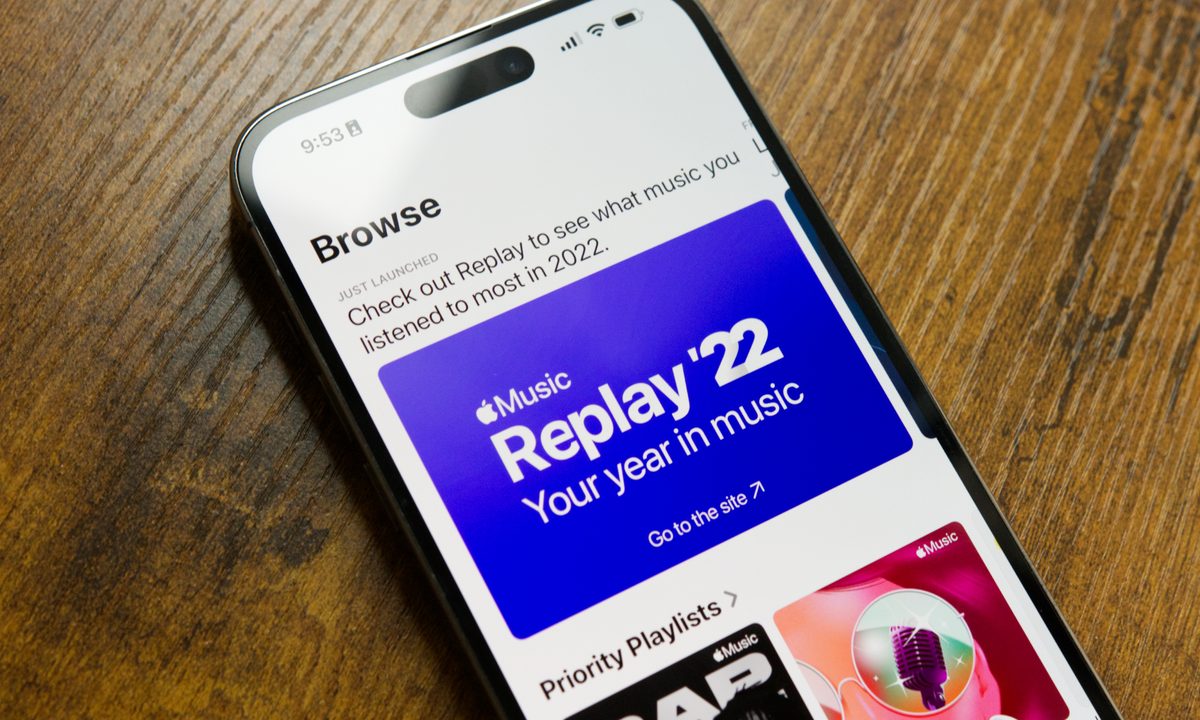
Apple Music Replay 2022 on an iPhone.
Joe Maring/Digital Trends

The end of the year is an exciting time for a few different reasons. There are family gatherings for the holidays, presents to gift and receive, and a chance to look back at your music listening stats with Apple Music Replay.

Recommended Videos

Difficulty

Easy

Duration

5 minutes

What You Need

  • An Apple Music account

  • A phone with the Apple Music app

Apple Music is one of our favorite music streaming apps, and toward the end of each year, Apple lets users review the past year of their listening history with the Apple Music Replay experience. It's something Spotify's done for years with Spotify Wrapped — and has often done a much better job with it, too. But for Apple Music Replay 2022, Apple's revamped the entire experience with a new interface and improved listening stats.

Eager to see your own Apple Music Replay for 2022 but aren't sure where to find it or how to see it? Here's a quick guide running you through the entire process.

Apple Music Replay 2022 on an iPhone.
Joe Maring/Digital Trends

How to find Apple Music Replay 2022

For most people, the easiest way to find their Apple Music Replay 2022 will be via the Apple Music app on their phone. The following screenshots were taken on an iPhone, but they will work exactly the same if you're using the Apple Music app on an Android phone.

Step 1: Open the Apple Music app on your phone.

Step 2: Scroll down the app until you find the Apple Music Replay 2022 banner under the Just Launched section.

Step 3: Alternatively, tap the Browse tab and tap the Apple Music Replay 2022 banner from there.

Step 4: After the Replay site loads in your web browser, tap Get started.

Step 5: Tap Play your highlight reel.

Step 6: From here, the Apple Music Replay site will take you through an Instagram Stories-like experience. It shows how many minutes of music you listened to in 2022, your top song, top artists, and top genres.

Step 7: When the highlight reel is finished, tap the X icon in the top right corner.

Step 8: If you scroll down the page, you can see more detailed stats for your listening — including your top 10 songs, artists, albums, etc.

How to see your Apple Music Replay 2022 playlist

In addition to the Apple Music Replay 2022 website, you also get a custom-made album featuring all of your top songs. Here's how to find it:

Step 1: Open the Apple Music app on your phone.

Step 2: Scroll all the way to the bottom of the Listen Now page.

Step 3: Tap the Replay 2022 playlist under the Replay: Your Top Songs by Year section.

And that's all there is to it! Apple Music Replay 2022 still isn't quite as comprehensive as Spotify Wrapped, but this year's implementation is easily the best one yet.

Joe Maring
Joe Maring has been the Section Editor of Digital Trends' Mobile team since June 2022. He leads a team of 13 writers and…
Apple unveils new AI-powered accessibility features across iPhone, Mac, and Vision Pro
Apple Intelligence is coming to accessibility features across its ecosystem
iPhone user

Apple has announced a major set of accessibility updates across iPhone, iPad, Mac, Apple Vision Pro, and Apple TV, with many of the new features powered by Apple Intelligence. The company says the updates are designed to make devices more useful for users with visual, hearing, mobility, and learning disabilities while maintaining Apple’s privacy-focused approach to AI.

The new accessibility features will roll out later this year as part of Apple’s upcoming software updates.

Read more
X limits how much you can post and reply on the site for free. You must give money to Musk
X says you can keep posting; just not too much
A digital image of Elon Musk in front of a stylized background with the Twitter logo repeating.

X, the platform formerly known as Twitter, appears to have introduced stricter posting limits for users without paid verification, adding another reason for people to subscribe to X Premium. According to updated information on X’s Help Center and multiple user reports online, unverified accounts are now limited to 50 original posts and 200 replies per day.

The change marks a dramatic reduction from the platform’s earlier limit of 2,400 posts per day, which was previously listed on the same support page. Interestingly, parts of the Help Center still reference the older 2,400-post limit, suggesting the rollout may still be incomplete or quietly updated.

Read more
Motorola Edge 70 leak shows a phone that goes all gold and glittery
Motorola’s next Edge phone may be going full champagne glam
Motorola Edge 70

Motorola may drip out its next Edge smartphone in gold. A new leak from Digital Citizen claims to show the upcoming Motorola Edge 2026, and the design is the whole story for now. The leaked images show a warm champagne gold finish. The rear panel also has a fine woven texture, which should offer a brushed silk-like feel.

Gold, texture, and a whole lot of personality

Read more