If you want to make video content, you need to know how to edit. At least, you used to. With the power of some of the latest artificial intelligence video editing tools, you can get by with just a few clicks. Some of the best AI video editors have the power to craft your content for you or repackage it for different platforms with just the click of a button.
You’ll still need to record the footage yourself (most of the time), and there’s no substitute for a good human-driven edit, but if you want some AI tools to help you out and expedite your editing, here are the best AI video editing suites you can use right now.
More interested in talking to an AI? Here are some of our favorite chatbots.
Adobe Premiere Pro

One of the most iconic digital video editing suites now has AI tools too. Adobe Premiere Pro includes AI color matching to bring the color tone of differing shots closer together; Auto Reframe that automatically discovers the focal point of your videos, letting you convert videos from horizontal to vertical in just a few clicks; Content Aware Fill automatically removes details from a scene that you don’t want, replacing them with a believable extension of the scene; Audio Ducking that automatically lowers music and noise volume during dialogue or other important audio; Morph Cut which automatically smooths transitions between scenes, and a scene edit detection tool that can automatically cut up your longer videos for you.
Adobe Premiere Pro is an advanced video editing suite. With these AI tools, it’s easier than ever to use. You can play with them as part of a free trial, or pay $20 a month for a Premiere Pro subscription.
KeyFrames Studio
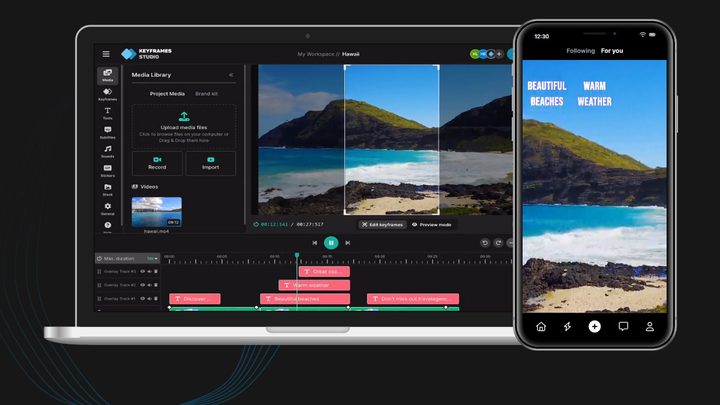
Want help turning your longer-form content into something more suitable for social media? KeyFrames Studio is an online video editor with a number of AI tools that can automatically chop up your videos to focus on the nuggets of gold they contain. It will crop to phone screen dimensions, automatically add subtitles, or chop up lengthy videos to focus on the more interesting content.
That doesn’t just have to be videos for your YouTube channel either. Had a long Zoom call to explain how everything works for new hires? Use KeyFrames Studio to chop the video down to its most important elements for easier teaching during the next onboarding.
You can also use KeyFrames Studio for your own manual video editing. It’s not as fully featured as traditional video editors, but it still has a multi-track timeline, with easy access to stock footage and sound, stickers, subtitles, and other on-screen elements.
You can use the editor for free if you don’t mind exporting with a watermark, or you can pay a monthly fee for full access. It starts at $9 per month (paid annually) but each tier is limited to how much AI generation and automatic subtitling you can use per month.
Vimeo One Take
Vimeo’s new AI tools take AI video editing to a new level by involving it in the creation process from start to finish. Vimeo’s One Take can generate a script for you based on a prompt and a few specifications set by you. It then populates a teleprompter so you have your easy-to-read script to hand, with suggestions on your performance to help you get a great take the first time (or at least the second, or third).
From there, you can use One Take to edit the video, with the AI automatically removing any pauses or hesitations. It will also detect unnecessary filler words and allow for easy and automated removal.
One Take will also simplify the sharing of content, as well as brand management, and SEO. The only downside to it all is that it’s not available yet. It’s coming in summer 2023, though, so watch this space.
Pictory.ai
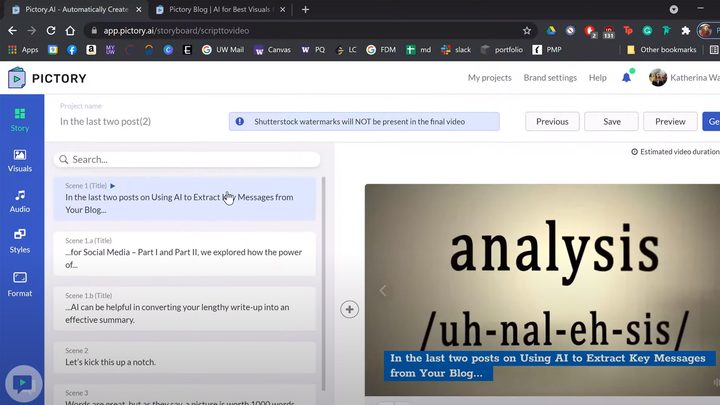
Another short-form-content-creator, Pictory.ai takes longer videos and knows precisely how to cut them down to size so they’re more applicable to smartphone screens, and social media attention spans. That’s not all, though. Pictory can also use AI to generate videos entirely from scratch. Give it a script, article, or blog post, and it can use stock footage, music, and an AI-generated voiceover to turn that written content into a video in just a few clicks.
It can also add subtitles to videos automatically, with support for multiple languages. It can transcribe videos, too, should you want to turn videos into text. All of it runs in the cloud, so you don’t need a powerful PC to run it, and there’s a free trial to give you a taste of what it can do. Prices for the actual editor start at $19 per month (paid annually).
Munch
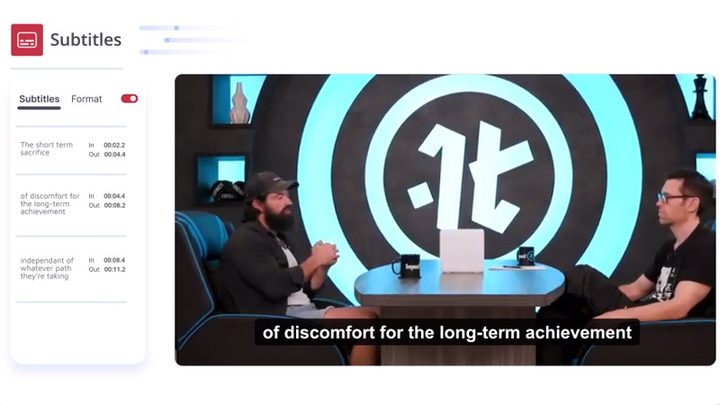
Munch is another AI tool looking to combine easier video editing with help with marketing and SEO in a complete package. It takes your longer-form videos and edits them for consumption on social media and smartphones, but it can also introduce smart transitions between multiple videos, and improve the video quality through color matching and enhancement.
Munch goes further than just creating the videos, though. It wants to help you market them, too. Its AI tools analyze your video content and suggest ways to edit it and market it on different social media platforms, automatically. The AI can then generate social media posts to promote the content, making it easier to get eyes on your videos.
All of that does come at a price, though. Munch starts at $50 a month for 200 upload minutes of footage.