

It’s not an understatement to say I am an Android smartphone fan, as an Android phone has been my faithful companion ever since I started using the HTC Desire in 2010. I’ve bounced from phone to phone in the 13 years since, and I’ve experienced good and bad phones alike. But in all that time, I’ve never spent much time with an Apple iPhone. I’m obviously not unfamiliar with iPhones, having used them during my time as a tech writer grabbing screenshots, downloading apps, and testing games — but never having used one as my primary smartphone is something of a blind spot.
The Apple iPhone 15 is a good reason to end that. After all, if I’m going to use an iPhone, it might as well be Apple’s latest. Two weeks after booting it up and transferring my data to it, it’s been … a journey. While I can see the iPhone 15 is an excellent smartphone, too many of iOS’s idiosyncracies rub me the wrong way. However, there’s one feature I’ve grown to really love, and I’m going to struggle to live without it.
The iPhone 15 is a mixed bag
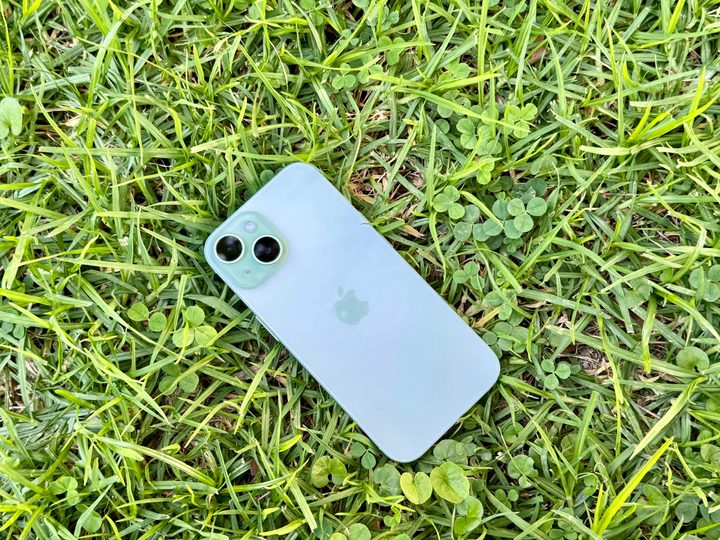
I really like the iPhone 15 a lot. It’s a great phone! It’s well-designed, and it feels fantastic in the hand. I slapped a case on it because I’d just dropped $800 on the thing — but I really regretted having to do so. That fabled Apple performance is also obvious. I know a fast phone from a slow one, and this phone is blazing fast. It felt wasted on me, as I really don’t do anything more demanding than playing Cell to Singularity and a bit of Little Alchemy. But honestly, even if all the A16 Bionic is doing is making my daily drudgery scream past without a hitch, then it’s more than worth it as far as I’m concerned.
But even with all that in mind, I’m not a fan. The reason for that is simple: Apple and I do not see eye-to-eye. There are several design choices in iOS that simply do not work for me. Granted, some of this is because I’ve been using Android for so long, and iOS is similar enough to what I know that coming across differences is jarring. However, some design choices are just … well, I’m sorry, iOS faithful, but they’re just bad.

The iPhone 15 is an incredible phone, which makes the really bad elements of the phone baffling. Apple fans, level with me: Is the keyboard some sort of celestial punishment? The autocorrect is so overactive that I suspect a curse is to blame because there’s no way it’s been left this bad on purpose, right? Having to shift keyboard modes to find a comma is becoming familiar, but I don’t think it’ll ever stop feeling hideously clunky. Seriously, iOS fans, does Apple have some collective dirt on you all that’s forced you to accept this clearly substandard keyboard? I used the keyboard a lot, and it never stopped being a chore.
I didn’t change from Apple’s default keyboard because, hey, I’m submitting myself to iOS in all its glory — but you can change the keyboard to something better. That isn’t the case where the notifications are concerned.
Without the benefit of a custom launcher, you’re stuck with that notification system until Apple decides to give you something better. And that’s really horrible because they’re horrendous. On the bright side, my time with the iPhone 15 did cure me of my notification-clearing ways, but that’s because they tended to disappear, only to be found much later. I missed a lot of important notifications because iOS made the bizarre decision to send them to the shadow realm like they’d lost a children’s card game.

Some other elements of the phone aren’t terrible, but I don’t like them. The fact a $799 flagship smartphone doesn’t include an always-on display is absolutely shocking. I’m not a huge fan of “current year” arguments, but is this really acceptable in 2023? If it was an LCD panel, I could understand it from a technical standpoint, but the iPhone 15 has an OLED display. It should be more than capable of running an always-on display, but for some reason, it just … doesn’t.
It’s fair to say my time with the iPhone 15 hasn’t been all sweetness and honey. As such, you might expect I’m chomping at the bit to get back to an Android handset. And that would be true if there wasn’t one feature so exceptional that I can’t believe it’s taken so long for Android to catch up with it.
That feature is Face ID.
Face ID is incredible
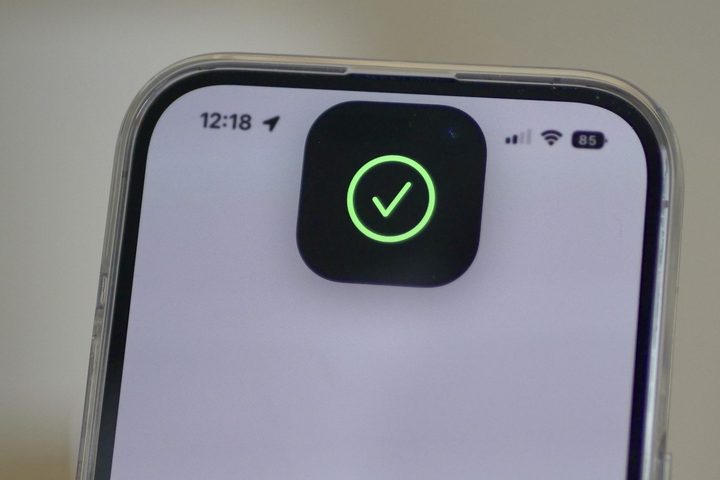
I didn’t think Face ID would be all that impressive. After all, I’ve been dabbling with facial recognition on smartphones for years. My Android phones have had facial recognition since the Samsung Galaxy S4 Mini, and it’s rarely been central to my use. Why would Face ID be any different?
As much as I hate to admit it, there’s definitely a sprinkle of Apple magic here. Face ID is fast, smooth, and oh-so efficient. It’s also way better than all other facial recognition systems out there. I’m not speaking from ignorance here, either. I did, actually, use it on my Samsung Galaxy Note 20 because, well, the fingerprint scanner on that phone was terrible. It was fine. It worked, most of the time.
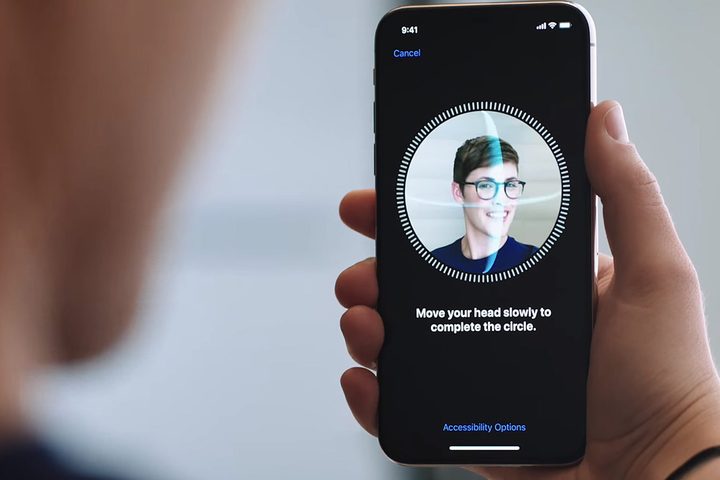
Face ID is nothing like that. Not only is it fast, but it also works in the dark, and it works for secure apps — and that was a game changer by itself. In my experience, using password managers can be … testing, to say the least. Yeah, they’re secure, and logging in shouldn’t be simple, but when you need to log into your manager several times because it used the wrong details, that can be frustrating. It’s especially annoying when you have to pivot your grip to position a thumb onto an in-display fingerprint scanner. Every. Single. Time.
Face ID cut that frustration out. Oh, I need to log in again? Wait a second while my face is scanned, and presto! I’m in. No more having to move my hand to position my thumb onto the sensor. Yes, it’s a minor thing to have to do, but it builds up over time. If you’re using your device in one hand while doing something else, Face ID is a game-changer — and it’s the upgrade I never knew I needed.
It’s going to be hard to live without Face ID when I go back to Android, but thankfully, it seems Android has finally caught up.
I’ll go back to Android, but I’ll miss Face ID

It’s fair to say my time with the iPhone 15 hasn’t resulted in a Damascene conversion, but I have still enjoyed my time with Apple’s smartphone. While my list of complaints is longer than I’ve mentioned here, most of these are a result of me being used to … well, the way Android does things. Getting used to the way iOS does things would be a much longer process for sure, and it’s not one I’m willing to undergo.
There are many parts of the iOS experience I’m not going to miss, but Face ID will absolutely be one of them. It’s a shining star in Apple’s crown and a stroke of genius. While I’m still not sold on Dynamic Island as a concept and found the huge cutout blocked content in several of my games, Face ID made the sacrifice worth it. If I’d used an iPhone with the notch rather than the Island, I’m sure I’d have felt the same way about that, too — though I doubt the notch would have blocked as much content as the Dynamic Island.

So, I’ll shortly be losing Face ID when I move back to Android. But all is not lost. While Apple has had a significant head start, Face ID-like tech is finally coming to Android smartphones, courtesy of the Google Pixel 8. While it’s not the first time we’ve seen facial recognition on an advanced level on Android phones (that honor belongs to the forgotten Motion Sense on the Pixel 4), it is the first time the tech may be here to stay.
It’s important to note, though, that the Pixel 8’s facial recognition isn’t quite as good as Face ID. While it has Class 3 certification that allows it to be used for banking apps and sensitive data, it doesn’t have the iPhone’s infrared array that allows recognition to be used in the dark. As someone with a young child who finds themselves sat in the dark on a phone a lot, well, that’s a big disappointment.
However, even a partial Face ID is better than no Face ID at all, and honestly, it’s made me rethink my stance towards the Pixel 8. It’s odd to admit that the iPhone 15 has made it more likely I buy a Google Pixel, but here we are.


