
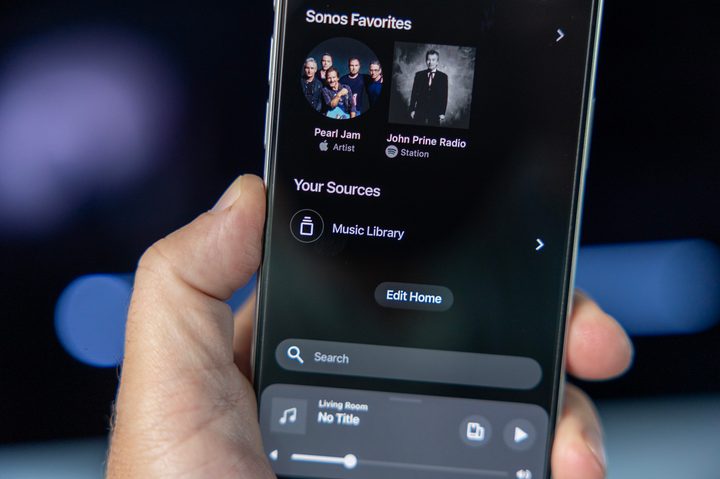
As promised, Sonos has refreshed its app for mobile devices and has launched a web app that replaces native Mac and Windows apps. But before you update your older version of the Sonos app, you may want to hang back a bit — especially if you use Sonos to play music from a personal library of digital albums and tracks.
The redesigned app feels like a breath of fresh air, with an interface that removes the bottom tabs for an all-in-one approach. The new Home screen has become a universal destination of sorts, with easy access to your preferred streaming services, a one-tap search option, and a pull-up (or pull-down) overlay that shows you all of your Sonos products at a glance. And you can rename your system, which is fun.
But one thing has been changed for the worse: The Music Library is no longer searchable, and it’s not as easy to browse at it used to be.


The Music Library is where Sonos goes to access the digital music you’ve stored on your computer or network attached storage (NAS) device. Long before the age of ubiquitous streaming services, the Music Library was the whole reason you bought a Sonos system in the first place. Even today, if you have hard-to-find or special editions of albums or tracks, the Music Library is where they live.


In previous versions of the Sonos app, the Music Library was available to browse (from the Browse tab) alongside all of your streaming music services, or you could use the search feature to discover matches from your Music Library along with any other sources you might have added to your system. In the latest app update, however, the Music Library and its contents can’t be found in either location.
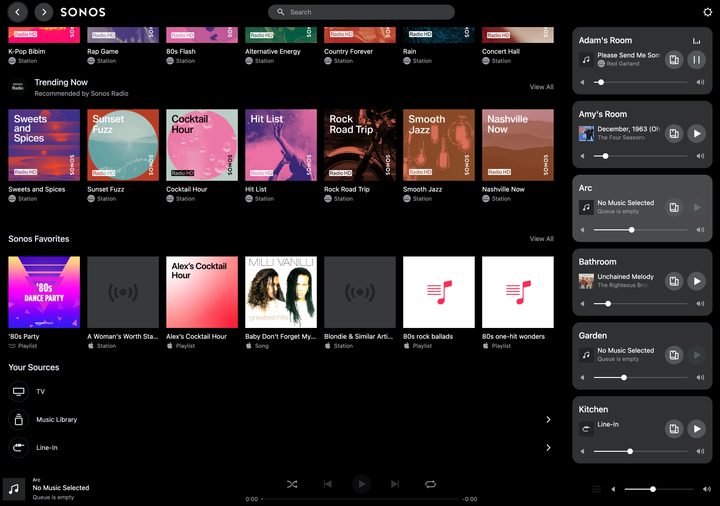
Instead, in both the mobile apps for iOS and Android, and the new Sonos web app, the Music Library has been reclassified as a source, which means it’s now treated as an input for Sonos devices, like line-in or TV.
Once you select the Music Library from the Your Sources menu, it can be browsed the same way you used to be able to browse it, but it remains unavailable in Search.
To make matters worse, it looks like there’s currently no way to modify your Music Library settings like library location or your indexing preferences. Previously these were accessed through the settings tab on the mobile app, or the Manage menu in the native apps for Mac/Windows.
Digital Trends reached out to Sonos for comment on this issue, and we were told, “We’re continuing to fine tune the experience of the app and will be rolling this feature out in the coming months. This revitalization of the Sonos app is our most ambitious software update yet, and aims to address what our customers have been asking us for. It’s a huge undertaking, and we are taking the time and effort to ensure all features work seamlessly and meet both our standards and the standards of our listeners.”
So clearly Sonos is looking into it, but in the meantime, if you want to preserve easier access to your personal collection of tunes, we suggest you turn auto updates off, and wait before transitioning to the newest Sonos app.
In related Sonos news, it looks like the details of the company’s much-anticipated wireless headphones have been thoroughly leaked.


