

Apple lifted the curtain on all of its upcoming software updates during its Worldwide Developers Conference (WWDC) 2024 keynote, showcasing what we can expect in all of its next major software updates — including iOS 18.
Apple Intelligence, Apple’s own brand of AI tools, will be a large part of all the new software updates, including iOS 18. However, due to hardware constraints and the power necessary for AI, not all iPhones that can run iOS 18 will be able to get Apple Intelligence.
Nonetheless, there’s a lot to look forward to in iOS 18 — and there are a few specific features I really can’t wait to get my hands on (plus one I’m a bit apprehensive about).
The new Photos app and Clean Up tool
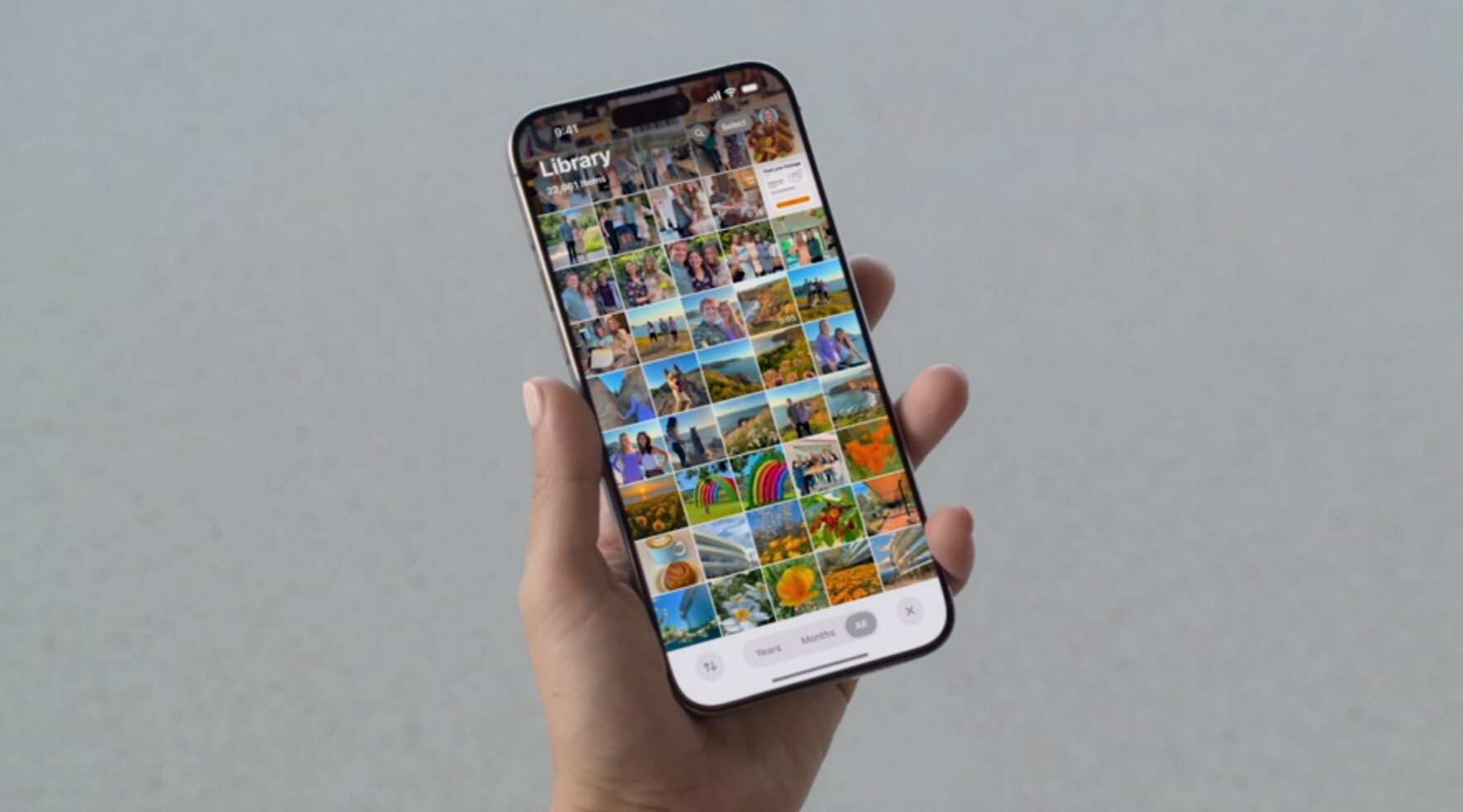
Though I never considered myself a professional photographer, I’ve loved taking photos ever since I got my first digital camera. Smartphones have made taking photos so much easier, and as I’ve been using an iPhone for most of my life, I’ve accumulated a ton of photos. And once I became a parent, I’ve taken even more. In fact, on my 1TB iPhone 15 Pro, I have over 52,000 photos and 2,000 videos.
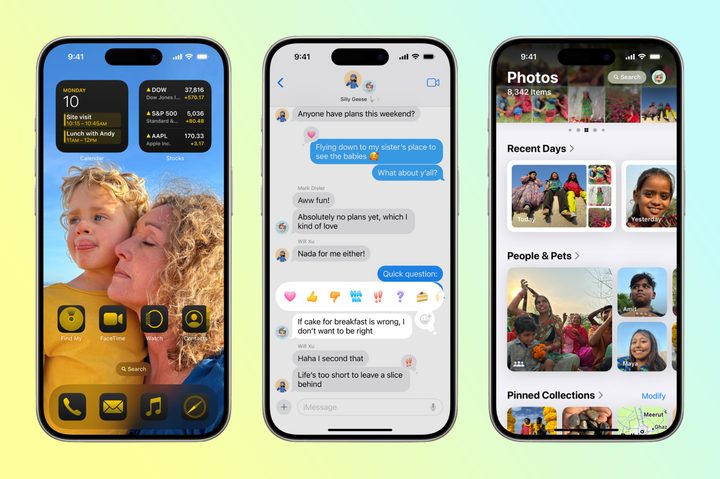
The Photos app has largely remained unchanged over the years, at least until iOS 18. We’re going to have a new, simplified interface and the ability to pin collections and memories that are the most important to us. It’s also getting some Apple Intelligence superpowers, and I’m especially eager for that.
With Apple Intelligence, we’ll be able to do better searches in Photos. For example, we’ll be able to search photos and videos with natural language phrases. For video search results, it will be able to find specific moments in those clips and take you right to that segment.
One of my favorite tools on Android phones lately has been the ability to remove unwanted objects and people from the background of my photos (Magic Eraser in Google Photos). Apple is finally adding a similar tool in its photo-editing suite in the form of Clean Up.
This uses Apple Intelligence to identify and remove distracting objects in the background of your photos without altering the subject. I’ve been having to use the Google Photos app for the Magic Eraser tool for that, but with iOS 18, I can stick with the default Apple Photos on my iPhone.
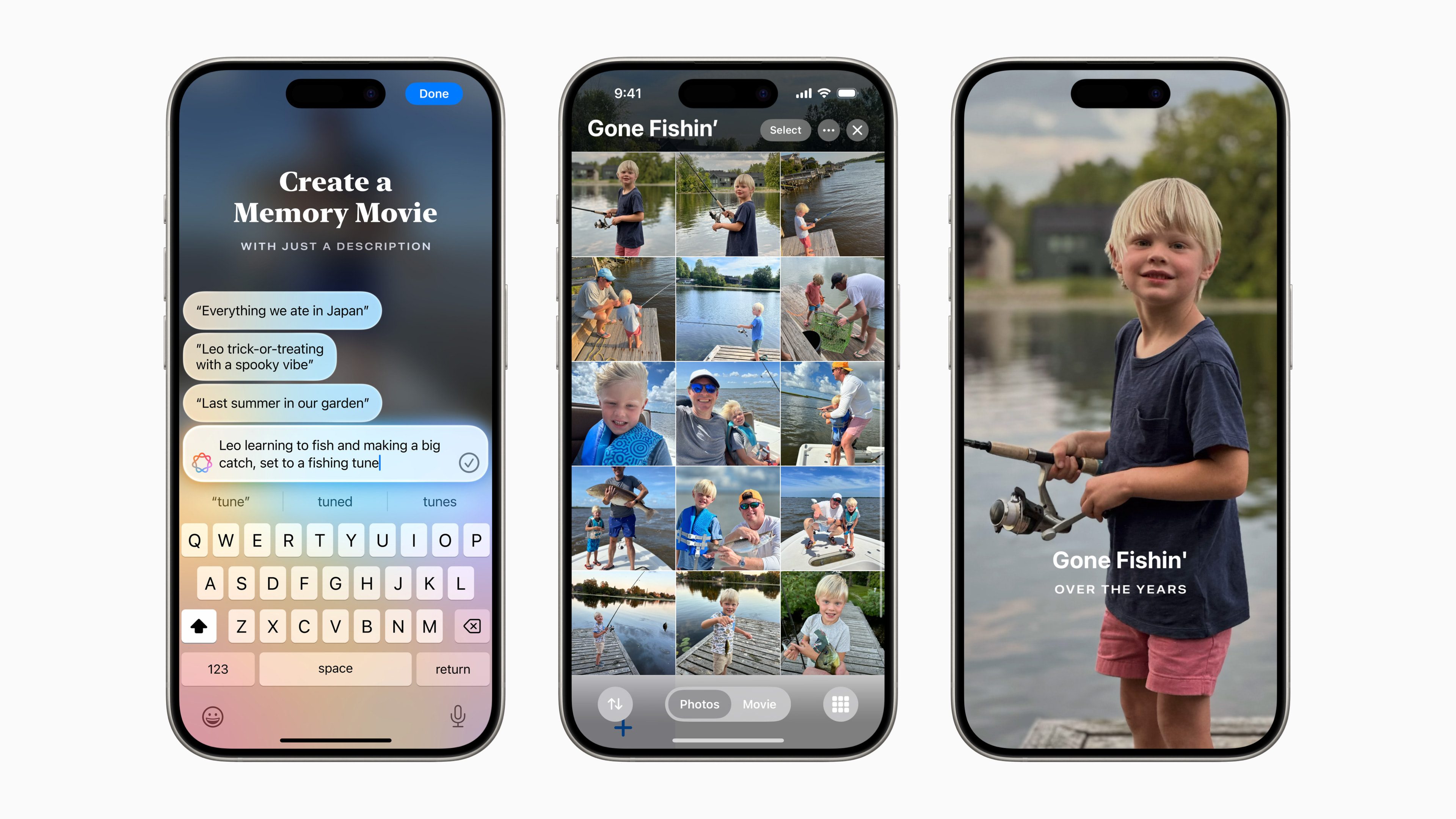
Lastly, as I have so many photos and videos of my daughter, I look forward to trying out the new Memories feature that lets you create your own video story. All you need to do is type out a description of the memories you want to show off, and Apple Intelligence picks out the best photos and videos based on that prompt. It sounds like a fun way to create fun little video clips of my daughter to show off to my family and friends, and I can’t wait to use it.
Writing Tools look promising
My job at Digital Trends involves a lot of writing. It’s basically all I do, and honestly, I wouldn’t have it any other way. I enjoy my work, but sometimes I do need a little push.
I often use some tools while writing, like Grammarly, to help me make sure that my words are correct and look good for you all to read. And with Apple Intelligence, I’m eager to try out the new writing tools that are implemented systemwide.
I don’t plan to use the Rewrite tool, as I like to write my own words personally, but I am curious to give the Proofread and Summarization ones a try. Before I submit my work, I like to give it a look over to make sure that everything is spelled correctly with no typos, periods are where they’re needed, and other basic things are in order. I am curious to see how well the Proofread tool will work once it’s available.
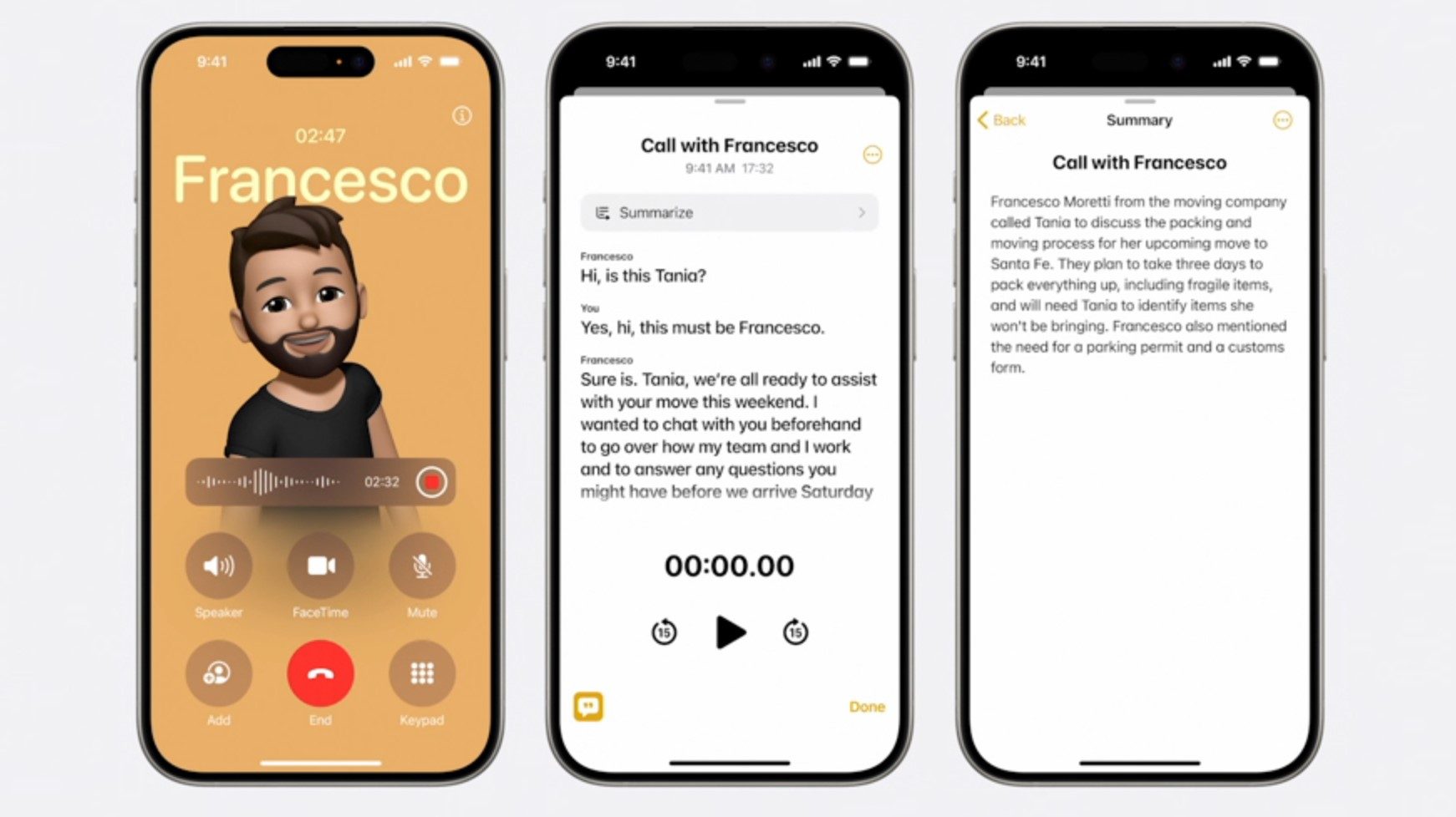
The Summarization tool is likely to be the one I use the most. I take notes often during press briefings and come across long articles throughout the day. There are also a lot of emails that hit my inbox that are rather lengthy. I hope that the Summarization tool will make my life a bit easier by just giving me the key points of text.
More home screen and Control Center customization
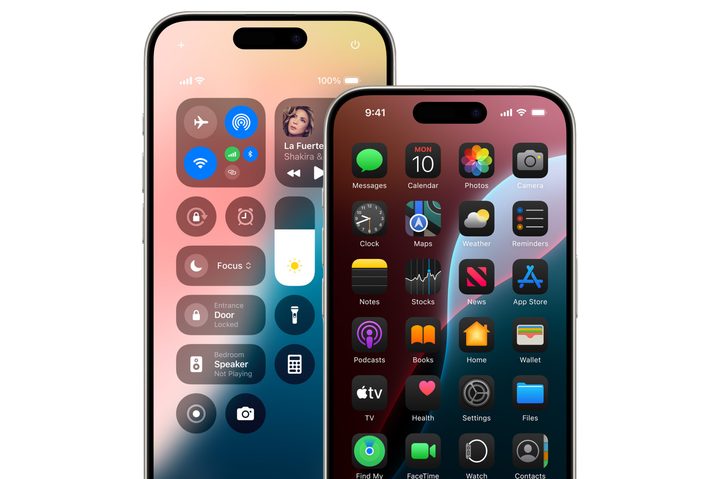
A feature that doesn’t utilize Apple Intelligence, but one that I still can’t wait to try out is the new home screen customization.
Though some people may not like that iOS is becoming more like Android with the customization, I welcome it. I especially like how the Dark Mode icons look since I live in Dark Mode 24/7, and I am also curious about the icon tinting. Though Apple didn’t show off all great examples, I think it can look good if done right.
I also can’t wait to tinker around with the new Control Center, which has stayed the same for many years. Being able to put the controls you want anywhere, as well as getting third-party app controls, is a big and welcome change. And the fact that you can finally change the shortcuts on the lock screen? It’s about damn time!
Messages app improvements
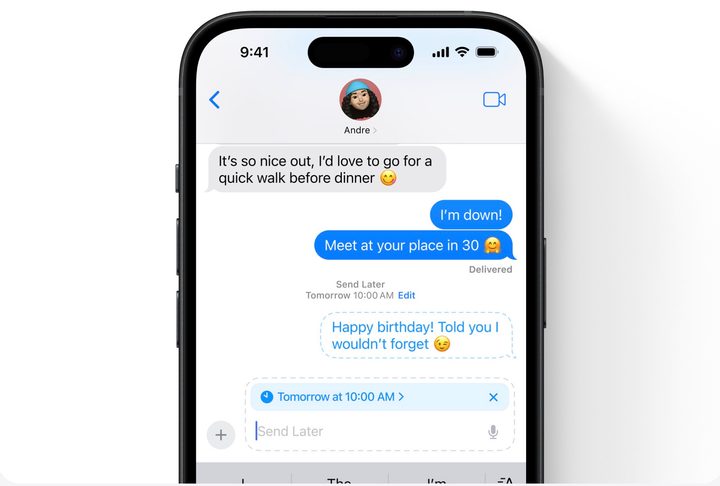
Apple is finally bringing some big new changes in the Messages app, too.
The feature I’m most looking forward to is RCS support. However, it was rather odd that Apple barely mentioned this during the keynote, considering how big of a feature it is. It may have something to do with Apple being forced to play this hand due to regulations, but still, it would have been nice to hear more about what it’s going to look like instead of just “RCS is coming.”
While Android fans will scoff at Apple finally giving us a Send Later feature for iMessages because they’ve had it previously, it’s still a cool feature that I wasn’t expecting. Perhaps my mind was just focused on the RCS support, or maybe it’s because I don’t often need to schedule messages. But it’s nice that it’s going to be a feature available for all iMessage users.
A smarter Siri, hopefully

I hardly ever use Siri aside from setting timers when cooking or maybe changing the music in the car. But now that Siri will be imbued with Apple Intelligence, I’m looking forward to giving the whole virtual assistant thing another try.
With Apple Intelligence, Siri is supposed to be more natural, relevant, and personal. It should be able to understand you even if you stutter, fumble your words, or make multiple requests in one go. It can even understand the context on-screen, making it more capable than ever before.
Of course, since Apple Intelligence is not currently in the first iOS 18 developer beta (it’s not going to be available until the fall), we can’t say for sure if it’s actually better or not. But I’m very curious to see if it’s actually an improvement over the current state of Siri, though that’s a relatively low bar.
The image-generation stuff feels uncomfortable
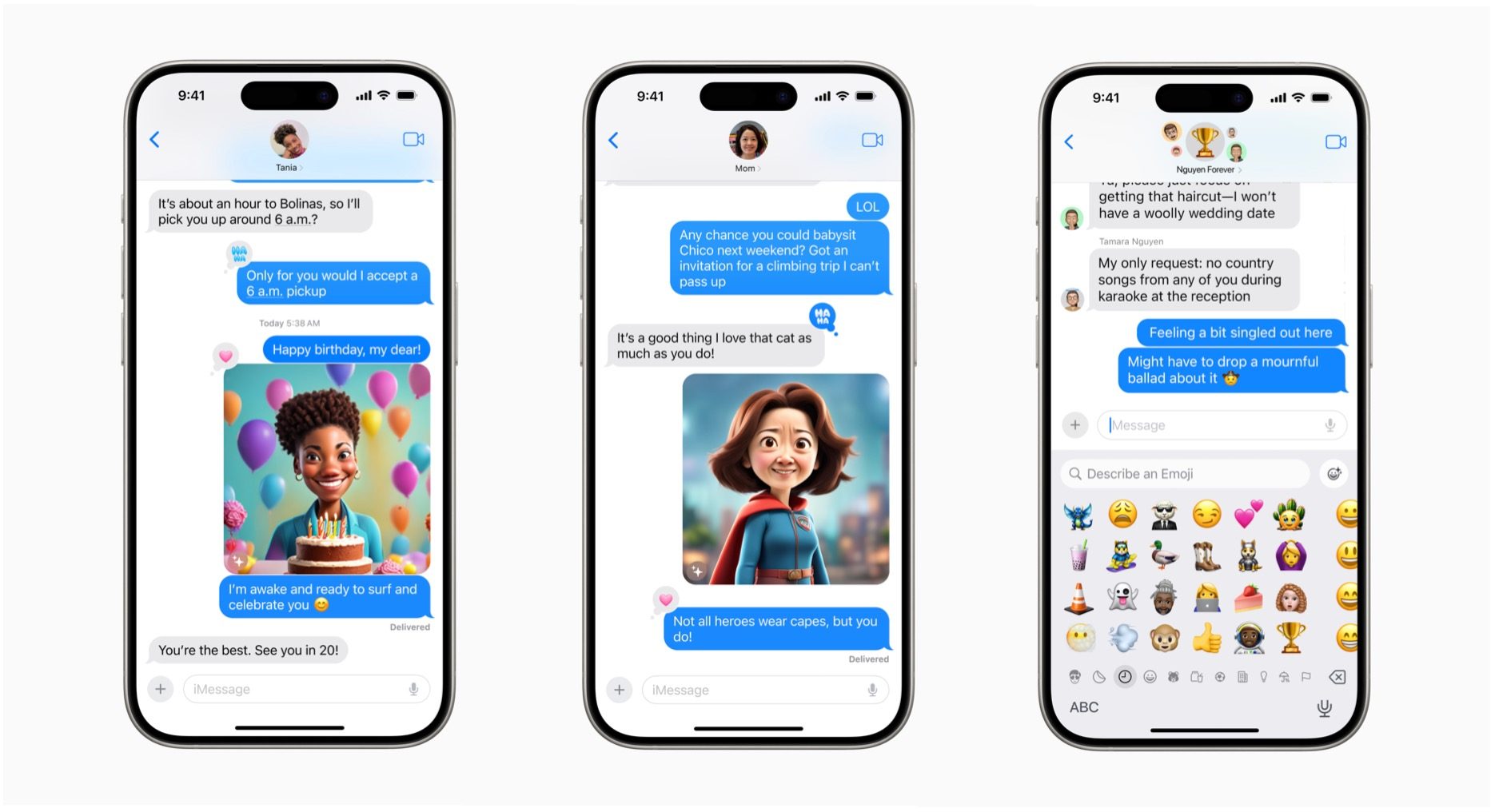
Though AI can definitely be useful, one of my biggest issues with it as a whole relates to the ethics behind it all, especially with image generation. And, unfortunately, Apple decided to join that bandwagon.
We know that iOS 18 and Apple Intelligence, along with iPadOS 18 and macOS Sequoia, will have the Image Playground feature. This is a standalone app and is also integrated into first-party apps like Messages, Notes, and more. With Image Playground, users can create new and “original” images based on a series of descriptive keywords. Your image can look like an animation, illustration, or even a sketch.
You can express yourself better in Messages or even have a better picture to go with your notes, and it’s contextually aware. So in Messages, for example, it will offer suggested images based on the topic in a thread, and in Notes, it can even generate a new image based on the context in the surrounding area. Then there’s Genmoji, which lets you make pretty much any emoji you want just by typing in a description.
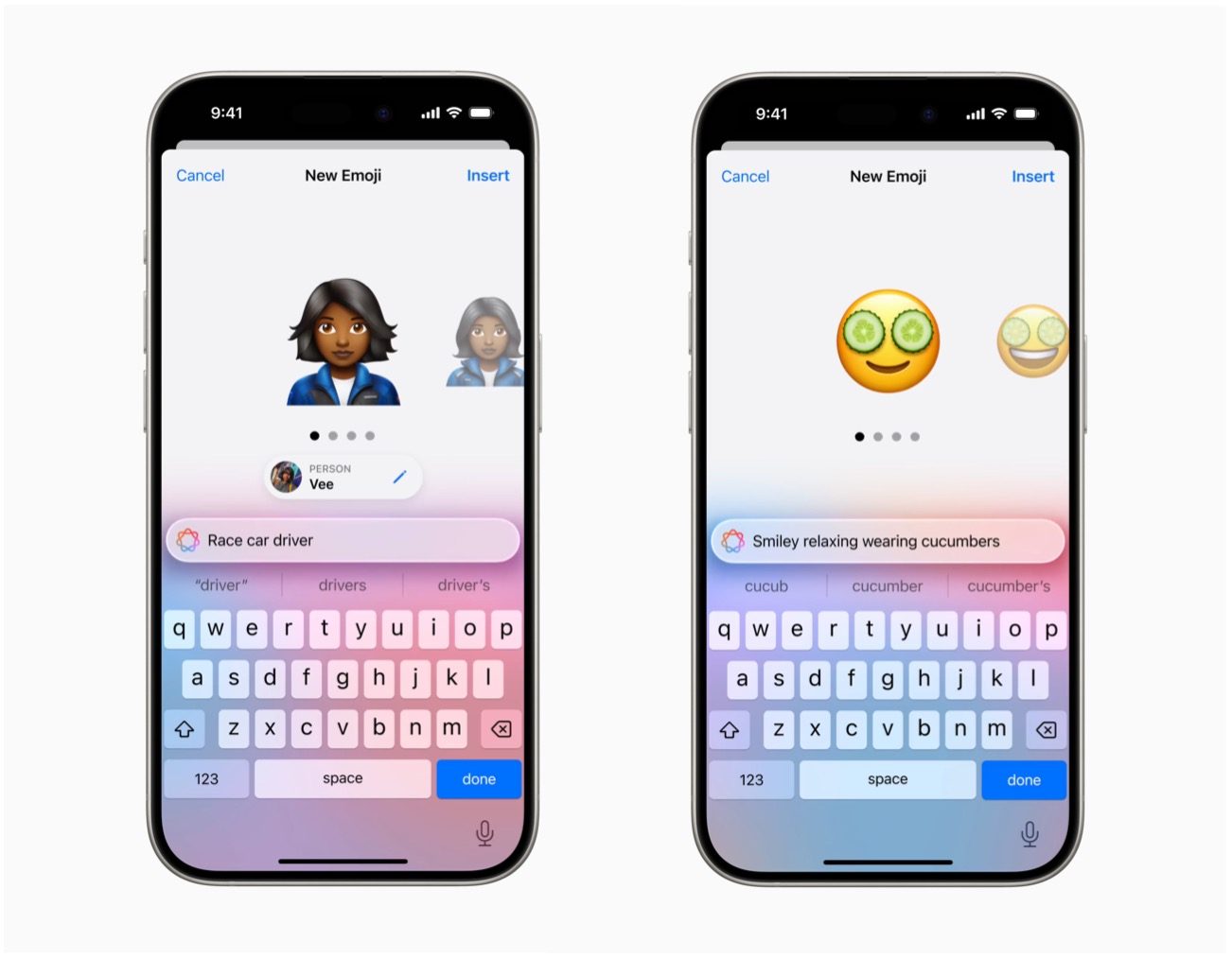
Personally, I’m a bit uncomfortable with all of Apple’s image-generation tools. In order for AI to generate art and images, it has to learn from existing art from artists and creators by scraping the internet, and then it incorporates it into the art it generates from a prompt. Apple says its image-generation tools were trained on high-quality, licensed, and public data. The three art styles for the Image Playground were also created by Apple’s design team.
It sounds like a better approach than some other image-generation tools, but I still don’t feel great about it. This is especially true when Apple is often seen as the brand for creators and artists (e.g., drawing on the iPad with Apple Pencil).
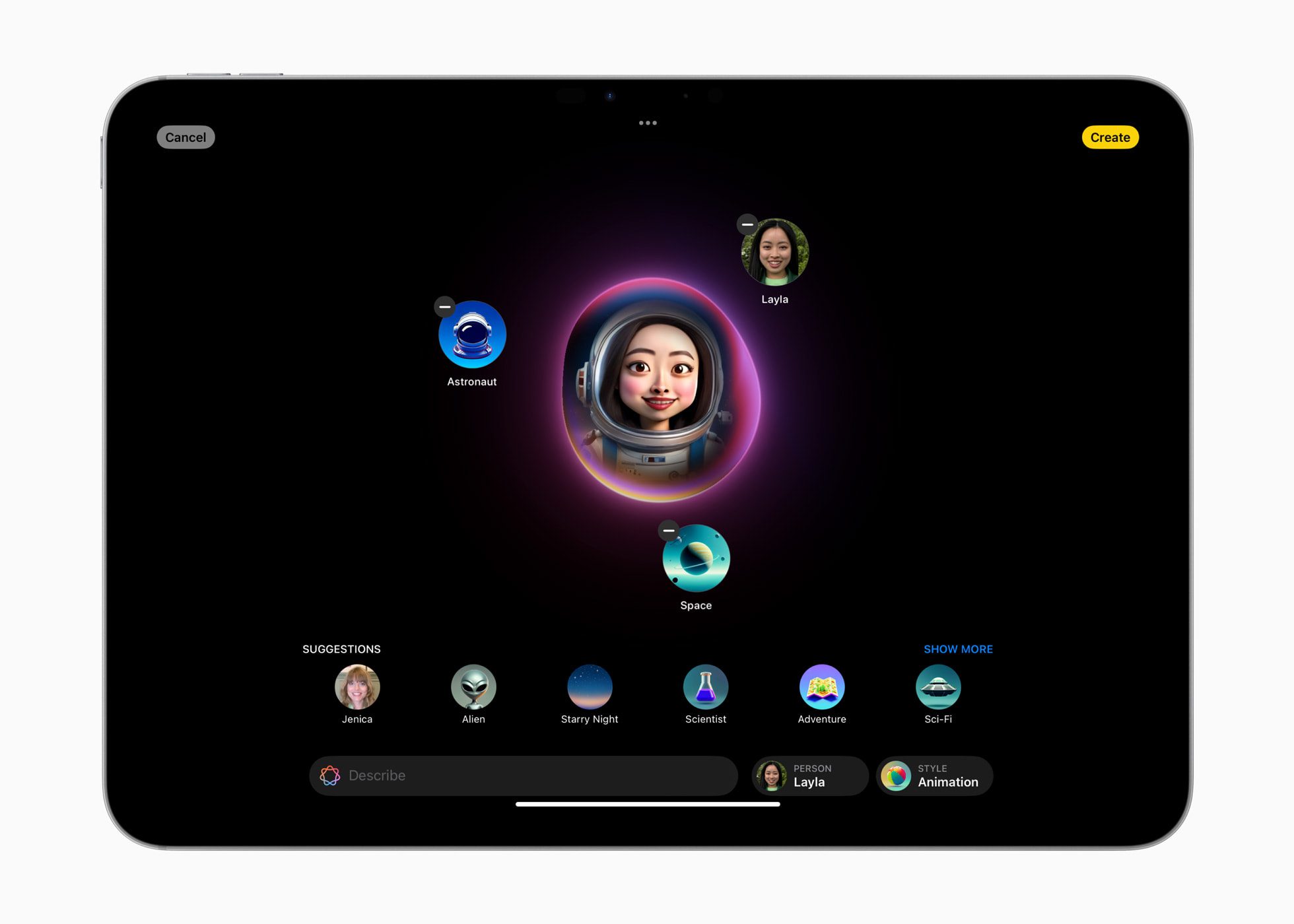
During the keynote, when Apple was showing off the Image Playground feature in the Notes app by converting a hand-drawn sketch into an AI-generated picture, I shook my head. I personally prefer seeing the hand-drawn sketch, as it made your notes look more like, well, your notes. The sketch wasn’t even terrible looking either, better than my artistic capabilities anyway.
There’s a lot to look forward to
Despite my issue with AI image generation, I’m still looking forward to many features in iOS 18 and Apple Intelligence.
Some of the biggest requests I’ve had in the past few years are finally coming true, like more home screen customization, customizable lock screen shortcuts, a better Control Center, and improved ways to search my photographic and video memories. I also look forward to getting summaries of text in multiple apps and maybe even using Siri for more than just setting a timer.
Currently, iOS 18 is in developer beta, with a public beta coming in the following weeks. The final version of iOS 18, along with the iPhone 16, is expected in the fall.


