The kind of work I do involves constant file sharing, and with iPhones, Android phones, and a MacBook all part of my daily rotation, moving files between them used to be far more exhausting than it should have been. Something as simple as getting a photo or video from an Android phone onto my MacBook often turned into a mini process of its own. Most of the time, I had to upload files to Google Drive, wait for them to sync properly, and then download them again on the other device. It sounds manageable when you describe it once, but when you repeat that cycle several times a day, it starts feeling like a tax you pay with your time and patience.
This was mostly the result of ecosystems spending years building walls around themselves. Apple’s walls were obviously the tallest, but Android had its own barriers too. For the longest time, it felt like nobody was particularly interested in making these devices cooperate gracefully. But somewhere along the way, that started changing. And honestly, the difference it has made to my everyday workflow is much bigger than I expected.
The era of sending files the long way around
Cloud storage became the default solution simply because it was the least frustrating option available. But “least frustrating” did not make it good. Uploading a file, waiting for it to sync, and downloading it again introduced unnecessary delay into something that should have felt instant. Worse, it tied basic file sharing to internet quality, which became painfully obvious whenever I was working with large video clips or patchy connectivity.
I tried almost every workaround imaginable. Third-party apps like SHAREit and Xender technically worked, but came with their own headaches — ads everywhere, random prompts, unreliable speeds, and the occasional feeling that you were wrestling with the app more than actually transferring files. At one point, I even started emailing files to myself because, somehow, that felt easier.
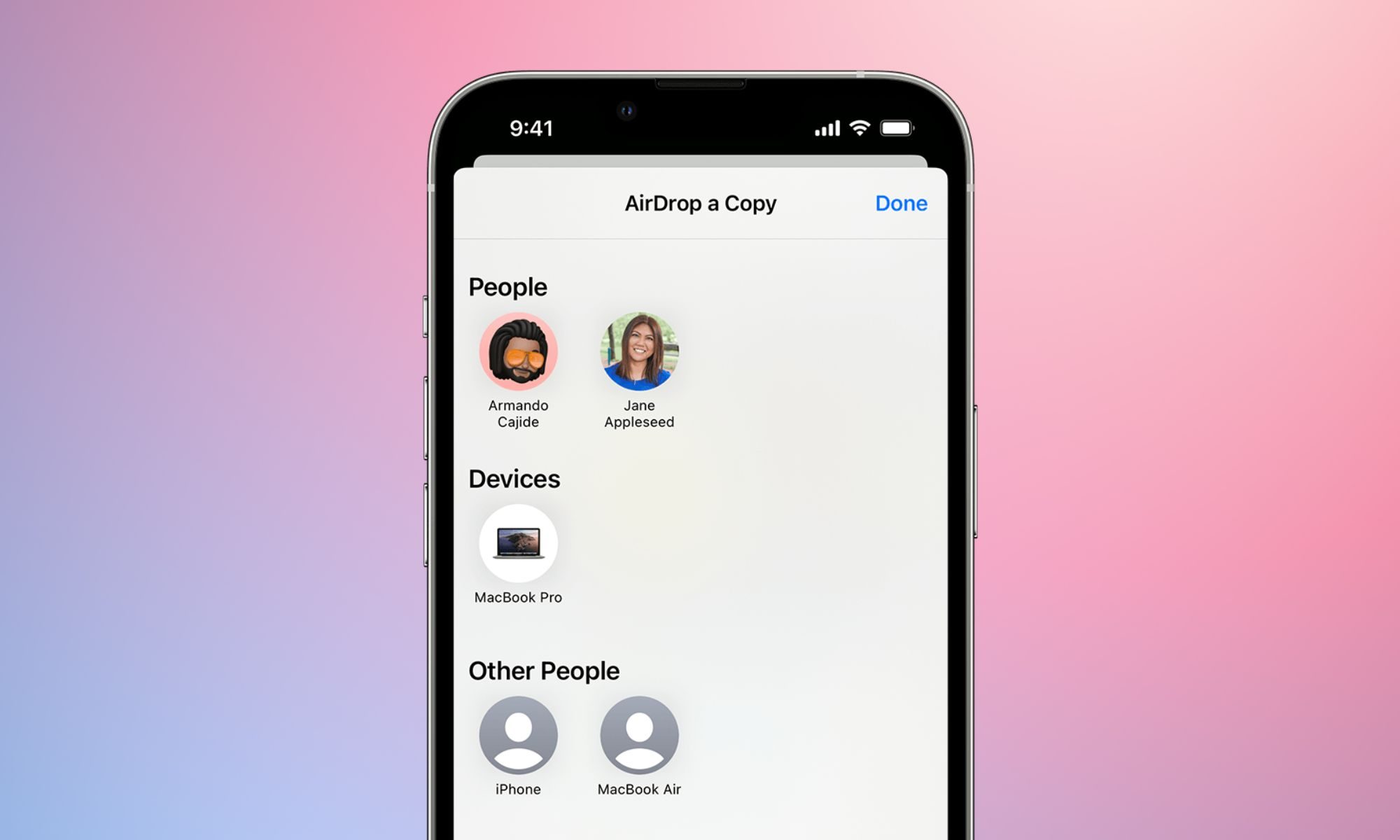
The annoying part was knowing how smooth this experience already was inside Apple’s own ecosystem. AirDrop between an iPhone and a MacBook is genuinely brilliant. It is fast, local, and effortless in a way that makes traditional file transfers feel ancient. The problem was always the moment an Android phone entered the conversation. That seamless experience immediately disappeared.
I only tried it because I had run out of patience
The interesting thing is that this change did not arrive with some flashy keynote moment or dramatic announcement. It just quietly started happening in the background. Google gradually expanded Quick Share beyond Android devices, and suddenly, sharing files with Macs and iPhones no longer felt impossible. Apple, surprisingly, also became a little less stubborn about how these interactions worked. Still, I kept my expectations low. Years of disappointing “cross-platform” solutions had already conditioned me to expect convenience in theory and frustration in practice. I assumed Quick Share would work great between Android devices and immediately become unreliable the second a MacBook or iPhone entered the mix. So for the longest time, I barely paid attention to it.
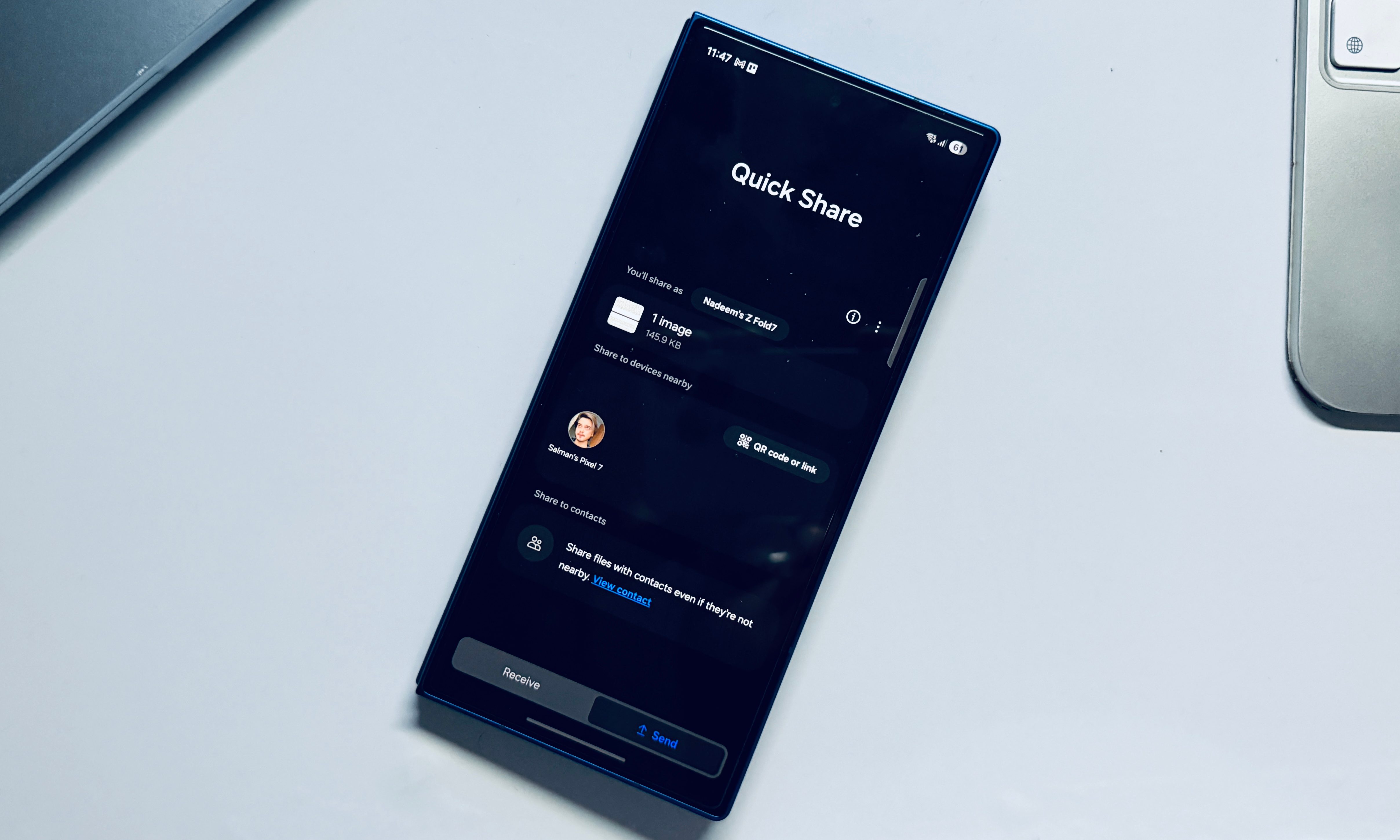
Then one day, I tried it out purely out of desperation. I was at a shoot with terrible internet connectivity and needed to quickly move a video clip from an Android phone onto my MacBook. Someone casually mentioned that Quick Share now works with Macs. At that point, I had already run out of better options, so I gave it a shot without expecting much. A few seconds later, the file was sitting on my MacBook, exactly where I needed it to be, almost instantly. And that moment genuinely changed how I looked at cross-platform file sharing.
The best part is that I barely notice it anymore
What surprised me most is just how easy the whole process feels now. On an Android phone, I open Quick Share, nearby devices appear almost instantly, and I send the file to my iPhone or MacBook. That is it. It finally feels like the devices are talking directly to each other, rather than forcing a server somewhere in the middle to act as a messenger. Even the Apple side of the experience feels noticeably less restrictive now. It still isn’t quite the same as AirDrop between two Apple devices — that level of polish is hard to beat — but honestly, it is close enough that I rarely notice the difference in everyday use. What matters more is that it finally feels dependable. I do not go into a transfer expecting something to break halfway through anymore.
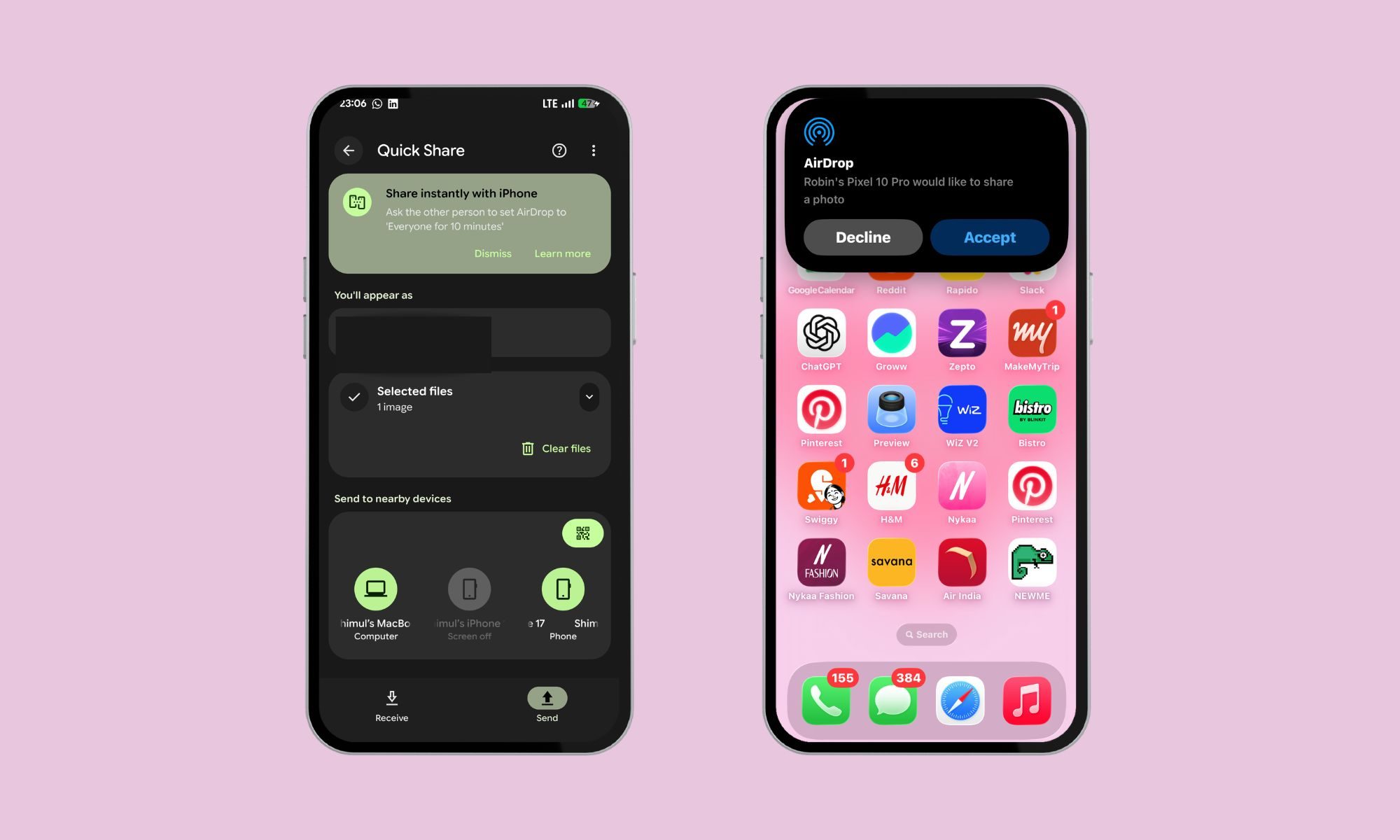
And that reliability changes your relationship with these devices in subtle ways. Earlier, every file transfer came with this tiny mental pause: “Alright, how annoying is this about to be?” That hesitation is gone now. Screenshots, photos, video clips, PDFs — everything moves around quickly enough that I barely think about the process anymore. It fades into the background, which is exactly how good technology should work. That is probably the biggest compliment I can give this whole shift. It no longer feels like some special feature I consciously use. It simply feels normal, like this is how moving files should have worked years ago.