  1. Home
  2. Phones
  3. Mobile
  4. News

A popular Samsung app is missing from the Galaxy Z Fold 6 and Flip 6

Add as a preferred source on Google
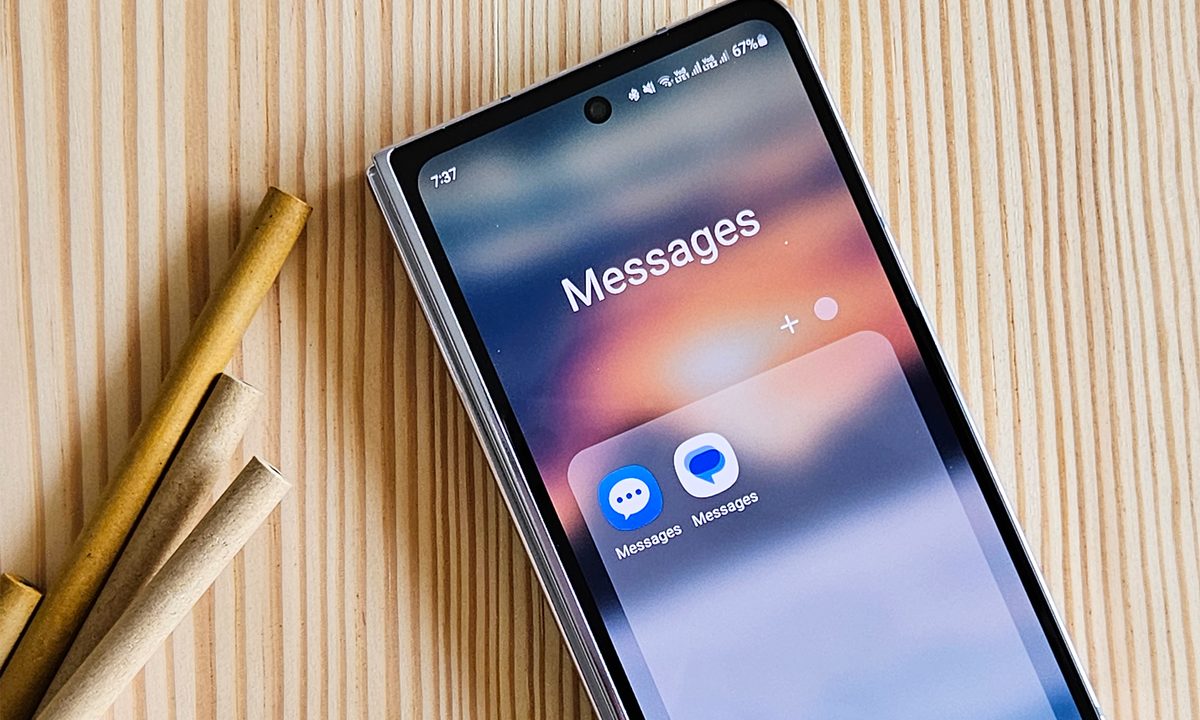
Google messages versus samsung messages app icons side by side on Galaxy Z Fold 5.
Tushar Mehta / Digital Trends

If you’re a Samsung user with the Galaxy Z Flip 6 or Galaxy Z Fold 6, you may have noticed a popular Samsung app missing. According to Max Winebach on X (formerly Twitter), Samsung has removed the preinstalled Samsung Messages app in favor of moving everyone over to Google Messages with RCS enabled default.

Winebach posted the full message from the Samsung Members app, which suggests that the change only applies to the Flip 6, Fold 6, and newer models, which would be anything upcoming in Samsung’s future lineup, like the anticipated Galaxy S25 series. Digital Trends’ mobile section editor Joe Maring also confirmed that Samsung Messages is not on the Fold 6 or Flip 6 by default.

Recommended Videos

I checked my Galaxy S23 Ultra to confirm the news. I still have both Samsung Messages and Google Messages installed on my devices, which seems to confirm the change doesn’t apply retroactively. The Samsung Messages app will also remain available for download through the Galaxy Store, though according to Samsung, “some features will be excluded.”

Samsung Messages is no longer pre-loaded! Google Messages (with RCS enabled by default) only pic.twitter.com/GoMqyM2p4Z

— Max Weinbach (@MaxWinebach) July 20, 2024

This change also varies by region. According to Mishaal Rahman, the Samsung Messages app is still preinstalled in Canadian and European versions of the device. Currently, only U.S. unlocked/carrier units don’t come with it preinstalled.

It’s pretty clear that Samsung intends to sunset the Samsung Messages app sooner rather than later, and there’s really no reason for you to keep using Samsung Messages, although both technically support RCS. Google Messages has RCS support enabled, meaning you get better group chat functionality, support for images, videos, and file sharing, along with quality-of-life features like read receipts, real-time typing indicators, and end-to-end encryption.

With the Z Fold 6 and Z Flip 6 now available for preorder, you should be able to see the app changes yourself soon once the devices start shipping.

Ajay Kumar
Former Freelance Writer, Mobile
Ajay has worked in tech journalism for more than a decade as a reporter, analyst, and editor.
Android 17 has a cool new trick to keep AI assistants from screaming in your ears
A new separate slider means Gemini won’t automatically get louder when you crank up music or video.
Android 17 on a phone.

Android 17 has a cool new trick to keep AI assistants from screaming in your ears, and it fixes a problem that becomes obvious the moment it happens. You turn up your music on headphones, then a voice reply hits at the same level and cuts through everything.

The latest beta changes that behavior. Assistant audio no longer rises and falls with your media, so increasing volume for a song or video won’t suddenly make Gemini or another assistant louder too.

Read more
Vivaldi browser’s tab stacks are a lovely solution that I want on Chrome and Safari
Vivaldi's take on tab management highlights just how clunky Chrome and Safari still feel on mobile.
Vivaldi browser tab stacking featured.

While most Chromium-based browsers treat tab management as an afterthought, Vivaldi takes a smarter approach. Its latest iOS update doubles down on one of its best ideas: two-level tab stacks. It's not a new feature, but it's one of the few that actually makes juggling dozens of tabs on a phone feel manageable.

A small but genuinely useful feature

Read more
Android 17 makes your internet controls way less frustrating
Google is splitting Wi-Fi and mobile data in Quick Settings, and it should save you extra taps.
Android 17 logo.

Android 17 is fixing one of the most irritating parts of using your phone, its internet controls. If you’ve ever tried to switch off Wi-Fi quickly and got pulled into an extra menu instead, this update is aimed right at that moment.

In Android 17 Beta 3, Google is changing how those toggles work in Quick Settings. Instead of grouping everything under a single tile, the system now separates Wi-Fi and mobile data, so you can manage each one without going through another screen.

Read more