1. Home
  2. Phones
  3. News

Google Photos now saves you a precious second with a iPhone-like copy trick

It's a one-second fix for a years-long frustration, and Google Photos users on Android are going to wonder how they ever lived without it.

Add as a preferred source on Google
Art, Collage, Plant
Google

Google Photos has finally caught up with a feature that iOS has had for years. A new Copy button is now rolling out in the Google Photos share sheet. It lets you copy an image straight to the clipboard, without having to download it to your device first (via Android Authority). 

What exactly does the new Google Photos feature do?

Until now, sharing a photo from Google Photos wasn’t as straightforward. First, you had to store the picture locally on your phone, which meant waiting for it to download before you could actually send it anywhere. 

Recommended Videos

Now, you can argue that a second of waiting doesn’t sound like much. However, Google Photos users had to go through the same process every single time. That’s a second multiplied by the number of times you try to share a photo each day. 

The new Copy button, spotted across multiple devices running the latest Google Photos version (7.71.0.895417930), eliminates that friction. You can simply tap Share on any image, hit the new Copy button, and the photo lands on your phone’s clipboard, good for pasting into a messaging app, a notes app, or wherever you want it to be. 

Does the new Google Photos feature have a catch?

Unfortunately, yes, and I’d prefer you know it upfront rather than realizing it later. The copied image isn’t a pixel-perfect copy of the original one. To keep things quick and efficient, Google Photos copies a compressed version of the picture, with a slightly reduced resolution. 

So, for casual sharing, the new Copy button does perfectly fine. However, I wouldn’t suggest relying on the feature for professional use or printing something. You’re better off spending those few extra seconds and downloading the entire file. 

On the brighter side, the new Google Photos Copy button works for videos too. Furthermore, if you’re using Gboard, copied media appears in the keyboard’s clipboard, remaining there even after you’ve copied something else.  

Shikhar Mehrotra
For more than five years, Shikhar has consistently simplified developments in the field of consumer tech and presented them…
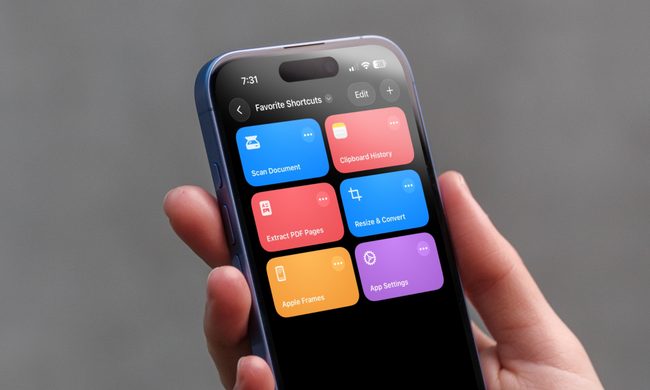
I can’t live without iPhone shortcuts. These 7 are my favorites that you must try, too.
I've been using these 7 iPhone shortcuts for years, and they've completely changed how I use my phone.
iPhone showing shortcuts app

The iPhone Shortcuts app reminds me of Minecraft. It might be relatively easy to jump into, but it offers nearly limitless potential, allowing you to build anything you want. The same holds true for the Shortcuts app, and that endless possibilities are what many iPhone users might find intimidating. But you don't have to.

If you are new to iPhone shortcuts, think of them as little automated helpers. You can build them yourself or find ones that others have built and use them. And that’s the beauty of shortcuts. If you don’t want to get your hands dirty, you can find shortcuts others have created and tailor them to your needs. 

Read more
Gemini Intelligence has strict requirements, and your phone may not qualify
Gemini Intelligence

Google’s new Gemini Intelligence platform is quickly becoming one of the biggest talking points in the Android world right now. After being highlighted during this week’s Android Show, the feature is already being tied to several upcoming premium foldables and flagship phones. But there’s a catch: not every high-end Android device will be able to run it. And surprisingly, even some of Google and Samsung’s latest foldables may miss out.

According to Google’s requirements, Gemini Intelligence isn’t just another software update you can casually push to older devices. The company appears to be building this around a much stricter hardware and long-term software support system. To qualify, a phone needs a flagship-grade chipset, at least 12GB RAM, support for AI Core, and Gemini Nano v3 or newer. That immediately creates a problem for several current-generation phones.

Read more
Meta’s Ray-Ban Display now types messages from your finger movements
Neural Handwriting is a really cool feature, but Meta opening the Ray-Ban Display to developers is the quiet announcement that turns a clever wearable into a platform with immense possibilities.
Meta Ray-Ban Display and EMG Band.

Six months into its life, the Meta Ray-Ban Display is starting to look less like an experiment, thanks to what is arguably the most significant update Meta has ever pushed for the device. 

The headline feature is Neural Handwriting, which is now available to every Ray-Ban Display owner, having spent its early months in limited access for Messenger and WhatsApp users. 

Read more