  1. Home
  2. Phones
  3. News

iOS 27’s Apple Pay fix won’t have you hunting for the right card before checkout

A small Apple Pay fix that's been a long time coming.

Add as a preferred source on Google
Apple Pay
Apple Pay Unsplash

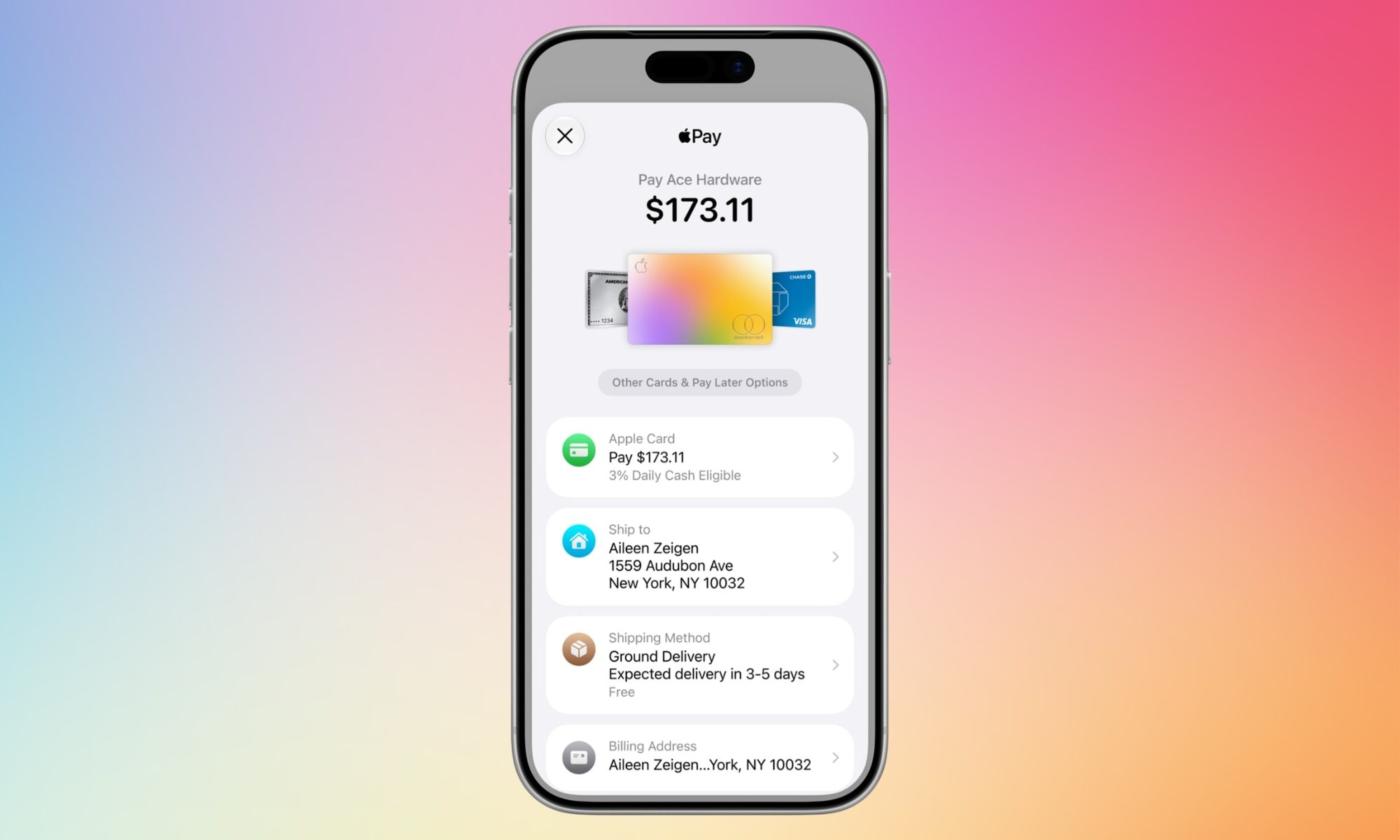
Every time you check out with Apple Pay, tapping the card shown on the payment sheet to switch to a different one, they end up getting confused. In iOS 26, that tap does not switch your card. 

It opens an address-editing screen instead. The real card switcher is a different, easy-to-miss button near the bottom of the screen. If you’ve ever fumbled through Apple Pay at checkout, wondering what’s going on, Apple just fixed it with iOS 27

So what exactly was wrong with Apple Pay’s card switcher?

The instinct to tap the card itself makes sense, but it didn’t on Apple Pay. The confusion also ended up in people paying with the wrong card. 

Recommended Videos

Someone trying to switch from a debit card to a rewards card would tap, land on the address screen, go back, do the entire thing again, and end up paying with whatever was already selected. 

With Apple Wallet holding debit cards, credit cards, and pay later accounts, that flaw only got more noticeable over time.
What does the new Apple Pay checkout look like?

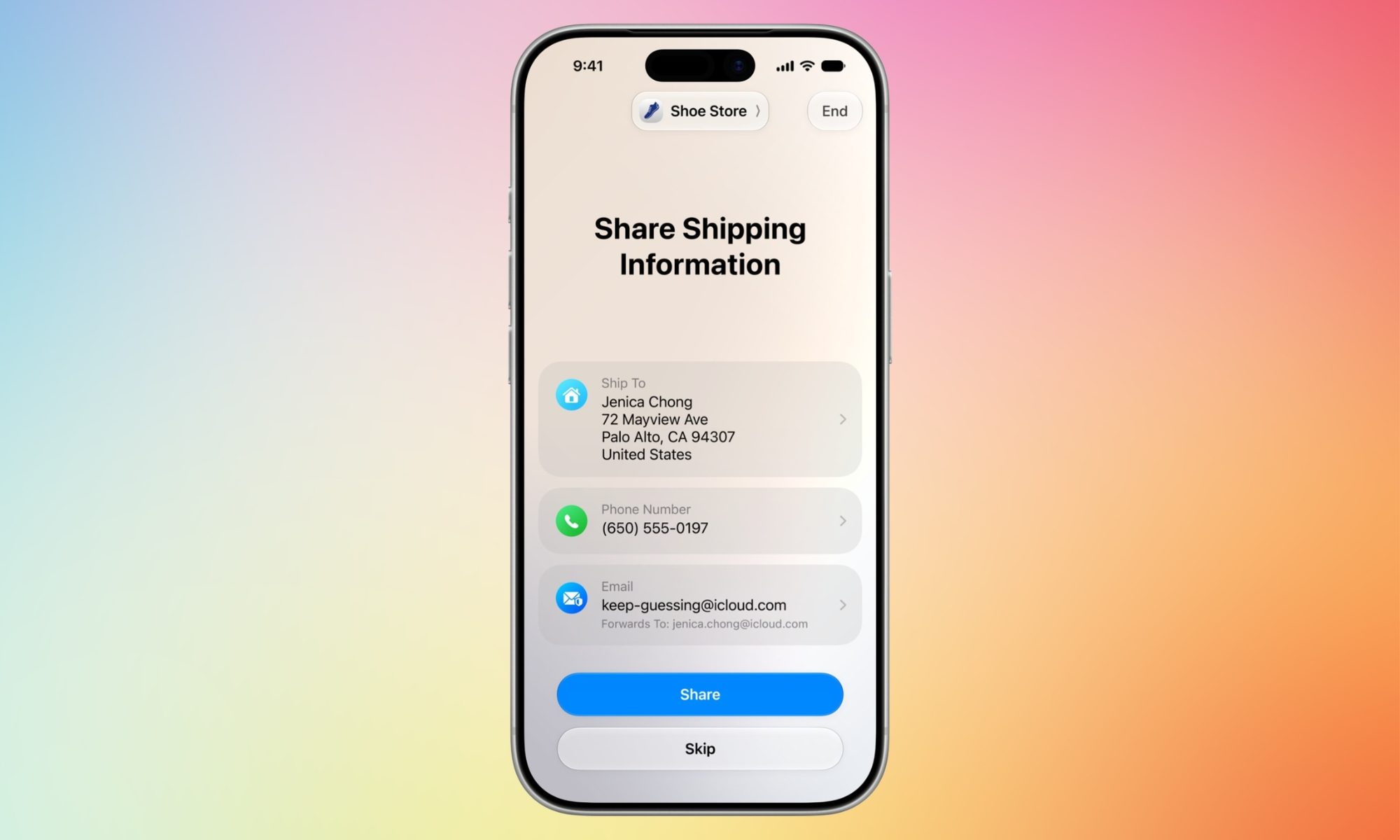
iOS 27 lets you choose between the cards on the main Apple Pay sheet, by swiping on them, the gesture people were already trying anyway. Tapping a card now opens a grid view showing every eligible card. 

The new design also shows details like rewards, account balances, and pay later options, so you can compare before paying. Even though merchants and developers still control the details that show up, iOS 27’s Apple Pay checkout page is much better and clearer than that on iOS 26

For those catching up, this card switcher tweak is a small piece of a much bigger Apple Wallet push from WWDC 2026, which includes bill splitting through Apple Cash using Visual Intelligence, the ability to turn physical loyalty and membership cards into digital Wallet passes, and an expanded hotel key experience with trip details and activity updates.

Shikhar Mehrotra
For more than five years, Shikhar has consistently simplified developments in the field of consumer tech and presented them…
Apple has finally put the planned obsolescence rumors to bed
If you've been nursing an old iPhone, iOS 27 is the rare update that actually rewards you for it.
Electronics, Mobile Phone, Phone

Every time Apple released a new iOS update, people swore their iPhones suddenly felt slower. This rumor has followed Apple for years and while the company always denied it, the suspicion never really went away. With its latest iOS 27 update, I believe Apple has finally put this rumor to rest. 

I installed the beta on my iPhone Air, but the bigger story is what's happening on the older models. Reports from people running iOS 27 on even older iPhones say their phones feel faster, not slower.

Read more
Apple made Liquid Glass adjustable, which says plenty about Liquid Glass
The new slider is useful, welcome, and mildly hilarious after a year of Apple acting like transparent everything was the obvious future.
Text, Document, Business Card

Apple’s big glassy software future now comes with a way to make it less glassy. In iOS 27, users can adjust the translucency of the Liquid Glass effect, while macOS Golden Gate adds its own Liquid Glass controls under System Settings.

Liquid Glass is still alive across Apple’s platforms, still shimmering through menus and panels, still doing the elegant UI trick Apple clearly likes. The big visual bet has already earned a dimmer switch. After a year of treating translucency like the obvious next step, WWDC’s most revealing design update may be the one that lets people dial it back.

Read more
Galaxy S25 users are finally getting some missing One UI 8.5 AI features
Prioritize Notifications, Summarize Notifications and File Summaries arrive on Galaxy S25, but Now Nudge is still missing
samsung-galaxy-s25

Last month, Samsung rolled out the One UI 8.5 update to the Galaxy S25 series, but users quickly noticed that several AI features available on the Galaxy S26 series were missing. The omissions sparked confusion and frustration, with many Galaxy S25 owners questioning what Samsung’s long-term software support actually covers.

Now, Samsung seems to be fixing part of the issue with the June 2026 update, which reportedly adds three of the missing Galaxy AI features to the Galaxy S25 series. The update has started rolling out in South Korea and includes the June 2026 Android security patch. The firmware has the build number S938NKSUACZF1.

Read more