  1. Home
  2. Computing
  3. News

You can now export videos 10x faster in Adobe Premiere Pro

Add as a preferred source on Google

Adobe has just announced that Premiere Pro users will now be able to export videos up to 10 times faster than previously once they update to Premiere Pro 22.4.0. While the improvements won’t benefit all users, they offer significant improvements if you’re using a supported system.

In a blog post detailing the updates coming to Premiere Pro in May, Adobe explained that the changes affect Apple users whose Macs are powered by the M1 Pro, M1 Max, and M1 Ultra chips, as well as Windows PCs equipped with AMD graphics cards. The changes specifically impact 10-bit 4:2:0 HEVC footage.

Man using Adobe Premiere Pro on iMac
Image used with permission by copyright holder

The massive decreases in render times are thanks to improved utilization of hardware encoding (as opposed to software encoding). That seems to be partly due to the “media engine” in Apple’s M1 Pro, M1 Max, and M1 Ultra chips, which is specifically designed to increase video processing performance. Adobe says the M1 chip will have to rely on software encoding, suggesting the more advanced Apple chips’ media engines could be the key to their greater performance.

Recommended Videos

The biggest benefits seem to be on MacOS, although Windows render times are still noticeably faster than before. Adobe gave a few examples that illustrate the phenomenal speed boost on MacOS. In the first, a complex UHD video that took six minutes and 43 seconds to export using the previous 22.3.0 version of Premiere Pro took just 55 seconds in the 22.4.0 update. In another, a complex HD video that was previously exported in three minutes and seven seconds took a mere 12 seconds to complete.

Improvements on Windows and MacOS
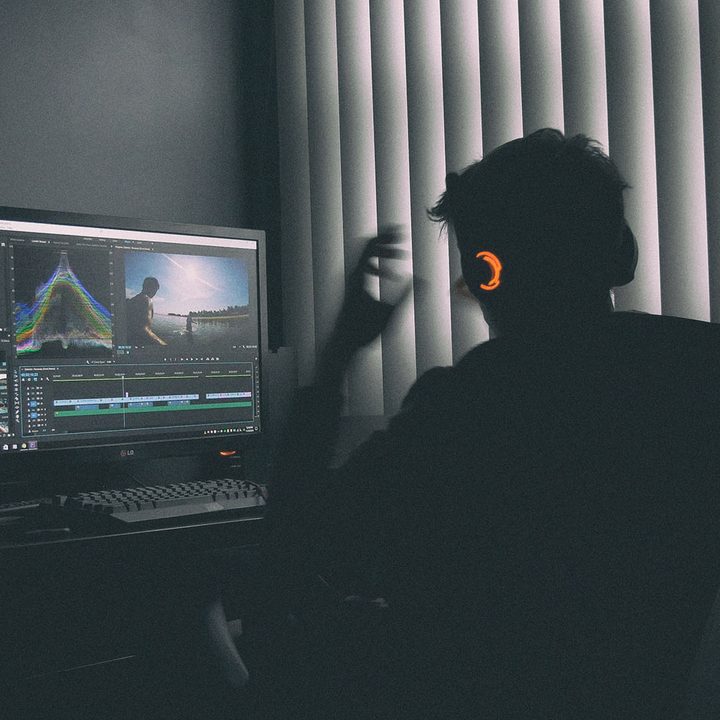
A person sitting in front of a PC using Adobe Premiere Pro.
Mark Cruz / Unsplash

If you’re a Windows user, you don’t have to miss out — provided you have an AMD graphics card. Adobe gave an example of a PC kitted out with a Team Red GPU, where the export time for a complex UHD video dropped from two minutes and five seconds to just 33 seconds. A complex HD video similarly fell from one minute and four seconds to a miniscule nine seconds.

Note that you’ll need an AMD graphics card from the RX 5000, RX 6000, W5000, or W6000 ranges to see these improvements. You’ll also need to be using the 21.10.1 driver or later. You can see the full requirements in Adobe’s blog post.

Adobe’s numbers are impressive. While there is a fairly specific set of requirements to see the boost, any performance increase will be appreciated. It’s a welcome piece of news for you if you export a large number of videos and are tired of waiting around for the process to finish.

Whether you’re using MacOS or Windows, you can enable hardware encoding by opening Premiere Pro and clicking the Format drop-down under Export Settings. Next, click the Video tab and go to Encoding Settings. From here, ensure the Performance field is set to Hardware Encoding.

Aside from the cut in render times, the latest Premiere Pro update brings a raft of other changes. You can now export GIFs with transparency, distribute objects in titles and graphics in new ways, create proxies of HDR content, and more.

Alex Blake
Alex Blake has been working with Digital Trends since 2019, where he spends most of his time writing about Mac computers…
A Google Pixel laptop might be on its way, but does anyone actually want one?
A new Google laptop might be coming, and I hate to be the bearer of bad news, but the odds are not in its favor.
Google Pixelbook in silver.

It looks like a new member is joining the Pixel family, adding to its resurgent smartphone lineup. Code analysis of the latest Android beta points toward a new Pixel laptop that Google might be planning to launch in the near future. Google last launched a laptop, the Pixelbook Go, in 2019, an affordable version of the Pixelbook it put on the shelves back in 2017.

Both the Pixelbook and Pixelbook Go, along with the earlier Chromebook Pixel models, were not what you would call a smash hit with the audience or a runaway commercial success. Ultimately, they triggered Big G's departure from the laptop segment and a shift in focus toward Pixel smartphones.

Read more
AI is entering the Skynet debate moment in the social media hype circles
AI might end the world - but first, it’ll trend on social media
Representative Image

A growing wave of online voices warning about the dangers of artificial intelligence—often dubbed “AI doom influencers” - is reshaping how the public and policymakers view the technology. According to a report by The Washington Post, these influencers, including researchers, tech leaders, and content creators, are increasingly highlighting worst-case scenarios, from mass job loss to existential risks posed by advanced AI systems.

While critics argue that some of this messaging borders on alarmism, the conversation is no longer confined to speculation. Real-world developments in AI are beginning to mirror some of the concerns being raised, blurring the line between hype and legitimate risk.

Read more
You won’t believe it, but Motorola actually makes a terrific head-turner of a laptop
Motorola’s Moto Book 60 Pro is surprisingly stylish, and the pricing makes it even better
Moto Book 60 Pro in PANTONE Bronze Green

Motorola is not the name I expect to see on a genuinely good laptop. A stylish phone? Sure. A foldable with some personality? Absolutely. But a thin-and-light notebook that actually feels well judged on both design and value was a genuine surprise. And yet, the Moto Book 60 Pro is one of the more quietly impressive laptops in its segment.

With the broader laptop market being in a mess, Motorola's laptops feel refreshing. It is capable, attractive, and still approachable at a time when pricing elsewhere has become increasingly rough.

Read more