
AMD has gained a lot of ground against Intel in the desktop world. But laptops? Not so much. It’s still difficult to even find an AMD-powered laptop, let alone one you’ll want to buy.
Now, AMD is putting its hope on a new stack of laptop chips called Ryzen 4000. They do more than just add extra cores and better graphics. They’re paired with a reinvented strategy designed to make sure they’re available in the laptops people want to buy.
This isn’t a new story from AMD. The company has tried again and again to defeat Intel in laptops, with little success so far. This time, however, AMD’s processors can go toe-to-toe with the best Intel offers. That could make all the difference.
A new class of laptop
Partnerships have always been AMD’s specialty. Whether it’s Macs or consoles, AMD’s adaptability has made them the go-to choice for partners as big as Apple, Sony, and Microsoft.
That hasn’t translated to laptops so far. In the past, it might take months for new chips to find their way into some laptops. Those that did arrive were scarce, and often “AMD versions” of existing laptops. They were often sold as budget alternatives to Intel-powered designs.
With Ryzen 4000, AMD is taking a different approach. Rather than convince Lenovo, Dell, and HP to sell an AMD version of a laptop, the company is working hand-in-hand with laptop makers on new designs that put Ryzen processors front and center.
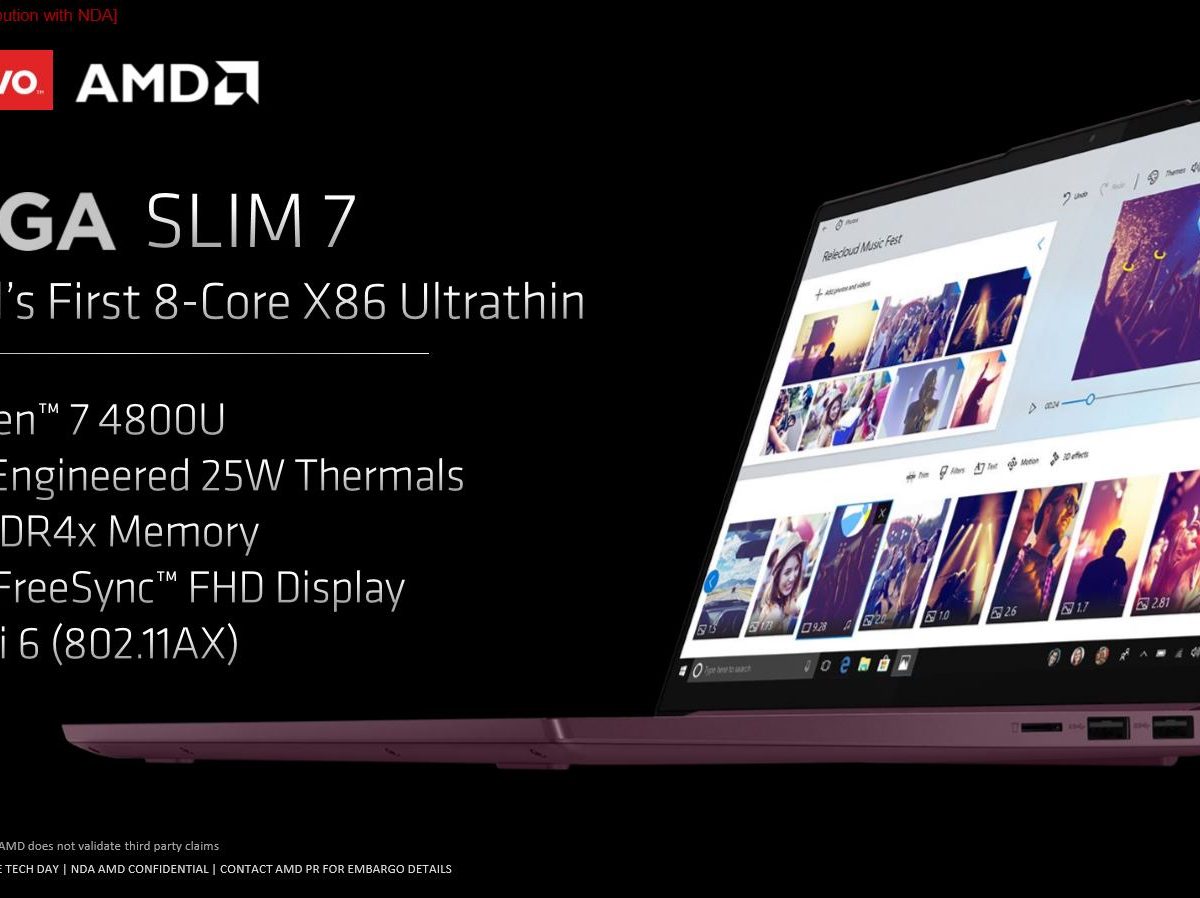
AMD has two unique examples: the Lenovo Yoga Slim 7 and the Asus Zephyrus G14. Both flagship laptops are launching alongside the new Ryzen 4000 processors, and each has a unique selling point.
The Lenovo Yoga Slim 7 uses a Ryzen U-series part scaled up to 25 watts here (from the standard 15 watts). Though just a 2.2-pound laptop, it has eight cores of content creation power. That makes it hard to compare to the four cores in a laptop like the Dell XPS 13, or an Intel-powered Lenovo Yoga 2-in-1 like C940. The Yoga Slim 7 is thinner and lighter than a MacBook Air, yet priced at $850.
The Asus Zephyrus G14 is also surprisingly thin, at just 3.5 pounds and 0.7 inches thick. Here’s the real trick. It’s a gaming laptop. The Zephyrus G14 is 22% lighter than the already portable Razer Blade, and 10% thinner as well. The G14 doesn’t compromise on performance to achieve that. Its H-series Ryzen processor has eight cores with a 3GHz base clock speed.
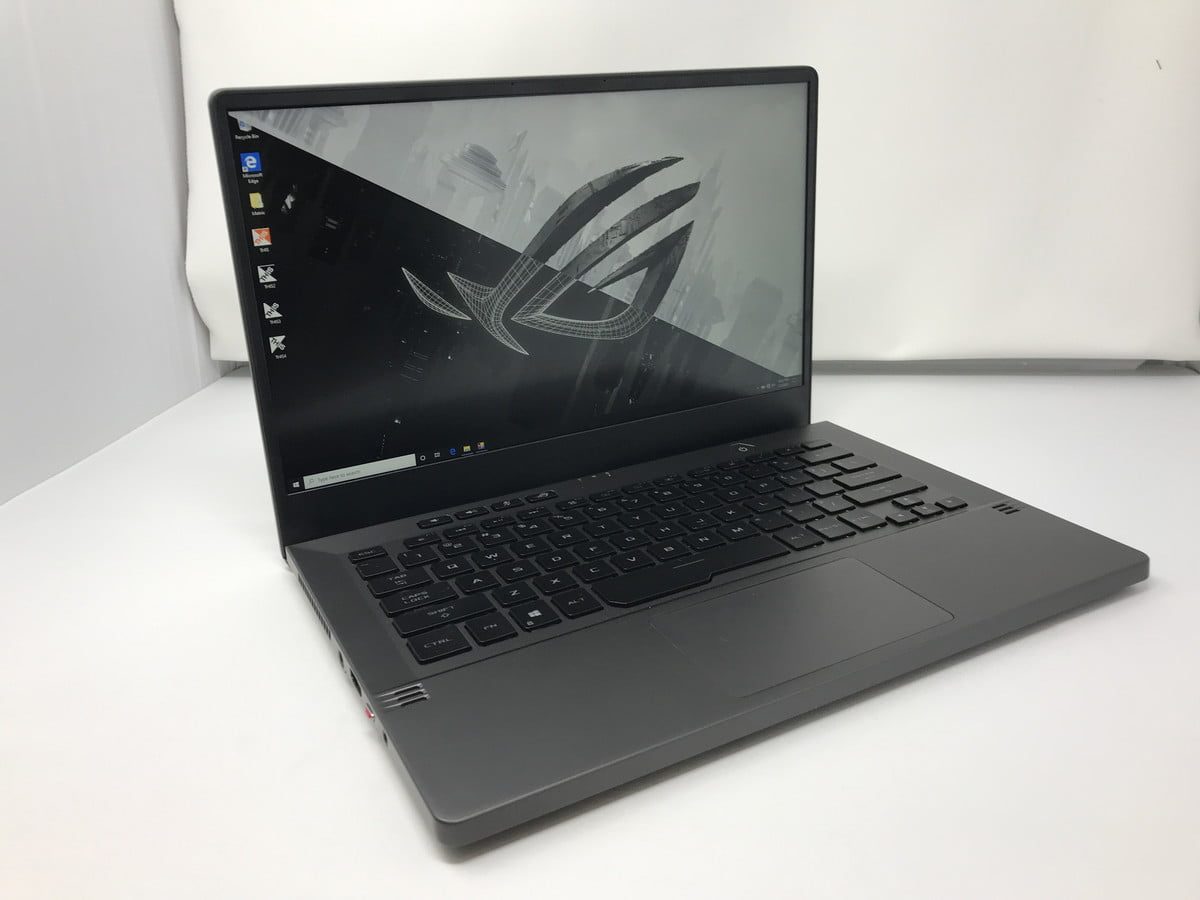
To keep the chassis thin, AMD worked with Asus to tune the processor. Rather than the standard Ryzen 7 4800H, Asus uses the Ryzen 7 4800HS, which brings the thermal design power (TDP) down from 45 watts to 35 watts. The “HS” also means the system meets AMD’s requirements for battery life, portability, performance, and thermal solutions. It’s a similar certification program to Intel’s Project Athena, or Nvidia’s “Max-Q” licensing.
This is clearly a new approach. AMD is advocating for itself by helping Lenovo and Asus deliver laptops that are thinner and lighter than otherwise possible. A 14-inch laptop you can edit video on? A gaming laptop that weighs only 3.5 pounds? This is cutting-edge hardware.
But AMD isn’t stopping there. It’s providing a performance incentive for manufacturers to use both AMD graphics and processors.
SmartShift gets into gear

The Zephyrus G14 is a big win for AMD, except for the fact that it uses Nvidia graphics.
However, AMD is introducing new performance incentives for coupling AMD processors and graphics together. The most notable feature is SmartShift. It’s a unique interface that helps the graphics card communicate with the SoC (system on chip).
Laptops with discrete graphics cards face intense thermal limitations that undercut the potential of a processor and discrete graphics cards. AMD claims SmartShift is way of sidestepping that limitation, allowing the components to behave like a “super APU.” In other words, it gives the SoC the keys to the car, letting it manage the power of the graphics card for a more balanced approach.
In theory, that means the chance to use a thinner chassis’ without sacrificing performance, or stuff thicker laptops with even more powerful graphics. AMD, of course, has a flagship laptop to demonstrate this advantage in the Dell G5 SE, which is stated to launch before the first half of 2020. It’s the first laptop to use both a Ryzen H-series processor, the new Navi 10 graphics card, and SmartShift.
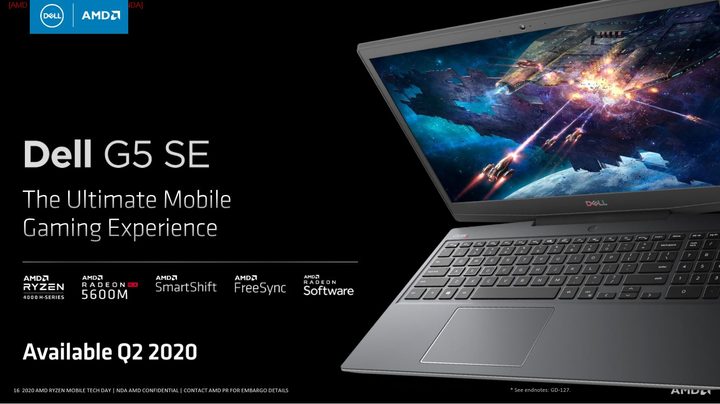
All passing through the InfinityFabric interconnect used in both the processor and graphics card, AMD says SmartShift ran Cinebench R20’s multi-core benchmark 12% faster, and achieved 10% better framerates in The Division 2.
On one hand, the Dell G5 SE is an odd choice to premiere SmartShift on. It’s not a particularly thin laptop, nor is it high-end. It is, however, fairly powerful, currently topping out at an Nvidia RTX 2070 Max-Q. Despite using the more conventional brand and design, AMD says it’s worked closely with Dell to make it a unique stand-alone product.
The long, winding road
These developments are exciting, but the true war for the laptop space still lies ahead. The first Ryzen 4000 laptops each present a unique argument for why a company would swap out Intel for AMD.
Price will likely still play a part in AMD’s offerings. These new processors are promising, but Intel remains a titan in the laptop space. It’s unlikely top-tier laptops like the Dell XPS 13 or Razer Blade 15 will replace Intel with Ryzen soon.
Still, AMD’s new processors finally provide a legitimate alternative to Intel’s best mobile chips. Give a Ryzen laptop a try. You just might like it.


