It’s only been a day since Apple revealed the massive Liquid Glass redesign across all its platforms and released the developer preview builds. Interestingly, most of the chatter has been centered on the ups and downs of the transparent aesthetics and the functional overhaul of iPadOS 26.
The most meaningful update, however, flew under the radar. With macOS Tahoe, Apple has reimagined what Spotlight can do. So far, Spotlight has served as a system-wide search tool that lets you quickly access files, apps, emails, and more.
In macOS Tahoe, it has transformed into an action center and memory hub. Think of it as typing text commands in the search field, and the Mac automatically turns them into executable tasks. Imagine a sequence like “Email Find this research paper to Saba with Urgent help subject.”
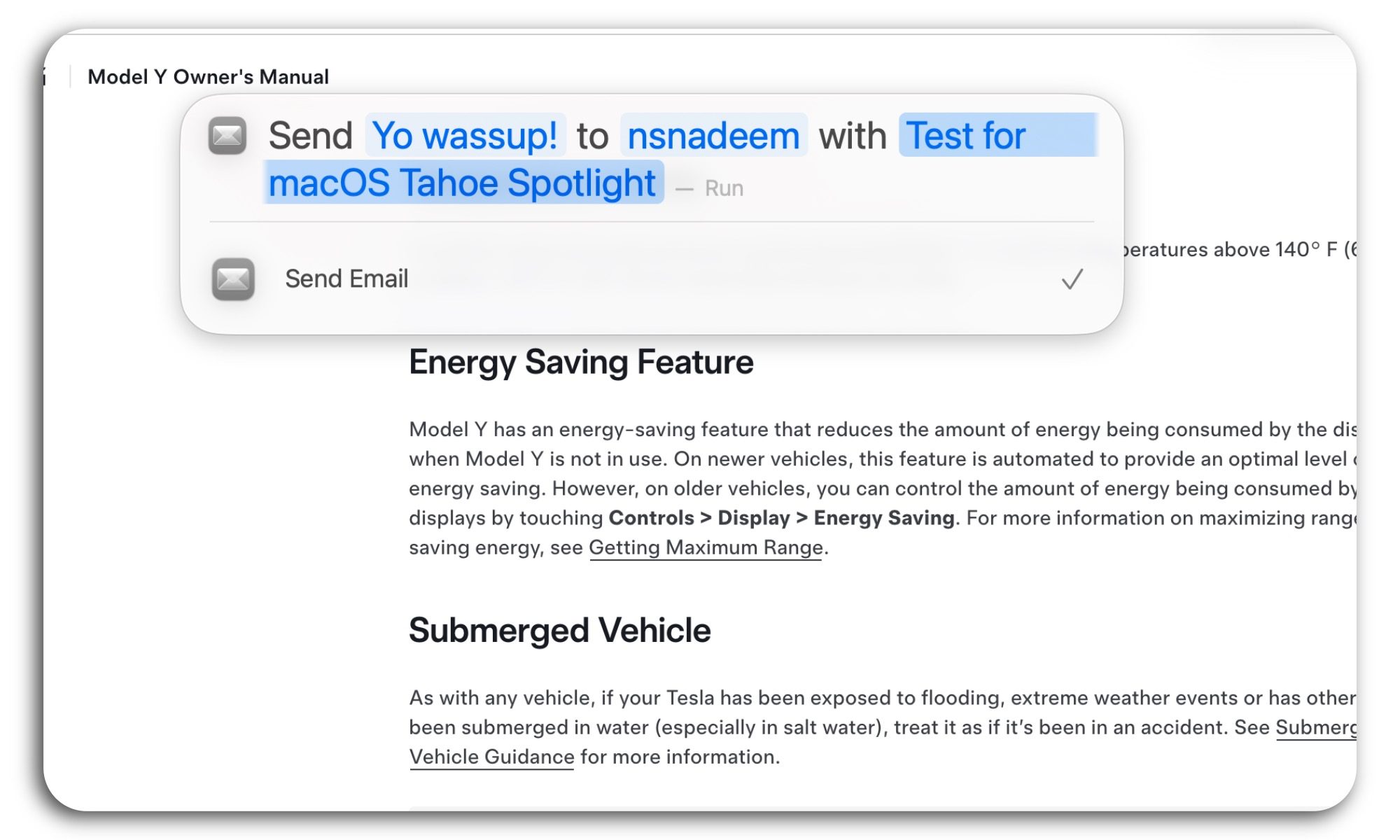
That’s what Spotlight is now capable of. It can find my apps, pull a file, and tap into shortcuts. Ever since the Spotlight updates were shown at WWDC 2025, the Mac community has been asking a familiar question: Are third-party power user utilities such as Raycast and Alfred effectively dead?
Well, the answer is no, but the new Spotlight experience gets very close. With a few iterative builds, it just might. Ardent users will stick to the apps they paid for, as will I, but for an average Mac user, they can now save money on paid apps that otherwise fill the functional gaps in macOS.
I’ve spent a day running macOS Tahoe on my MacBook Air, and it has emerged as my favorite Mac upgrade in years.
Native clipboard, finally
One of the most glaring omissions of macOS has been the absence of a native clipboard. The gap was big enough that it spawned a whole category of clipboard apps for macOS. Some of them were free, such as Maccy, while others were paid.
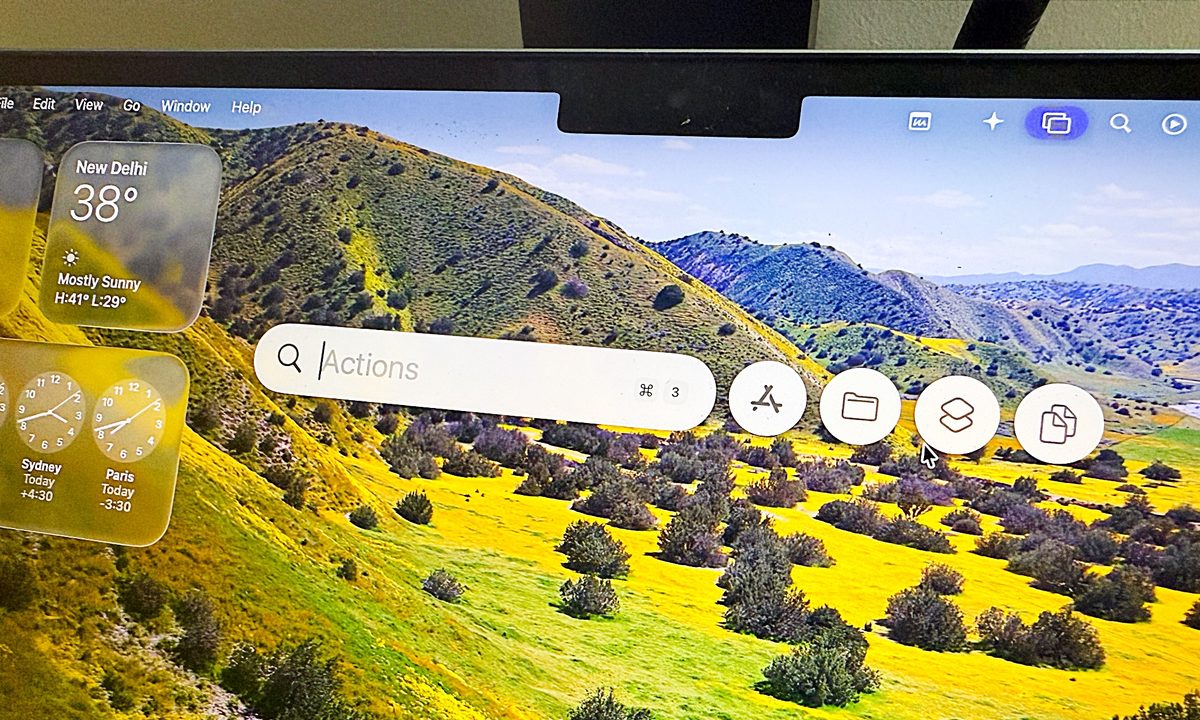
In macOS Tahoe, Apple has integrated a system-wide clipboard within Spotlight. When I summon it using the Command + Space key shortcut, the pill-shaped search box now automatically opens four dedicated quick controls in the form of rounded icons.
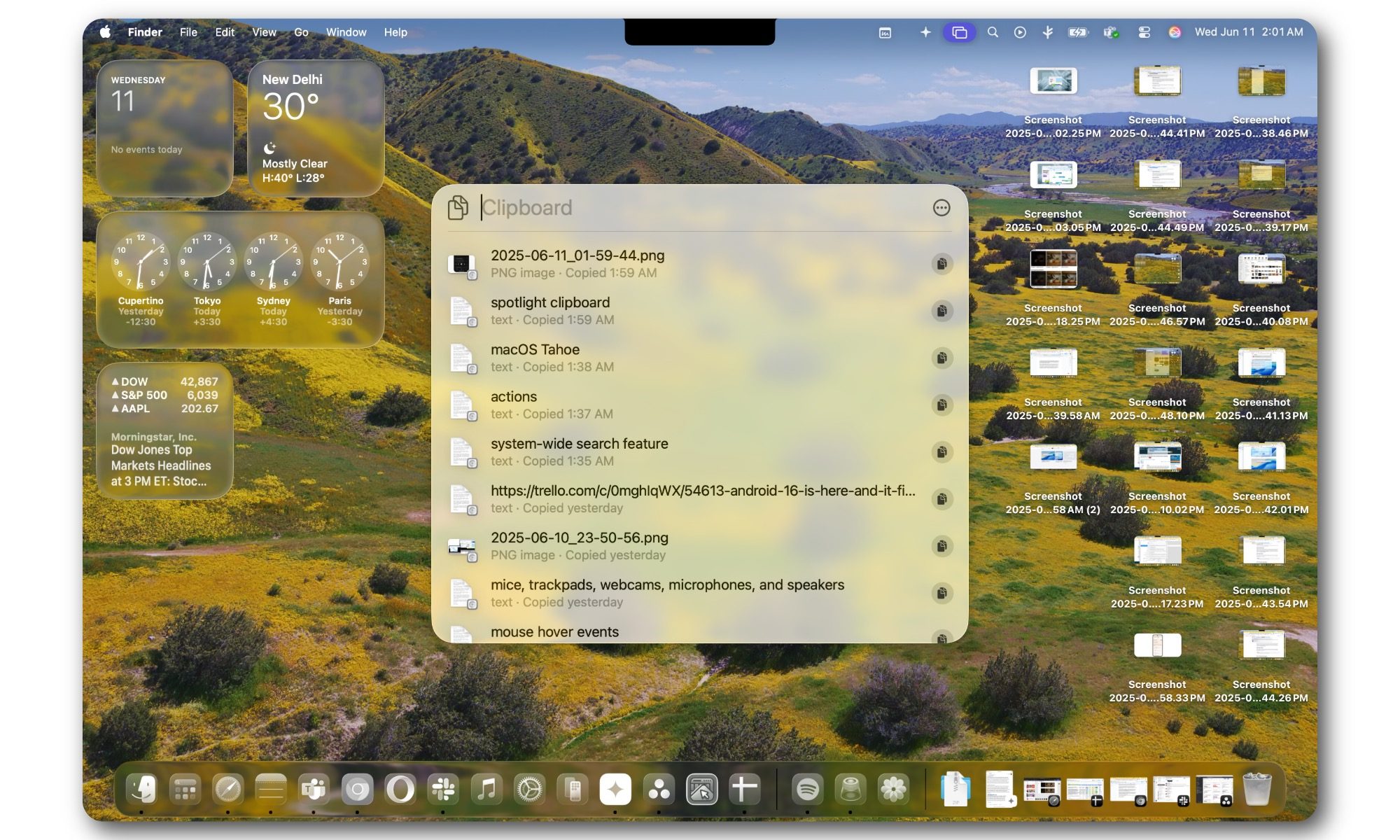
The last one is the built-in clipboard, which I can either click on, or directly pull using the Command + 4 shortcut. As far as capabilities go, it can copy text, images, and even folders. In a nutshell, the whole package.
The only reasons a Mac user now has left to stick with third-party clipboard apps are the UI preference, add-on features, and developing muscle memory for those keyboard shortcuts. For example, Apps such as Maccy offer a minimalist Menu Bar-only design and perks such as automatic deletion of the clipboard items. But if you’ve never tried them, the native system built within Spotlight will serve you just fine.
Actions
Arguably, the most powerful upgrade to Spotlight is the ability to take actions across different apps. It’s like asking a chatbot to create an image using the text-to-image route, but instead of photos, macOS Tahoe lets me handle a wide range of tasks.
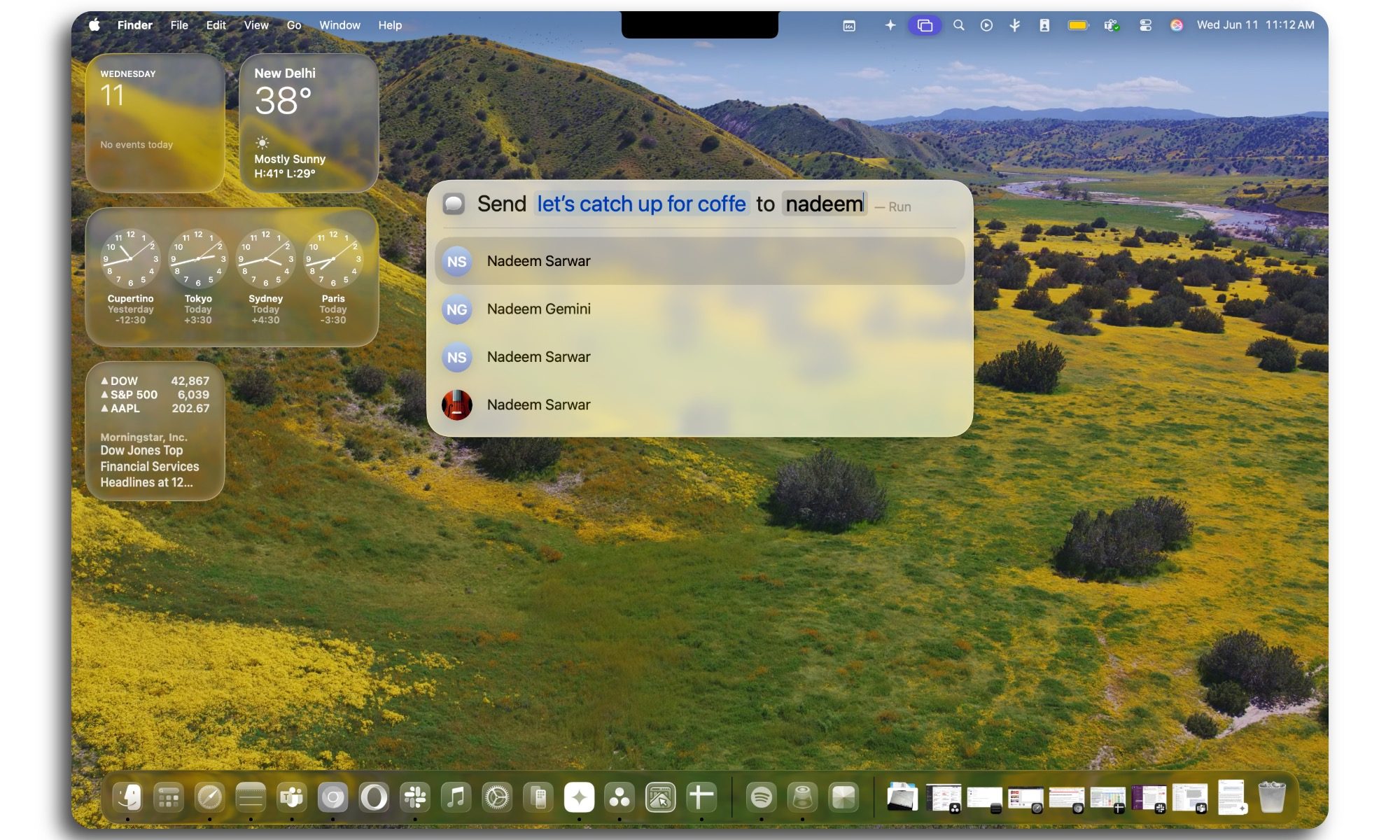
Apple is calling them parameters, and it looks familiar to how I fill the intent and destination fields in the Shortcuts app. Think of them as action hotwords, like “Send.” Once I type it in Spotlight, it will show intelligent suggestions across apps such as Mail and Messages.
And as I proceed, it makes adjustments in real-time, by adding fields such as Recipient and Subject, in case I want to compose an email. Then there is the pre-built set of actions separated across native apps and the Shortcuts dashboard.
I’m talking about chores like calling a friend, sending an email, creating content boards, adding stuff to a reading list, making a GIF, launching an audio recorder, taking a note, moving files, and even interacting with images.
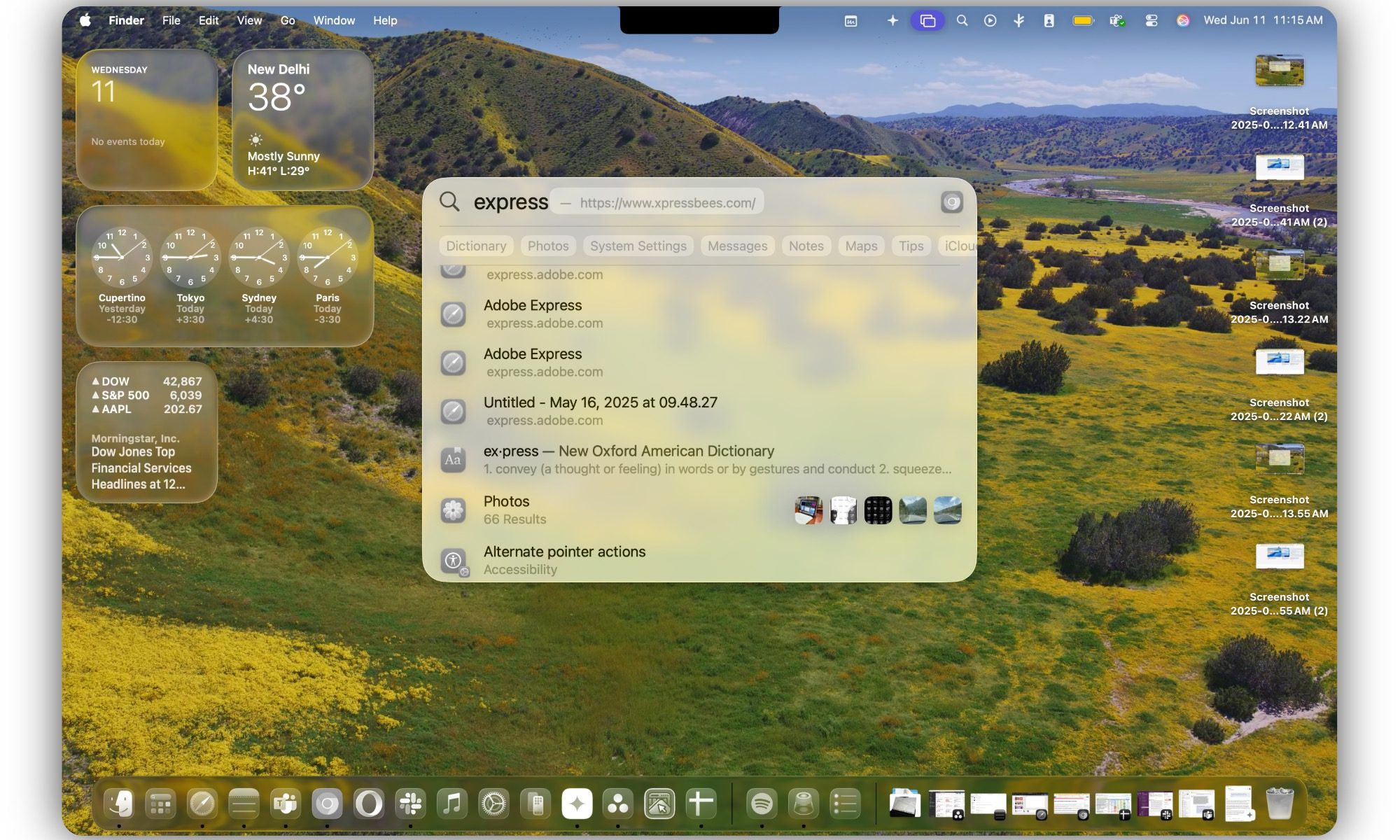
To make life easier for users, as you type in the Spotlight Search field, you will see the categories and destinations right underneath. For example, if I type the word “gradient,” Spotlight will search across the system and bring up matching entries, such as a mention in Messages, a file by that name, and or a Notes entry, among others.
Quick Keys
Think of Quick Keys as the evolution of Actions in Spotlight. It works by using a system of letter initials or finding an exact match. So, if I type “se,” it can be interpreted as “send email,” bring up a chat I had with Selina, or pull up a note that mentioned sensory impact.
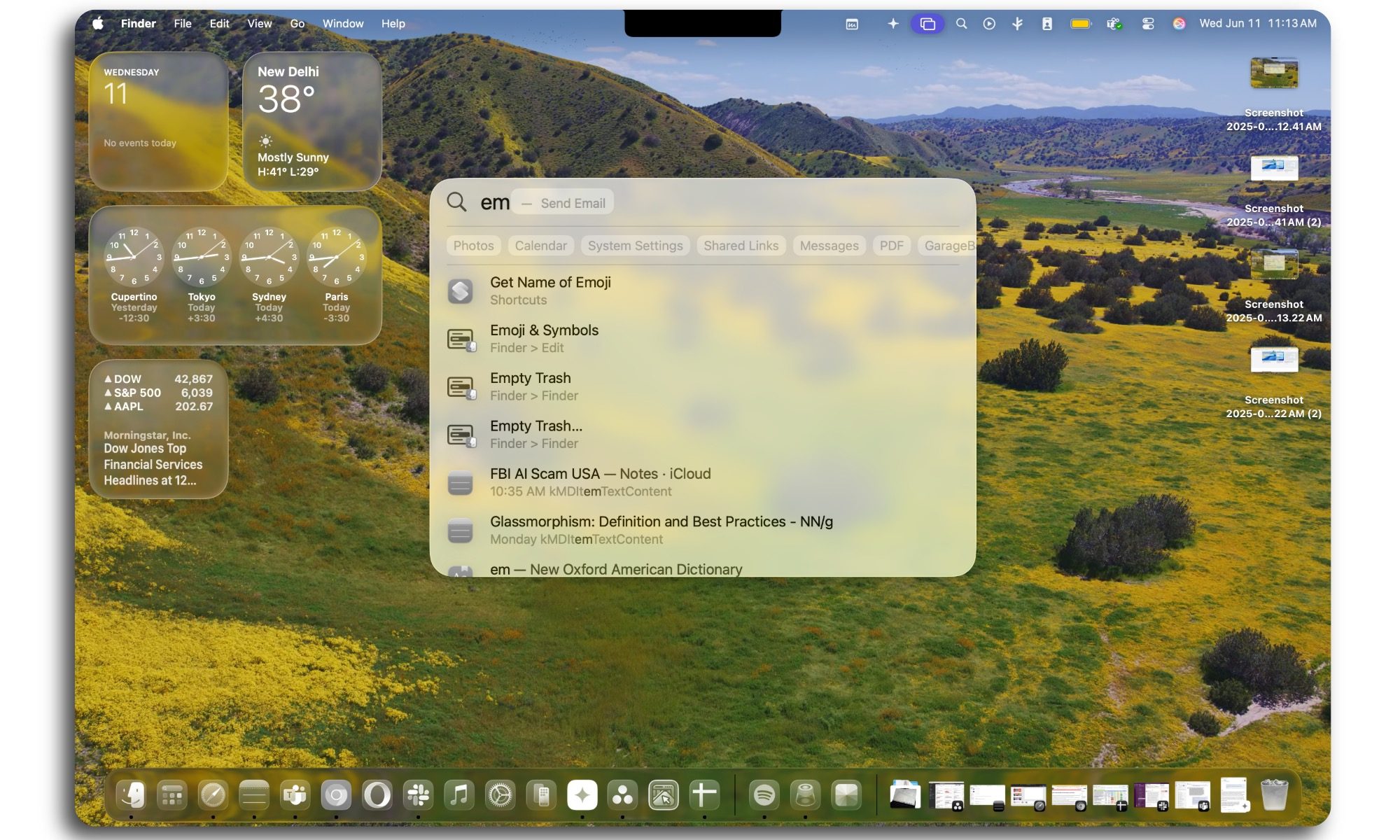
“Br” suggests users take actions such as adjusting the brightness of the screen, setting the default browser, deleting browser data, opening a Safari bookmark from the British High Commission website, and more. It’s like taking a look at my macOS usage history and all the tools and files stored on my computer at the same time.
Essentially, whatever I type in Spotlight is intelligently identified as a command and text match. Furthermore, based on my own usage, the actions are ranked based on how recently I interacted with a certain file or task. Of course, there are filters at the top that will help me narrow down the search across different apps and system utilities.
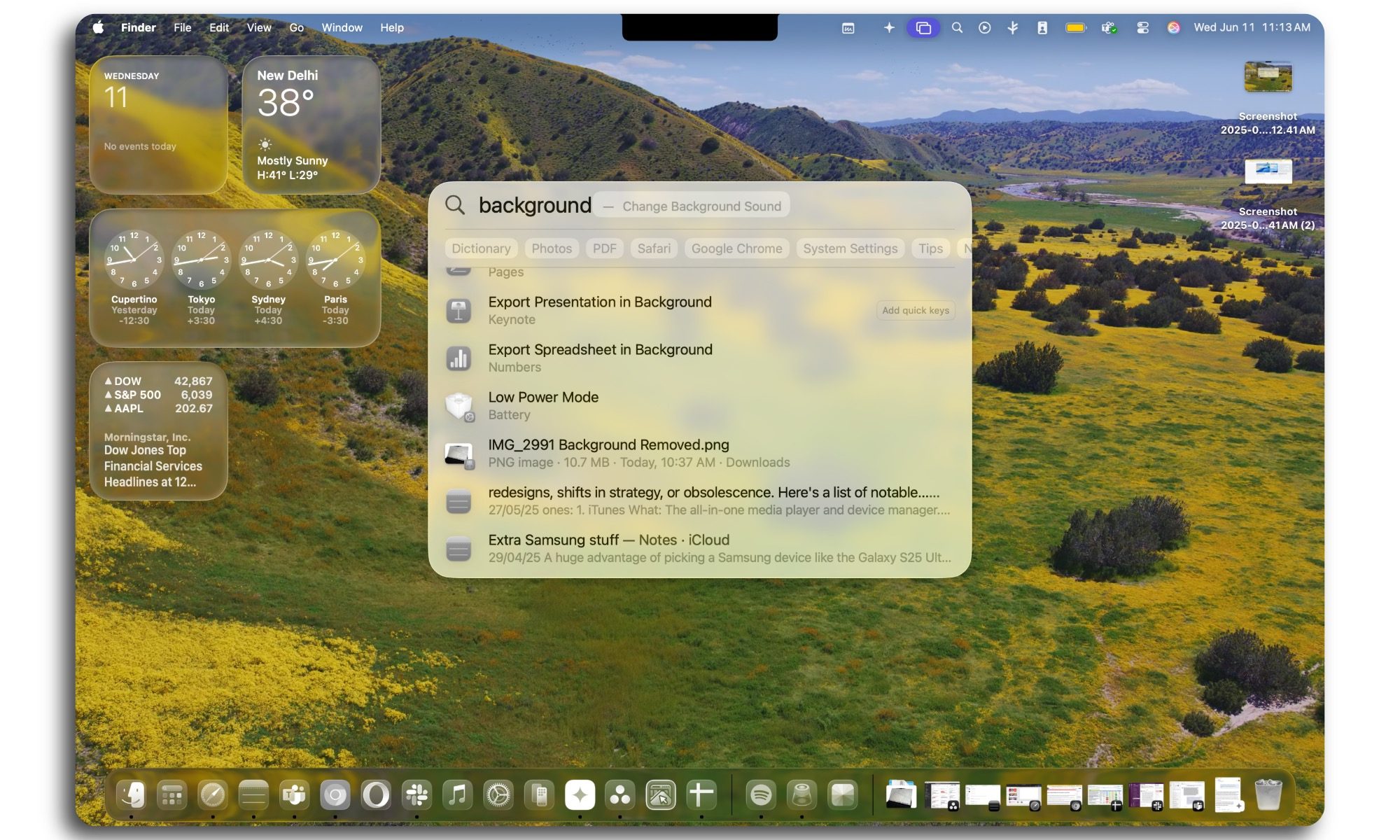
Once again, shortcuts are a crucial part of the equation. I can assign quick keys to each of my shortcuts, such as “ch” for changing headlines into something more friendly by using modern social media-savvy terms.
The best part is that the shortcut runs in the background, and I can see the response right within the Spotlight window. The most crucial piece of the equation? These actions will work across third-party apps, as well, using the App Intent system.
With the next-gen Spotlight, Apple has created a universal system that lets you find items and execute tasks without even having to go through the hassle of launching apps. In macOS Tahoe, it has turned into an omnipresent assistant that learns from your usage history and executes tasks with merely a few letters and words. That’s the kind of convenience we deserve from computing machines on a day-to-day basis.