

AI is the future. I’m convinced of it, too, because I’ve heard every company that even remotely touches technology tell me that’s the case. We need AI. It’s the bedrock of every technological innovation in the future.
If you can’t sense the sarcasm, let me bring this down to earth. AI is everywhere, and that’s not surprising. There are new tech trends every year, but this most recent boom in AI feels different. Ever since the switch was flipped and ChatGPT was unleashed on the world, there has been an AI frenz,y with some of the world’s largest and most wealthy companies duking it out to end up on top of the AI pile.
Unlike trends we’ve seen previously, AI is already being built into everything. It catapulted Nvidia to become a trillion-dollar company with its specialized AI accelerators. It’s at the heart of Windows now, according to Microsoft, with the new Copilot feature. And you can’t interact with a search box without AI stepping in to try to be helpful (the jury’s still out on if it’s actually helpful).
Software is one thing, but the biggest hint that AI is a big deal is hardware, and that’s what I want to focus on here. More and more, we’re seeing dedicated AI processors in consumer devices. Apple has been doing it for years with its M-series processors, and both Intel and AMD now build in AI accelerators with their mobile processors. It’s such a big deal, apparently, that Microsoft found it fit to include a dedicated AI processor on its recent flagship Surface Laptop Studio 2.
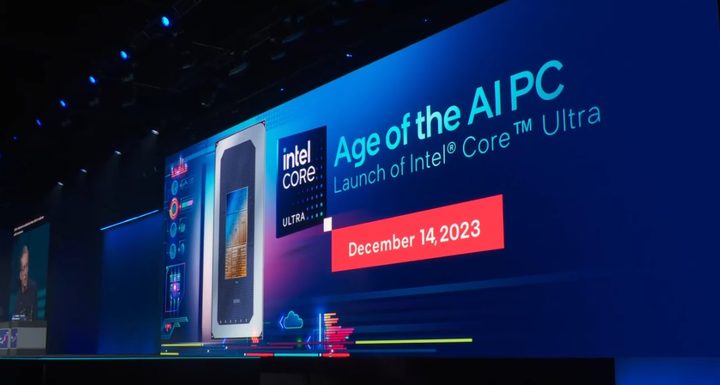
Those are just the high-level brands. If you go down the stack to companies like Lenovo, Dell, and HP, you can dig up marketing bullet points about accelerating AI tasks with next-gen components thanks to a dedicated AI processor. And what tasks can you accelerate? Well, background blur.
Let me back up for a moment. Most AI processing isn’t done on your device. When you use a service like ChatGPT or Bing Chat, you’re tapping the power of a data center hundreds or thousands of miles away to do the actual computing. Nothing happens on your device. Microsoft’s Copilot, which was an essential feature for the Surface Laptop Studio 2 and Windows 11, doesn’t use the dedicated AI processor. It uses the cloud.
On your actual device, the only thing your AI processor can do right now is Windows Studio Effects: background blur, an auto-framing feature, and a feature that adjusts your eyes to make it appear like you’re looking at the camera. That’s why you need a dedicated AI processor apparently. Better background blur.
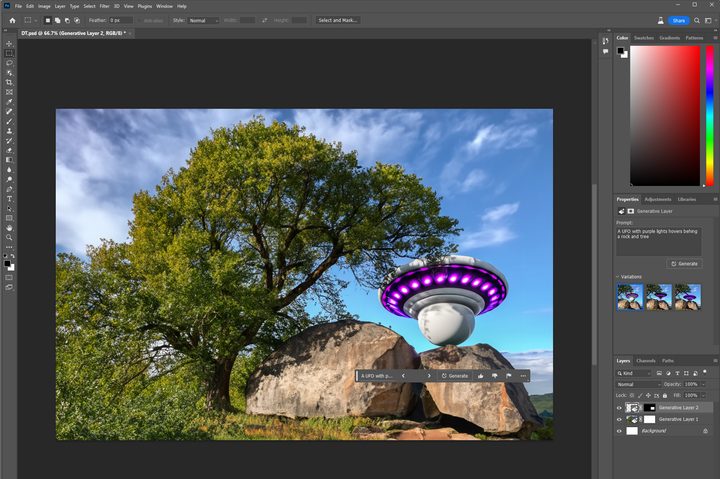
Major brands promise there will be more uses for these AI accelerators in the future, but we’ve yet to see any consumer apps or features that actually leverage an AI accelerator. All of the exciting things you can do with AI — image generation, generative AI in Photoshop, and more — all happens in the cloud. You can do it on any PC, no AI accelerator needed.
We’re definitely seeing the cart before the horse here. As a tech reporter, it’s easy to be cynical about AI given how consistently it’s talked about, but I truly believe dedicated AI accelerators will be an important feature to have in PCs in the future. That’s in the future, though. Right now, companies like AMD and Intel are trying to sell hardware to customers whodon’t need it. When someone who covers tech for a living is scratching their head about how to even leverage a consumer AI accelerator, you know there’s a problem.
We need apps that can actually use these AI accelerators, and they just don’t exist right now. There’s some effort to build frameworks for developers to build their own AI-powered apps. This has been a year dominated by AI, though, and when the best the companies marketing AI accelerators can come up with is background blur, it’s important to ask if everyone truly needs this hardware in their PC. Maybe down the road, yes, but certainly not right now.
You may have noticed that I left Nvidia out of this discussion. The current kingpin of AI has worked to build dedicated AI features, marrying software and hardware together. In consumer PCs, you not only get Nvidia Broadcast — which has better webcam effects than Windows Studio Effects, along with AI features for your microphone and speakers — but also Deep Learning Super Sampling (DLSS). From upscaling to better anti-aliasing to more realistic ray tracing, Nvidia is putting the AI accelerators in its graphics cards to use. You need the hardware to unlock a wide swath of features, not just better background blur.

Up to this point, we haven’t seen that same drive from the companies building AI accelerators into PC hardware. That’s not true on mobile devices — you can see Apple’s Neural Engine at work in everything from speech recognition to AR apps on iPhones — but PCs haven’t been part of that transition.
We’re building to a future of AI in PCs, but it isn’t here yet. For now, you don’t need to buy a new laptop for an AI accelerator. Once we see what this hardware can do, then we can have an informed discussion about the purpose of these processors.


