
When talking about PC gaming, there are two primary interfaces that developers design for — the classic mouse and keyboard, bastion of twitchy shooters everywhere, and a console-style gamepad, which tends to be better for third-person action and driving.
But there is a middle ground — left-handed gamepads. These odd-looking gadgets bridge the gap between a controller and a keyboard. For the right kind of gamer, they make an excellent alternative to a conventional gaming keyboard. The modified ergonomics are better since the designers don’t have to worry about typing, and they typically include some kind of D-pad or thumb stick to free up even more controller buttons. They’re especially good for shooters and first-person RPGs, as well as tactical games and FPS titles. Below are a few of our favorite options.
Logitech G13 ($59+)
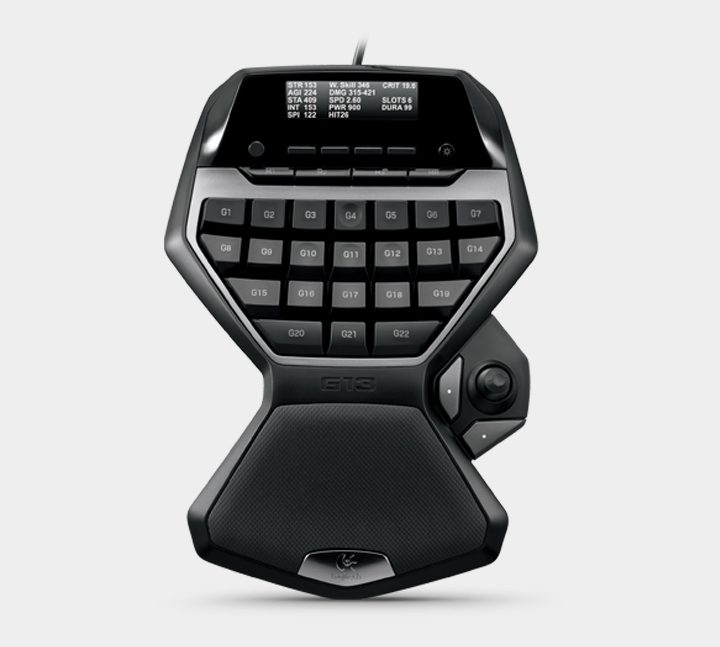
Logitech’s G13 design hasn’t changed in several years, but it doesn’t really need to. Its key feature is the built-in screen. Yes, this is a tiny keyboard with its own screen, plus a full selection of extra management buttons at the top. And since it also retails for $80, the G13 is the left-hand gamepad to get if you want bang for your buck.
The aforementioned screen can be used to manage the control profiles assigned to the G13, set up macro combinations on the fly (though they’re still available in Logitech’s gaming software), or even manage voice communication and media playback. It’s all a bit extraneous to be honest, but those who love tweaking their settings to perfection will probably get some solid entertainment from the screen alone.
Ergonomically, the G13 would be ambidextrous if it weren’t for the thumb cluster, and the palm rest is fixed and can’t be adjusted. It may appeal more to gamers who prefer WASD controls for movement over the joystick. The backlighting color on the screen can also be customized.
Razer Tartarus ($80)
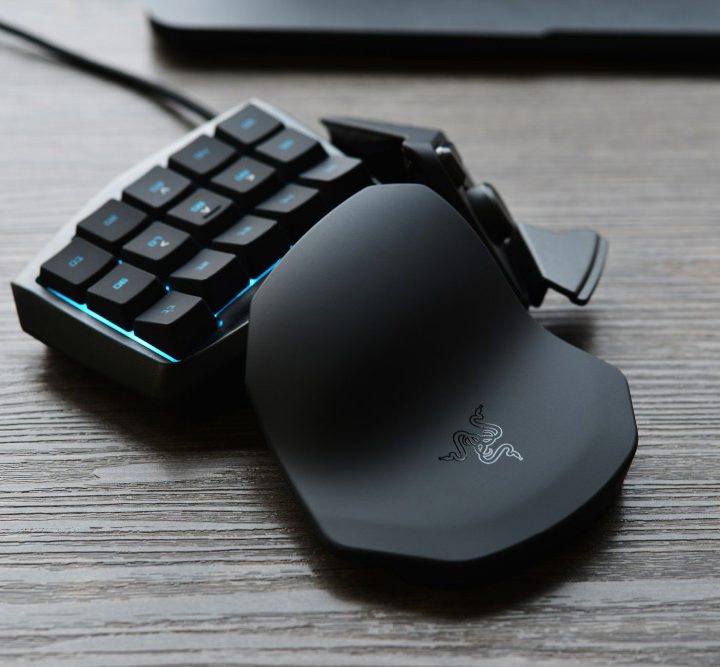
The first entry on our list is also probably the most popular. The ergonomics on this pad are excellent — far better than even the most accommodating gaming keyboard — and successive iterations of the design have only made it better. The latest models eschew a Genesis-style directional pad for a fast and thumb-friendly miniature joystick, and the “Chroma” version will work with Razer’s multi-colored lighting system.
The Tartarus features 15 primary buttons for the index-through-pinky fingers, a joystick for the thumb, and a miniature spacebar and alt-fire button that you can easily hit with your thumb. These are great for modifiers or alt-fire modes, like grenades. You can also slide the angled palm rest up and down to accommodate larger or smaller hands. Most gamers will find that setting up a control scheme for the controller works best from the game menu, but there’s also an option to assign custom profiles and macros using Razer’s software.
Razer Orbweaver ($130)
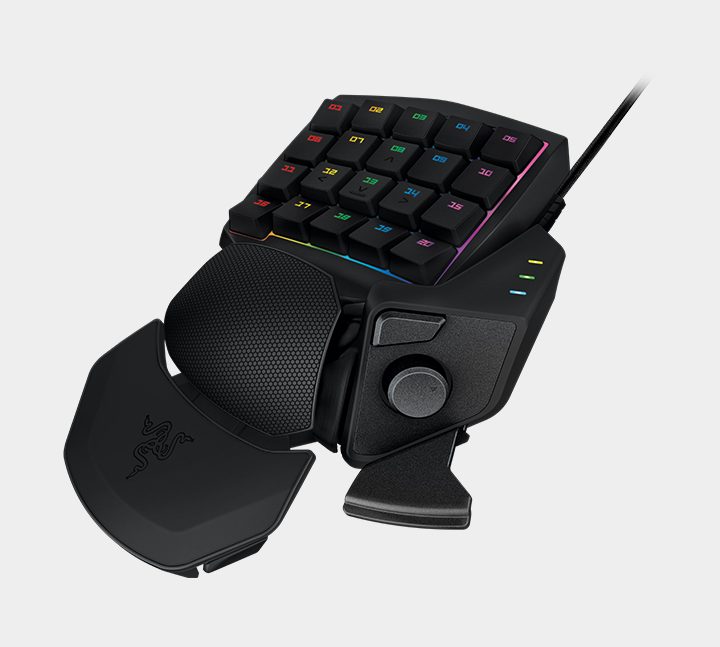
Razer’s upgraded gamepad uses more or less the same one-handed design as the Tartarus, but comes with an extra row of finger buttons, all of which use mechanical switches. Fans of mechanical keyboards might be won over by this addition alone, as the clicky, satisfying action of mechanical switchers is coveted by many. Razer Green (tactile) and orange (linear) switch options are available, and the keys can be customized. But the extra buttons and the gamepad’s complex construction make the price jump to $130. Still, it does offer 20 individual buttons, along with two thumb buttons.
The Orbweaver also offers three different axes for the palm rest, allowing for more precise ergonomic customization, and you can individually adjust the Chroma lighting for each column of buttons (unlike with the Tartarus). But unless you’re really, really insistent on using mechanical keys for gaming, the Orbweaver’s higher price tag probably isn’t worth the upgrade.
Delux T9 Gaming Keyboard ($36)
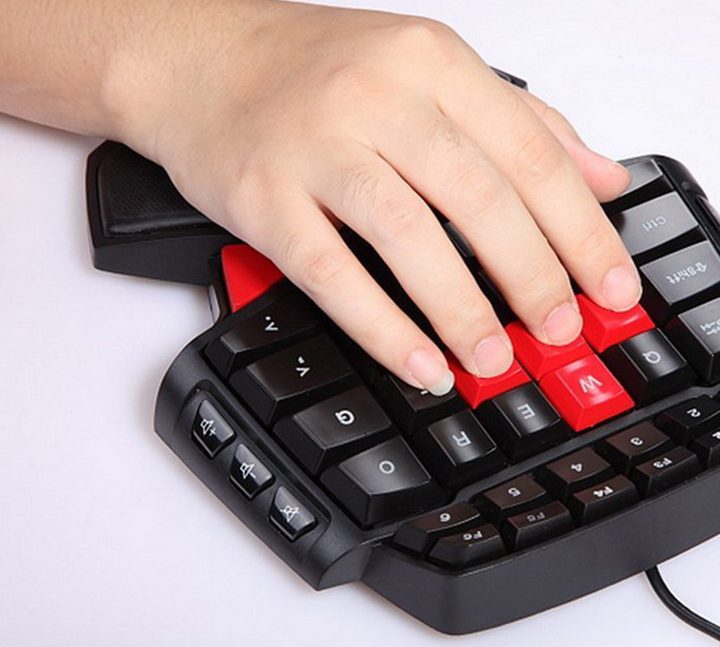
This left-hand gamepad, and the several others that appear to be the same OEM design with reshuffled brand names, offer only one advantage over the Logitech and Razer designs above: Price. All of them cost well below half the street price of the more established gamepads. They’re also ambidextrous, but only in the technical sense — they omit the joystick and thumb cluster of the other entries, which means WASD is the only movement option.
On the other hand (no pun intended), the extended layout offers an impressive 38 keys — including a function row and Escape button — rendering the pad more expansive than the other alternatives. That may or may not be advantageous, though, depending on your hand size. Backlighting is only available in blue, but brightness can be adjusted. Best of all, given the gamepad often retails for less than $25, it might be a good way to try out a dedicated gamepad before investing in one of the more expensive options.
Keep in mind that all the gamepads mentioned above are wired — the market is a bit too niche for wireless options at the moment. For gamers who simply need a few more buttons at the ready but not necessarily another keyboard-style accessory, an MMO mouse such as the Razer Naga, Roccat Nyth, or Corsair Scimitar may be a better solution.


