
I know, it’s dumb to complain about a free service, which ChatGPT always has been. It feels especially silly for a technology that feels this new and exciting.
ChatGPT remains the best free AI chatbot out there — and yet, having used some of its rivals, coming back to ChatGPT can feel like a bare-bones experience. Here are five simple features that could really expand the usability of ChatGPT. Some of these would also make great additions to ChatGPT Plus, if the new features need to go there first.
A drafts option
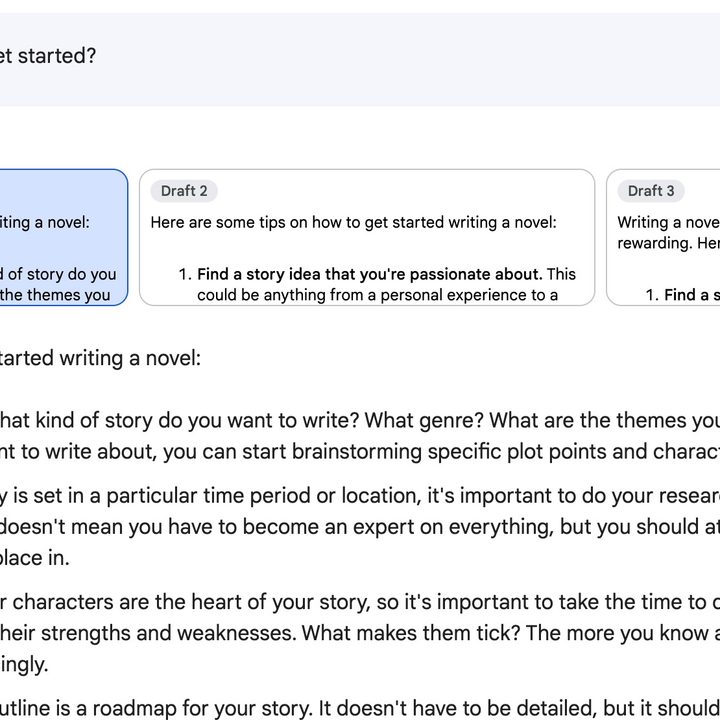
One of the neatest features of Google Bard is how it creates responses as drafts. It provides a single answer to your prompt, but then will also give you the option to see other versions or “drafts” of this same text. I’ve found this really useful. We all know that these AI chatbots always answer prompts in different ways, and being able to see variations on the response is so much more helpful than having to ask ChatGPT to “try that again.”
It’s commonplace in text-to-image generation to let the AI produce many, many options to choose from to home in on the desired image. I’d love to see a version of that for ChatGPT someday.
Continued conversations
It’s not talked about much, but ChatGPT does have a limit to how many chats can be in a conversation. It’s very large, but I know that I’ve run up against it before. I understand why ChatGPT needs to put limits on stuff like this, but it’s frustrating that there’s no way to continue the conversation in a new chat. This is especially true because of the way ChatGPT stacks chats into separate conversations rather than into one continuous stream.
ChatGPT seems to be able to learn from and use the context of responses and prompts in a single conversation to continue the train of thought. If there must be limits of conversations, it’d at least be nice to be able to continue the context of that conversation in a new chat.
Different modes and styles
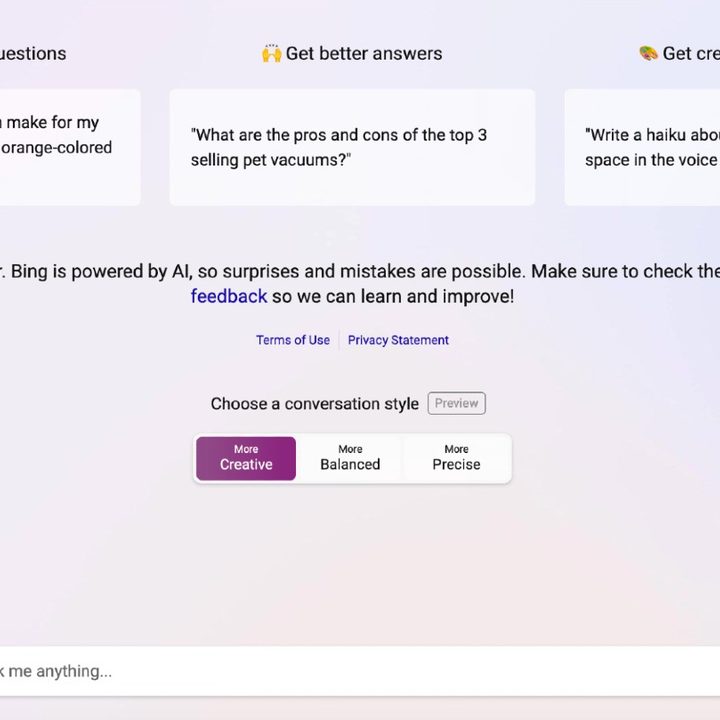
The idea for this one is borrowed from Bing Chat. Microsoft’s own ChatGPT competitor is based on OpenAI’s technology, but offers some helpful ways of narrowing down the scope of a prompt. For example, Bing Chat let’s you choose from three different conversation styles: Creative, Balanced, and Precise. This tells Bing Chat how rigorous to be with knowledge and creativity. There’s also a “Compose” mode found in the Bing Chat Edge Copilot, which lets you choose from a number of different formats of writing and response lengths.
A lot of this can be achieved by using longer, more specific prompts that ask ChatGPT to respond in certain ways. But for beginners, these types of modes and limiters could make ChatGPT much easier to use. Having a slider for creative or precise modes could also adjust expectations about what kind of answers ChatGPT provides.
Suggested prompts

Suggested prompts are available in all sorts of different AI chatbots, most notably with Bing Chat. Like having different modes and styles, suggested follow-up prompts are really helpful for beginners who might not know how to continue the conversation with ChatGPT.
But even for more advanced users, I think suggested prompts could help expand your mind for what kinds of things ChatGPT can do to extend the conversation or get something closer to your desired result.
Voice prompts
There are ways to interact with ChatGPT using voice via plug-ins, but I’d love for OpenAI to incorporate voice as a standard feature. It would be great to be able to provide prompts over voice or receive answers read aloud. Obviously, if you’re using ChatGPT for coding, this would be silly, but having ChatGPT function a bit more like a voice assistant would be awesome in most other situations.
All the hardware capabilities currently exist in the devices using ChatGPT, so I’m not sure even how difficult this would be. It’d likely freak people out even more, but voice prompts could really help bring ChatGPT to life.


