1. Home
  2. Computing
  3. Web
  4. Legacy Archives

Chrome 14 launches with Native Client, Lion support

Add as a preferred source on Google
Google+ enhanced: Five must-have Chrome extensions
Image used with permission by copyright holder

Earlier today, Google pushed the most recent revision of Chrome out to users of the Web browser. Google Chrome 14 brings a smattering of bug fixes as well as updates to the core functions of the browser. One such update adapts Chrome to the Mac OS X Lion scroll bar style that appears when scrolling up and down the page. Chrome is also now compatible with Lion’s full-screen mode. Google has included Native Client support within this version of Chrome allowing developers to run C and C++ Web apps within a secure space in the browser. While it only works with content from Google’s Web Store at the moment, the company plans on removing that limitation shortly.

Chrome 14 has also received a new Web Audio API that allows developers to mix sound sources within a three dimensional space, a feature that could easily translate into Web-based games. Advanced audio effects like spatialization can be built into a HTML5 page for instance. Google has published a variety of demos if interested in taking the new sound effects for a test drive. On the bug squashing front, Google fixed 32 bugs ranging from low to high in severity and paid out nearly $15,000 to those that reported the problems. No critical bugs were located during this round of revisions.

Recommended Videos

While testers in the Chromium channel are already playing with Chrome 16, the next version of the popular Web browser will bring more end-user upgrades than Chrome 14. The most significant upgrade within Chrome 15 are three options at the bottom of a new tab. When a new tab is launched, users can switch between most visited sites, apps and bookmarks. The recently closed tabs menu has also moved to the bottom right hand corner of a new tab, a helpful tool after accidentally closing a tab.

Mike Flacy
By day, I'm the content and social media manager for High-Def Digest, Steve's Digicams and The CheckOut on Ben's Bargains…
Asus puts the outrageous dual-screen ROG Zephyrus Duo on the shelf at an eye-watering price
The ROG Zephyrus Duo isn't just a gaming laptop with two screens, it's the company’s most serious attempt yet to add more ambition to a "portable workstation" that’s capable of gaming.
Asus dual-screen laptop America.

Asus has decided that one screen isn’t simply enough on a laptop. The ROG Zephyrus Duo has returned to the market with two screens, with pre-orders now live for what the company is calling the world’s first 16-inch dual-screen gaming laptop.

Starting at $4,499.99 and going up to $5,499.99 for the top configuration, this is undoubtedly a machine that is built for people measuring their laptops with ambition, either for innovation or the desire to game on a dual-screen laptop. 

Read more
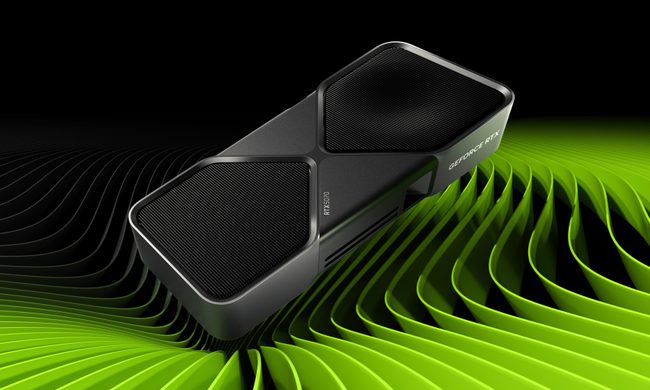
Nvidia quietly released a new version of GeForce RTX 5070 GPU inside a driver blog post
And more VRAM doesn't always mean more performance, and the pricing could make the RTX 5070 Ti a better value depending on final configurations.
The RTX 5070 in a graphic.

Nvidia just announced a new GPU variant in the weirdest way possible: buried it in a game driver update blog post. 

Alongside the release of its Game Ready 596.36 WHQL driver, the company also confirmed the launch of a 12GB GDDR7 configuration of the GeForce RTX 5070 laptop GPU. 

Read more
Dell 34 Plus USB-C monitor review: An ultrawide beauty with surprises you’ll love
Dell's curved monitor blends practical minimalism with a few neat perks of its own.
Dell 34 Plus USB-C Monitor - S3425DW

Quick Take

I’ve grown deeply suspicious of any monitor that calls itself a “productivity display.” They're not bad, per se. The real reason is that most of them are boring, and sluggish at adopting modern standards. Chunky black bezels, boring grey-on-grey corporate look that screams “I belong in a 2014 cubicle,” and a dull desk presence. I’ve never wanted any of them sitting on my workstation. So when I unboxed the Dell 34 Plus USB-C monitor (SKU is S3425DW), I was bracing for the usual disappointment. It was in for a surprise.

Read more