1. Home
  2. Computing
  3. Legacy Archives

Chrome and Firefox developers add virtual reality support

Add as a preferred source on Google

Good news if you’ve been waiting to surf the Web using an Oculus Rift headset or a homemade version of Google Cardboard: Chrome and Firefox developers have been busy adding virtual reality components to the beta editions of their respective browsers, which could eventually enable websites to feature interactive walkthroughs and other immersive experiences.

The Chrome news comes courtesy of Google’s Brandon Jones, who explains how Web developers could include VR components within pages: “In the case of a piece of clothing you could see it on a virtual mannequin, walk around it, lean in and examine the stitching, and so on as if it were actually sitting right in front of you,” he writes. “You could also imagine similar experiences with educational tools, data visualization, mapping, and so on.” Online gaming is another area where virtual reality could be implemented.

Recommended Videos

The new VR capabilities have been added to Chromium, an early build of Chrome used to test out experimental features and work through bugs in the software. That means It will be some time before it comes to the stable versions of Chrome used by the majority of its users. Jones provides links to the Chromium builds and some demos if you want to try out the technology (and have access to a compatible headset).

As for Firefox, within the last month Mozilla developers have also been speaking about how best to implement the technology in the Firefox browser. Mozilla’s Vladimir Vukićević has written a blog post on some of the technical specifications of the new software. As with Chrome, development is still at the very early stages, but there are demos you can test out through an Oculus Rift.

“The opportunity for VR on the Web is particularly exciting,” says Vukićević. “The Web is a vibrant, connected universe where many different types of experiences can be created and shared. People can be productive, have fun and learn all from within their browser.”

David Nield
Former Contributor
Dave is a freelance journalist from Manchester in the north-west of England. He's been writing about technology since the…
Asus puts the outrageous dual-screen ROG Zephyrus Duo on the shelf at an eye-watering price
The ROG Zephyrus Duo isn't just a gaming laptop with two screens, it's the company’s most serious attempt yet to add more ambition to a "portable workstation" that’s capable of gaming.
Asus dual-screen laptop America.

Asus has decided that one screen isn’t simply enough on a laptop. The ROG Zephyrus Duo has returned to the market with two screens, with pre-orders now live for what the company is calling the world’s first 16-inch dual-screen gaming laptop.

Starting at $4,499.99 and going up to $5,499.99 for the top configuration, this is undoubtedly a machine that is built for people measuring their laptops with ambition, either for innovation or the desire to game on a dual-screen laptop. 

Read more
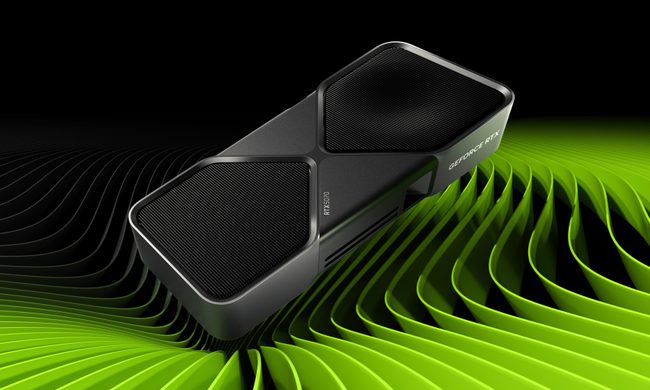
Nvidia quietly released a new version of GeForce RTX 5070 GPU inside a driver blog post
And more VRAM doesn't always mean more performance, and the pricing could make the RTX 5070 Ti a better value depending on final configurations.
The RTX 5070 in a graphic.

Nvidia just announced a new GPU variant in the weirdest way possible: buried it in a game driver update blog post. 

Alongside the release of its Game Ready 596.36 WHQL driver, the company also confirmed the launch of a 12GB GDDR7 configuration of the GeForce RTX 5070 laptop GPU. 

Read more
Dell 34 Plus USB-C monitor review: An ultrawide beauty with surprises you’ll love
Dell's curved monitor blends practical minimalism with a few neat perks of its own.
Dell 34 Plus USB-C Monitor - S3425DW

Quick Take

I’ve grown deeply suspicious of any monitor that calls itself a “productivity display.” They're not bad, per se. The real reason is that most of them are boring, and sluggish at adopting modern standards. Chunky black bezels, boring grey-on-grey corporate look that screams “I belong in a 2014 cubicle,” and a dull desk presence. I’ve never wanted any of them sitting on my workstation. So when I unboxed the Dell 34 Plus USB-C monitor (SKU is S3425DW), I was bracing for the usual disappointment. It was in for a surprise.

Read more