

Specs, specs, specs. It all comes down to specs. But not in the world of gaming laptops. Although gaming laptops carry the GPU monikers set by AMD and Nvidia, the reality is that graphics cards with the same name on paper can perform much differently in practice.
AMD and Nvidia allow laptop builders like Alienware, Razer, and ROG to choose how much power to feed the GPU within a range, and that’s a good thing. Laptops serve different purposes, and it only makes sense to accommodate many different designs. The problem is that differences in power can represent massive losses in performance, and there isn’t enough oversight to force laptop manufacturers to clearly label the GPUs they’re using.

Here’s the problem
There’s a problem when two laptops with identical specs can return somewhere around a 20% difference in gaming performance. It sounds like I’m exaggerating, but I’m not. Take the MSI Creator Z17 and Lenovo Legion 5i Pro — two laptops with an Intel Core i7-12700H and RTX 3070 Ti laptop GPU. In 3DMark Time Spy, the Lenovo machine was a full 21.6% faster.

Keep in mind that, on paper, these two machines come with identical specs. In reality, the mobile RTX 3070 Ti operates in a range of 80 watts to 125W. The MSI Creator Z17 goes up to 90W, while the Lenovo Legion 5i Pro tops out at … well, I couldn’t tell you. I’ll get to that in a moment.
This issue isn’t exclusive to creator versus gaming laptops, either. The Razer Blade 17 and MSI GE76 Raider, both equipped with an RTX 3080 Ti, showed large differences in Assassin’s Creed Valhalla, with the MSI machine shooting ahead by around 14%.

These machines have slightly different CPUs (the Core i7-12800H on the Blade 17 against the Core i9-12900HK on the MSI), but my testing of Valhalla has shown time and again that it’s a game heavily limited by the GPU — read my write-up on the Ryzen 7 5800X3D for an example of that.
Differences in performance are one thing, but the range is what’s particularly egregious. Notebookcheck found that a high-powered RTX 3070 laptop GPU could outperform a low-powered RTX 3070 Ti. Imagine spending extra to get an RTX 3070 Ti only to find out that it underperforms compared to the cheaper RTX 3070.
To really drive this point home, look at the Gigabyte Aero 16 and Lenovo Legion 5i Pro in 3DMark Fire Strike below. There’s around a 9% difference between them, which is very problematic considering the Lenovo machine has an RTX 3070 Ti and the Gigabyte has an RTX 3080 Ti. And Lenovo’s machine has a slower processor.

Nvidia requires laptop manufacturers to list the amount of power the GPU is allotted, at least in theory. But I still can’t tell you the power limits of the Lenovo Legion 5i Pro or the Razer Blade 17 because these companies, among others, simply don’t list them.
Give it a name

With the launch of RTX 30-series mobile GPUs, Nvidia dropped its Max-Q and Max-P branding. These names were originally created to note how much power the GPU was allowed, with Max-Q marking the lowest-powered options. The branding is gone, but the spirit of Max-Q is still very much alive.
Naturally, that was a problem as laptop buyers found out that their cards weren’t getting full power. Nvidia started requiring laptop manufacturers to list the TGP, or Total Graphics Power, as a spec in February 2021. But more than a full year later, several laptop manufacturers refuse to list it.
When an RTX 3070 Ti can outperform an RTX 3080 Ti, it’s time to go back to the drawing board.
MSI, Asus, and Gigabyte clearly list the TGP on laptop product pages (that’s why I was able to explain the Gigabyte Aero 16’s relatively slower speeds). Dell lists them, too, though they’re reserved for a separate page that you can only access by clicking Help me choose above the graphics section on the product page. That’s still not as bad as Razer, Acer, and Lenovo, which don’t list the TGP at all despite Nvidia’s requirements.

Thermals are ultimately what dictate how much power a GPU can draw, and it makes sense why some machines take advantage of more headroom when others can’t. But the point remains. When an RTX 3070 Ti can outperform an RTX 3080 Ti in a laptop, it’s time to go back to the drawing board.
Back to the drawing board
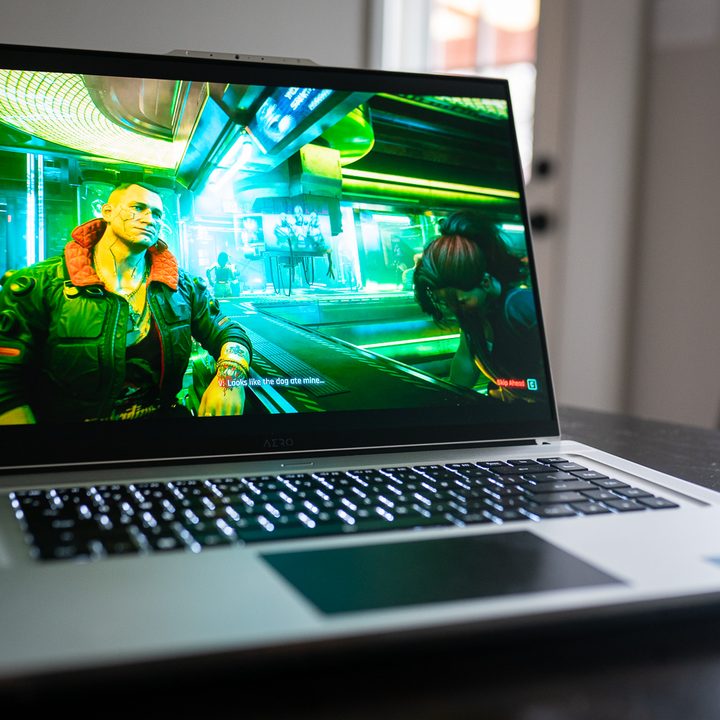
Although I don’t have a solution, I don’t want to close this entry without at least offering some ideas. For starters, TGP should always accompany the specs sheet. This requirement isn’t working, and it’s on AMD and Nvidia to enforce it broadly. Ideally, it should be available on the same page where I can click the Add to cart button (I’m looking at you, Dell).
The other option is to reintroduce the spirit of Max-Q with branding that actually makes sense. Although most mobile GPUs have a wide range of TGP options, 10W here or there isn’t going to completely break the lineup. Maybe instead of Max-Q, low-powered cards are noted with “LP.: Or you could mix in some CPU naming conventions with a “U” suffix. PC enthusiasts have dealt with far more confusing naming schemes in the past.
Regardless of what the solution is, the current system isn’t working. With the lineup-breaking performance differences and apathy for listing TGP from multiple laptop manufactures, it’s more than just misleading. It’s a downright lie.
This article is part of ReSpec – an ongoing biweekly column that includes discussions, advice, and in-depth reporting on the tech behind PC gaming.


