1. Home
  2. Computing
  3. News

Gmail is finally fixing a big gap in its Help Me Schedule tool

No more reply-all scheduling chaos. Gmail's Gemini-powered tool now finds a time that works for the whole room, automatically.

Add as a preferred source on Google
Help Me Schedule button on Gmail.
Google

Google is expanding its “Help Me Schedule” feature to group meetings in Gmail, fixing the one glaring gap that exists ever since it came out in October 2025. 

Introduced in October 2025, Help Me Schedule (an AI-powered feature) helped with scheduling meetings between two individuals only. Which, if you’ve ever tried to coordinate a team meeting over an email, isn’t quite useful. 

What’s actually changed?

However, with the update, the feature can now organize meetings with multiple guests, directly from the Gmail compose window. 

Recommended Videos

Google’s Gemini AI model — if it has access to your emails — will detect when you’re trying to arrange a meeting, show up a scheduling button in the toolbar, and propose an ideal time slot based on the recipient’s availability (factoring in their working hours and other potential factors). 

The guest list, as you’d have guessed by now, is pulled automatically from the email thread, though you can still edit it as needed. Once the recipient of the email picks up a time slot from the available ones, an email invite is sent out to all guests, including the external participants (if any). 

Who’s getting the new “Help Me Schedule” and when?

Gmail’s new “Help Me Schedule” feature is available for the Business Standard and Plus, Enterprise tiers, and the Google AI Pro users for Education and Frontline Plus. The rollout for the scheduled release domains begins on March 16, 2026. 

Unfortunately, the feature isn’t available for free Gmail users, neither the original one nor the updated one. Anyway, it is a small but genuinely useful update for eligible users. 

It might not make headlines at a keynote event, but it will surely help thousands of professionals in scheduling group meetings, a process that, until now, included emailing and sending manual invites. 

Shikhar Mehrotra
For more than five years, Shikhar has consistently simplified developments in the field of consumer tech and presented them…
What makes a laptop good for both work and entertainment?
Computer, Electronics, Laptop

This post is brought to you in paid partnership with HP.

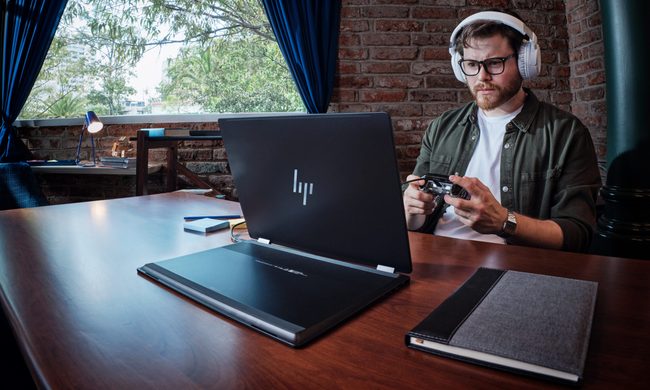
The HP OmniBook X Flip is designed as an all‑day AI PC that adapts seamlessly from productivity to entertainment without switching devices.

Read more
Your Windows 11 PC can now natively run AI workloads, even if it lacks the Copilot+ badge
Windows 11 laptop on a table

For the better part of a year, Microsoft has been telling us that the future of AI on Windows belongs to Copilot+ PCs. If you wanted Microsoft’s most advanced local AI features, you needed a machine with a dedicated Neural Processing Unit (NPU). That was the deal. Now, Microsoft appears to be rewriting the rules.

According to updated documentation, Windows 11’s local Language Model APIs can now run on non-Copilot+ PCs, provided they have an Nvidia GeForce RTX 30-series GPU (or newer) with at least 6GB of VRAM. On the surface, this sounds like a developer-focused update. In reality, it could be one of the most significant shifts in Microsoft’s AI PC strategy since Copilot+ PCs launched last year. More importantly, it raises a question that has been lingering ever since the AI PC era began: Did we really need NPUs for all of this in the first place?

Read more
The Windows 11 June update makes your Start menu and Search feel much more snappier
Low Latency Profile is the first targeted fix Microsoft has shipped for shell responsiveness, and the June update brings it to every eligible PC rather than just Insider preview testers.
Windows 11 Laptop

If you’ve ever clicked on the Start button and watched the menu appear after a second or two, you already understand the problem Microsoft is trying to solve with its June 2026 Windows 11 update. 

The update (KB5094126) rolled out on June 9, 2026, for WIndows 11 24H2 and 25H2, and targets the shell responsiveness issues that have quietly frustrated users since its launch in 2021. The headline change is the broad rollout of the Low Latency Profile.

Read more