1. Home
  2. Computing
  3. Trash
  4. News

Google Chrome has a secret feature to make it match Windows 11’s new design

Add as a preferred source on Google

One of the signature features of Windows 11 is the new rounded corners and glass-like mica effects. Usually only found in Microsoft and select third-party Windows apps, these design elements are now making their way into Google Chrome but are still hidden secret behind a flag in Chrome’s settings.

Once the secret flag is enabled, Chrome on Windows 11 fits in better with the rest of the new operating system. Right-click menus in Chrome change from squared off to more rounded, and also pick up the modern mica effect. In addition, Chrome’s pop-out settings menu changes to a more rounded shape, fitting better with native Windows elements like the Start Menu and Quick Actions pop-out.

The Windows 11 style right click menu in Windows 11
Image used with permission by copyright holder

If you really want to enable the feature today to make Chrome feel more modern, you can do so by upgrading to Chrome version 96 first. Just visit the settings menu from the three downwards facing dots at the top of the screen, choose Help, and then About Google Chrome. The browser will then auto-update and restart.

Once on Chrome version 96, visit Chrome://flags in the address bar. You can paste it and click enter. You can then search for Windows 11 and switch Windows 11 Style Menus to enabled. Chrome will then restart, and you can right-click on a webpage to see the new rounded menus.

Interestingly enough, enabling this flag in Google Chrome on Windows 10 also brings the same design elements to the older Microsoft operating system. It’s a neat little trick for those who really want to enjoy small visual elements of Windows 11 without actually taking the jump and updating to the new operating system.

Of course, you also can use a third-party program like Start11 to make Windows 10 look more like Windows 11. The program tweaks the Taskbar to center it, and on Windows 11, will let you move the Taskbar and Start Menu to the top of the screen.

Even Microsoft likes these mica effects and rounded corners. Back in July, Microsoft’s own Edge browser, which is based on the same engine as Google Chrome, got a flag to enable these same Windows 11 design elements. It has since become the default look.

Arif Bacchus
Arif Bacchus is a native New Yorker and a fan of all things technology. Arif works as a freelance writer at Digital Trends…
Asus puts the outrageous dual-screen ROG Zephyrus Duo on the shelf at an eye-watering price
The ROG Zephyrus Duo isn't just a gaming laptop with two screens, it's the company’s most serious attempt yet to add more ambition to a "portable workstation" that’s capable of gaming.
Asus dual-screen laptop America.

Asus has decided that one screen isn’t simply enough on a laptop. The ROG Zephyrus Duo has returned to the market with two screens, with pre-orders now live for what the company is calling the world’s first 16-inch dual-screen gaming laptop.

Starting at $4,499.99 and going up to $5,499.99 for the top configuration, this is undoubtedly a machine that is built for people measuring their laptops with ambition, either for innovation or the desire to game on a dual-screen laptop. 

Read more
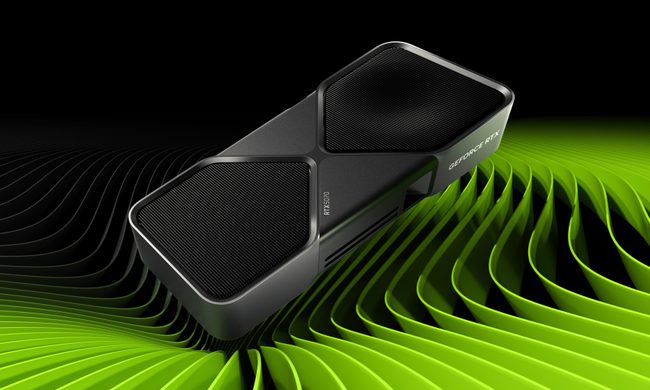
Nvidia quietly released a new version of GeForce RTX 5070 GPU inside a driver blog post
And more VRAM doesn't always mean more performance, and the pricing could make the RTX 5070 Ti a better value depending on final configurations.
The RTX 5070 in a graphic.

Nvidia just announced a new GPU variant in the weirdest way possible: buried it in a game driver update blog post. 

Alongside the release of its Game Ready 596.36 WHQL driver, the company also confirmed the launch of a 12GB GDDR7 configuration of the GeForce RTX 5070 laptop GPU. 

Read more
Dell 34 Plus USB-C monitor review: An ultrawide beauty with surprises you’ll love
Dell's curved monitor blends practical minimalism with a few neat perks of its own.
Dell 34 Plus USB-C Monitor - S3425DW

Quick Take

I’ve grown deeply suspicious of any monitor that calls itself a “productivity display.” They're not bad, per se. The real reason is that most of them are boring, and sluggish at adopting modern standards. Chunky black bezels, boring grey-on-grey corporate look that screams “I belong in a 2014 cubicle,” and a dull desk presence. I’ve never wanted any of them sitting on my workstation. So when I unboxed the Dell 34 Plus USB-C monitor (SKU is S3425DW), I was bracing for the usual disappointment. It was in for a surprise.

Read more