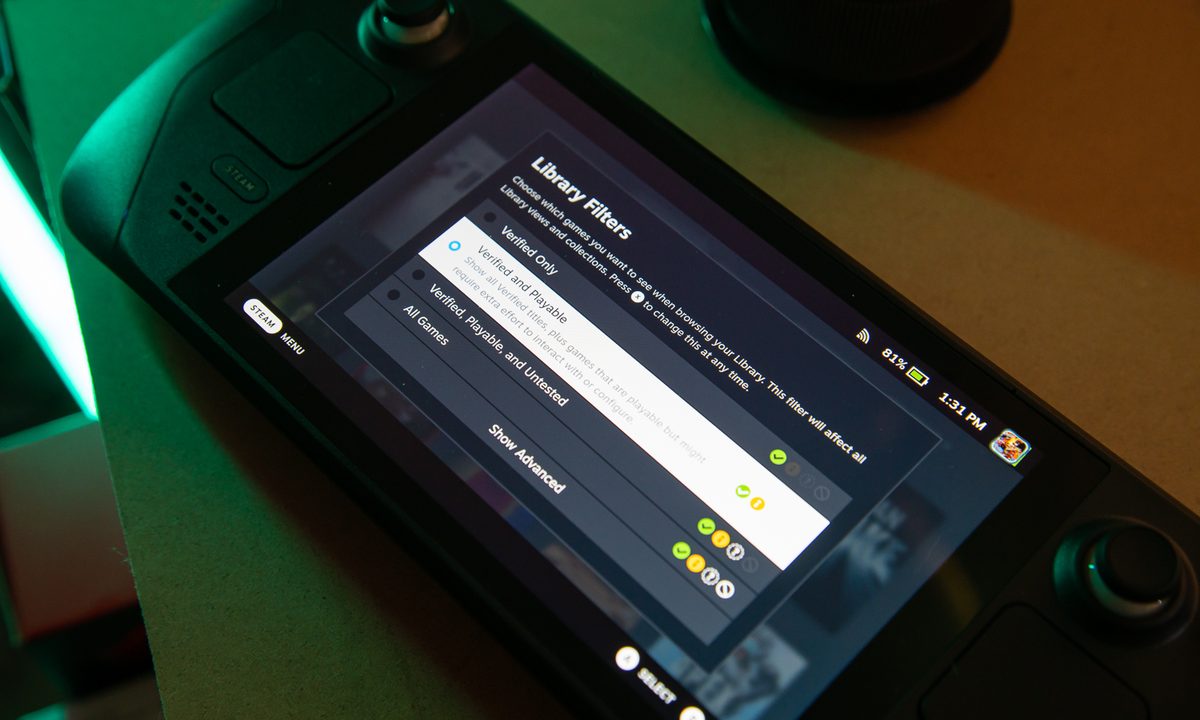
The Steam Deck is a gaming PC at heart, but physically, it is quite unlike any other gaming PC. After all, it uses a controller rather than a keyboard and mouse, is intended to be portable, and by default runs Linux when most games don't have a Linux port, so it's hard to expect very many games to work perfectly well on the Deck.
That being said, thousands of games can be played on the Steam Deck, and there are two very easy ways to check if your library is playable on Valve's handheld PC.
Use Steam's compatibility checker
As you might expect, Valve catalogs which games work on the Steam Deck and which games don't. You can automatically scan your library for which games are verified to work.
Step 1: First, log into Steam on a web browser and then go to the Steam Deck Compatibility website.
Step 2: You should see a page like the one above, and your games will be divided into four categories:
- Verified (green check mark): Fully functional on Steam Deck, and works great with the built-in controls and display.
- Playable (yellow info mark): Functional on Steam Deck, but might require extra effort to interact with or configure.
- Unsupported (gray stop sign): Currently doesn't function on Steam Deck but could receive support in the future.
- Untested (no symbol): Untested by Valve thus far.
Even if a game doesn't have a Linux port, the Steam Deck can still run it via the Proton tool, which basically translates Windows games so that you can play them on Linux.
Unsupported games might actually run on the Steam Deck but can require a mouse and keyboard or VR headset. Technically speaking, the Steam Deck can use either of these things, but Valve's rating is strictly about whether or not these games are playable on the Deck itself without any peripherals.

Look up your games on ProtonDB
If Valve hasn't rated the game you searched on the official Steam Deck website, try checking out ProtonDB, the unofficial database for checking Proton compatibility with games.
Instead of waiting for game devs to confirm Proton compatibility, ProtonDB users report their experience using Proton for certain games. It's basically crowdsourced bug reporting. However, this is strictly only for whether or not games work with Proton, not necessarily on the Steam Deck, which can't play certain games due to other reasons, such as requiring a keyboard and mouse.
Step 1: First, go to ProtonDB.com.

Step 2: In the top-left corner, find the search bar that says "Search games" and type in any game you're wondering about, then press the Enter key. You'll find a results page that should have the game you're looking for.

Step 3: Each game is given a score based on how playable it is. From best to worst, they are:
- Native: Runs natively on Linux.
- Platinum: Runs perfectly out of the box.
- Gold: Runs perfectly after tweaks.
- Silver: Runs with minor issues but generally is playable.
- Bronze: Runs but often crashes or has issues preventing you from playing comfortably.
- Borked: Either won't start or is crucially unplayable.
- No rating: ProtonDB won't assign a rating if there aren't enough reviews.
Keep in mind, this is about how playable the game is on Proton, not necessarily on the Steam Deck. For example, Age of Empires II HD, Age of Empires II: Definitive Edition, and Age of Empires III are all Gold-rated games but all have different Steam Deck ratings, so be careful.

Step 4: If you create a ProtonDB account, you can check your Steam library, too. ProtonDB may focus on Proton overall, but it still shows you games in your library that specifically work with the Steam Deck based on community feedback.
If your games are verified or playable, then you don't have anything to worry about. The Steam Deck might not be the most ideal way to play your favorite games, but with a verified or playable rating, they will certainly run.
Games with an unsupported rating either don't run well on Proton or don't work well on controllers and/or handheld PCs. While many games would probably work if you installed Windows and hooked up a keyboard and mouse or VR headset, this is certainly reaching the point where you might have been better off just using one of the best gaming laptops.
And if your games haven't been verified one way or another, then the only thing you can really do is rely on ProtonDB's ratings and make sure your games are playable with a controller and wouldn't have any obvious problems running on a handheld PC. In the worst-case scenario, you might have to see for yourself whether or not a game works on the Steam Deck.