
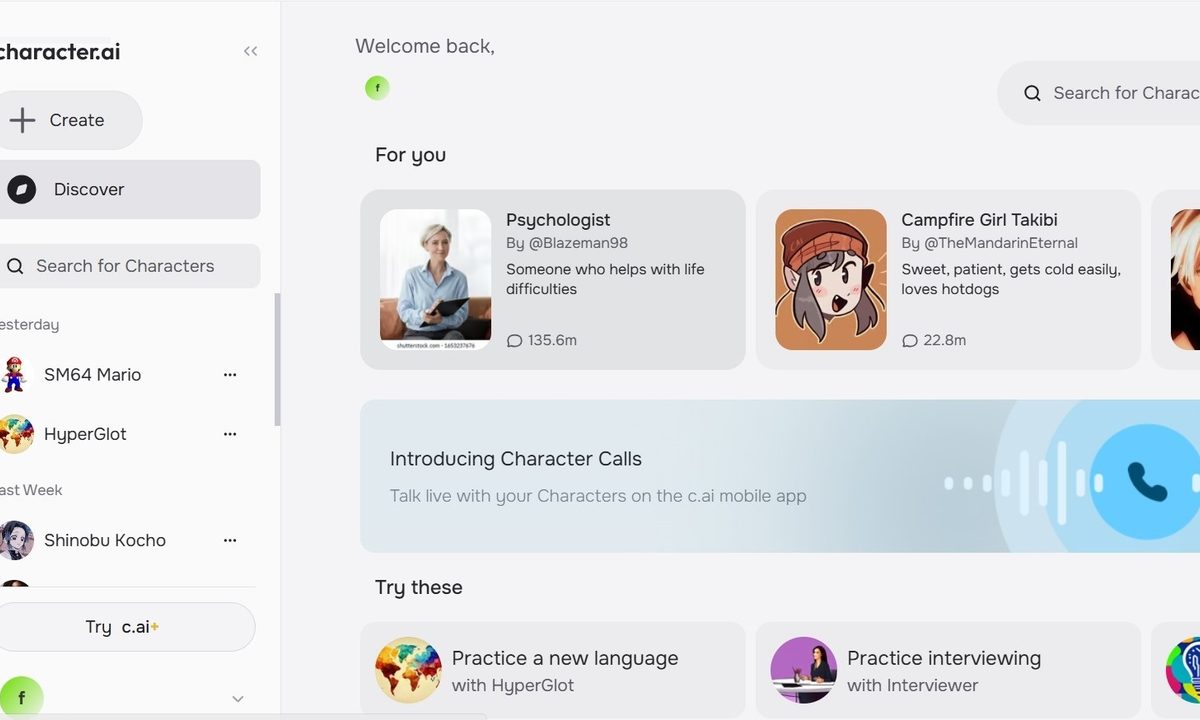
Character.ai has become one of the most popular AI chatbots available since its launch in late 2022, standing out for its creative and entertainment-based spin on the AI space.
The chatbot allows you to communicate one-on-one with characters that may be based on notable people, fictional characters from books, video games, TV shows, or movies, or a conceptual person like a teacher, therapist, or coach. While Character.ai stresses that all interactions between human users and AI characters on its service are made up, many users have been able to maximize the service to their benefit, with chatbots that serve as language tutors, study guides, or general companions. Even so, the trendy appeal of the service may not last forever.
If you feel your time using Character.ai has come to an end, you can follow these simple directions to delete your account permanently.

How to delete your Character.ai account
Step 1: Select your account name at the bottom of the Character.ai home page.
Step 2: Access Settings > Account > Manage account & Data > Delete account.
Step 3: Enter your password and select Delete account to confirm deletion.
Step 4: Be sure to back up any data that you don’t want permanently deleted. Alternatively, you can select Export data in the Account section.

Why you might want to delete your Character.ai account
- You’re finished with the service: If you haven’t logged on in some time and the original appeal of Character.ai is now lost, you might find it beneficial to just delete your account. The brand has also since made major upgrades to the website design and function that might be much different than Character.ai when it first launched. The upgrades are sure to gain some fans but may also lose some.
- You’ve found a competitor AI service you prefer: There are several alternative AI chatbots available, including popular options such as ChatGPT, Microsoft Copilot, and Google Gemini. There are many niche chatbots available that cater to specific interests. If you’ve found a chatbot that is more attuned to your style, you can trade in Character.ai for exactly the service you prefer.
- You want to erase your data: Inputting information into a chatbot service like Character.ai can be a potential privacy concern. While there are other options, such as deleting individual chats, if your account is overwhelmed with content from multiple characters and several conversations, you might benefit from a clean account wipe.
- You want to start fresh with a new account: Deleting your account to start fresh with a new account is also a fair maintenance option because Character.ai does not allow you to completely delete characters you’ve made from your account. It is also an option if you're coming across a troubleshooting issue you cannot bypass.
- You’re trying to reduce your AI influence: Many companies are dipping their toes into the AI space at this time, but that doesn’t mean you have to participate. You might feel a sense of security in limiting the amount of AI accounts you have.


