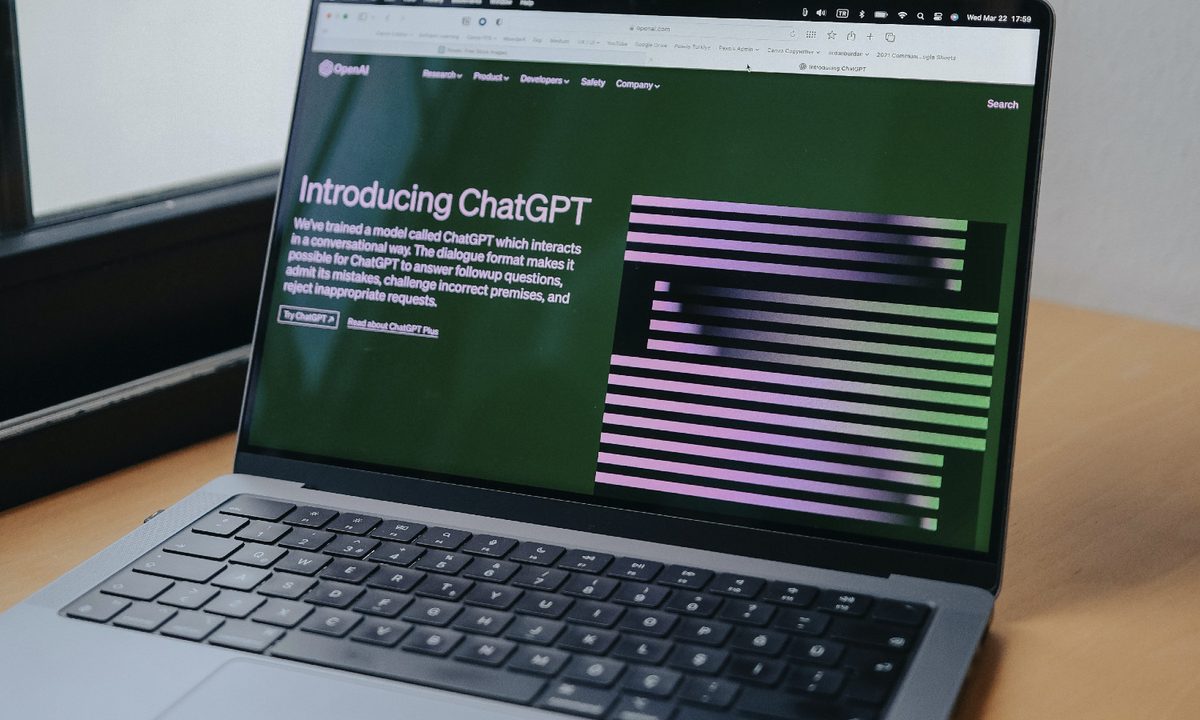
ChatGPT, OpenAI's artificial intelligence chatbot, seems to be able to do lots of things. You can have it explain complex concepts in simple terms, ask it for a cocktail recipe, or even have it write up Excel formulas for your spreadsheets.
But what about books and articles? Can ChatGPT help you make sense of a news article on a niche topic? Or summarize the plot of a given novel? Yes, but it does have limitations you need to know about, and there are a few things to keep in mind before using this AI chatbot for this purpose.
In this guide, we'll go over the caveats of using ChatGPT for summarizing articles and books. And we'll also show you exactly how to get ChatGPT to summarize them for you, in a few quick steps.
Can ChatGPT summarize books and articles?
Yes, ChatGPT can summarize books and articles, but there are notable limitations to its ability to do so.
For one thing, it can generate summaries or other responses that contain factual errors. In fact, ChatGPT admits as much on its own interface: The AI chatbot's New Chat screen features the phrase "May occasionally generate incorrect information" listed as one of its limitations. So you really do need to be careful about treating ChatGPT's responses as absolute truth. And you will need to do some fact-checking of your own to confirm that its responses are indeed correct.
Another issue? ChatGPT also has an oddly specific limit on its knowledge: It has what it calls a "knowledge cutoff" in which it knows very little about the world after September 2021. So if you ask for a summary of a book that was published after September 2021, it's likely that ChatGPT will be unable to provide that summary and instead offer up a limited response like the one in the screenshot below.
The screenshot actually shows both of the limitations described above in action. In the conversation with ChatGPT below, we asked ChatGPT to provide a summary of Prince Harry's book Spare, which was published on January 10, 2023. In response, ChatGPT instead referred to its knowledge cutoff and said that the book does not exist. It then went on to recommend another book by Prince Harry, which actually does not exist, at least not as a book. ChatGPT tried to recommend The Me You Can't See: A Memoir as a book that was published in 2021, but to our knowledge, such a book doesn't exist, though there is a documentary series with a similar name that involves Prince Harry and Oprah Winfrey that was released in 2021.

How to use ChatGPT to summarize a book
Using ChatGPT to summarize a book is actually pretty simple. You'll usually just need to include the title of the book and the name of its author in your request for ChatGPT to summarize it.
Step 1: Choose a book you want summarized by ChatGPT. Be sure to choose a book that was published before September 2021 and confirm that you have the correct title and name of the book's author.
Having this information and picking a book published before September 2021 will help ensure that ChatGPT gives you the most accurate response and doesn't send an error message.
Step 2: Open up your web browser on your PC and go to the ChatGPT website. Then log into your OpenAI account, if you haven't already.
You should now see a New chat screen on ChatGPT's web interface.
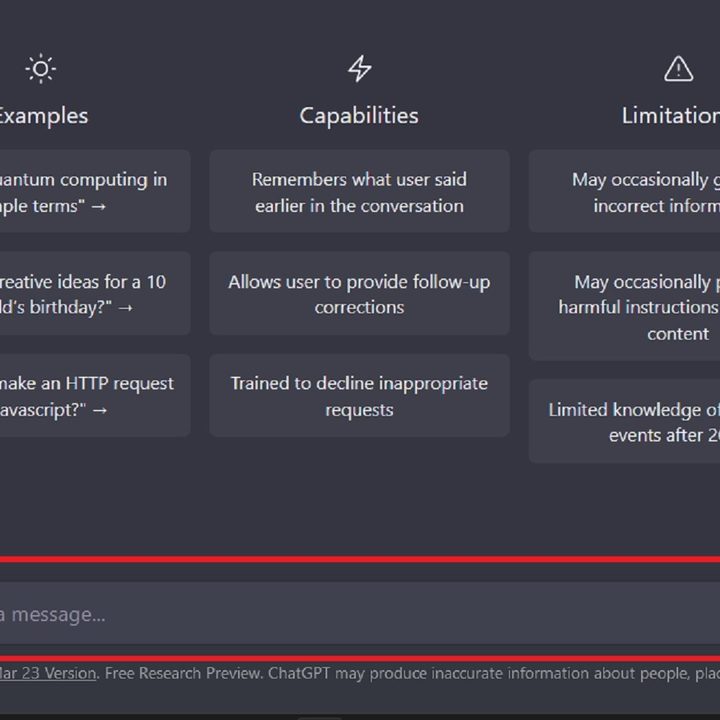
Step 3: On the New chat screen, select the Send a message... text box at the bottom of your screen and begin typing your request for a summary of your desired book into that text box.
In our example, we submitted the following request to ChatGPT: Please summarize the book "Great Expectations" by Charles Dickens.
Once you're done writing your request, press the Enter key on your keyboard.

Step 4: Once you've submitted your request, ChatGPT should immediately begin writing its response. In seconds, you should then be presented with ChatGPT's summary of the book you asked about.
Please remember that ChatGPT's responses aren't always correct, that they can sometimes contain factual errors, and that we strongly recommend that you still read the book to confirm whether or not this AI chatbot actually produced an accurate summary of the book.
How to use ChatGPT to summarize an article
Using ChatGPT to summarize a news article is pretty easy, and it seems to be even easier than asking the AI chatbot for a summary of a book. That's especially true if you have a link to an online news article. In the steps below, we'll show you how to do just that.
Step 1: Open up your web browser on your PC and navigate to the article you want summarized. Once the article appears, copy its URL (the article's link) from the address bar at the top of your browser (to do so, highlight the URL and then press CTRL + C on your keyboard).
Step 2: Once the URL is copied to your clipboard, open another tab in your browser and go to the ChatGPT website. Then log into your OpenAI account.
You should then be presented with a New chat screen on ChatGPT's website.
Step 3: On the New chat screen, select the Send a message... text box at the bottom of your screen and type in your message to ChatGPT requesting a summary of your chosen article. In your message, be sure to include the article URL you copied earlier (to do so, you'll need to paste the URL into the text box by selecting the text box and then pressing CTRL + V on your keyboard).
In our example, we submitted the following message to ChatGPT: Please summarize this article: https://nova-click.com/computing/chatgpt-is-getting-internet-access-with-plugins/
Once you're done composing your message to ChatGPT, press the Enter key on your keyboard to send it.

Step 4: Once you've sent your request to ChatGPT, it should only take a few seconds for it to respond with its summary of the article you chose.
Don't forget: While ChatGPT can usually provide you with a summary of an article, that doesn't automatically mean the summaries it produces are always fully accurate. ChatGPT can and sometimes does make mistakes. As a result, we still firmly recommend that you read the article or articles in question, so that you can see for yourself whether or not ChatGPT really did give you an accurate summary.