
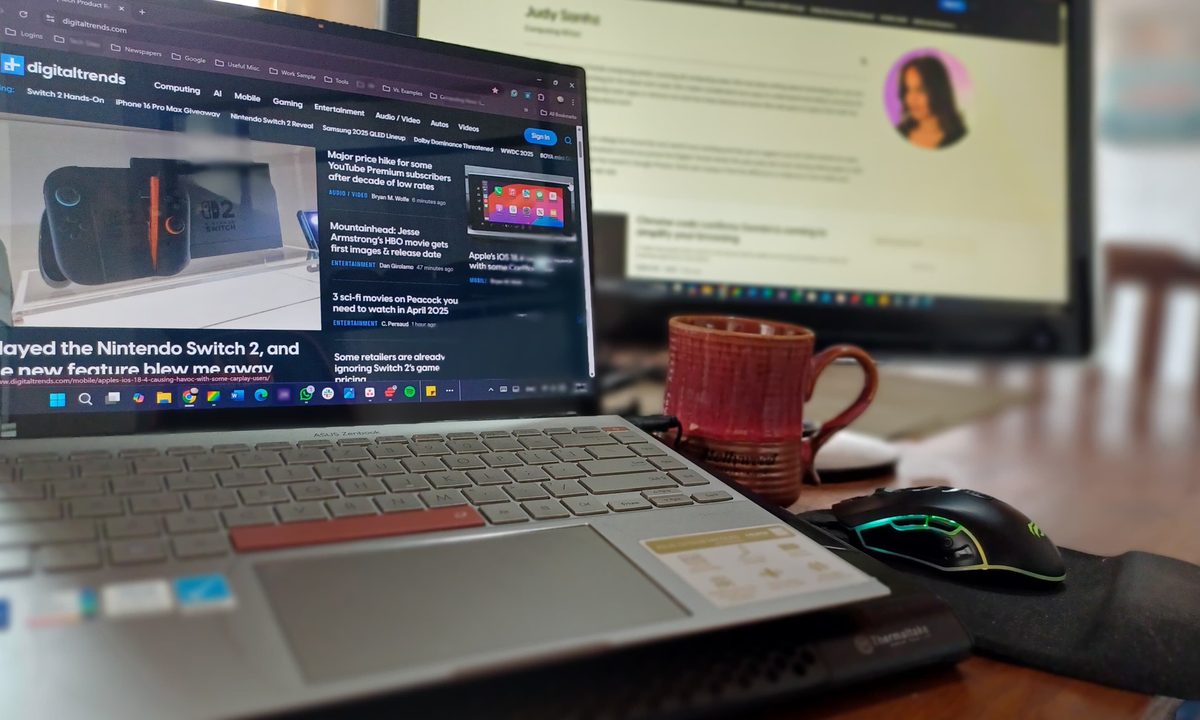
I’ll never forget the day my touchscreen laptop became my unexpected hero. I was working on an important project when my mouse decided to quit on me. I low-key panicked as I rapidly moved my cursor around, hoping it was a momentary glitch. Then, I remembered that I could use my PC’s touchscreen to navigate my files and keep going. The touchscreen turned out to be my lifeline, and at that moment, I knew I would never return to a non-touchscreen PC.
Having a touchscreen saved me from a work disaster

The frozen mouse was just a minor convenience; if it weren’t for the touchscreen, who knows when I would’ve been able to continue with my project? The problem could have derailed my entire workday, but instead of spending time trying to fix it, I used my screen and fixed the corrupted driver issue later. This was an absolute lifesaver since I didn’t have time to take on a new task, even if it was something as important as having a working cursor.
After that day, I used the touchscreen more often. At first, it was just for convenience, but I reached for it constantly. For example, it felt faster and easier to tap the screen when going through menus and settings, and I got just enough control when scrolling. Zooming in on images felt natural too, just like I was used to doing on my phone. Whenever I wanted to pause a YouTube video, I constantly tapped the pause button rather than reaching for the mouse. What surprised me the most was how fast I got used to using a PC with a touchscreen and even found myself trying to swipe on a secondary monitor that doesn’t have a touchscreen. Before long, I wasn’t just using the touchscreen for emergencies but for the smallest tasks.
One of the most underrated perks of having a PC with a touchscreen is the convenience of using it without a mouse, especially when I’m watching a show in bed. I can quickly grab my Asus Zenbook Space Edition laptop, get comfortable, and scroll through Amazon without needing extra space for a mouse. There’s no fumbling around or balancing a trackpad on a blanket, just the swipes I’m already used to.
I love touchscreens, but they come with drawbacks

As much as I love using a touchscreen, it has drawbacks. For example, if you want the benefit of a touchscreen, you must pay for it. The exact cost will depend on the model and precise specs, whether it’s one of the best laptops out there or not. Each laptop has its touchscreen and non-touchscreen variants. For example, the Dell XPS 17 and the XPS 15 have their touchscreen and non-touchscreen versions, and if you were to get the touchscreen model, you would have to pay a few hundred dollars more.
Still, having one of the best 2-in-1 laptops is even better. The extra money might sound like an unnecessary splurge, especially since you’re already paying a pretty penny for the laptop. But the additional cost was worth it for me since it saved me when my mouse quit on me. I like to think that I paid for the peace of mind that the touchscreen gives me by offering that extra option and the better experience I get when I use it daily.
Another thing about having a laptop with a touchscreen is that the display can get dirty faster. At first, I didn’t mind since I couldn’t see the smudges, but seeing them pile up got on my nerves. The annoyance hit an all-time high when the sun hit the screen, revealing a horror show of fingerprints and smudges all over my precious screen. The absolute nightmare happened when I grabbed a microfiber cloth to clean it, only to panic because I accidentally closed a very important window. After a moment of panic (and some yelling at my display like it was its fault), I managed to recover everything. But from that day on, I definitely started paying more attention to how dirty the screen could get and cleaned it before turning on my PC.
Lastly, I noticed the battery drained faster when I used the touchscreen heavily. As a result, I found myself reaching for the charging cable to plug it in. It’s not that the battery will always drain faster just because the laptop has a touchscreen; digitizers use very little power when idle, even less than the CPU and GPU. But the battery drained quickly if I did something that required constantly touching the screen.
Despite the drawbacks, I wouldn’t go back to a non-touchscreen PC. In my opinion, the pros outweigh the cons and are worth the extra cash.


